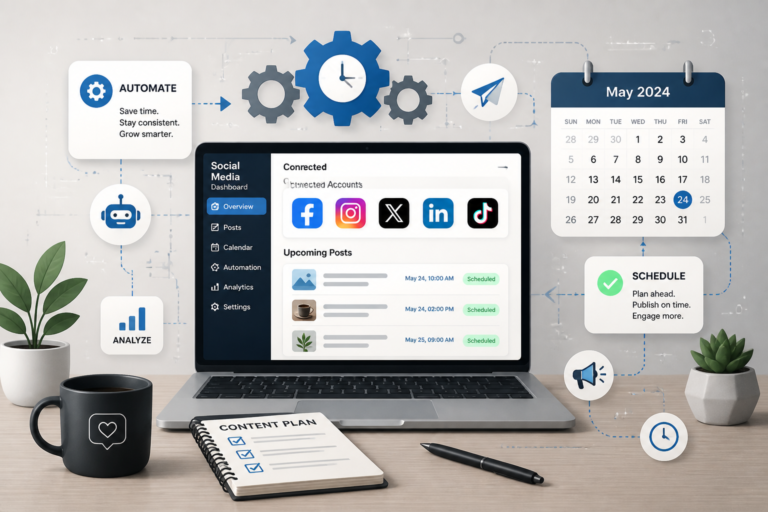
In today’s fast-paced digital landscape, effectively managing your social media presence is crucial. One of the most efficient ways to streamline your Instagram posting is through the use of automation plugins for WordPress. These plugins not only save you time but also enhance your engagement with followers. Among the top solutions available, the Social Media Autopilot With AI by XoBytes stands out as a powerful tool designed to simplify your Instagram marketing efforts.
Social Media Autopilot allows you to schedule and promote posts, pages, and WooCommerce products directly from your WordPress site. Therefore, if you’re looking to automate your Instagram posts seamlessly, this plugin is an excellent choice.
Why Use Instagram Automation Plugins?
Instagram automation plugins are beneficial for several reasons:
- Time-Saving: Scheduling posts in advance means you can focus on other aspects of your business.
- Consistent Posting: Automation helps maintain a regular posting schedule, ensuring your audience remains engaged.
- Increased Engagement: By posting at optimal times, you can reach more followers and enhance interaction.
With the right automation tools, you can significantly improve your social media strategy. For example, the Social Media Autopilot enables you to manage multiple accounts efficiently without the hassle of manual posting.
Top WordPress Instagram Automation Plugins
To help you choose the best plugin for your needs, here’s a list of some of the most effective WordPress Instagram automation plugins:
- Social Media Autopilot: This plugin offers advanced scheduling features and supports various platforms, making it a versatile choice.
- Instagram Feed Pro: Perfect for displaying your Instagram feed on your website while allowing for post automation.
- Revive Old Posts: This plugin helps keep your old posts alive by sharing them on Instagram and other social media platforms.
- WP Scheduled Posts: A comprehensive scheduling tool that allows you to manage all your posts in one place.
Each of these plugins has unique features that cater to different needs. Therefore, it’s essential to evaluate your specific requirements before making a choice.
How to Set Up Instagram Automation with WordPress
Setting up an Instagram automation plugin on your WordPress site is typically straightforward. Here’s a simple guide to get you started:
- Install the Plugin: Navigate to the plugins section in your WordPress dashboard, search for your chosen plugin, and install it.
- Connect Your Instagram Account: Follow the prompts to link your Instagram account to the plugin.
- Configure Settings: Set your preferred posting schedule, content types, and any other relevant settings.
- Create Your Posts: Use the plugin’s interface to create and schedule your Instagram posts.
By following these steps, you can automate your Instagram posting effectively and start seeing the benefits of streamlined social media management.
Benefits of Using the Social Media Autopilot
The Social Media Autopilot by XoBytes is specifically designed for users who want a hassle-free way to manage their social media accounts. Here are some of its notable features:
- Multi-Account Support: Manage multiple Instagram accounts from a single dashboard.
- AI-Powered Suggestions: Get recommendations for optimal posting times and content types.
- Analytics Tracking: Monitor engagement and performance of your posts to refine your strategy.
This plugin is ideal for small business owners, social media managers, and anyone looking to enhance their online marketing efforts. However, it may not be suitable for those who prefer a hands-on approach to social media management.
Conclusion
In conclusion, leveraging WordPress Instagram automation plugins can significantly streamline your social media efforts. By integrating tools like the Social Media Autopilot, you can save time, maintain consistent engagement, and ultimately improve your overall social media strategy. Don’t hesitate to explore these plugins and find the right fit for your needs.
Understanding the Limitations of Instagram Automation
While Instagram automation plugins can greatly enhance your social media management, it’s essential to understand their limitations. Here are some key points to consider:
- Platform Restrictions: Instagram has strict guidelines regarding automation. Overusing automation tools can lead to account suspension or shadowbanning.
- Authenticity: Automated posts may lack the personal touch that followers appreciate. Balancing automation with genuine engagement is crucial.
- Content Quality: Automation tools can sometimes lead to repetitive content. Ensure that your posts remain fresh and engaging.
Choosing the Right Instagram Automation Plugin
When selecting an Instagram automation plugin, consider the following criteria:
- Ease of Use: Look for a user-friendly interface that allows for quick setup and management.
- Features: Assess the features offered by each plugin, such as scheduling, analytics, and multi-account support.
- Customer Support: Reliable customer support can help resolve issues quickly and efficiently.
- Reviews and Ratings: Check user reviews and ratings to gauge the plugin’s performance and reliability.
Practical Examples of Instagram Automation
Here are a few practical examples of how businesses can leverage Instagram automation plugins effectively:
- Retail Stores: A clothing retailer can schedule posts showcasing new arrivals, ensuring that content is consistently shared during peak engagement times.
- Bloggers: A travel blogger can automate posts of their latest blog entries along with stunning travel photos, driving traffic back to their website.
- Restaurants: A restaurant can use automation to post daily specials and promotions, keeping their audience informed and engaged.
Related XoBytes Products

Social Media Autopilot With AI by XoBytes.com
$19.99
Xobytes Social Autopilot is a WordPress social media autoposter that helps schedule and promote posts, pages, WooCommerce products,…

AI SEO Data & Automatic Blog Writer for WordPress by XoBytes
$19.99
Turn your WordPress site, Google Search Console data, and SEO opportunities into smarter blog posts, pages, titles, meta…

Tamper Guard by XoBytes | WordPress Plugin Tamper Detector
$25.00
Protect your commercial WordPress plugins with license-based tamper detection, file integrity monitoring, automatic shutdown protection, and site reporting.…

Plugin Update Server for WordPress by XoBytes.com
$25.00
Plugin Update Server by XoBytes lets WordPress plugin sellers deliver private plugin updates directly to customer dashboards. Upload…

Agentic Support Desk for WordPress by XoBytes.com
$19.99
Agentic Support Desk by Xobytes is an AI-powered WordPress support desk built for software sellers, WooCommerce stores, agencies,…

Agentic Construction Theme | More than just a theme | Built for all trades
$49.99
Why You Need This Theme And Plugin! Click here for the Demo Agentic Construction Theme by XoBytes is…
Product 1 of 6
Integrating Instagram Automation with Other Marketing Tools
For a more comprehensive marketing strategy, consider integrating your Instagram automation plugin with other tools:
- Email Marketing: Use automation to share Instagram posts in your email newsletters, keeping your subscribers updated on your latest content.
- Analytics Tools: Combine Instagram analytics with your website analytics to gain insights into how social media impacts your overall business performance.
- Content Creation Tools: Utilize graphic design tools like Canva to create visually appealing posts that can be scheduled via your automation plugin.
Best Practices for Using Instagram Automation Plugins
To maximize the effectiveness of your Instagram automation efforts, consider these best practices:
- Engage with Your Audience: Even with automation, take time to respond to comments and messages to foster community engagement.
- Monitor Performance: Regularly review analytics to understand what types of content resonate with your audience and adjust your strategy accordingly.
- Stay Updated: Keep your plugins updated to ensure compatibility with Instagram’s latest features and guidelines.
Future Trends in Instagram Automation
As social media continues to evolve, here are some trends to watch in Instagram automation:
For additional authoritative context, review Facebook.
- AI Integration: Expect more automation tools to incorporate AI for smarter content suggestions and engagement strategies.
- Enhanced Analytics: Future plugins may offer deeper insights into user behavior, allowing for more tailored content strategies.
- Increased Focus on Authenticity: As users demand more genuine interactions, automation tools may evolve to help brands maintain authenticity while automating posts.
Comparing Popular WordPress Instagram Automation Plugins
When deciding on the best Instagram automation plugin for your WordPress site, it’s helpful to compare the features and benefits of the most popular options available. Below is a comparison of some key plugins:
- Social Media Autopilot: Best for users seeking AI-driven insights and multi-account management.
- Instagram Feed Pro: Ideal for users who want to showcase their Instagram feed on their website while automating posts.
- Revive Old Posts: Excellent for businesses looking to repurpose old content and keep their social media feeds active.
- WP Scheduled Posts: A comprehensive tool for users who want to manage all their posts, not just Instagram, in one place.
This comparison can help you identify which features are most important for your specific needs, making the decision process easier.
Implementation Steps for Advanced Users
If you’re an advanced user looking to customize your Instagram automation experience, consider the following implementation steps:
Continue with Best WordPress Instagram Auto Poster Plugins for Seamless Social Automation for additional XoBytes guidance.
- API Integration: Explore using Instagram’s Graph API to create custom automation solutions tailored to your business needs.
- Custom Scheduling: Set up advanced scheduling options that align with your audience’s peak engagement times using data analytics.
- Content Curation: Implement a content curation strategy that combines user-generated content with your own posts for a more authentic feed.
- Testing and Optimization: Regularly test different types of content and posting times to optimize engagement rates and refine your strategy.
By following these steps, you can take full advantage of the capabilities offered by Instagram automation plugins.
Common Mistakes to Avoid with Instagram Automation
While using automation plugins can be beneficial, there are common pitfalls that users should avoid:
- Neglecting Engagement: Even with automation, it’s essential to engage with your audience personally. Ignoring comments and messages can lead to decreased follower loyalty.
- Over-Automating: Relying too heavily on automation can make your feed feel robotic. Balance automated posts with spontaneous, genuine content.
- Ignoring Analytics: Failing to monitor your analytics can result in missed opportunities for improvement. Regularly check your performance metrics to adjust your strategy.
- Not Following Instagram Guidelines: Be aware of Instagram’s policies regarding automation to avoid penalties like shadowbanning or account suspension.
By being mindful of these common mistakes, you can ensure a more effective and sustainable Instagram automation strategy.
Future of Instagram Automation in WordPress
The landscape of social media is ever-evolving, and the future of Instagram automation is likely to see significant advancements. Here are some potential developments to keep an eye on:
- Increased Personalization: Future plugins may offer enhanced personalization features, allowing for more tailored content delivery based on user behavior.
- Integration with Emerging Technologies: As technologies like augmented reality (AR) and virtual reality (VR) gain traction, automation tools may incorporate these elements for more engaging posts.
- Improved User Experience: Expect future plugins to focus on user experience, making it easier to create, schedule, and analyze posts.
Staying informed about these trends can help you adapt your social media strategy and leverage new opportunities as they arise.
Frequently Asked Questions
Here are some common questions regarding Instagram automation plugins:
What are the best WordPress plugins for automating Instagram posts?
Some of the top WordPress plugins for Instagram automation include Social Autopilot and other dedicated auto poster plugins that allow scheduling and automatic posting directly from your site.
How does Instagram automation benefit my social media strategy?
Automation saves time by scheduling posts in advance, maintains consistent posting frequency, and helps increase engagement without manual effort.
Are there any risks or limitations with using Instagram auto poster plugins?
Yes, some plugins may face API restrictions or require proper setup to avoid spammy behavior. Always choose reputable plugins and follow Instagram's terms of service.
What are the best WordPress plugins for automating Instagram posts?
Some of the top WordPress plugins for Instagram automation include Social Autopilot and other dedicated auto poster plugins that allow scheduling and automatic posting directly from your site.
How does Instagram automation benefit my social media strategy?
Automation saves time by scheduling posts in advance, maintains consistent posting frequency, and helps increase engagement without manual effort.
Are there any risks or limitations with using Instagram auto poster plugins?
Yes, some plugins may face API restrictions or require proper setup to avoid spammy behavior. Always choose reputable plugins and follow Instagram's terms of service.