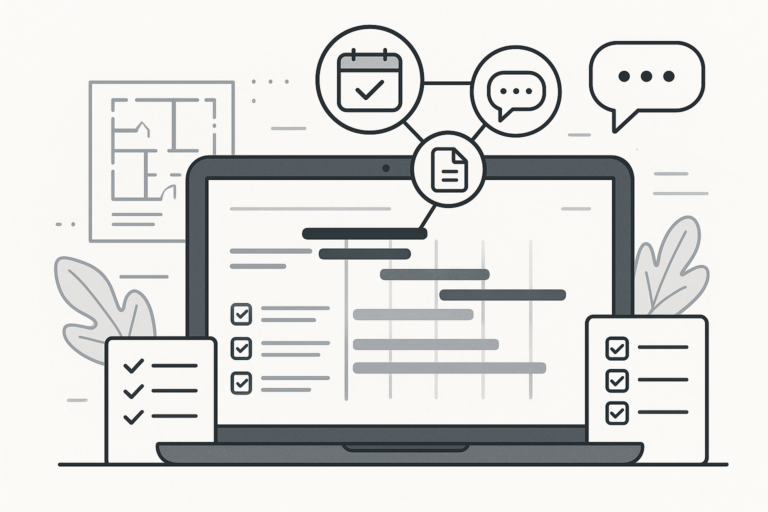
Efficient subcontractor management is crucial for contractors and project managers. Because of this, choosing the right WordPress tools for subcontractor scheduling and communication can transform your workflow, reduce errors, and boost productivity. In this guide, you’ll discover the essential WordPress plugins and strategies that help you manage subcontractors, streamline communication, and automate scheduling—no matter the size of your team or project.
Why Use WordPress for Subcontractor Management?
First, WordPress is more than just a blogging platform. Thanks to its flexibility and extensive plugin ecosystem, it can serve as a robust project management hub. For subcontractors, this means you can:
- Centralize all project information and communications
- Automate scheduling and reminders
- Track tasks and deliverables in real time
- Facilitate document sharing and approvals
Moreover, with the right plugins, you can tailor WordPress to fit construction, creative, or service-based subcontractor needs. As a result, you gain a single source of truth for your team and clients.
Key Features to Look for in Contractor Plugins
Before exploring the best WordPress tools for subcontractor scheduling and communication, it’s important to understand what makes a plugin effective. Therefore, focus on these core features:
- Task Assignment: Quickly delegate tasks to subcontractors and monitor progress.
- Scheduling Calendars: Visualize project timelines and automate reminders.
- Integrated Messaging: Keep all communication in one place, reducing missed updates.
- Document Management: Share contracts, blueprints, or checklists securely.
- Customizable Roles: Limit access and permissions based on team responsibilities.
- Mobile Access: Enable on-the-go updates for field teams.
Additionally, plugins that support integrations with custom software or third-party apps can further enhance your workflow. For more on how custom software can elevate your business, see Everything You Need to Know About Custom Build Software and Its Benefits.
Best WordPress Tools for Subcontractor Scheduling and Communication
To make your selection easier, let’s break down the top plugin categories and what they offer for subcontractor management. Each type plays a unique role in streamlining scheduling and communication.
1. Project Management Plugins
Project management plugins are the backbone of effective subcontractor coordination. For example, they provide dashboards for assigning tasks, setting deadlines, and tracking progress across multiple projects.
- Task Boards and Kanban Views: Visualize tasks and project stages easily.
- Automated Notifications: Ensure everyone stays updated as tasks move forward.
- Gantt Charts: Plan out schedules and dependencies for complex projects.
Because these tools centralize information, subcontractors can see their assignments and deadlines without switching between apps.
2. Scheduling and Calendar Plugins
Next, scheduling plugins simplify the process of assigning work, booking time slots, and sending reminders. Many offer calendar integrations, so subcontractors can sync their schedules with their preferred devices.
- Drag-and-Drop Scheduling: Adjust project timelines quickly as needs change.
- Automated Reminders: Reduce no-shows or missed deadlines.
- Resource Allocation: Ensure no subcontractor is double-booked.
In other words, these tools help you avoid scheduling conflicts and keep your projects moving smoothly.
3. Communication and Collaboration Plugins
Clear communication is essential for any subcontractor relationship. Therefore, plugins that centralize messaging, file sharing, and updates can prevent misunderstandings and delays.
- Group Messaging: Keep teams informed about updates or changes.
- File Attachments: Share plans, images, or contracts securely.
- Activity Logs: Track who said what, and when.
At the same time, some plugins offer real-time chat or integrate with popular messaging apps, making collaboration seamless.
4. Document Management Plugins
Subcontractors often need access to forms, contracts, and specifications. Because of this, document management plugins are invaluable. They allow you to:
- Store and organize files in one secure location
- Set permission levels for different users
- Track document versions and approvals
For larger teams or regulated industries, robust document management improves compliance and reduces risk.
5. Custom Workflow and Automation Plugins
Finally, automation can save hours on repetitive tasks. Some contractor plugins let you automate assignments, generate reports, or trigger notifications based on project status.
- Automated Task Assignment: Assign new tasks as soon as previous ones are completed.
- Custom Triggers: Send notifications when deadlines approach or documents are uploaded.
- Integration with AI: Use AI tools for scheduling optimization or predictive analytics. For more on AI in business, visit My AI Audit Dashboard.
Moreover, integrating custom-built features can give your business a competitive edge. Learn more about the benefits of custom software in What Is Custom Build Software? Key Benefits for Modern Businesses.
How to Choose the Right Plugins for Your Subcontractor Workflow
Choosing the best tools depends on your unique business needs. However, you can make the process easier by following these steps:
- Define Your Workflow: Map out your typical project stages, communication points, and document needs.
- Identify Pain Points: Are you struggling with missed deadlines, lost files, or unclear assignments?
- Prioritize Features: Decide which features are essential—such as scheduling, messaging, or document sharing.
- Test Plugin Compatibility: Ensure your chosen plugins work well together and with your existing WordPress setup.
- Consider Scalability: Will these tools support your growth as you onboard more subcontractors?
In addition, always check plugin reviews, support options, and update frequency. For more tips on selecting the best WordPress plugins, see How to Choose the Best WordPress Support Plugins for Your Business.
Integrating WordPress with Custom Software for Advanced Subcontractor Management
Sometimes, off-the-shelf plugins may not provide every feature you need. In these cases, integrating custom software with WordPress can unlock powerful capabilities, such as:
- AI-powered scheduling and resource allocation
- Automated reporting and analytics dashboards
- Custom onboarding workflows for subcontractors
- Advanced permission and compliance controls
For example, you might build a custom dashboard that pulls data from your WordPress project management plugin and displays real-time insights for your team. If you’re interested in learning how custom software can transform your operations, read How Custom Build Software Development Transforms Business Operations.
Best Practices for Subcontractor Scheduling and Communication
While the right tools are essential, your success also depends on strong processes. Therefore, consider these best practices:
- Set Clear Expectations: Define roles, responsibilities, and deadlines upfront.
- Centralize Communication: Use your WordPress platform as the main hub for updates and discussions.
- Automate Where Possible: Leverage reminders, recurring tasks, and status updates to reduce manual work.
- Regularly Review Progress: Schedule check-ins and use analytics to identify bottlenecks.
- Continuously Improve: Gather feedback from your subcontractors and refine your workflow as needed.
By combining these practices with the right WordPress tools, you’ll create a more efficient and collaborative environment for your subcontractors.
Frequently Asked Questions
- What are the best WordPress plugins for managing subcontractors?
Plugins that offer features like task assignment, scheduling, communication tools, and document management are ideal for managing subcontractors within WordPress. - Can WordPress be used to hire subcontractors?
Yes, with the right contractor or project management plugins, WordPress can facilitate subcontractor hiring, onboarding, and workflow management. - How do contractor plugins improve subcontractor workflows?
These plugins centralize communication, track project progress, automate scheduling, and manage subcontractor payments, thereby enhancing efficiency. - Are there plugins that integrate subcontractor management with custom software?
Some WordPress contractor plugins can be integrated with custom software solutions to provide advanced features like AI-based scheduling and automated reporting.
Conclusion: Unlock the Full Power of WordPress for Subcontractor Management
In summary, Essential WordPress Tools for Subcontractor Scheduling and Communication can transform how you manage projects, teams, and client expectations. By leveraging the right combination of plugins and best practices, you’ll boost efficiency, reduce errors, and foster better collaboration. Whether you’re starting with off-the-shelf solutions or integrating custom software, WordPress offers the flexibility and scalability you need.
Ready to explore contractor plugins designed for subcontractor workflows? Visit the Contractor Plugins page on Xobytes and start optimizing your subcontractor management today.