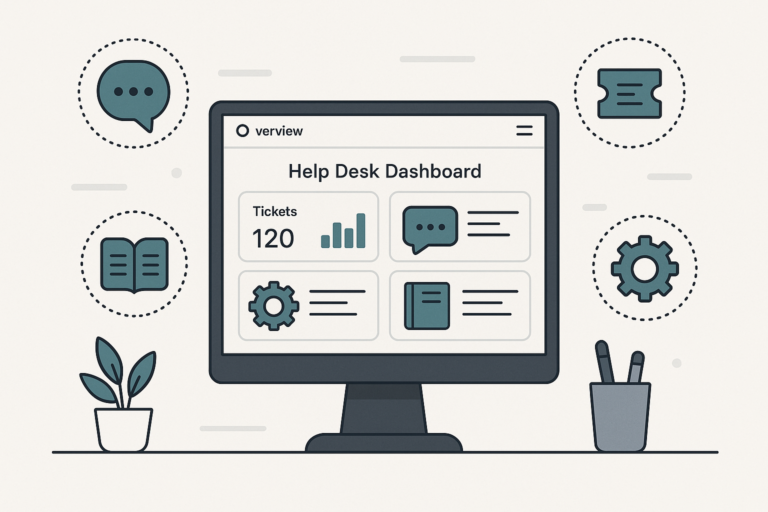
Delivering excellent customer support is essential for any WordPress site that values user satisfaction and retention. Because of this, the right help desk plugin can transform your support workflow. In this comprehensive guide, we’ll explore the best help desk plugins for WordPress, compare their features, and share tips to help you streamline customer support in 2024.
Why Use a Help Desk Plugin for WordPress?
First, let’s examine why help desk plugins are so valuable. As your website grows, so do the number and complexity of customer inquiries. Without a system in place, support requests can easily get lost or delayed. Help desk plugins solve this by centralizing communications, automating repetitive tasks, and giving your team the tools they need to respond quickly.
Moreover, help desk plugins can help you:
- Track and manage support tickets efficiently
- Automate responses to common questions
- Offer live chat or knowledge base resources
- Integrate with tools like WooCommerce and CRMs
- Improve response times and customer satisfaction
In other words, these plugins are designed to streamline your entire support process from start to finish.
Top Features to Look for in a WordPress Help Desk Plugin
Before diving into our recommendations, it’s important to know which features will have the biggest impact on your workflow. For example, some plugins focus on ticket management, while others offer advanced automation or live chat integrations.
To make this easier, here are some must-have features:
- Ticket Management: Create, assign, and track support tickets from the WordPress dashboard.
- Automation: Set up automatic replies, ticket routing, and workflow rules.
- Multi-Channel Support: Handle requests from email, web forms, and live chat.
- Knowledge Base: Provide self-service resources for common questions.
- Reporting & Analytics: Monitor response times, ticket volume, and team performance.
- Integrations: Connect with WooCommerce, CRMs, or other business tools.
- Customizable Forms: Collect relevant information from users upfront.
Because every business is unique, it’s wise to match features to your specific needs. For more guidance, see our article on how to choose the best support desk plugin for your WordPress site.
Best Help Desk Plugins for WordPress: Our Top Picks
Now, let’s explore the leading help desk plugins for WordPress. Each option below brings unique strengths, so you can find the perfect fit for your support team.
1. Awesome Support
Awesome Support is a flexible and feature-rich help desk plugin built specifically for WordPress. Because it supports unlimited agents and tickets, it’s a top choice for businesses of all sizes.
- Robust ticket management with custom fields
- Automated notifications and canned responses
- Seamless WooCommerce integration
- Customizable ticket submission forms
- Extensive add-ons for advanced features
Moreover, Awesome Support offers a free core plugin, while premium extensions unlock advanced automation, reporting, and integrations.
2. SupportCandy
SupportCandy is known for its modern interface and ease of use. It’s ideal for teams that want to get up and running quickly without sacrificing power.
- User-friendly dashboard and ticket system
- Built-in email piping and agent assignments
- Automation rules for ticket routing
- GDPR compliance and privacy controls
- Free version with essential features; paid add-ons available
In addition, SupportCandy’s automation tools can help you save time on repetitive tasks.
3. WP Support Plus
WP Support Plus (now known as WP Support Desk) focuses on delivering a powerful ticketing system for WordPress websites.
- Multi-channel ticket creation (email, forms, etc.)
- Customizable ticket statuses and priorities
- Agent performance tracking
- Integration with WooCommerce for store support
- Role-based access control
Because of its flexibility, WP Support Desk is a solid choice for eCommerce stores and membership sites.
4. Help Scout
Help Scout offers a cloud-based help desk solution with a popular WordPress integration. If you want a seamless experience across devices and channels, this plugin stands out.
- Shared inbox for team collaboration
- Knowledge base integration
- Robust reporting and analytics
- Integrations with WooCommerce and other tools
- Mobile-friendly design
However, Help Scout is a premium solution and best suited for growing businesses that need advanced features.
5. WSDesk
WSDesk is a self-hosted help desk plugin designed for WordPress users who want full control over their support data.
- Unlimited tickets and agents
- Email piping and automation triggers
- WooCommerce and EDD integration
- Custom ticket fields and statuses
- Detailed reporting dashboard
Because data is stored on your own server, WSDesk is ideal for businesses with strict data privacy requirements.
6. Zendesk for WordPress
If you already use Zendesk, the official WordPress plugin lets you embed support widgets and ticket forms directly on your site.
- Real-time chat and ticket submission
- Seamless integration with Zendesk dashboard
- Knowledge base and community forums
- Automation and workflow tools
- Advanced analytics
However, this solution requires a Zendesk subscription and is best for larger teams with complex support needs.
7. JS Help Desk
JS Help Desk provides a comprehensive ticketing solution with both free and premium options. It’s packed with features to handle every aspect of customer support.
- Easy ticket creation and management
- Attachments, canned replies, and notifications
- Multi-department support
- Agent and customer dashboards
- Extensive customization options
For businesses looking for a balance of flexibility and affordability, JS Help Desk is a strong contender.
Help Desk Plugins with WooCommerce Integration
If you run an online store, integrating your help desk with WooCommerce is crucial. This allows you to link support tickets to orders, view customer history, and provide faster resolutions. For a deep dive, check out our guide to the best WooCommerce customer support plugins.
Popular plugins with WooCommerce integration include:
- Awesome Support
- WSDesk
- Help Scout
- Zendesk (via official plugin)
Because of this integration, you can streamline order management and customer communication in one place.
How to Choose the Right Help Desk Plugin for Your Site
With so many choices, it’s important to match your business needs to the right tool. Therefore, consider these steps:
- Assess Your Support Needs: Do you need ticketing, live chat, or automation?
- Set a Budget: Free plugins are great for small teams, but premium versions offer advanced features.
- Check Integration Options: Ensure compatibility with WooCommerce, CRMs, or other plugins you use.
- Evaluate Ease of Use: Choose a plugin with an intuitive dashboard and good documentation.
- Read Reviews: Look for feedback from businesses similar to yours.
For more detailed advice, read our article on how to choose the best WordPress support plugins for your business.
Tips to Streamline Customer Support with WordPress Plugins
Once you have selected your plugin, optimizing your support workflow is the next step. Here are some practical tips:
- Automate Repetitive Tasks: Use canned responses and automation rules to save time.
- Build a Knowledge Base: Provide self-service options so customers can find answers fast.
- Monitor Performance: Track ticket volume and response times to identify bottlenecks.
- Train Your Team: Ensure all agents are comfortable using the help desk system.
- Integrate with Other Tools: Connect your help desk to email, chat, and eCommerce platforms.
Meanwhile, regular plugin updates and security checks will keep your support system running smoothly.
Comparing the Best Help Desk Plugins: Summary Table
To make your decision easier, here’s a quick comparison of the top help desk plugins for WordPress:
| Plugin | Ticketing | Automation | WooCommerce | Free Version |
|---|---|---|---|---|
| Awesome Support | Yes | Yes (Premium) | Yes | Yes |
| SupportCandy | Yes | Yes | Limited | Yes |
| WP Support Plus | Yes | Yes | Yes | Yes |
| Help Scout | Yes | Yes | Yes | No |
| WSDesk | Yes | Yes | Yes | Yes |
| Zendesk | Yes | Yes | Yes | No |
| JS Help Desk | Yes | Limited | No | Yes |
For more plugin details and feature breakdowns, see our guide to top WordPress support desk plugins for 2024.
Frequently Asked Questions
- What is a help desk plugin for WordPress?
A help desk plugin for WordPress adds customer support features like ticketing systems, live chat, and knowledge bases directly to your website, making it easier to manage customer inquiries efficiently. - How do I choose the best help desk plugin for my WordPress site?
Start by identifying your support needs, such as ticket management, automation, or live chat. Then, compare plugin features, integration options, and pricing. See our guide on choosing the best support desk plugin for more tips. - Can I integrate help desk plugins with WooCommerce?
Yes, many help desk plugins offer WooCommerce integration, allowing you to manage customer support for your online store directly from your WordPress dashboard. - Are there free help desk plugins for WordPress?
Several help desk plugins offer free versions with core features. However, premium versions often include advanced options like automation, reporting, and integrations. - Do help desk plugins slow down my WordPress site?
Most modern help desk plugins are optimized for performance. However, it’s important to choose reputable plugins and keep them updated to avoid site speed issues.
Conclusion: Choose the Best Help Desk Plugin for Your WordPress Site
Ultimately, choosing the best help desk plugin for WordPress depends on your business needs, budget, and desired features. Whether you need advanced automation, WooCommerce integration, or a simple ticketing system, there’s a solution for every site. Because of this, investing in the right plugin will streamline your customer support, boost satisfaction, and help your business grow.
Ready to take your support to the next level? Explore our in-depth guides on top WordPress support plugins to boost customer service and managing software licenses in WooCommerce for more expert tips.
Image suggestions: screenshots of plugin dashboards, comparison tables, workflow diagrams, team collaboration visuals.