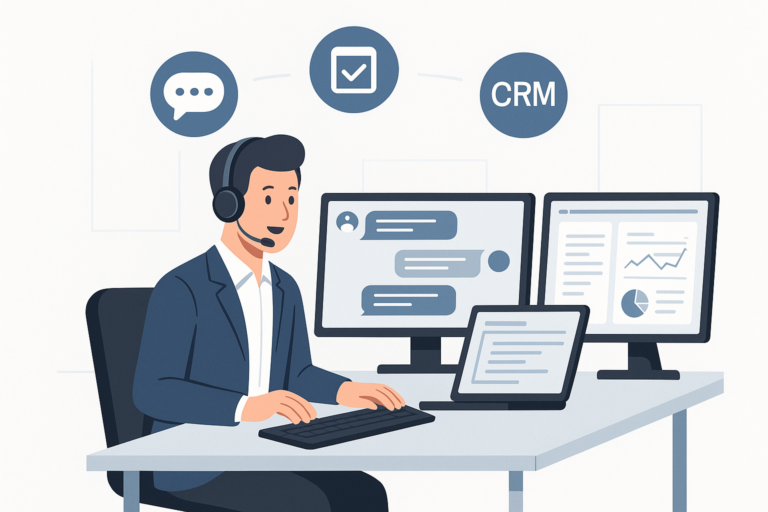
Choosing the right WooCommerce customer support plugin can make or break your store’s reputation. Because today’s shoppers expect fast, reliable help, your support tools are a direct reflection of your brand. In this guide, you’ll learn how to choose the best WooCommerce customer support plugin for your store—with practical checklists, feature comparisons, and setup advice.
For those seeking an in-depth look at top plugin choices and their features, see our Top WooCommerce Customer Support Plugins: Features, Pricing & Setup Tips article.
Why Customer Support Matters for WooCommerce Stores
First, let’s consider why customer support is so critical. In ecommerce, support is often the difference between a one-time purchase and a loyal customer. Quick, effective help builds trust and encourages shoppers to return. Moreover, a robust support system can reduce refund requests and negative reviews.
At the same time, as your store grows, manual support becomes unsustainable. That’s where customer support plugins come in—they automate, organize, and streamline your entire support workflow.
Key Features to Look for in a WooCommerce Customer Support Plugin
Before choosing a plugin, it’s important to understand what features will best serve your customers and your team. To make this easier, here are the most essential features to evaluate:
- Ticket Management: Enables tracking, assigning, and resolving customer issues efficiently.
- Live Chat: Allows real-time conversations, reducing response times and boosting satisfaction.
- Knowledge Base Integration: Lets customers find answers themselves, reducing support workload.
- Multi-channel Support: Handles requests from email, chat, social media, and more in one place.
- CRM Integration: Syncs customer data to personalize and speed up support.
- Automation: Automates repetitive tasks, such as ticket assignment or canned responses.
- Analytics & Reporting: Provides insights into team performance and customer satisfaction.
- WooCommerce Integration: Connects directly with orders, products, and customer profiles for seamless support.
Because of this, choosing a plugin that fits your workflow and customer needs is crucial.
Types of WooCommerce Customer Support Plugins
Not all support plugins are created equal. In fact, plugins can be grouped into several types, each with unique benefits. For example:
- Live Chat Plugins: Focused on real-time communication. Good for instant help and pre-sales questions.
- Help Desk/Ticket System Plugins: Centralize and track all customer requests. Essential for order-related or technical inquiries.
- Knowledge Base Plugins: Help customers self-serve, reducing the volume of incoming tickets.
- All-in-One Support Suites: Combine chat, tickets, and knowledge base in a single tool.
Therefore, your choice will depend on your store size, support team, and customer expectations.
Comparing Top WooCommerce Customer Support Plugins
To help you decide, let’s compare some of the most popular WooCommerce support plugins. Each has strengths and is suited to different needs.
1. LiveChat
- Real-time chat widget for instant help
- Integrates with WooCommerce orders and products
- Supports chat transcripts and visitor tracking
- Works with popular CRMs and email marketing tools
2. Zendesk
- Comprehensive help desk and ticket system
- Multi-channel support: email, chat, social, phone
- Robust automation and workflow management
- Advanced analytics and reporting
3. Help Scout
- Email-based ticketing with a simple interface
- Integrates with WooCommerce for order context
- Knowledge base and customer profiles included
- Automation and saved replies
4. Awesome Support
- Native WordPress plugin—no external SaaS required
- Ticket management, file uploads, and canned responses
- WooCommerce integration for order-linked tickets
- Free version available, with premium add-ons
For a more detailed side-by-side breakdown, visit our WooCommerce support plugin comparison page.
How to Choose the Right Plugin: Step-by-Step Guide
Next, let’s walk through a proven process to select the best support plugin for your WooCommerce store.
- Define Your Support Needs: Consider your ticket volume, team size, and preferred channels (chat, email, etc.).
- List Must-Have Features: Prioritize features like live chat, ticketing, automation, or CRM integration.
- Set a Budget: Factor in both upfront and ongoing costs. Consider free vs. premium options.
- Check WooCommerce Compatibility: Ensure the plugin integrates smoothly with your store and other plugins.
- Evaluate Usability: Test the admin interface, setup process, and customer experience.
- Read Reviews & Support Policies: Look for recent user feedback and check the developer’s support quality.
- Test with a Trial or Demo: Many plugins offer free trials or demo sites. Use these to evaluate fit before committing.
Because every store is unique, following these steps helps you avoid costly mistakes and pick a plugin that grows with your business.
Pricing: What to Expect
Pricing for WooCommerce customer support plugins varies widely. However, you can generally expect:
- Free Plugins: Basic features, limited support, may require paid add-ons for advanced tools.
- Premium Plugins: More robust features, priority support, and frequent updates. Costs range from monthly subscriptions to one-time fees.
- SaaS Solutions: Often charged per agent or per month, with advanced integrations and cloud hosting.
In other words, your budget and required features will guide your decision. For a comparison of plugin pricing and value, see our detailed pricing guide.
Setup Tips: Getting Started with Your Chosen Plugin
Once you’ve selected a plugin, setting it up correctly is essential. To make onboarding smoother, follow these steps:
- Install the plugin via the WordPress dashboard or by uploading the plugin ZIP file.
- Activate the plugin and follow the setup wizard if available.
- Configure basic settings: support channels, notification preferences, and user roles.
- Integrate with WooCommerce to access order and customer data.
- Customize the frontend (support forms, chat widgets, or knowledge base) to match your branding.
- Test the entire workflow—from customer inquiry to resolution.
- Train your support team on new features and processes.
Meanwhile, ongoing monitoring and adjustments ensure your support system continues to meet customer needs.
Advanced Considerations: CRM, Automation, and Knowledge Base Integration
As your store scales, advanced features become more important. For example, integrating your customer support plugin with a CRM system can centralize communication and automate workflows. At the same time, automation tools (like canned responses or ticket routing) help your team respond faster and stay organized.
Moreover, adding a knowledge base empowers customers to solve common issues themselves, freeing up your support team for complex questions. For more insights on help desk and support tools, check out our guide to WordPress help desk software.
Best Practices for Maximizing Customer Support Plugin Value
To get the most out of your plugin, consider these best practices:
- Regularly update your plugin and WordPress core for security and compatibility.
- Monitor support metrics and customer feedback to spot trends and improve service.
- Document standard responses and workflows to help your team stay consistent.
- Offer multiple support channels to meet different customer preferences.
- Promote your knowledge base and self-service options on your site.
Because customer expectations change, staying proactive with your support strategy is key to long-term success.
Related Resources
For further reading on WooCommerce and WordPress support tools, you may also find these guides helpful:
- Top WooCommerce Customer Support Plugins: Features, Pricing & Setup Tips
- 2026’s Leading WordPress Help Desk Software
- Streamline WooCommerce Software Sales: License Management Plugins Guide
Frequently Asked Questions
- What are the best WooCommerce customer support plugins?
Top WooCommerce customer support plugins include LiveChat, Zendesk, Help Scout, and Awesome Support, each offering features like ticket management, live chat, and CRM integration. - How do I set up a customer support plugin in WooCommerce?
To set up a customer support plugin, install and activate the plugin via your WordPress dashboard, configure settings such as support channels and notifications, and integrate with WooCommerce for seamless order-related support. - Can WooCommerce customer support plugins integrate with CRM systems?
Yes, many WooCommerce customer support plugins offer CRM integration to help manage customer interactions, track tickets, and automate workflows for better service. - Are there free WooCommerce customer support plugins available?
Yes, several free plugins like WP Support Plus and Awesome Support offer basic customer support features, though premium versions provide advanced functionality. - How can customer support plugins improve my WooCommerce store sales?
Effective customer support plugins enhance shopper trust and satisfaction by providing quick responses and issue resolution, which can lead to higher retention and increased sales.
Conclusion: Making the Right Choice for Your Store
In summary, knowing how to choose the best WooCommerce customer support plugin for your store means understanding your unique needs, comparing features and pricing, and planning for growth. By investing in the right support tools, you’ll boost customer satisfaction, streamline your workflow, and set your WooCommerce store up for long-term success.
For more expert advice and plugin comparisons, don’t miss our comprehensive guide to WooCommerce customer support plugins.