
Managing software licenses can be a complex task for any WooCommerce store selling digital products. However, with the right plugins, you can automate and streamline the entire process. In this guide, we will explore how to streamline WooCommerce license key management with top plugins, enhancing security and improving customer satisfaction.
Why License Key Management Matters
Effective license key management is crucial for protecting your digital products and ensuring a smooth purchasing experience for your customers. By automating the issuance and validation of license keys, you can reduce manual errors, minimize the risk of unauthorized use, and enhance customer satisfaction.
Top Plugins for WooCommerce License Key Management
To make this easier, here are some of the best plugins that can help you manage your WooCommerce licenses effectively:
- License Manager for WooCommerce by XoBytes: This powerful plugin allows you to generate and validate license keys automatically. It integrates seamlessly with WooCommerce, making it a top choice for many store owners.
- Software License Manager: This plugin offers features for managing software licenses, including key generation and validation. It is user-friendly and supports various licensing models.
- WooCommerce Software Add-ons: This plugin allows you to sell software licenses as add-ons, providing flexibility in how you package your products.
- WooCommerce License Key Generator: This simple tool generates unique license keys for each purchase, ensuring that customers receive a valid key upon checkout.
Moreover, these plugins not only automate the licensing process but also enhance the overall security of your digital products. For example, they can help prevent unauthorized sharing of license keys and ensure that only paying customers have access to your software.
How to Choose the Right Plugin
When selecting a license management plugin for your WooCommerce store, consider the following factors:
For useful background on this topic, see Streamline WooCommerce Software Sales: License Management Plugins Guide.
- Features: Look for plugins that offer essential features such as automatic key generation, validation, and renewal management.
- Compatibility: Ensure that the plugin is compatible with your existing WooCommerce setup and any other tools you may be using.
- User Reviews: Check user reviews and ratings to gauge the reliability and performance of the plugin.
- Support: Choose a plugin with good customer support to assist you in case of any issues.
By considering these factors, you can select a plugin that meets your specific needs and enhances your store’s functionality.
Best Practices for License Key Management
To maximize the effectiveness of your license management strategy, follow these best practices:
- Automate Processes: Use plugins to automate as many processes as possible, including key generation and validation.
- Regularly Update Plugins: Keep your plugins updated to benefit from security patches and new features.
- Monitor License Usage: Regularly check license usage to identify any potential misuse or unauthorized access.
- Educate Customers: Provide clear instructions to customers on how to use their license keys effectively.
Implementing these practices will help you manage your licenses more effectively and protect your digital products.
Conclusion
In conclusion, streamlining WooCommerce license key management is essential for any store selling digital products. By integrating the right plugins, you can automate processes, enhance security, and improve customer satisfaction. Remember to choose a plugin that fits your needs and to follow best practices for effective management.
Understanding Different Licensing Models
When managing software licenses, it’s essential to understand the different licensing models available. Each model has its unique advantages and can influence how you set up your WooCommerce store. Here are some common licensing models:
- Single License: This allows a customer to use the software on one device. It’s straightforward and ideal for personal use.
- Multi-License: This model permits the software to be installed on multiple devices, making it suitable for teams or businesses.
- Subscription-Based: Customers pay a recurring fee to use the software, which often includes updates and support. This model can provide steady revenue.
- Freemium: A basic version of the software is offered for free, while advanced features require a paid license. This can help attract a larger user base.
Implementing License Key Validation
License key validation is a critical step in protecting your digital products. Here’s how to implement it effectively:
- Generate Unique Keys: Ensure that each license key is unique to prevent duplication. Use a reliable plugin that can generate keys automatically.
- Set Up Validation Checks: Configure your plugin to validate the license key against your database whenever the software is accessed. This ensures that only valid keys are used.
- Monitor Usage: Regularly check how many times each key is being used. This will help you identify any potential misuse or unauthorized sharing.
- Implement Expiry Dates: For subscription-based models, set expiry dates for license keys to encourage renewals and maintain revenue flow.
Comparing Popular License Management Plugins
While there are many plugins available for WooCommerce license management, comparing their features can help you choose the best one for your needs. Here’s a quick comparison of the top plugins:
Related XoBytes Products
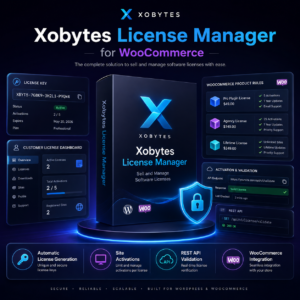
License manager for WooCommerce by XoBytes.com
$25.00
Xobytes License Manager for WooCommerce is a powerful WooCommerce license manager plugin that lets you sell software licenses,…

Tamper Guard by XoBytes | WordPress Plugin Tamper Detector
$25.00
Protect your commercial WordPress plugins with license-based tamper detection, file integrity monitoring, automatic shutdown protection, and site reporting.…

Plugin Update Server for WordPress by XoBytes.com
$25.00
Plugin Update Server by XoBytes lets WordPress plugin sellers deliver private plugin updates directly to customer dashboards. Upload…

Upgrades, Packages & Tiers for WooCommerce By XoBytes.com
$25.00
This is a FREEMIUM plugin. Get the free version “Upgrades, Packages & Tiers for WooCommerce By XoBytes.com” Pro…

Social Media Autopilot With AI by XoBytes.com
$19.99
Xobytes Social Autopilot is a WordPress social media autoposter that helps schedule and promote posts, pages, WooCommerce products,…

Agentic Consultant, Product Rep, & Customer Service Agent By XoBytes.com
$19.99
Agentic Consultant for WordPress gives your website a smart AI product rep, customer service agent, and hands-free voice…
Product 1 of 6
For a practical companion to this section, explore Best WooCommerce License Management Plugins for Secure Digital Sales.
| Plugin | Key Features | Price | Best For |
|---|---|---|---|
| License Manager for WooCommerce | Automatic key generation, validation, and renewal | $49/year | All-in-one license management |
| Software License Manager | User-friendly interface, supports multiple licensing models | $39/year | Beginner-friendly users |
| WooCommerce Software Add-ons | Flexible product packaging, add-on support | $59/year | Advanced product offerings |
| WooCommerce License Key Generator | Simple key generation, easy integration | $29/year | Small scale operations |
Customer Communication and Support
Effective communication with your customers is vital for a smooth license management process. Here are some strategies to enhance customer support:
- Provide Clear Documentation: Create a dedicated support page with FAQs and guides on how to use license keys.
- Offer Live Chat Support: Consider implementing live chat on your website to address customer queries in real-time.
- Send Automated Emails: Use automated emails to confirm license key purchases and provide instructions for activation.
- Gather Feedback: Regularly solicit feedback from customers to improve your license management processes and address any issues they may encounter.
Future Trends in License Key Management
As technology evolves, so do the methods for managing software licenses. Here are some trends to watch for:
- Blockchain Technology: Some companies are exploring blockchain for secure license management, providing transparency and reducing fraud.
- AI and Automation: Advanced AI tools may soon automate more aspects of license management, from key generation to customer support.
- Increased Focus on Security: As cyber threats grow, plugins will likely incorporate more robust security measures to protect license keys and user data.
Implementing License Key Expiration and Renewal
Managing license key expiration and renewal is vital for subscription-based models. Here’s how to effectively implement these features:
- Set Expiration Dates: Configure your plugin to automatically set expiration dates for each license key based on the purchase date. This ensures that customers are aware of when their access will end.
- Automated Renewal Reminders: Use automated email reminders to notify customers of upcoming expirations. This can encourage timely renewals and maintain your revenue stream.
- Renewal Discounts: Consider offering discounts for early renewals to incentivize customers to extend their licenses before they expire.
Customizing License Key Delivery
To enhance customer experience, consider customizing how license keys are delivered. Here are some options:
- Email Delivery: Automatically send the license key via email immediately after purchase, including clear instructions on how to activate it.
- Customer Account Dashboard: Allow customers to view and manage their license keys through their account dashboard on your site. This gives them easy access to their keys and purchase history.
- Downloadable PDF: Provide an option for customers to download a PDF containing their license key and instructions. This can serve as a handy reference.
Integrating with Other WooCommerce Extensions
To further streamline your license key management, consider integrating your license management plugin with other WooCommerce extensions:
- Membership Plugins: If you offer memberships, integrate your license management with membership plugins to control access based on membership status.
- Analytics Tools: Use analytics plugins to track license key usage and customer behavior. This data can inform marketing strategies and product development.
- Payment Gateways: Ensure compatibility with various payment gateways for seamless transactions and license key delivery.
Case Study: Successful License Management Implementation
To illustrate the effectiveness of using license management plugins, consider the following case study:
Continue with Complete Guide to WooCommerce Software License Management with Key Plugins for additional XoBytes guidance.
Company: Digital Software Solutions
Challenge: The company struggled with manual license key generation and validation, leading to customer dissatisfaction and increased support queries.
Solution: They implemented the License Manager for WooCommerce plugin, which automated key generation and validation processes. They also set up automated email notifications for license key delivery and renewal reminders.
Results: After six months, Digital Software Solutions reported a 30% reduction in support tickets related to license issues and a 25% increase in renewal rates due to automated reminders.
Key Metrics to Monitor
To ensure your license management strategy is effective, regularly monitor the following key metrics:
- License Activation Rate: Track how many purchased licenses are activated by customers. A low activation rate may indicate issues with delivery or customer understanding.
- Renewal Rate: Monitor the percentage of customers who renew their licenses. This can help you assess customer satisfaction and the effectiveness of your reminder strategies.
- Support Ticket Volume: Keep an eye on the number of support tickets related to license issues. A decrease over time can indicate that your management processes are improving.
Frequently Asked Questions
Here, we answer some common questions about WooCommerce license management:
What is the best WooCommerce plugin for managing software licenses?
The best plugin depends on your specific needs, but popular options include License Manager for WooCommerce by XoBytes, which offers license key generation, validation, and management features.
How do license plugins improve digital product security?
License plugins help prevent unauthorized use by generating unique license keys, validating them at purchase, and monitoring license compliance, thereby protecting your digital assets.
Can license plugins integrate with existing WooCommerce setups?
Yes, most license management plugins are designed to seamlessly integrate with WooCommerce, allowing easy setup and management within your existing store environment.
Are license plugins suitable for digital software sales?
Absolutely, license plugins are specifically built to handle digital products like software, providing features such as license key delivery, validation, and renewal management.