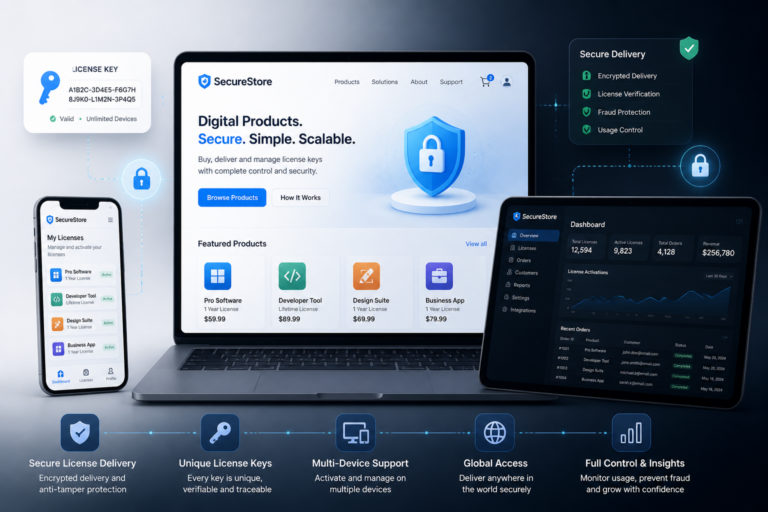
Managing licenses effectively is crucial for any WooCommerce store selling digital products. Without a robust license management system, businesses risk losing revenue through unauthorized use and poor customer experiences. Therefore, implementing effective license management strategies can significantly enhance your store’s performance and customer satisfaction.
Understanding License Management in WooCommerce
License management refers to the processes and tools used to issue, validate, and manage license keys for digital products. In WooCommerce, this involves ensuring that customers receive unique license keys upon purchase, validating these keys during product activation, and monitoring their usage to prevent abuse.
In addition, effective license management helps you maintain control over your digital products, thereby protecting your intellectual property. To achieve this, WooCommerce store owners can utilize various plugins designed specifically for license management.
Why License Management is Important
- Prevents Unauthorized Use: By issuing unique license keys, you can limit access to your products to paying customers only.
- Enhances Customer Experience: Automated license delivery and validation streamline the purchasing process, making it easier for customers to access their products.
- Improves Revenue Tracking: With proper license management, you can track how many licenses are in use and monitor renewals, helping you to optimize your pricing strategies.
- Facilitates Compliance: Licensing helps ensure that users comply with your product’s terms of use, thereby protecting your business from potential legal issues.
Top Strategies for Effective License Management
To effectively manage licenses in your WooCommerce store, consider the following strategies:
1. Choose the Right License Management Plugin
First and foremost, selecting a reliable license management plugin is essential. Look for plugins that offer features such as:
- License key generation and validation
- Automated license delivery
- Usage tracking and reporting
- Integration with WooCommerce
For example, the License Manager for WooCommerce by XoBytes is a powerful tool that provides comprehensive license management capabilities.
2. Automate License Key Generation
Automating the generation of license keys can save time and reduce errors. When a customer completes a purchase, the system should automatically generate a unique license key and send it to the customer via email. This not only enhances the user experience but also minimizes manual work for store owners.
3. Implement License Validation
License validation is crucial to ensure that only legitimate customers can access your products. During the activation process, the system should check if the provided license key is valid and has not been used elsewhere. This step helps prevent unauthorized sharing and misuse of your digital products.
4. Monitor License Usage
Regular monitoring of license usage can provide insights into customer behavior and product performance. By tracking how many times a license key has been activated, you can identify potential issues and optimize your product offerings accordingly.
5. Offer License Renewals and Upgrades
To maximize revenue from your digital products, consider implementing a system for license renewals and upgrades. This allows customers to easily renew their licenses or upgrade to a newer version of your product, ensuring continued access and support.
Integrating License Management with WooCommerce
Integrating your license management system with WooCommerce is essential for a seamless user experience. Most license management plugins can be easily integrated into your existing WooCommerce setup. This allows for:
- Streamlined checkout processes
- Automated email notifications for license keys
- Easy management of customer orders and licenses
For more detailed guidance on setup and optimization, refer to our Complete Guide to WooCommerce Software License Management with Key Plugins.
Best WooCommerce License Management Plugins
Here are some of the best plugins for managing software licenses in WooCommerce:
- License Manager for WooCommerce: This plugin offers a complete solution for generating, validating, and managing license keys.
- WooCommerce Software License Manager: A robust tool that simplifies license management and enhances product security.
- Easy Digital Downloads: While primarily focused on digital downloads, this plugin includes effective license management features.
To explore more options, check our post on Top WooCommerce Plugins for Software License Management & Automation.
Conclusion
In conclusion, effective license management is vital for the success of any WooCommerce store selling digital products. By implementing the right strategies and utilizing powerful plugins, you can protect your intellectual property, enhance customer satisfaction, and ultimately increase your revenue. Remember to choose a plugin that fits your needs, automate processes, and monitor usage to ensure compliance.
Related XoBytes Products
License manager for WooCommerce by XoBytes.com
$25.00
Xobytes License Manager for WooCommerce is a powerful WooCommerce license manager plugin that lets you sell software licenses,…

Tamper Guard by XoBytes | WordPress Plugin Tamper Detector
$25.00
Protect your commercial WordPress plugins with license-based tamper detection, file integrity monitoring, automatic shutdown protection, and site reporting.…

Plugin Update Server for WordPress by XoBytes.com
$25.00
Plugin Update Server by XoBytes lets WordPress plugin sellers deliver private plugin updates directly to customer dashboards. Upload…

Upgrades, Packages & Tiers for WooCommerce By XoBytes.com
$25.00
This is a FREEMIUM plugin. Get the free version “Upgrades, Packages & Tiers for WooCommerce By XoBytes.com” Pro…

Social Media Autopilot With AI by XoBytes.com
$19.99
Xobytes Social Autopilot is a WordPress social media autoposter that helps schedule and promote posts, pages, WooCommerce products,…

Agentic Consultant, Product Rep, & Customer Service Agent By XoBytes.com
$19.99
Agentic Consultant for WordPress gives your website a smart AI product rep, customer service agent, and hands-free voice…
Product 1 of 6
Best Practices for License Management
In addition to the strategies mentioned, adopting best practices can further enhance your license management approach. Here are some effective practices to consider:
- Regularly Update License Keys: Ensure that license keys are updated regularly to prevent unauthorized access. You can set a schedule for key expiration and renewal notifications.
- Use a Secure Key Generation Method: Implement cryptographic methods for generating license keys to enhance security and reduce the risk of key duplication.
- Educate Customers: Provide clear instructions on how to use license keys and the importance of keeping them confidential. This can help in reducing support queries and unauthorized sharing.
Practical Examples of License Management
Understanding how license management strategies can be applied in real-world scenarios can help store owners grasp their significance. Here are a couple of examples:
Example 1: A Software Development Company
A software development company selling a premium plugin for WooCommerce uses a license management plugin to automate the entire process. When a customer purchases the plugin, they receive a unique license key via email. The company also sets up automatic renewal reminders for customers whose licenses are about to expire, ensuring continued access and support.
Continue with Best WooCommerce License Management Plugins for Secure Digital Sales for additional XoBytes guidance.
Example 2: An E-Learning Platform
An e-learning platform that offers various online courses implements license management to control access to their content. Each course purchase generates a unique license key that grants access to the course materials. The platform tracks license usage to identify popular courses and optimize their offerings based on demand.
Comparing License Management Plugins
When choosing a license management plugin for your WooCommerce store, it’s essential to compare features, pricing, and user reviews. Here’s a quick comparison of some popular plugins:
| Plugin Name | Key Features | Pricing | User Rating |
|---|---|---|---|
| License Manager for WooCommerce | License key generation, validation, automated delivery | $49/year | 4.8/5 |
| WooCommerce Software License Manager | License management, product security, usage tracking | $39/year | 4.5/5 |
| Easy Digital Downloads | Digital downloads, license management features | $99/year | 4.7/5 |
Implementation Steps for License Management
To effectively implement a license management system in your WooCommerce store, follow these steps:
- Identify Your Needs: Determine what features are essential for your business, such as automated delivery, usage tracking, and renewal options.
- Choose a Plugin: Based on your needs, select a license management plugin that aligns with your requirements and budget.
- Install and Configure: Install the chosen plugin and configure the settings according to your business model. Ensure that the license key generation and validation processes are set up correctly.
- Test the System: Before going live, conduct thorough testing to ensure that the license management system functions as intended, including key generation, validation, and customer notifications.
- Monitor and Optimize: After implementation, continuously monitor license usage and customer feedback to optimize your processes and make necessary adjustments.
Decision Criteria for Choosing a License Management Solution
When selecting a license management solution, consider the following criteria:
- Feature Set: Evaluate the features offered by the plugin to ensure it meets your specific requirements.
- Ease of Use: Look for a user-friendly interface that simplifies license management for both you and your customers.
- Support and Documentation: Choose a solution that provides reliable customer support and comprehensive documentation to assist you in troubleshooting and optimizing your setup.
- Scalability: Ensure that the plugin can scale with your business as it grows, accommodating an increasing number of licenses and customers.
Frequently Asked Questions
Here are some common questions about license management in WooCommerce:
What is the best WooCommerce plugin for managing software licenses?
The best plugin depends on your specific needs, but popular options include License Manager for WooCommerce by XoBytes, which offers license key generation, validation, and management features.
How do license plugins improve digital product security?
License plugins help prevent unauthorized use by generating unique license keys, validating them at purchase, and monitoring license compliance, thereby protecting your digital assets.
Can license plugins integrate with existing WooCommerce setups?
Yes, most license management plugins are designed to seamlessly integrate with WooCommerce, allowing easy setup and management within your existing store environment.
Are license plugins suitable for digital software sales?
Absolutely, license plugins are specifically built to handle digital products like software, providing features such as license key delivery, validation, and renewal management.
What is the best WooCommerce plugin for managing software licenses?
The best plugin depends on your specific needs, but popular options include License Manager for WooCommerce by XoBytes, which offers license key generation, validation, and management features.
How do license plugins improve digital product security?
License plugins help prevent unauthorized use by generating unique license keys, validating them at purchase, and monitoring license compliance, thereby protecting your digital assets.
Can license plugins integrate with existing WooCommerce setups?
Yes, most license management plugins are designed to seamlessly integrate with WooCommerce, allowing easy setup and management within your existing store environment.
Are license plugins suitable for digital software sales?
Absolutely, license plugins are specifically built to handle digital products like software, providing features such as license key delivery, validation, and renewal management.