
In the fast-paced world of social media, keeping your Instagram presence active can be a daunting task. Luckily, with the XoBytes Instagram Autoposter, you can automate Instagram posts directly from your WordPress site. This powerful tool not only saves you time but also ensures that your content reaches your audience consistently. For just $19.99, you can streamline your social media strategy and focus on what truly matters—growing your business.
So, how does it work? The XoBytes Instagram Autoposter allows you to schedule posts, including WooCommerce products and blog entries, in advance. By automating this process, you can maintain a steady flow of content without the hassle of manual posting. Try it today and experience the ease of automated social media management!
Why Automate Your Instagram Posts?
Automating your Instagram posts offers several advantages:
- Consistency: Regular posting keeps your audience engaged and improves your visibility on the platform.
- Time-Saving: Scheduling posts in advance allows you to focus on other essential aspects of your business.
- Improved Engagement: Automation helps maintain a steady flow of content, which can lead to increased interactions with your audience.
- WooCommerce Integration: Share your products effortlessly and boost sales with automated posts.
Setting Up XoBytes Instagram Autoposter
To get started with XoBytes Instagram Autoposter, follow these simple steps:
- Purchase and Install: Buy the plugin from XoBytes and install it on your WordPress site.
- Connect Your Instagram Account: Use the plugin’s user-friendly interface to link your Instagram account.
- Schedule Your Posts: Create new posts or select existing ones to schedule for publication on Instagram.
- Monitor Performance: Use the built-in analytics to track engagement and optimize your strategy.
Features of XoBytes Instagram Autoposter
The XoBytes Instagram Autoposter comes packed with features designed to enhance your social media marketing:
- Multi-Format Support: Post images, videos, and carousel posts directly from your WordPress site.
- Easy Scheduling: Set specific dates and times for your posts to go live.
- WooCommerce Compatibility: Automatically share your WooCommerce products on Instagram to reach a broader audience.
- User-Friendly Interface: Designed for all users, regardless of technical skill.
Who Should Use XoBytes Instagram Autoposter?
This plugin is ideal for:
- Small business owners looking to enhance their social media presence.
- Online retailers using WooCommerce who want to promote their products effectively.
- Marketers seeking to automate their social media strategy for better engagement.
- Bloggers aiming to share their content consistently without the manual effort.
However, if you prefer a highly customized social media strategy or if your business relies heavily on real-time engagement, you might find manual posting more suitable.
Conclusion
In conclusion, automating your Instagram posts from WordPress with the XoBytes Instagram Autoposter is an excellent way to save time, boost engagement, and maintain a consistent online presence. With its seamless integration with WooCommerce and user-friendly setup, this plugin is a must-have for anyone serious about social media marketing. Get started today for just $19.99 and transform your Instagram strategy!
Best Practices for Automating Instagram Posts
While automating your Instagram posts can significantly ease your workload, following best practices ensures that your content remains effective and engaging. Here are some tips to maximize the benefits of using the XoBytes Instagram Autoposter:
- Maintain a Consistent Brand Voice: Ensure that your posts reflect your brand’s personality. Use a consistent tone, style, and visual elements across all your automated content.
- Engage with Your Audience: Even though posts are automated, it’s crucial to engage with your followers. Respond to comments and messages promptly to foster a sense of community.
- Utilize Hashtags Wisely: Research and use relevant hashtags to increase the visibility of your posts. Avoid overloading your captions with hashtags; instead, select a few that are most relevant to your content.
- Analyze Post Performance: Regularly review the analytics provided by the XoBytes Instagram Autoposter to understand what types of content resonate with your audience. Adjust your strategy based on performance data.
- Test Different Content Types: Experiment with various formats such as images, videos, and stories to see what garners the most engagement. The XoBytes plugin supports multi-format posting, making it easy to switch things up.
Related XoBytes Products

Social Media Autopilot With AI by XoBytes.com
$19.99
Xobytes Social Autopilot is a WordPress social media autoposter that helps schedule and promote posts, pages, WooCommerce products,…

AI SEO Data & Automatic Blog Writer for WordPress by XoBytes
$19.99
Turn your WordPress site, Google Search Console data, and SEO opportunities into smarter blog posts, pages, titles, meta…

Agentic Support Desk for WordPress by XoBytes.com
$19.99
Agentic Support Desk by Xobytes is an AI-powered WordPress support desk built for software sellers, WooCommerce stores, agencies,…

Upgrades, Packages & Tiers for WooCommerce By XoBytes.com
$25.00
This is a FREEMIUM plugin. Get the free version "Upgrades, Packages & Tiers for WooCommerce By XoBytes.com" Pro…

Agentic Consultant, Product Rep, & Customer Service Agent By XoBytes.com
$19.99
Agentic Consultant for WordPress gives your website a smart AI product rep, customer service agent, and hands-free voice…
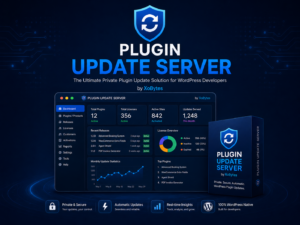
Plugin Update Server for WordPress by XoBytes.com
$25.00
Plugin Update Server by XoBytes lets WordPress plugin sellers deliver private plugin updates directly to customer dashboards. Upload…
Product 1 of 6
Integrating Instagram Stories with XoBytes Autoposter
Instagram Stories are a powerful tool for engagement and can complement your regular posts. While XoBytes Instagram Autoposter primarily focuses on feed posts, you can still incorporate Stories into your strategy:
Continue with Instagram Autoposter for WordPress: Automate Your Posts for additional XoBytes guidance.
- Create Story Highlights: Use your Instagram Stories to showcase important content and create highlights on your profile. This allows new visitors to quickly understand your brand and offerings.
- Schedule Story Content: While direct automation may not be available, you can plan your story content in advance. Use the insights from your feed posts to inform what types of Stories to create.
- Encourage User-Generated Content: Use Stories to feature content created by your followers. This not only engages your audience but also builds community around your brand.
Comparing XoBytes Instagram Autoposter with Other Plugins
When choosing an Instagram autoposter plugin, it’s essential to consider various options available in the market. Here’s a brief comparison of XoBytes Instagram Autoposter with other popular plugins:
| Feature | XoBytes Instagram Autoposter | Other Plugin A | Other Plugin B |
|---|---|---|---|
| WooCommerce Integration | Yes | No | Yes |
| Multi-Format Support | Yes | Limited | Yes |
| User-Friendly Interface | Yes | Moderate | Complex |
| Analytics Tracking | Yes | No | Yes |
| Pricing | $19.99 | $29.99 | $24.99 |
Common Challenges and Solutions When Using Autoposter Plugins
While automating your Instagram posts can simplify your workflow, you may encounter some challenges. Here are common issues and how to address them:
- Content Overlap: If you post too frequently or don’t vary your content, your audience may lose interest. Solution: Use the analytics to schedule diverse content and avoid redundancy.
- Instagram Algorithm Changes: Instagram frequently updates its algorithm, which can affect post visibility. Solution: Stay informed about changes and adapt your strategy accordingly.
- Technical Issues: Sometimes, plugins may not function as expected due to conflicts with other plugins or themes. Solution: Regularly update your plugins and WordPress version, and consult support for troubleshooting.
Future of Social Media Automation
As social media continues to evolve, so does the technology behind automation tools. Here are some trends to watch for:
- AI-Powered Content Creation: Future plugins may incorporate AI to help generate captions, hashtags, and even visual content.
- Enhanced Analytics: Expect more advanced analytics tools that provide deeper insights into audience behavior and preferences.
- Integration with Emerging Platforms: As new social media platforms gain popularity, autoposter plugins may expand to include these channels, providing more comprehensive marketing solutions.
Frequently Asked Questions
Here are some common queries related to using Instagram autoposter plugins:
- What is a WordPress Instagram autoposter plugin? A WordPress Instagram autoposter plugin automates the process of scheduling and publishing posts directly to your Instagram account from your WordPress site, saving time and maintaining consistent social media activity.
- How does XoBytes Instagram Autoposter improve social media marketing? XoBytes Instagram Autoposter allows you to schedule posts, including WooCommerce products, in advance, increasing engagement, saving time, and ensuring a steady flow of content without manual posting.
- Is it easy to set up Instagram autoposter plugins on WordPress? Yes, most top plugins like XoBytes Instagram Autoposter are designed for user-friendly setup, with step-by-step guides and support to help you connect your Instagram account and schedule posts easily.
- Can I use Instagram autoposter plugins with WooCommerce products? Absolutely, plugins like XoBytes Social Autopilot integrate with WooCommerce, enabling automatic sharing of your products on Instagram to boost sales and visibility.
Leave a Reply