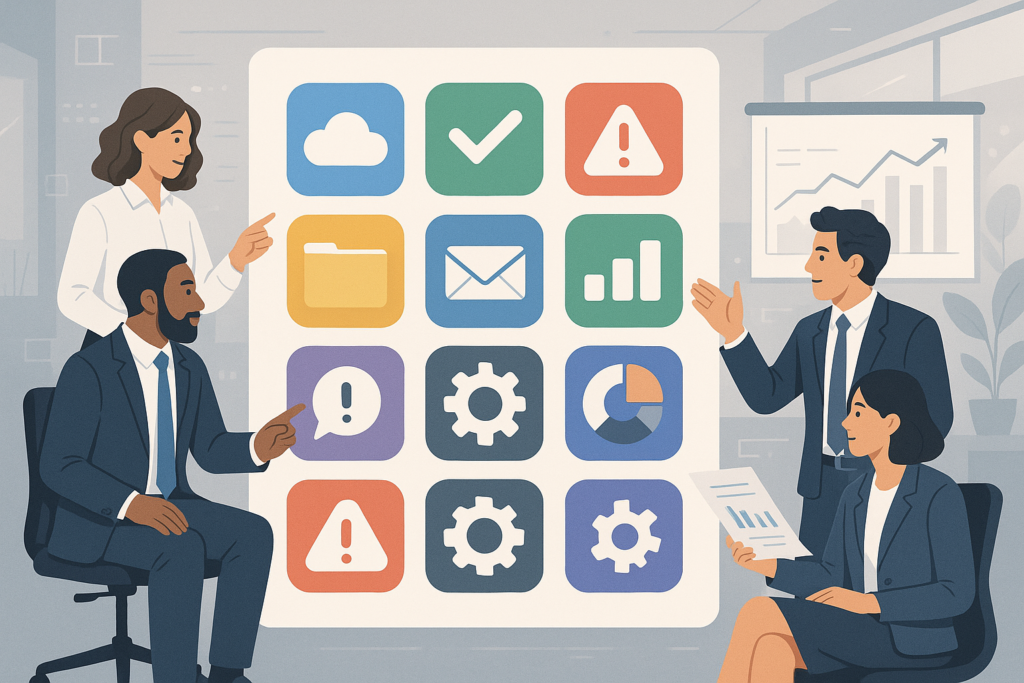
Off-the-shelf software is everywhere in today’s business world. But what exactly is it, and why do so many companies rely on these ready-made solutions? In this guide, you’ll gain a clear understanding of off-the-shelf software, see real-world examples, and discover the advantages and business use cases that make it a popular choice. Whether you’re looking to streamline daily operations or cut costs, learning about off-the-shelf software can help you make informed decisions for your company.
What Is Off-the-Shelf Software?
Off-the-shelf software refers to pre-built, ready-made applications designed for a broad range of users and industries. Unlike custom software, which is tailored for one specific business, off-the-shelf solutions are created to meet common needs with a standard set of features. As a result, businesses can purchase and implement them quickly without lengthy development cycles or high upfront costs.
For a deeper dive into the definition, you can also read What Is Off-the-Shelf Software? Definition, Benefits & Examples.
Key Characteristics of Off-the-Shelf Software
- Ready for immediate use: No custom development is required.
- Standard features: Designed to solve common business problems.
- Vendor support: Ongoing updates and technical help are typically included.
- Cost-effective: Lower upfront investment compared to custom solutions.
- Scalable: Many products offer different tiers or packages for growing businesses.
Popular Examples of Off-the-Shelf Software
To help you visualize what off-the-shelf software looks like in practice, here are some of the most widely used options in the business world:
- Microsoft Office 365: A suite of productivity tools including Word, Excel, PowerPoint, and Outlook.
- QuickBooks: Accounting software designed for small to midsize businesses.
- Salesforce: A leading customer relationship management (CRM) platform.
- Slack: Collaboration and communication tool for teams.
- Adobe Creative Cloud: Graphic design, video editing, and creative applications.
- Zoom: Video conferencing and online meeting platform.
For additional examples and a detailed breakdown, see Off-the-Shelf Software: Benefits, Use Cases, and Smart Selection for Business.
Core Advantages of Off-the-Shelf Software
Because off-the-shelf software is designed for mass adoption, it brings several key advantages for businesses of all sizes. Next, let’s explore the most important benefits:
1. Fast Deployment
First, off-the-shelf solutions can be installed and used almost immediately after purchase. This rapid deployment helps businesses avoid long development timelines and start benefiting right away.
2. Lower Upfront Costs
In contrast to custom software, off-the-shelf products usually have predictable pricing and lower initial investment. Therefore, small businesses and startups often find them more accessible.
3. Reliability and Vendor Support
Because these solutions are widely used, they are typically well-tested and come with regular updates. Moreover, vendors provide customer support, troubleshooting, and training resources to help users get the most value.
4. Integration with Existing Systems
Many off-the-shelf programs are designed to work with other popular tools. As a result, businesses can connect them with their current software stack and avoid workflow disruptions.
5. Scalability
Most off-the-shelf solutions offer multiple packages or modules, allowing companies to scale their usage as they grow. This flexibility supports both small teams and large enterprises.
When Should a Business Choose Off-the-Shelf Software?
Deciding between off-the-shelf and custom software is a major business decision. To make this easier, consider choosing off-the-shelf software if:
- You need a solution quickly and cannot wait for custom development.
- Your business requirements are similar to those of many other companies.
- You want predictable costs and minimal risk.
- Your team prefers using proven, widely supported tools.
- You plan to integrate with other mainstream software products.
Meanwhile, if your needs are highly specialized or require unique features, custom software may be a better fit. For more on this decision, read Custom vs Off-the-Shelf Software: Which Drives Business Success?.
Common Business Use Cases for Off-the-Shelf Software
Off-the-shelf software powers a wide variety of business functions. For example, you’ll find these solutions in nearly every industry, supporting both core and supporting processes:
- Accounting and Finance: Tools like QuickBooks and Xero simplify bookkeeping and payroll.
- Customer Relationship Management (CRM): Platforms such as Salesforce and HubSpot manage sales, marketing, and customer service.
- Human Resources: Solutions like BambooHR and Gusto automate HR tasks and employee records.
- Project Management: Asana, Trello, and Monday.com streamline task tracking and collaboration.
- Communication: Slack and Microsoft Teams enable team messaging, video calls, and file sharing.
- Marketing Automation: Mailchimp and HubSpot help manage email campaigns and lead generation.
- Maintenance Management: Off-the-shelf maintenance software assists with asset management and preventive maintenance scheduling. Learn more in In-House vs Off-the-Shelf Maintenance Software: Best Choice?.
Off-the-Shelf vs. Custom Software: A Brief Comparison
Because choosing the right software is so important, it’s helpful to compare off-the-shelf and custom solutions side by side. Here’s a quick overview:
| Feature | Off-the-Shelf Software | Custom Software |
|---|---|---|
| Deployment Time | Immediate or very fast | Months (development required) |
| Upfront Cost | Lower, predictable | Higher, variable |
| Features | Standardized, broad | Tailored, specific |
| Support | Vendor-provided | Requires in-house or contracted support |
| Scalability | Multiple packages | Depends on development |
For a more detailed comparison, check out Custom Software vs Off-the-Shelf Software: Key Differences & Examples.
How to Evaluate Off-the-Shelf Software for Your Company
Next, if you’re considering off-the-shelf solutions, it’s important to follow a structured evaluation process. Here’s a checklist to guide your decision:
- Identify your core needs: List the features and workflows you require.
- Research available options: Shortlist products that match your requirements.
- Test usability: Request demos or trial versions to see how the software fits your workflow.
- Check integration: Ensure the solution works with your existing systems.
- Review vendor support: Look for responsive customer service and a track record of updates.
- Compare costs: Consider both upfront and ongoing expenses.
- Read user reviews: Learn from the experiences of similar businesses.
In addition, involving key team members in the evaluation can help secure buy-in and ensure the solution meets everyone’s needs.
Challenges and Limitations
While off-the-shelf software brings many advantages, it’s not perfect for every scenario. For instance, some limitations include:
- Lack of customization: Standard features may not match all unique workflows.
- Potential for unused features: You may pay for tools you don’t need.
- Integration hurdles: Some platforms may not connect smoothly with niche or legacy systems.
- Dependence on vendor: Updates and support are controlled by the software provider.
That said, for many businesses, these trade-offs are outweighed by the speed, cost, and reliability gains.
Best Practices for Implementing Off-the-Shelf Software
To maximize the value of your investment, follow these best practices:
- Train your team: Provide onboarding and learning resources to ensure adoption.
- Monitor usage: Track how employees use the software and address issues early.
- Stay updated: Regularly apply software updates and security patches.
- Review performance: Evaluate ROI and adjust processes as needed.
For more guidance on smart selection and implementation, see Off-the-Shelf Software: Benefits, Use Cases, and Smart Selection for Business.
Frequently Asked Questions
- What is off-the-shelf software?
Off-the-shelf software refers to pre-built, ready-made software solutions designed for general use by a wide range of businesses without customization. - What are common examples of off-the-shelf software?
Popular examples include Microsoft Office, QuickBooks, Salesforce, and other widely used business productivity and management tools. - When should a business choose off-the-shelf software?
Businesses should consider off-the-shelf software when they need a cost-effective, quick-to-deploy solution with standard features that fit common workflows. - What are the advantages of off-the-shelf software?
Advantages include lower upfront costs, faster implementation, vendor support, and proven reliability for standard business needs. - How does off-the-shelf software compare to custom software?
Off-the-shelf software offers standard features and quicker deployment, while custom software is tailored to specific business processes but usually requires more time and investment.
Conclusion: Is Off-the-Shelf Software Right for Your Business?
In summary, understanding off-the-shelf software is essential for making smart technology choices. These solutions offer fast deployment, reliable support, and cost savings for businesses with standard needs. However, it’s important to carefully evaluate your requirements and industry challenges before deciding. For many organizations, off-the-shelf software is the quickest path to efficiency and growth.
Ready to explore more? Browse our related guides or contact us for expert advice on selecting and integrating off-the-shelf software into your business.
Leave a Reply