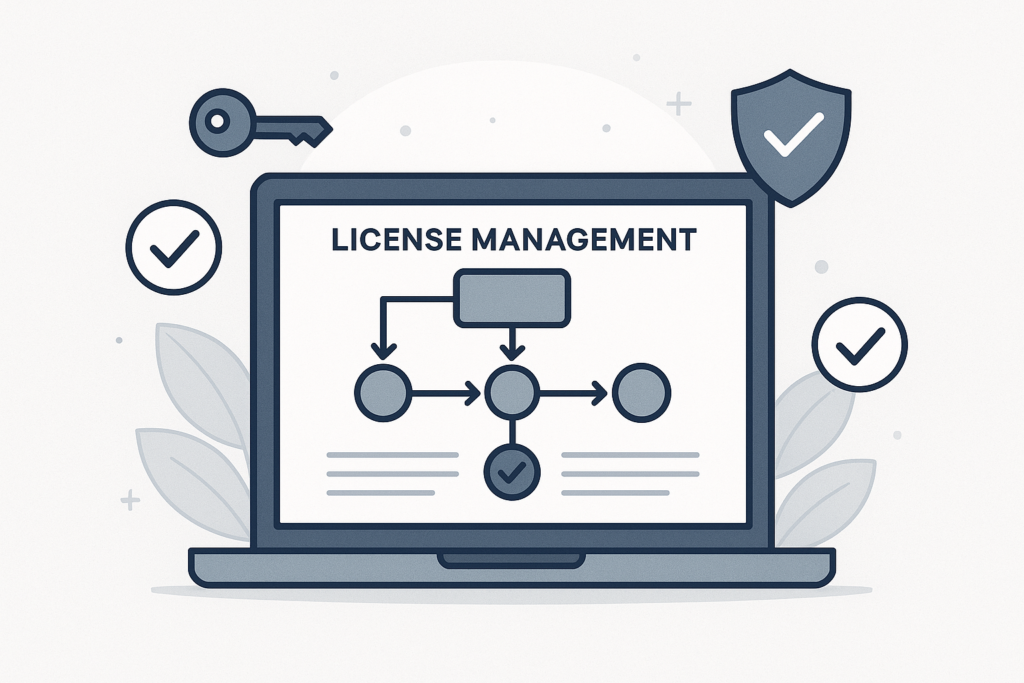
Protecting your digital store is more important than ever. If you sell software, plugins, or any digital goods online, license management should be at the top of your priorities. In this comprehensive guide, you’ll learn how to secure your WooCommerce store with the right license manager plugins, discover the most effective features, and explore best practices for hassle-free digital product sales.
Why License Management Matters for WooCommerce Stores
First, let’s clarify why license management is essential. Selling digital products without proper license control exposes your business to piracy, unauthorized sharing, and lost revenue. However, with a robust license manager plugin, you can automate license delivery, track activations, and ensure only paying customers access your products.
Moreover, license management plugins help you:
- Prevent unauthorized use and distribution of your software
- Automate license key generation and delivery
- Enable seamless renewals and upgrades
- Integrate with customer support tools for efficient service
What Is a WooCommerce License Manager Plugin?
In short, a WooCommerce license manager plugin is a specialized tool that lets you create, activate, and control software licenses or digital product keys within your store. These plugins are crucial for any business selling digital assets that require secure access or periodic renewals.
For a deeper dive into license management basics, you can refer to How to Manage Licenses Effectively with WooCommerce License Plugins.
Key Features to Look for in License Management Plugins
Choosing the right plugin can be overwhelming. Therefore, it helps to focus on features that directly support your business goals. Here are the most important capabilities to consider:
- Automated License Generation: Instantly create and assign license keys after purchase.
- Activation & Validation: Allow customers to activate products and validate licenses online.
- Renewal Management: Support for automatic or manual license renewals.
- Integration: Seamless connection with WooCommerce, customer support, and reporting tools.
- Security: Encryption and tracking to prevent unauthorized use or sharing.
- Bulk Actions: Easily manage multiple licenses or products from a single dashboard.
At the same time, always consider your future needs. For example, if you plan to scale up, choose a plugin that supports bulk license actions and advanced reporting.
Top WooCommerce License Manager Plugins (2026)
To make your decision easier, let’s review some of the leading WooCommerce license manager plugins available today. Each of these solutions offers unique features to help you secure your digital store:
- WooCommerce Software License Manager: Designed for seamless license key generation, activation, and renewal. This plugin is ideal for software developers and digital product sellers who need automation and robust reporting. For more details, see Complete Guide to the Best WooCommerce Software License Manager Plugins.
- License Manager for WooCommerce: A user-friendly option that supports bulk license creation and integrates with various customer support plugins. It’s perfect for stores offering multiple digital products or subscriptions.
- WooCommerce API Manager: This plugin focuses on secure API key delivery and product activation, making it a strong choice for SaaS or API-based digital businesses.
- Custom License Plugins: Some businesses prefer tailored solutions. In that case, working with a developer to create a custom license manager can deliver the exact workflow and integrations you need.
For a detailed comparison and more plugin options, check out Top WooCommerce License Manager Plugins to Secure Your Digital Products.
How to Set Up a WooCommerce License Manager Plugin
Setting up a license manager plugin is usually straightforward. However, following a step-by-step process ensures you don’t miss critical configurations. Here’s how to get started:
- Choose Your Plugin: Download your preferred license manager plugin from a reputable source or the official WooCommerce marketplace.
- Install & Activate: In your WordPress dashboard, go to Plugins > Add New, upload the plugin file, and activate it.
- Configure License Settings: Access the plugin’s settings panel. Here, you’ll set up license key generation rules, activation limits, renewal options, and customer notifications.
- Assign Licenses to Products: In your WooCommerce product editor, link each digital product to its license configuration.
- Test the Workflow: Complete a test purchase to verify license delivery, activation, and renewal processes.
For a complete walkthrough, see How to Use WooCommerce License Manager for Seamless Software Sales.
Best Practices for License Security and Management
Meanwhile, implementing best practices helps you maximize the effectiveness of your license management plugin. Consider these proven strategies:
- Use Strong License Keys: Generate complex, unique keys for every sale.
- Limit Activations: Set a maximum number of allowed activations per license.
- Monitor Usage: Regularly review license usage reports to detect suspicious activity.
- Automate Renewals: Enable automatic renewal reminders and billing where possible.
- Integrate Support: Connect your plugin to customer support tools for fast issue resolution.
Furthermore, keeping your plugins updated and monitoring for vulnerabilities will further secure your WooCommerce store. For more on efficiency, visit Efficient WooCommerce License Management: Top Plugins & Proven Strategies.
Free vs. Premium License Manager Plugins
Many store owners wonder whether free plugins are enough. While free options cover basic license generation and activation, premium plugins offer advanced features such as automated renewals, detailed analytics, and priority support. Therefore, if you’re scaling your store or require deep integrations, investing in a premium solution is often worthwhile.
For a side-by-side comparison, see Top WooCommerce License Manager Plugins for Software Sellers (2024).
Integrating License Management with Customer Support
In addition, customer support is vital for digital product sellers. Many license manager plugins integrate directly with support systems, allowing you to automate ticket creation for license issues, streamline troubleshooting, and provide a better customer experience.
If you want to explore more about support integration, consider linking to a dedicated customer support plugin guide on your site.
Common Troubleshooting Tips
Even with the best plugins, issues can arise. Here are common troubleshooting steps:
- Check Plugin Updates: Always use the latest version to avoid compatibility issues.
- Review License Settings: Incorrect activation or renewal settings can block customers.
- Test with Different Products: Sometimes, issues are specific to a product’s configuration.
- Consult Support: Use integrated support tools or reach out to plugin developers for help.
For more troubleshooting advice, refer to Efficiently Manage WooCommerce Software Licenses with XoBytes.
Frequently Asked Questions
- What is a WooCommerce license manager plugin?
A WooCommerce license manager plugin helps you create, activate, and manage software licenses or digital product licenses sold through your WooCommerce store. - How do I install a WooCommerce license manager plugin?
You install it by downloading the plugin, uploading it to your WordPress site, activating it, and configuring license settings within your WooCommerce product editor. - Can WooCommerce license plugins integrate with customer support tools?
Yes, many license manager plugins integrate with customer support plugins to streamline license-related queries and automate support ticket creation. - Are there free WooCommerce license manager plugins available?
Some plugins offer free versions with basic license management features, but premium versions unlock advanced options like automated license renewal and detailed reporting.
Conclusion: Secure Your WooCommerce Store with the Right License Plugin
To sum up, investing in a reliable license manager plugin is one of the best ways to secure your WooCommerce store and protect your digital products. Whether you’re just starting or looking to scale, the right plugin will automate license delivery, reduce support headaches, and ensure only authorized customers access your products.
Finally, remember to stay updated on plugin developments and regularly review your license management process. With the strategies and resources in this guide, you’re well on your way to a safer, more efficient WooCommerce store.
For more expert tips and plugin reviews, don’t miss Top WooCommerce License Manager Plugins for Software Sellers 2026 and Complete Guide to WooCommerce Software License Manager Plugins.
Leave a Reply