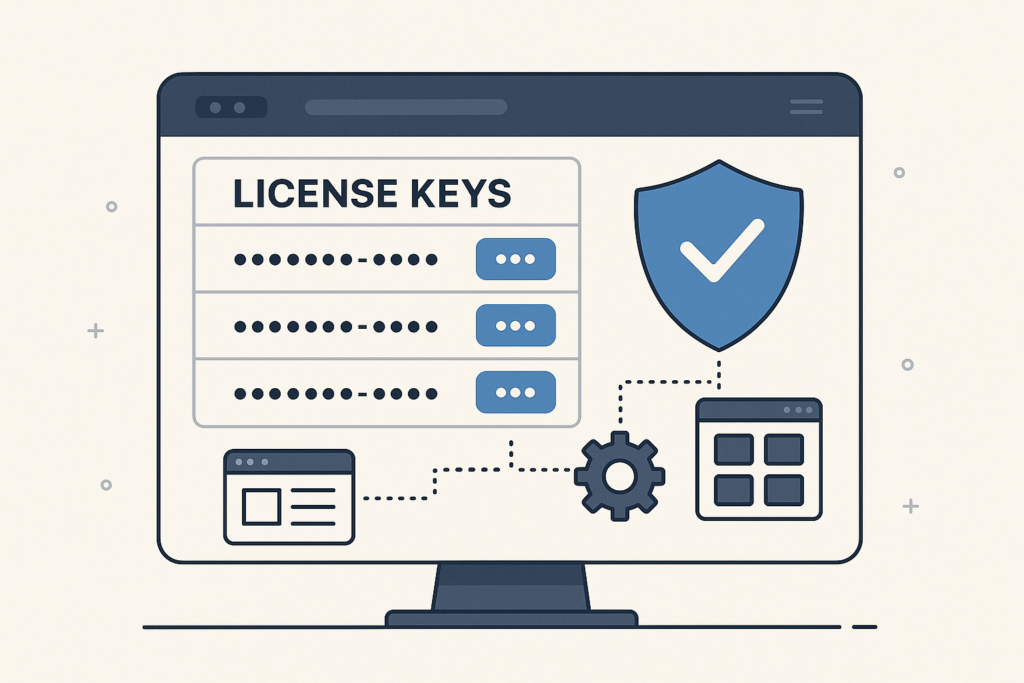
Are you looking to sell software licenses directly from your WordPress site? The WooCommerce License Manager is an essential tool for software developers and digital product businesses. With the right setup, you can automate license key delivery, manage activations, and protect your intellectual property—all from your WooCommerce-powered store.
In this step-by-step guide, you’ll learn exactly how to use WooCommerce License Manager for software sales. We’ll cover setup, best practices, and advanced tips to help you maximize revenue and protect your products.
To get started quickly, consider using the License manager for WooCommerce by XoBytes.com. This powerful plugin streamlines license management, making it easier to focus on growing your business.
Why Use a License Manager for WooCommerce?
First, let’s clarify why a license manager is critical for software sales. Unlike selling simple downloads like PDFs or images, software distribution requires more control. For example, you may want to:
- Generate unique license keys for each customer
- Limit activations per purchase or user
- Automate license delivery after payment
- Validate license keys from within your software app
- Revoke or manage licenses easily
Because of these factors, using a dedicated license manager plugin is the best way to protect your software and ensure a smooth customer experience.
Choosing the Right WooCommerce License Manager Plugin
Choosing the right plugin is the foundation of a successful software sales system. While there are several options, the Xobytes License Manager for WooCommerce stands out for its robust features and seamless integration.
For example, this plugin allows you to:
- Generate and assign license keys automatically
- Set activation limits per license
- Validate licenses via API from your software
- Manage all licenses from your WordPress dashboard
- Customize license delivery emails
Moreover, it eliminates the need for third-party licensing platforms, keeping everything under your control.
How to Set Up WooCommerce License Manager for Software Sales
Next, let’s walk through the setup process. Setting up WooCommerce License Manager is straightforward, but attention to detail will ensure everything runs smoothly.
Step 1: Install and Activate the Plugin
First, purchase and download the plugin from Xobytes License Manager for WooCommerce. Then, in your WordPress dashboard, go to Plugins > Add New, upload the plugin file, and activate it.
Step 2: Configure General Settings
After activation, you’ll find a new License Manager section in your WooCommerce settings. Here, you can:
- Set default license key length and format
- Configure global activation limits
- Customize license delivery emails
At the same time, review email templates to ensure customers receive their keys and instructions clearly.
Step 3: Create a Software Product
Now, add a new product in WooCommerce. Select the product type as “Simple Product” or “Variable Product” depending on your needs. Then, enable the license manager options for this product. You can set:
- License key generation method (automatic or manual)
- Activation limit per purchase
- Expiration date or period
- Custom license email message
Because each software product may require different rules, double-check settings for each one.
Step 4: Automate License Key Delivery
After a customer completes their purchase, the plugin automatically generates and sends a license key. Customers receive their key via email and can also view it in their account dashboard.
Meanwhile, you can track issued licenses and activation status from your WordPress admin panel.
Step 5: Enable License Validation and Activation
For most software, you’ll want to validate license keys from within the app. The Xobytes plugin provides a REST API endpoint for this purpose. As a result, your software can connect to your WooCommerce site, check license validity, and enforce activation limits.
For technical details, see the plugin documentation or How to Use the License Manager for WooCommerce.
Best Practices for Managing Software Licenses
To make your software sales process efficient and secure, follow these best practices:
- Use strong, unique license keys: Automatic generation reduces the risk of key sharing.
- Set clear activation limits: Define how many devices or users can activate each license.
- Automate renewals and expirations: Offer time-limited licenses and send renewal reminders.
- Track activations: Monitor usage to detect abuse or overuse.
- Offer easy customer support: Include instructions and a help link in your license emails.
In addition, regularly update your plugin and WooCommerce platform for security and compatibility.
Integrating License Checks into Your Software
To ensure only paying customers can use your software, you must integrate license key validation. Most WooCommerce license manager plugins, including Xobytes, provide API endpoints for this purpose.
For example, your software can send a request to your WooCommerce site with the customer’s license key. The site responds with the license status—valid, expired, or invalid. Therefore, you can block unauthorized access and prompt users to renew or purchase a new license.
Depending on your software platform (Windows, Mac, web app), implementation details will vary, but the API approach remains the same.
How to Handle License Renewals and Upgrades
Managing renewals and upgrades is crucial for maximizing recurring revenue. With WooCommerce License Manager, you can:
- Set licenses to expire after a set period (e.g., 1 year)
- Send automated renewal reminders to customers
- Offer upgrade paths or discounts for existing customers
That said, always communicate renewal terms clearly during checkout and in follow-up emails.
Frequently Asked Questions About WooCommerce License Manager
To help you get started, here are answers to common questions:
- Can I sell multiple license types (e.g., Standard, Pro)?
Yes, use WooCommerce variable products to offer different license tiers with separate pricing and activation limits. - What happens if a customer loses their license key?
Customers can retrieve their license key from their account dashboard or request a resend via support. - Is it possible to manually revoke a license?
Absolutely. You can deactivate or revoke any license from your WordPress admin panel. - Does the plugin support software updates?
While license managers focus on key management, you can integrate update delivery with other plugins or custom code. - How do I integrate license validation into my app?
Refer to the API documentation provided by your license manager plugin. Typically, it involves sending a key and product ID to your WooCommerce site for validation.
Advanced Tips for Scaling Your Software Sales
Once your system is running, you may want to grow your business further. Here are some advanced tips:
- Use analytics tools to track sales, renewals, and customer behavior
- Automate marketing with tools like Instagram autoposter plugins for WordPress
- Offer bundled products or cross-sell related plugins
- Integrate with email marketing for onboarding and support
In contrast to manual sales, automation frees up your time and increases customer satisfaction.
Where to Learn More and Get Support
If you need more details or troubleshooting help, visit the How to Use the License Manager for WooCommerce guide. For plugin purchases and feature lists, see the Xobytes License Manager for WooCommerce product page.
Additionally, consider joining WordPress and WooCommerce communities for tips and best practices.
Conclusion: Start Selling Software with WooCommerce License Manager
In summary, using a WooCommerce License Manager is the smartest way to automate software licensing, protect your products, and deliver a seamless customer experience. With tools like the Xobytes License Manager for WooCommerce, you can control every aspect of license sales, from key generation to renewal management.
Ready to start? Explore the WooCommerce License Manager plugin and transform your WordPress site into a professional software sales platform today.
Leave a Reply