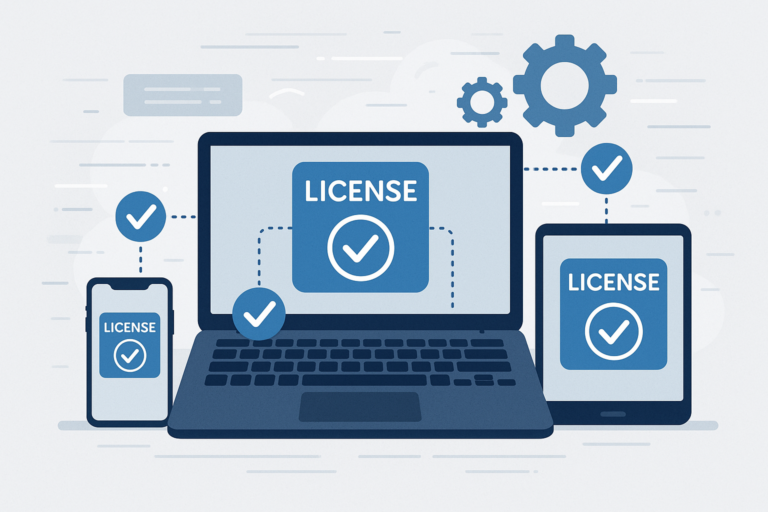
Managing software licenses can be a challenging task for any online store selling digital products. However, WooCommerce license plugins offer a powerful solution to automate and simplify this process. By using these plugins, you can generate, distribute, and validate software license keys effortlessly, which enhances both your workflow and your customers’ experience.
In this article, we will explore how to manage software licenses seamlessly with WooCommerce plugins, highlight essential features to look for, and explain why these tools are vital for your eCommerce success.
Why Use WooCommerce License Plugins?
First, WooCommerce license plugins help online stores automate the entire license management process. Without them, managing licenses manually can lead to errors, delays, and unhappy customers. Moreover, these plugins integrate smoothly with your WooCommerce store, ensuring that license keys are generated and delivered instantly after purchase.
As a result, your customers receive their licenses immediately, improving satisfaction and reducing support requests. In addition, automated license validation prevents unauthorized use, protecting your software from piracy.
Key Features to Look for in WooCommerce License Manager Plugins
To make this easier, here are the essential features your WooCommerce license plugin should offer:
- Automated License Key Generation: The plugin should create unique license keys automatically upon purchase.
- License Validation: It must validate license keys during software activation to prevent misuse.
- Renewal and Expiration Management: Managing license durations and renewals helps maintain control over active users.
- Integration with WooCommerce Checkout: The plugin should work seamlessly during checkout to assign licenses without delays.
- Customer License Management: Customers should be able to view and manage their licenses from their accounts.
Also, many plugins offer additional features such as multi-site license support, usage tracking, and detailed reporting to help you monitor license activity.
How WooCommerce License Plugins Improve Software Sales
Because of this, WooCommerce license plugins not only simplify license management but also positively impact your sales. For example, automation reduces manual errors and speeds up delivery, which builds customer trust. Meanwhile, secure license validation protects your software, preserving its value and reputation.
Additionally, these plugins can enhance your marketing efforts by enabling subscription-based licenses or offering license upgrades easily. As a result, you can create flexible pricing models that attract more customers and increase revenue.
Popular WooCommerce License Plugins to Consider
Next, choosing the right plugin depends on your specific needs and budget. Some plugins offer free versions with basic features, while premium options provide advanced functionality and dedicated support.
For a detailed comparison and recommendations, check out our guide How to Manage Software Licenses in WooCommerce: Top Plugins & Features. This resource dives deeper into plugin capabilities and will help you make an informed choice.
Getting Started: Steps to Manage Software Licenses with WooCommerce Plugins
To begin managing licenses seamlessly, follow these steps:
- Install and Configure Your License Plugin: Choose a plugin that fits your needs and install it on your WooCommerce store.
- Set Up License Key Generation Rules: Define how license keys are created and assigned to products.
- Integrate License Validation with Your Software: Ensure your software checks the license keys during activation.
- Enable Customer License Management: Allow customers to view their licenses in their accounts.
- Test the Entire Workflow: Perform test purchases to verify license generation, delivery, and validation.
By following these steps, you create a smooth experience for both your team and your customers.
Best Practices for Seamless License Management
At the same time, consider these best practices to optimize your license management:
- Keep License Keys Secure: Use strong, unique keys and protect them from exposure.
- Communicate Clearly with Customers: Provide clear instructions on how to activate and manage licenses.
- Monitor License Usage: Use plugin reports to track activations and detect suspicious activity.
- Update Your Software and Plugins Regularly: Maintain compatibility and security by applying updates promptly.
Implementing these practices ensures your license system remains reliable and trustworthy.
Frequently Asked Questions
What is a WooCommerce license plugin?
A WooCommerce license plugin helps online stores automate the generation, distribution, and validation of software license keys for digital products sold through WooCommerce.
Which features should I look for in a WooCommerce license manager plugin?
Key features include automated license key generation, license validation, renewal and expiration management, integration with WooCommerce checkout, and customer license management.
Can WooCommerce license plugins improve software sales?
Yes, by automating license management and ensuring secure license delivery, these plugins enhance customer trust and streamline sales processes.
Are there free WooCommerce license plugins available?
Some plugins offer free versions with basic features, but premium plugins typically provide advanced functionality and better support.
For more detailed strategies and plugin options, visit our comprehensive guide on managing software licenses in WooCommerce.
In conclusion, using WooCommerce license plugins is essential for any digital product seller looking to streamline license management, improve customer satisfaction, and boost sales. By selecting the right plugin and following best practices, you can automate complex tasks and focus more on growing your business.