
When it comes to software solutions, businesses often face a critical decision: should they opt for proprietary software or go with off-the-shelf options? This article delves into the key factors and insights surrounding this choice, helping you navigate the complexities of both types of software.
Understanding Proprietary Software
Proprietary software, also known as custom software, is developed specifically for an organization. This type of software offers tailored features that align closely with the unique needs of the business. Because of this, proprietary software can provide a significant competitive advantage. However, it often comes with a higher price tag and longer development time.
Advantages of Proprietary Software
- Customization: Proprietary software can be designed to meet specific business requirements, ensuring that all necessary features are included.
- Control: Companies have complete control over the software, including updates, features, and security measures.
- Scalability: As a business grows, proprietary software can be adjusted and expanded to accommodate new needs.
Disadvantages of Proprietary Software
- Cost: The initial investment is typically higher compared to off-the-shelf solutions.
- Time to Develop: Building custom software can take significant time, delaying deployment.
- Dependency on Developers: Businesses may become reliant on the original developers for maintenance and updates.
Exploring Off-the-Shelf Software
Off-the-shelf software refers to ready-made solutions that are available for purchase by any customer. These products are designed to cater to a broad audience, making them widely applicable across various industries.
Advantages of Off-the-Shelf Software
- Lower Costs: Typically, off-the-shelf solutions have lower upfront costs, making them accessible for small businesses.
- Quick Implementation: Since these products are already developed, they can be deployed almost immediately.
- Community Support: Many off-the-shelf products have large user communities, providing resources and support.
Disadvantages of Off-the-Shelf Software
- Limited Customization: While some off-the-shelf solutions offer customization options, they may not fully meet specific business needs.
- Generic Features: Features are designed for a broad audience, which may not align perfectly with unique business processes.
- Ongoing Costs: Some off-the-shelf software requires subscription fees or regular updates, which can add to long-term costs.
Key Factors to Consider
When deciding between proprietary and off-the-shelf software, several factors should be taken into account. Here are some critical considerations:
For useful background on this topic, see Choosing Between Off-the-Shelf and Custom Chatbots.
- Business Needs: Assess your company’s unique requirements and workflows. This will inform whether a tailored solution is necessary.
- Budget: Determine your budget for software acquisition. Consider both initial costs and ongoing expenses.
- Timeframe: Evaluate how quickly you need the software. If time is of the essence, off-the-shelf solutions may be preferable.
- Future Growth: Think about your business’s growth trajectory. Will the software be able to scale with your needs?
Real-World Applications
To illustrate the differences between proprietary and off-the-shelf software, consider the following examples:
- Proprietary Software: A large manufacturing company may require specific features for their operations, such as inventory management and production scheduling. They might invest in custom software to ensure these features are tailored to their processes.
- Off-the-Shelf Software: A small business looking for basic accounting software might choose an off-the-shelf solution like QuickBooks, as it meets their needs without the need for customization.
Conclusion
Choosing between proprietary and off-the-shelf software is a significant decision that can impact your business operations. By understanding the key factors and insights outlined in this article, you can make an informed choice that aligns with your organization’s needs and goals. For further reading, check out our post on Proprietary vs Off-the-Shelf Software: Choosing the Right Fit.
Implementation Steps for Proprietary and Off-the-Shelf Software
Choosing the right software is just the first step; successful implementation is crucial for realizing its benefits. Here are the steps to consider for both proprietary and off-the-shelf software:
Implementation Steps for Proprietary Software
- Needs Assessment: Conduct a thorough analysis of your business requirements to define the scope of the software.
- Vendor Selection: Choose a reputable software development company with experience in your industry.
- Design Phase: Work closely with developers to create a detailed design document that outlines features, functionalities, and user interfaces.
- Development: Monitor the development process, ensuring that the software aligns with your specifications.
- Testing: Conduct rigorous testing to identify and resolve any issues before deployment.
- Training: Provide comprehensive training for employees to facilitate a smooth transition to the new system.
- Launch: Roll out the software, ensuring that support is available for any immediate concerns or questions.
- Feedback and Iteration: Gather user feedback to make necessary adjustments and improvements.
Implementation Steps for Off-the-Shelf Software
- Research: Evaluate various off-the-shelf options based on your business needs and budget.
- Trial Version: If available, utilize trial versions to assess functionality and user experience.
- Purchase and Licensing: Acquire the software, ensuring you understand the licensing agreements and any ongoing costs.
- Installation: Follow the installation instructions provided by the vendor, often a straightforward process.
- Configuration: Customize settings to align the software with your business processes as much as possible.
- Training: Arrange training sessions for staff to maximize the software’s potential.
- Ongoing Support: Utilize vendor support and community resources for troubleshooting and updates.
Comparative Analysis of Proprietary and Off-the-Shelf Software
Understanding the differences between proprietary and off-the-shelf software can help you make a more informed decision. Here’s a comparative analysis based on key criteria:
Related XoBytes Products

Agentic Consultant, Product Rep, & Customer Service Agent By XoBytes.com
$19.99
Agentic Consultant for WordPress gives your website a smart AI product rep, customer service agent, and hands-free voice…

Tamper Guard by XoBytes | WordPress Plugin Tamper Detector
$25.00
Protect your commercial WordPress plugins with license-based tamper detection, file integrity monitoring, automatic shutdown protection, and site reporting.…

Agentic Support Desk for WordPress by XoBytes.com
$19.99
Agentic Support Desk by Xobytes is an AI-powered WordPress support desk built for software sellers, WooCommerce stores, agencies,…
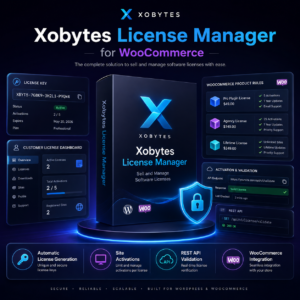
License manager for WooCommerce by XoBytes.com
$25.00
Xobytes License Manager for WooCommerce is a powerful WooCommerce license manager plugin that lets you sell software licenses,…

Social Media Autopilot With AI by XoBytes.com
$19.99
Xobytes Social Autopilot is a WordPress social media autoposter that helps schedule and promote posts, pages, WooCommerce products,…
Product 1 of 6
Cost
- Proprietary Software: Higher initial costs due to custom development and potential ongoing maintenance fees.
- Off-the-Shelf Software: Lower upfront costs, but be aware of subscription fees and potential costs for additional features.
Customization
- Proprietary Software: Highly customizable to fit specific business processes.
- Off-the-Shelf Software: Limited customization options; may require workarounds for unique needs.
Scalability
- Proprietary Software: Designed to scale with your business, accommodating growth and changes.
- Off-the-Shelf Software: May have limitations on scalability, making it less suitable for rapidly growing businesses.
Support and Maintenance
- Proprietary Software: Typically includes dedicated support from developers, but may have longer response times.
- Off-the-Shelf Software: Often has extensive community support and documentation, but official support may vary by vendor.
Real-World Case Studies
Examining real-world case studies can provide valuable insights into the practical implications of choosing between proprietary and off-the-shelf software.
Case Study: Proprietary Software in Healthcare
A healthcare provider needed a specialized patient management system that complied with strict regulations. They opted for proprietary software, allowing them to design features that ensured compliance and improved patient care. The investment paid off as it streamlined operations and increased patient satisfaction.
Case Study: Off-the-Shelf Software in Retail
A small retail business adopted an off-the-shelf point-of-sale system that was easy to implement and cost-effective. The software met their basic needs, and the business benefited from community support and regular updates. As the business grew, they were able to scale up with additional features offered by the vendor.
Final Thoughts on Choosing Software
Ultimately, the choice between proprietary and off-the-shelf software depends on your unique business needs, budget, and growth plans. By carefully evaluating the pros and cons, implementation steps, and real-world examples, you can make a decision that will enhance your operational efficiency and support your long-term goals.
Key Decision Criteria for Software Selection
When evaluating proprietary versus off-the-shelf software, it’s essential to establish clear decision criteria to guide your choice. Here are some key factors to consider:
- Integration Capabilities: Assess how well the software can integrate with existing systems. Proprietary solutions can be designed with integration in mind, while off-the-shelf options may require additional tools or custom development.
- Compliance and Security: Consider industry-specific regulations and security needs. Proprietary software can be tailored to meet stringent compliance requirements, whereas off-the-shelf solutions may not fully address these concerns.
- User Experience: Evaluate the user interface and overall experience. Custom software can be designed to enhance usability, while off-the-shelf products may have a one-size-fits-all approach.
- Long-Term Viability: Consider the long-term support and updates for the software. Proprietary software might provide dedicated support, while off-the-shelf solutions may have varying levels of vendor commitment.
Examples of Industry Applications
Different industries have unique needs that can influence the choice between proprietary and off-the-shelf software. Here are a few examples:
Financial Services
In the financial sector, companies often require software that adheres to strict regulatory standards. A proprietary solution can be developed to include specific compliance features, risk management tools, and advanced security protocols tailored to the organization’s needs.
Continue with Understanding Off-the-Shelf Software: Key Benefits and Use Cases for additional XoBytes guidance.
Education
Educational institutions may choose off-the-shelf learning management systems (LMS) for their general applicability. However, a proprietary LMS can offer customized features like specialized course tracking, tailored assessments, and integration with existing student information systems.
Manufacturing
Manufacturers may benefit from proprietary software that integrates with their production lines, offering real-time data analytics and automation controls. Conversely, smaller manufacturers might find off-the-shelf inventory management solutions sufficient for their needs.
Future-Proofing Your Software Choice
As technology evolves, businesses should consider how their software choice will adapt to future changes. Here are some strategies for future-proofing:
- Regularly Review Needs: Periodically assess your business processes and software effectiveness to ensure alignment with evolving goals.
- Stay Informed on Trends: Keep up with industry trends and technological advancements that may influence your software requirements.
- Plan for Scalability: Choose solutions that can easily scale with your business growth, whether that means expanding features or integrating new technologies.
Conclusion of Key Insights
Ultimately, the decision between proprietary and off-the-shelf software should be based on a comprehensive analysis of your business’s specific needs, budget, and future growth plans. By carefully evaluating these factors, you can make a choice that not only meets your current requirements but also positions your organization for future success.
Frequently Asked Questions
Here are some common questions regarding proprietary and off-the-shelf software:
What are the main differences between proprietary and off-the-shelf software?
Proprietary software is custom-developed or owned by a company, offering tailored features and control, while off-the-shelf software is ready-made, standardized, and designed for general use.
When should a business choose custom proprietary software over off-the-shelf solutions?
A business should consider custom proprietary software when unique workflows, specialized features, or competitive advantages are needed that cannot be met by standard solutions.
What are the typical cost differences between proprietary and off-the-shelf software?
Off-the-shelf software generally has lower upfront costs but may incur licensing or subscription fees, whereas proprietary solutions often require higher initial investment but can reduce ongoing licensing costs if tailored effectively.
Can off-the-shelf software be customized to fit business needs?
Yes, many off-the-shelf solutions offer customization options, integrations, or add-ons, but they may not fully match the specific requirements that custom software can provide.
What are the main differences between proprietary and off-the-shelf software?
Proprietary software is custom-developed or owned by a company, offering tailored features and control, while off-the-shelf software is ready-made, standardized, and designed for general use.
When should a business choose custom proprietary software over off-the-shelf solutions?
A business should consider custom proprietary software when unique workflows, specialized features, or competitive advantages are needed that cannot be met by standard solutions.
What are the typical cost differences between proprietary and off-the-shelf software?
Off-the-shelf software generally has lower upfront costs but may incur licensing or subscription fees, whereas proprietary solutions often require higher initial investment but can reduce ongoing licensing costs if tailored effectively.
Can off-the-shelf software be customized to fit business needs?
Yes, many off-the-shelf solutions offer customization options, integrations, or add-ons, but they may not fully match the specific requirements that custom software can provide.