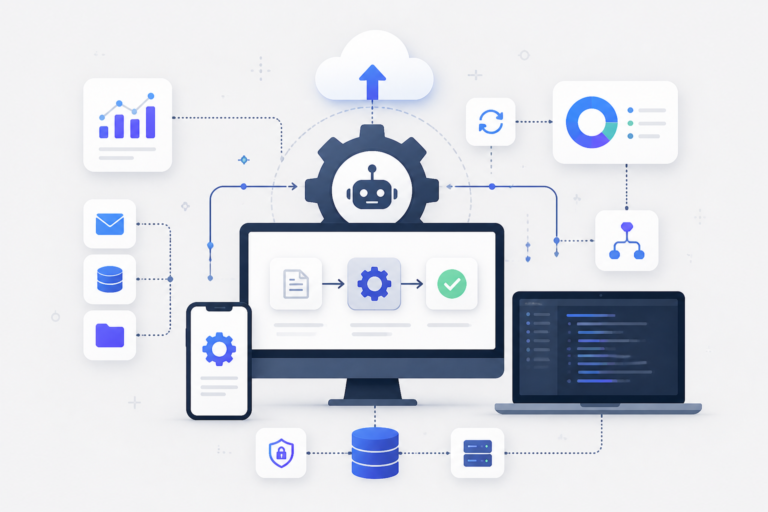
In today’s fast-paced business landscape, efficiency is key to success. Therefore, building an effective business automation suite can significantly enhance your operational capabilities. This ultimate guide will walk you through the essential components and best practices for creating a robust automation suite tailored to your business needs.
Understanding Business Automation Suites
Business automation suites are comprehensive systems that integrate various tools and software solutions to streamline and automate business processes. These suites can help businesses reduce manual work, improve accuracy, and ensure better customer service. To illustrate, consider how automation can transform tasks such as customer support, project management, and data analysis.
Key Components of a Business Automation Suite
To build an effective business automation suite, it’s essential to include several key components. For example, the following elements are crucial:
- Workflow Automation: Automating repetitive tasks ensures that workflows are seamless and efficient.
- Customer Support Integration: Integrating customer support tools can enhance service delivery and improve customer satisfaction.
- Reporting and Analytics: Comprehensive analytics tools help track performance metrics and identify areas for improvement.
- CRM Capabilities: A robust Customer Relationship Management system is vital for managing customer interactions effectively.
- Compatibility with Existing Systems: Ensure that the automation suite works well with tools you already use, such as WooCommerce or other project management software.
Choosing the Right Tools for Your Automation Suite
When selecting tools for your business automation suite, consider the following factors:
- Assess Your Business Needs: Identify the specific processes that require automation and the tools that can address those needs.
- Evaluate Integration Capabilities: Ensure that the tools you choose can easily integrate with your existing systems.
- Consider Scalability: Choose tools that can grow with your business and adapt to changing requirements.
- User Experience: Select tools that are user-friendly, as this will encourage adoption among your team.
For example, if you are looking for a customer support solution, consider the Agentic Support Desk by XoBytes, which offers AI-powered features to streamline customer interactions.
Implementing Your Business Automation Suite
Once you have selected the right tools, the next step is implementation. Here are some best practices to ensure a successful rollout:
- Develop a Clear Plan: Outline the steps for implementation, including timelines and responsibilities.
- Train Your Team: Provide adequate training to ensure that your team is comfortable using the new tools.
- Monitor Performance: Regularly assess the performance of your automation suite to identify areas for improvement.
Moreover, consider gathering feedback from your team to make necessary adjustments and optimize the suite’s functionality.
Measuring the Success of Your Automation Suite
To evaluate the effectiveness of your business automation suite, track key performance indicators (KPIs) such as:
- Reduction in manual tasks
- Improvement in customer satisfaction scores
- Increased productivity metrics
By regularly measuring these KPIs, you can ensure that your automation suite continues to meet your business needs.
Conclusion
Building an effective business automation suite is a strategic move that can lead to significant improvements in efficiency and productivity. By understanding the key components, choosing the right tools, and implementing best practices, you can create a suite that meets your specific business needs and drives growth.
Advanced Strategies for Optimizing Your Business Automation Suite
Once you have established your business automation suite, it’s essential to continuously optimize it for maximum efficiency. Here are some advanced strategies to consider:
For a practical companion to this section, explore How Custom Data Drives Effective Business Software Solutions.
Regularly Update Your Tools
Technology evolves rapidly, and so do the tools available for business automation. Regularly check for updates and new features of the tools you are using. Staying current can provide you with enhanced capabilities and improved security.
Related XoBytes Products

Agentic Support Desk for WordPress by XoBytes.com
$19.99
Agentic Support Desk by Xobytes is an AI-powered WordPress support desk built for software sellers, WooCommerce stores, agencies,…

Agentic Consultant, Product Rep, & Customer Service Agent By XoBytes.com
$19.99
Agentic Consultant for WordPress gives your website a smart AI product rep, customer service agent, and hands-free voice…

Agentic Construction Theme | More than just a theme | Built for all trades
$49.99
Why You Need This Theme And Plugin! Click here for the Demo Agentic Construction Theme by XoBytes is…

AI SEO Data & Automatic Blog Writer for WordPress by XoBytes
$19.99
Turn your WordPress site, Google Search Console data, and SEO opportunities into smarter blog posts, pages, titles, meta…

Agent Shield by XoBytes | Protect against agentic software
$25.00
AgentShield is a WordPress AI Agent Firewall that helps detect, monitor, block, and temporarily ban AI crawlers, AI…

Tamper Guard by XoBytes | WordPress Plugin Tamper Detector
$25.00
Protect your commercial WordPress plugins with license-based tamper detection, file integrity monitoring, automatic shutdown protection, and site reporting.…
Product 1 of 6
Integrate Artificial Intelligence (AI)
Incorporating AI into your automation suite can significantly enhance its effectiveness. AI can analyze data patterns, predict customer behavior, and provide personalized experiences. For instance, using AI chatbots for customer support can handle inquiries 24/7, allowing your team to focus on more complex issues.
Utilize Cloud-Based Solutions
Cloud-based tools offer flexibility and scalability. They allow your team to access the automation suite from anywhere, which is particularly beneficial for remote teams. Consider using cloud solutions for your CRM, project management, and customer support systems to enhance collaboration.
Establish Clear Communication Channels
Effective communication is crucial when implementing an automation suite. Ensure that all team members understand the purpose of the automation tools and how they fit into their daily tasks. Regular meetings and updates can help maintain transparency and encourage feedback.
Case Studies: Successful Implementation of Business Automation Suites
Examining real-world examples can provide valuable insights into the successful implementation of business automation suites. Here are a few case studies:
Case Study 1: Retail Company Streamlining Operations
A mid-sized retail company implemented an automation suite that integrated inventory management, customer relationship management, and e-commerce platforms. By automating stock updates and customer interactions, they reduced manual entry errors by 40% and improved customer satisfaction scores by 30%.
Continue with How Tailored Data Powers Effective Business Software for additional XoBytes guidance.
Case Study 2: Marketing Agency Enhancing Client Services
A marketing agency adopted an automation suite that included project management and reporting tools. They automated client reporting processes, which saved 10 hours per week. This allowed the team to focus more on strategy and creative work, ultimately leading to a 20% increase in client retention rates.
Key Decision Criteria for Selecting Automation Tools
When selecting tools for your automation suite, it’s important to weigh various criteria to ensure you make the best choice. Here are key decision factors:
- Cost: Evaluate both upfront and ongoing costs, including subscription fees and maintenance expenses.
- Integration Ease: Assess how easily the new tools will integrate with your existing systems and processes.
- User Support: Consider the level of customer support provided by the vendor, including training resources and technical assistance.
- Customization Options: Look for tools that allow you to customize workflows and features to meet your specific business needs.
Future Trends in Business Automation
Staying informed about future trends in business automation can help you remain competitive. Here are some trends to watch:
- Increased Use of AI and Machine Learning: Expect more tools to incorporate AI capabilities for predictive analytics and personalized customer experiences.
- Focus on Cybersecurity: As automation becomes more prevalent, ensuring the security of automated systems will be paramount.
- Greater Emphasis on User Experience: Tools will increasingly prioritize user-friendly interfaces to enhance adoption rates among team members.
By incorporating these strategies and insights into your business automation suite, you can ensure it remains effective and continues to drive growth for your organization.
Frequently Asked Questions
Here are answers to some common questions about business automation suites:
- What is a business automation suite? A business automation suite is a collection of integrated tools and software designed to streamline processes, improve efficiency, and automate repetitive tasks across various business functions.
- How can a business automation suite benefit my company? It can reduce manual work, increase accuracy, improve customer service, and free up resources for strategic growth by automating routine tasks and integrating different business systems.
- What are essential features to look for in a business automation suite? Key features include workflow automation, customer support integration, reporting and analytics, CRM capabilities, and compatibility with existing systems like WooCommerce or project management tools.
- Can I customize a business automation suite for my specific needs? Yes, many automation suites are customizable, allowing you to tailor workflows, integrations, and features to match your business processes and objectives.