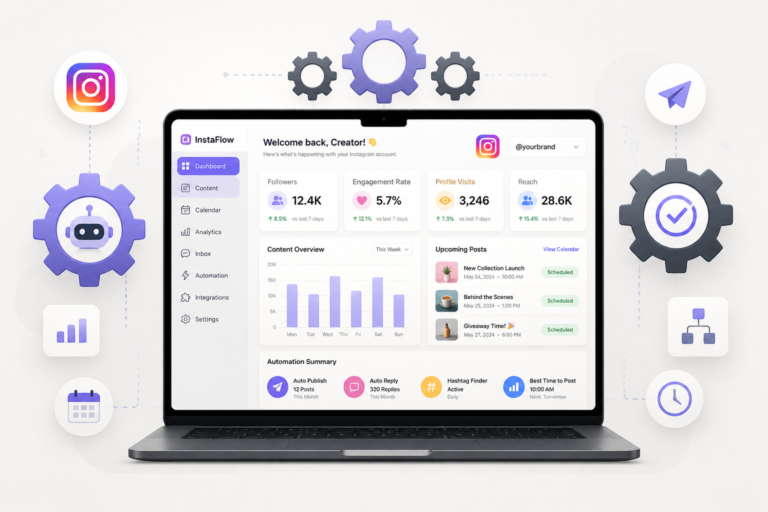
In the fast-paced world of social media, managing your Instagram presence can be quite challenging. Fortunately, utilizing the right tools can significantly streamline your efforts. One such tool is the Xobytes Social Autopilot, a powerful WordPress plugin designed to automate your Instagram postings effortlessly. This plugin not only saves you time but also ensures consistent engagement with your audience.
With the Xobytes Social Autopilot, you can schedule and promote posts, pages, WooCommerce products, and custom content directly from your WordPress site. For just $19.99, it offers an array of features that cater to both individual users and businesses looking to enhance their social media strategies.
Why Use Instagram Auto Posting Plugins?
Instagram auto posting plugins are essential for anyone looking to maintain a robust social media presence without the hassle of manual posting. These plugins allow you to:
- Save Time: Automate the scheduling of your posts, freeing up time for other marketing activities.
- Enhance Engagement: Regular posting keeps your audience engaged and increases your visibility on the platform.
- Maintain Consistency: Ensure that your posts go live at optimal times, even when you’re not available.
In addition, these plugins often come with analytics features, allowing you to track your engagement and optimize your posting strategy accordingly.
Top WordPress Plugins for Automated Instagram Posting in 2026
Here are some of the best WordPress plugins for automating your Instagram posting:
1. Xobytes Social Autopilot
This plugin stands out for its user-friendly interface and powerful features. It allows users to:
- Schedule posts for optimal times.
- Automatically share posts from your blog to Instagram.
- Integrate with WooCommerce to promote products effortlessly.
Overall, it’s an excellent choice for anyone looking to streamline their social media efforts.
2. Instagram Feed Pro
Instagram Feed Pro is another powerful plugin that allows you to display your Instagram feed on your website while also offering auto-posting features. With this plugin, you can:
- Customize the appearance of your feed.
- Automatically post new content from your blog to Instagram.
- Engage with your audience through comments and likes directly from your website.
It’s perfect for users who want to merge their website and Instagram presence seamlessly.
3. Revive Old Posts
This plugin focuses on repurposing your old content by automatically sharing it on Instagram. This helps keep your feed active and engages users who might have missed your earlier posts. Key features include:
- Customizable sharing intervals.
- Ability to filter which posts to share.
- Analytics to track engagement levels.
Revive Old Posts is ideal for businesses with extensive archives of content.
4. Blog2Social
Blog2Social is an all-in-one social media auto-poster that offers extensive customization options. With this plugin, you can:
- Schedule posts for multiple social networks, including Instagram.
- Customize each post for different platforms.
- Track engagement metrics.
This plugin is perfect for users looking for flexibility in their social media strategy.
Setting Up Your Instagram Auto Poster Plugin
To make the most of your chosen Instagram auto poster plugin, follow these steps:
- Install the Plugin: Go to your WordPress dashboard, navigate to Plugins, and click on Add New. Search for your desired plugin and click Install.
- Connect Your Instagram Account: Follow the prompts to link your Instagram account. Ensure you have the necessary permissions.
- Configure Settings: Customize the settings according to your needs, such as scheduling times and post formats.
- Create Your Content: Prepare your posts in advance, ensuring they are visually appealing and engaging.
- Monitor Performance: Use the plugin’s analytics features to track engagement and adjust your strategy accordingly.
By following these steps, you can ensure a smooth setup process and maximize the benefits of your Instagram auto poster plugin.
Related XoBytes Products

Social Media Autopilot With AI by XoBytes.com
$19.99
Xobytes Social Autopilot is a WordPress social media autoposter that helps schedule and promote posts, pages, WooCommerce products,…

AI SEO Data & Automatic Blog Writer for WordPress by XoBytes
$19.99
Turn your WordPress site, Google Search Console data, and SEO opportunities into smarter blog posts, pages, titles, meta…

Tamper Guard by XoBytes | WordPress Plugin Tamper Detector
$25.00
Protect your commercial WordPress plugins with license-based tamper detection, file integrity monitoring, automatic shutdown protection, and site reporting.…

Plugin Update Server for WordPress by XoBytes.com
$25.00
Plugin Update Server by XoBytes lets WordPress plugin sellers deliver private plugin updates directly to customer dashboards. Upload…

Agentic Support Desk for WordPress by XoBytes.com
$19.99
Agentic Support Desk by Xobytes is an AI-powered WordPress support desk built for software sellers, WooCommerce stores, agencies,…

Agentic Construction Theme | More than just a theme | Built for all trades
$49.99
Why You Need This Theme And Plugin! Click here for the Demo Agentic Construction Theme by XoBytes is…
Product 1 of 6
Conclusion
Automating your Instagram posts can significantly enhance your social media strategy, allowing you to engage with your audience consistently. The Xobytes Social Autopilot is an excellent choice for anyone looking to streamline this process effectively. With its robust features and ease of use, it can help you save time while boosting your engagement levels.
For additional authoritative context, review Facebook.
Explore the Xobytes Social Autopilot today for just $19.99 and take your Instagram marketing to the next level!
Comparing Key Features of Instagram Auto Posting Plugins
When choosing the right Instagram auto posting plugin for your WordPress site, it’s essential to compare the key features that each plugin offers. Here’s a breakdown of important features to consider:
Continue with Best WordPress Plugins to Automate Your Social Media Posting Efforts for additional XoBytes guidance.
- Ease of Use: Look for plugins with intuitive interfaces that make it easy to schedule and manage posts.
- Customization Options: The ability to customize posts for different platforms can enhance engagement.
- Analytics and Reporting: Features that provide insights into post performance can help you refine your strategy.
- Content Repurposing: Plugins that allow you to share old content can keep your feed active without constant new content creation.
- Integration with Other Tools: Consider plugins that integrate with other social media management tools or eCommerce platforms.
Practical Examples of Successful Instagram Automation
Many brands have successfully utilized Instagram auto posting plugins to enhance their social media presence. Here are a few examples:
Example 1: E-Commerce Store
A small e-commerce store used the Xobytes Social Autopilot to automate their product promotions. By scheduling posts for peak engagement times, they saw a 30% increase in website traffic from Instagram within three months.
Example 2: Food Blog
A food blogger leveraged the Blog2Social plugin to share recipes on Instagram. By customizing each post for the platform, including hashtags and engaging captions, they doubled their follower count in six months.
Implementation Steps for Maximizing Your Plugin’s Potential
To ensure you get the most out of your Instagram auto posting plugin, follow these implementation steps:
- Define Your Goals: Determine what you want to achieve with your Instagram presence, such as brand awareness or driving sales.
- Research Your Audience: Understand your target audience’s preferences and posting habits to tailor your content accordingly.
- Create a Content Calendar: Plan your posts in advance, aligning them with your marketing campaigns and seasonal trends.
- Test Different Posting Times: Experiment with various scheduling times to identify when your audience is most active.
- Engage with Your Audience: While automation saves time, make sure to interact with followers by responding to comments and messages promptly.
Decision Criteria for Selecting the Right Plugin
Choosing the right Instagram auto posting plugin involves considering several factors. Here are some decision criteria to guide your selection:
- Budget: Evaluate the cost of the plugin against your budget and the features offered.
- Compatibility: Ensure the plugin is compatible with your current WordPress version and other plugins you may be using.
- User Reviews: Read user reviews to gauge satisfaction and reliability.
- Support and Documentation: Check if the plugin offers reliable customer support and comprehensive documentation for troubleshooting.
Frequently Asked Questions
Here are some common questions regarding Instagram auto poster plugins:
- What is an Instagram auto poster plugin for WordPress? An Instagram auto poster plugin for WordPress is a tool that automatically schedules and publishes posts from your WordPress site directly to your Instagram account, saving time and ensuring consistent social media activity.
- How do I choose the best Instagram autoposter plugin for my website? Consider factors such as ease of use, scheduling features, compatibility with your WordPress version, support for multiple accounts, and user reviews to select the most suitable plugin.
- Can I automate Instagram stories with WordPress plugins? Most auto poster plugins focus on feed posts; automating stories may require additional tools or manual posting, as many plugins primarily support regular posts.
- Are there any limitations or risks in automating Instagram posts? Automating posts should comply with Instagram’s terms of service. Excessive automation or spammy behavior can lead to account restrictions. Choose reputable plugins and follow best practices.