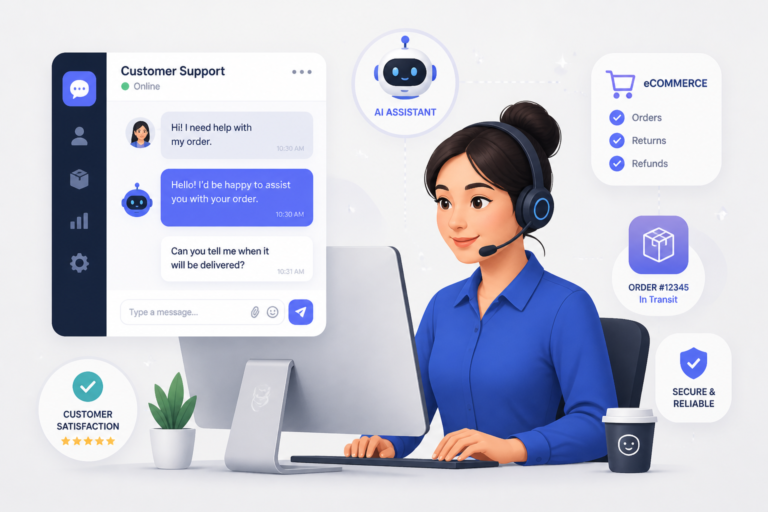
In the world of eCommerce, effective customer support is crucial for success. This is where WooCommerce support apps come into play. These tools not only streamline communication but also enhance the overall customer experience. One standout option is the Agentic Support Desk by XoBytes. Priced at $19.99, this AI-powered support desk is designed for WooCommerce stores, agencies, and digital sellers. It offers a variety of features that can significantly improve your support operations.
In this comprehensive guide, we will explore the setup, features, and best practices for using WooCommerce support apps effectively. Whether you are a new store owner or looking to enhance your existing support system, this guide will provide valuable insights.
Why Choose WooCommerce Support Apps?
Choosing the right support app can dramatically impact your customer satisfaction and retention rates. WooCommerce support apps help you manage customer inquiries more efficiently, reducing response times and improving service quality. For instance, the Agentic Support Desk automates many support tasks, allowing your team to focus on more complex issues.
Key Features of WooCommerce Support Apps
- Ticket Management: Organizes customer inquiries into manageable tickets for better tracking and resolution.
- Live Chat: Offers real-time support, enhancing customer engagement and satisfaction.
- Multi-Channel Support: Integrates various communication channels such as email, chat, and social media.
- Automation: Automates repetitive tasks, reducing manual workload for your support team.
- Knowledge Base Integration: Provides customers with self-service options, improving efficiency.
- Seamless WooCommerce Integration: Ensures smooth operation within your WooCommerce environment.
To learn more about the features of various support apps, check out our article on Top WooCommerce Support Apps: Features, Pricing & Setup for 2026.
Setting Up Your WooCommerce Support App
Setting up a WooCommerce support app is usually straightforward. Most apps provide plugins that can be easily installed in your WooCommerce store. Follow these general steps:
- Choose Your App: Select a support app that meets your needs, such as the Agentic Support Desk.
- Install the Plugin: Download and install the plugin through your WordPress dashboard.
- Configure Settings: Adjust settings according to your support workflow and preferences.
- Integrate with WooCommerce: Ensure the app is fully integrated with your WooCommerce store for seamless operation.
- Test the System: Run tests to ensure everything is functioning correctly before going live.
Best Practices for Using WooCommerce Support Apps
To maximize the effectiveness of your chosen support app, consider the following best practices:
- Train Your Team: Ensure your support team is well-trained in using the app’s features.
- Monitor Performance: Regularly review support metrics to identify areas for improvement.
- Solicit Customer Feedback: Gather feedback from customers to refine your support processes.
- Update Regularly: Keep the app and your knowledge base updated to provide accurate information.
For more insights, you can read our guide on How to Choose the Right WooCommerce Support App.
Conclusion
In conclusion, using a dedicated WooCommerce support app can significantly improve your customer service and boost satisfaction levels. Tools like the Agentic Support Desk offer valuable features that automate and streamline support tasks. By implementing best practices and regularly evaluating your support strategy, you can ensure your WooCommerce store thrives in a competitive market.
Comparing Popular WooCommerce Support Apps
When selecting a WooCommerce support app, it’s essential to compare the available options based on features, pricing, and user reviews. Here’s a comparison of a few popular support apps:
For a practical companion to this section, explore Top WooCommerce Support Apps: Features, Pricing & Setup for 2024.
- Agentic Support Desk: Best for AI-driven automation and seamless WooCommerce integration. Priced at $19.99.
- Zendesk: Known for its robust ticketing system and extensive reporting features. Pricing starts at $49 per month.
- Freshdesk: Offers a free tier for small businesses and a user-friendly interface. Paid plans start at $15 per agent per month.
- LiveChat: Focuses on real-time chat support and has a strong customer engagement feature set. Pricing begins at $19 per month.
Key Considerations When Choosing a Support App
To ensure you select the right support app for your WooCommerce store, consider the following criteria:
- Scalability: Choose an app that can grow with your business, offering features that can accommodate increasing customer inquiries.
- Customization: Look for apps that allow you to tailor the interface and workflows to fit your specific support needs.
- Integration Capabilities: Ensure the app can integrate with other tools you use, such as CRM systems or email marketing platforms.
- User Reviews: Research user feedback and ratings to gauge the app’s reliability and support quality.
- Trial Period: Opt for apps that offer a free trial so you can test their features before committing.
Implementation Steps for Effective Use
Once you have chosen a WooCommerce support app, follow these implementation steps to ensure effective use:
- Define Support Processes: Establish clear support workflows that outline how inquiries will be handled, including escalation procedures for complex issues.
- Customize App Settings: Tailor the app settings to reflect your brand voice, including automated responses and ticket categories.
- Integrate with Other Tools: Connect your support app with other essential tools, such as your email marketing software or CRM, to streamline operations.
- Conduct Training Sessions: Organize training sessions for your support team to familiarize them with the app’s features and best practices.
- Monitor and Adjust: Regularly monitor support metrics and customer feedback to make necessary adjustments to your processes and app settings.
Related XoBytes Products

Agentic Support Desk for WordPress by XoBytes.com
$19.99
Agentic Support Desk by Xobytes is an AI-powered WordPress support desk built for software sellers, WooCommerce stores, agencies,…

Agentic Consultant, Product Rep, & Customer Service Agent By XoBytes.com
$19.99
Agentic Consultant for WordPress gives your website a smart AI product rep, customer service agent, and hands-free voice…

Upgrades, Packages & Tiers for WooCommerce By XoBytes.com
$25.00
This is a FREEMIUM plugin. Get the free version “Upgrades, Packages & Tiers for WooCommerce By XoBytes.com” Pro…
License manager for WooCommerce by XoBytes.com
$25.00
Xobytes License Manager for WooCommerce is a powerful WooCommerce license manager plugin that lets you sell software licenses,…

Tamper Guard by XoBytes | WordPress Plugin Tamper Detector
$25.00
Protect your commercial WordPress plugins with license-based tamper detection, file integrity monitoring, automatic shutdown protection, and site reporting.…

Plugin Update Server for WordPress by XoBytes.com
$25.00
Plugin Update Server by XoBytes lets WordPress plugin sellers deliver private plugin updates directly to customer dashboards. Upload…
Product 1 of 6
Enhancing Customer Experience with WooCommerce Support Apps
Using WooCommerce support apps effectively can significantly enhance the customer experience. Here are some strategies to consider:
- Personalization: Use customer data to personalize interactions, such as addressing customers by their names and referencing their purchase history.
- Proactive Support: Implement proactive support measures, such as sending follow-up emails after a purchase or providing tips on product usage.
- Utilize Analytics: Leverage analytics provided by your support app to understand customer behavior and identify common issues that may require additional resources.
- Self-Service Options: Encourage customers to utilize self-service options, such as a comprehensive knowledge base or FAQ section, to find answers quickly.
Future Trends in WooCommerce Support Apps
As technology continues to evolve, several trends are emerging in the realm of WooCommerce support apps:
For additional authoritative context, review Facebook.
- AI and Chatbots: The integration of AI-driven chatbots is expected to increase, providing instant responses to common inquiries and freeing up human agents for more complex issues.
- Omni-Channel Support: Customers will increasingly expect support across multiple channels, including social media, messaging apps, and traditional email.
- Enhanced Analytics: Future support apps will likely offer more advanced analytics tools, enabling businesses to gain deeper insights into customer interactions and satisfaction levels.
- Integration with Augmented Reality (AR): Expect to see support apps incorporating AR features to assist customers in real-time with product issues or setup.
Integrating Customer Feedback into Your Support Strategy
Gathering and utilizing customer feedback is a vital aspect of enhancing your WooCommerce support app’s effectiveness. Here are some actionable steps to integrate feedback into your support strategy:
Continue with Complete Guide to WooCommerce Support Apps: Setup, Features & Pricing for additional XoBytes guidance.
- Surveys: After resolving a support ticket, send a brief survey to customers asking about their experience. Keep it short to encourage responses.
- Follow-Up Calls: For high-value customers or complex issues, consider making follow-up calls to gather in-depth feedback.
- Feedback Loop: Create a system where feedback collected is reviewed regularly and used to improve support processes and app configurations.
Utilizing Automation for Efficiency
Automation can significantly enhance the efficiency of your support operations. Here are some practical examples of how to implement automation in your WooCommerce support app:
- Automated Responses: Set up automated replies for common inquiries, such as order status or return policies, to provide instant information to customers.
- Ticket Routing: Use automation rules to route tickets to the appropriate team members based on the issue type or customer priority.
- Scheduled Follow-Ups: Automate follow-up messages for unresolved tickets or to check in with customers after a purchase.
Creating a Comprehensive Knowledge Base
A well-structured knowledge base can serve as a self-service resource for customers, reducing the number of incoming support inquiries. Here are steps to create an effective knowledge base:
- Identify Common Issues: Analyze past support tickets to identify frequently asked questions and common problems.
- Organize Content: Structure your knowledge base into categories and subcategories for easy navigation.
- Use Clear Language: Write articles in simple, clear language. Use visuals like screenshots or videos to enhance understanding.
- Update Regularly: Regularly review and update articles to ensure they reflect the latest information and best practices.
Comparing Support Apps: Key Features to Evaluate
When comparing different WooCommerce support apps, consider evaluating them based on the following key features:
- Ease of Use: Assess the user interface and overall usability of the app for both your team and customers.
- Customization Options: Look for apps that allow you to customize ticket fields, automated responses, and branding elements.
- Reporting and Analytics: Ensure the app provides comprehensive reporting tools to track performance metrics and customer satisfaction.
- Integration Capabilities: Confirm that the app can seamlessly integrate with other tools you use, such as CRM systems or email marketing platforms.
Future-Proofing Your Support Strategy
As technology and customer expectations evolve, it’s essential to future-proof your support strategy. Here are some tips to stay ahead:
- Stay Informed: Keep up with industry trends and emerging technologies in customer support to adapt your strategy accordingly.
- Invest in Training: Regularly train your support team on new features and best practices to ensure they are equipped to handle evolving customer needs.
- Solicit Continuous Feedback: Make it a habit to regularly solicit feedback from both customers and support staff to identify areas for improvement.
Frequently Asked Questions
Here are some common questions about WooCommerce support apps:
- What are the key features to look for in a WooCommerce support app? Key features include ticket management, live chat, multi-channel support, automation, knowledge base integration, and seamless WooCommerce integration.
- How do I integrate a support app with my WooCommerce store? Most support apps provide plugin options or API integrations that connect directly with WooCommerce. Follow the setup guides provided by the support app to ensure proper configuration.
- What are the benefits of using a dedicated support app for WooCommerce? Dedicated support apps improve response times, automate support workflows, centralize inquiries, and enhance overall customer satisfaction, leading to increased loyalty and sales.