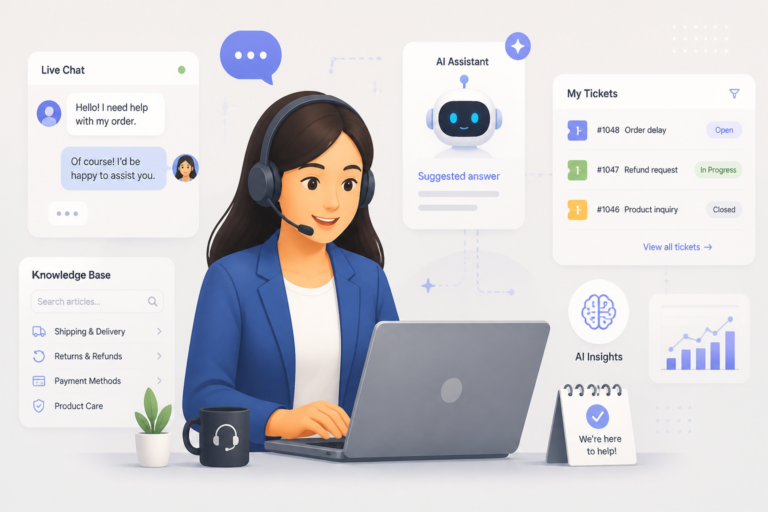
In today’s fast-paced eCommerce environment, providing exceptional customer support is essential for any WooCommerce store. The right helpdesk app can transform your customer service experience, streamline operations, and ultimately boost sales. One of the best solutions available is the Agentic Support Desk by XoBytes, an AI-powered support desk designed specifically for WooCommerce stores.
With Agentic Support Desk, you can automate responses, manage tickets efficiently, and enhance customer interactions. This powerful tool helps you resolve customer inquiries faster, ensuring a smoother shopping experience. In this article, we will explore how to choose and implement WooCommerce helpdesk apps, focusing on the features and benefits that you should consider.
Understanding WooCommerce Helpdesk Apps
WooCommerce helpdesk apps are specialized tools that integrate with your WooCommerce store to provide customer support. These apps help manage customer inquiries, track support tickets, and improve communication between your team and customers. By implementing a helpdesk app, you can centralize all customer interactions, making it easier to provide timely and effective support.
Moreover, these apps often include features such as:
- Ticket Management: Organize and prioritize customer inquiries.
- Live Chat: Provide real-time assistance to customers visiting your store.
- Multi-Channel Support: Manage inquiries from various platforms, including email, social media, and chat.
- Automation: Automate repetitive tasks to save time and improve efficiency.
- Knowledge Base Integration: Offer self-service options for customers to find answers quickly.
- Seamless WooCommerce Integration: Connect directly with your WooCommerce store for a smooth experience.
How to Choose the Right Helpdesk App
Choosing the right helpdesk app for your WooCommerce store involves evaluating several critical factors. Here are some key considerations to keep in mind:
1. Assess Your Support Needs
Before selecting a helpdesk app, assess your store’s specific support needs. Consider the volume of customer inquiries you receive and the types of issues customers commonly face. For example, if you receive many product-related questions, look for a helpdesk app that offers robust ticket management and knowledge base features.
2. Evaluate Features and Functionality
Different helpdesk apps offer varying features. Therefore, it’s essential to evaluate the functionalities that matter most to your business. Look for apps that provide:
- Customizable ticket workflows
- Integration with your existing tools
- Reporting and analytics capabilities
- Mobile access for on-the-go support
3. Consider Integration and Compatibility
Ensure that the helpdesk app you choose integrates seamlessly with your WooCommerce store. A well-integrated app will allow you to manage customer interactions without switching between different platforms. Additionally, check compatibility with other tools you may be using, such as CRM systems or email marketing platforms.
4. Test Usability
The user interface should be intuitive and easy to navigate for both your support team and customers. Consider requesting a demo or trial period to test the app’s usability before making a final decision.
5. Analyze Pricing Models
Pricing can vary significantly between helpdesk apps. Therefore, analyze the pricing models to find one that fits your budget. Some apps offer tiered pricing based on features, while others may charge per user. Be sure to consider the long-term costs associated with each option.
Implementing Your Chosen Helpdesk App
Once you’ve selected a helpdesk app, the next step is implementation. Here are some best practices to ensure a smooth setup:
1. Follow Setup Guides
Most helpdesk apps provide detailed setup guides. Follow these instructions carefully to ensure proper configuration. This may include connecting the app to your WooCommerce store, customizing settings, and integrating with other tools.
2. Train Your Team
Provide training for your support team to ensure they are familiar with the new app. This training can include navigating the interface, managing tickets, and utilizing automation features. An informed team will be better equipped to provide excellent customer support.
3. Monitor Performance
After implementation, monitor the app’s performance and gather feedback from your support team and customers. This feedback can help you identify areas for improvement and ensure that the app meets your business needs.
Why Choose Agentic Support Desk
The Agentic Support Desk is an excellent choice for WooCommerce store owners looking to enhance customer support. Priced at just $19.99, it offers a range of features designed to streamline your support processes:
- AI-Powered Automation: Save time with automated responses and ticket management.
- User-Friendly Interface: Easy for both support agents and customers to navigate.
- Integration with WooCommerce: Seamlessly connects with your store for efficient support.
- Multi-Channel Support: Manage inquiries from various channels in one place.
This app is perfect for software sellers, WooCommerce stores, agencies, and digital service providers looking to improve their customer service experience. However, if you require extensive customization or advanced features, you may want to explore other options.
Related XoBytes Products

Agentic Support Desk for WordPress by XoBytes.com
$19.99
Agentic Support Desk by Xobytes is an AI-powered WordPress support desk built for software sellers, WooCommerce stores, agencies,…

Agentic Consultant, Product Rep, & Customer Service Agent By XoBytes.com
$19.99
Agentic Consultant for WordPress gives your website a smart AI product rep, customer service agent, and hands-free voice…

Upgrades, Packages & Tiers for WooCommerce By XoBytes.com
$25.00
This is a FREEMIUM plugin. Get the free version “Upgrades, Packages & Tiers for WooCommerce By XoBytes.com” Pro…
License manager for WooCommerce by XoBytes.com
$25.00
Xobytes License Manager for WooCommerce is a powerful WooCommerce license manager plugin that lets you sell software licenses,…

Tamper Guard by XoBytes | WordPress Plugin Tamper Detector
$25.00
Protect your commercial WordPress plugins with license-based tamper detection, file integrity monitoring, automatic shutdown protection, and site reporting.…

Agentic Construction Theme | More than just a theme | Built for all trades
$49.99
Why You Need This Theme And Plugin! Click here for the Demo Agentic Construction Theme by XoBytes is…
Product 1 of 6
Conclusion
In conclusion, choosing and implementing a WooCommerce helpdesk app is a crucial step in enhancing your customer support. By carefully evaluating your needs and considering the features offered by various apps, you can select the right solution for your store. With tools like the Agentic Support Desk, you can streamline your support processes, improve customer satisfaction, and ultimately drive sales.
For additional authoritative context, review Facebook.
Practical Examples of Helpdesk App Implementation
Implementing a helpdesk app can vary based on your specific business needs. Here are a few practical examples to illustrate how different types of businesses can effectively use helpdesk apps:
Example 1: E-commerce Retailer
An online clothing store receives a high volume of inquiries regarding order status and returns. By implementing a helpdesk app with automated responses, they can provide instant replies to common questions. This reduces the workload on support agents and allows them to focus on more complex issues.
Continue with Best WooCommerce Helpdesk Apps to Streamline Customer Support in 2026 for additional XoBytes guidance.
Example 2: Digital Services Agency
A digital marketing agency often deals with client inquiries about project updates and service offerings. By using a helpdesk app that integrates with project management tools, the agency can track client requests and provide timely updates directly through the helpdesk interface. This creates a seamless communication flow and enhances client satisfaction.
Example 3: Software Company
A software company offering a subscription-based service can benefit from a helpdesk app that includes a knowledge base. Customers can find answers to common technical questions without needing to contact support. This self-service option not only empowers customers but also reduces the number of tickets submitted.
Comparing Helpdesk Apps
When choosing a helpdesk app, it’s essential to compare different options to find the best fit for your WooCommerce store. Here are some criteria to consider:
- Feature Set: List the features that are most important to your business and compare how different apps stack up against each other.
- User Reviews: Look for customer reviews and testimonials to gauge the user experience and reliability of each app.
- Support and Resources: Evaluate the level of customer support provided by the helpdesk app. Consider whether they offer tutorials, live support, or community forums.
- Scalability: Ensure that the app can grow with your business. Check if they offer additional features or higher-tier plans for when your needs expand.
Implementation Steps for a Successful Transition
To ensure a successful transition to your new helpdesk app, follow these implementation steps:
- Define Objectives: Clearly outline what you want to achieve with the helpdesk app, such as reducing response times or increasing customer satisfaction.
- Set Up Workflows: Customize ticket workflows to match your support processes. Define how tickets are categorized, prioritized, and assigned to team members.
- Integrate with Existing Tools: Connect the helpdesk app with your existing tools, such as CRM and email marketing platforms, to create a unified support ecosystem.
- Gather Feedback: After implementation, solicit feedback from your team and customers to identify any issues or areas for improvement.
- Iterate and Optimize: Continuously monitor the app’s performance and make adjustments as necessary to optimize your support processes.
Decision Criteria for Selecting a Helpdesk App
When faced with multiple options, use the following decision criteria to help you narrow down your choices:
- Cost vs. Value: Assess whether the features provided justify the cost. A more expensive app may offer better features that can save time and improve customer satisfaction.
- Ease of Use: Ensure that both your support team and customers find the app easy to use. A steep learning curve can hinder adoption.
- Customization Options: Look for apps that allow you to customize the interface and workflows to suit your specific business needs.
- Future-Proofing: Consider whether the app is regularly updated and if the company has a roadmap for future enhancements.
Frequently Asked Questions
Here are some common questions about WooCommerce helpdesk apps:
- What are the key features to look for in a WooCommerce support app? Key features include ticket management, live chat, multi-channel support, automation, knowledge base integration, and seamless WooCommerce integration.
- How do I integrate a support app with my WooCommerce store? Most support apps provide plugin options or API integrations that connect directly with WooCommerce. Follow the setup guides provided by the support app to ensure proper configuration.
- What are the benefits of using a dedicated support app for WooCommerce? Dedicated support apps improve response times, automate support workflows, centralize inquiries, and enhance overall customer satisfaction, leading to increased loyalty and sales.