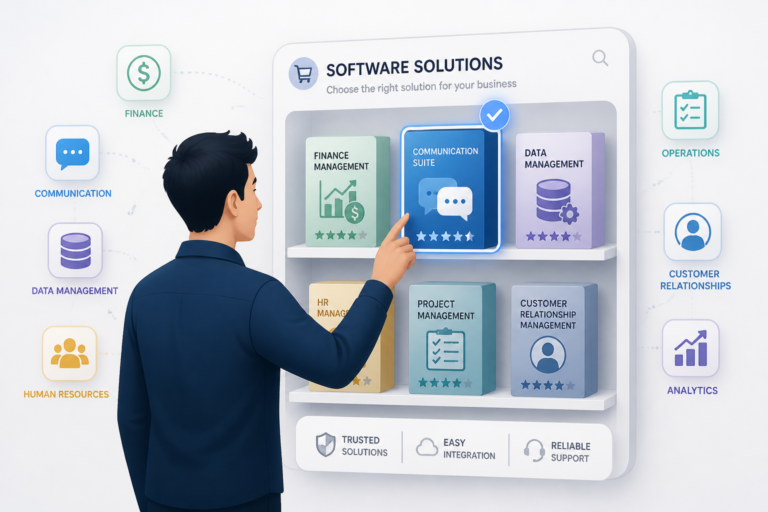
In today’s fast-paced business environment, organizations often face the challenge of selecting the right software solutions to meet their operational needs. One popular option is off-the-shelf software, which can provide a quick and cost-effective way to enhance business operations. This guide will delve into the features, advantages, and limitations of off-the-shelf software, helping you make informed decisions for your business.
What Is Off-the-Shelf Software?
Off-the-shelf software refers to pre-built applications that are designed to meet the general needs of a wide range of users. These products are readily available for purchase and can be implemented quickly, often without the need for significant customization. In other words, they are ready-made solutions that can be deployed immediately.
Key Features of Off-the-Shelf Software
Understanding the core features of off-the-shelf software can help you determine if it aligns with your business needs. Here are some common characteristics:
- Pre-Built Functionality: Off-the-shelf software comes with built-in features that cater to general business needs, such as accounting, project management, or customer relationship management.
- Quick Deployment: Since these solutions are ready to use, businesses can implement them quickly, reducing downtime and improving efficiency.
- Vendor Support: Most off-the-shelf software products include ongoing updates and support from the vendor, ensuring that users have access to the latest features and security patches.
- Cost-Effectiveness: Compared to custom solutions, off-the-shelf software typically has lower upfront costs, making it an attractive option for many businesses.
Advantages of Off-the-Shelf Software
Off-the-shelf software offers several advantages that can benefit businesses of all sizes. Here are some of the most notable:
- Lower Upfront Costs: Generally, off-the-shelf solutions are less expensive than custom software development, allowing businesses to save money right from the start.
- Rapid Deployment: Businesses can start using the software almost immediately after purchase, which is essential for companies that need quick solutions to meet operational demands.
- Ease of Use: Many off-the-shelf products are user-friendly and designed with a wide audience in mind, making them accessible for employees with varying levels of technical expertise.
- Continuous Updates: Vendors regularly provide updates to improve functionality and security, allowing businesses to benefit from new features without additional costs.
Limitations of Off-the-Shelf Software
Despite its many advantages, off-the-shelf software does come with certain limitations. Here are some challenges businesses may face:
- Lack of Customization: Off-the-shelf solutions may not fully align with specific business processes, leading to potential inefficiencies.
- Inflexibility: Businesses may find it challenging to adapt the software to their unique needs, which can hinder operational effectiveness.
- Scalability Issues: As businesses grow, they may encounter limitations in off-the-shelf software that could restrict their ability to scale operations.
- Compatibility Concerns: Integrating off-the-shelf software with existing systems can sometimes be problematic, leading to additional costs and complications.
When to Choose Off-the-Shelf Software
Determining when to opt for off-the-shelf software can be critical for your business. Here are some scenarios where it may be the right choice:
- Budget Constraints: If your business has limited financial resources, off-the-shelf software can provide a cost-effective solution.
- Time-Sensitive Projects: When you need a solution quickly, off-the-shelf software can be implemented much faster than custom development.
- Common Business Needs: If your requirements are common across many organizations, off-the-shelf solutions are likely to meet your needs effectively.
Evaluating Off-the-Shelf Software
Before selecting off-the-shelf software, it’s essential to evaluate your options carefully. Here are some key factors to consider:
- Feature Set: Ensure that the software includes the features you need to support your business operations.
- User Reviews: Research user feedback and reviews to gauge the effectiveness and reliability of the software.
- Vendor Reputation: Consider the vendor’s track record for support and updates to ensure long-term viability.
- Integration Capabilities: Check how well the software integrates with your existing systems to avoid compatibility issues.
Practical Examples of Off-the-Shelf Software
To better understand how off-the-shelf software can be utilized, let’s explore some practical examples across different business functions:
- Accounting: Software like QuickBooks or Xero allows businesses to manage their finances efficiently without needing a custom solution. These tools offer features such as invoicing, expense tracking, and financial reporting.
- Project Management: Tools like Trello and Asana provide ready-to-use project management solutions that help teams collaborate, assign tasks, and track progress without the need for complex setups.
- Customer Relationship Management (CRM): Salesforce and HubSpot are examples of CRM systems that come with pre-built functionalities to manage customer interactions, sales pipelines, and marketing campaigns.
Comparing Off-the-Shelf Software with Custom Solutions
When considering software options, it’s essential to compare off-the-shelf software with custom solutions. Here are some key differences:
- Cost: Off-the-shelf software typically has lower initial costs compared to custom solutions, which require significant investment in development.
- Time to Implement: Off-the-shelf solutions can be deployed immediately, whereas custom software can take months or even years to develop and implement.
- Flexibility: Custom software can be tailored to meet specific business needs, while off-the-shelf software may lack the necessary flexibility for unique processes.
- Support and Maintenance: Off-the-shelf software often comes with vendor support, while custom solutions may require ongoing maintenance from in-house teams or third-party developers.
Steps to Implement Off-the-Shelf Software
Implementing off-the-shelf software involves several crucial steps to ensure a smooth transition:
- Identify Business Needs: Clearly define what you need from the software and how it will fit into your current operations.
- Research Options: Look for products that meet your criteria and compare features, pricing, and vendor reputation.
- Trial and Evaluation: Many vendors offer trial versions. Use this opportunity to evaluate the software’s usability and compatibility with existing systems.
- Plan for Deployment: Create a deployment plan that includes timelines, training for users, and strategies for data migration if necessary.
- Monitor Performance: After implementation, monitor the software’s performance and gather feedback from users to identify areas for improvement.
Decision Criteria for Choosing Off-the-Shelf Software
When deciding on off-the-shelf software, consider the following criteria to ensure it aligns with your business objectives:
- Feature Alignment: Ensure the software’s features align closely with your business requirements.
- User Experience: Evaluate the user interface and overall experience to ensure it’s intuitive and user-friendly.
- Scalability: Consider whether the software can scale with your business as it grows.
- Integration: Check if the software can easily integrate with other tools and systems you currently use.
- Vendor Stability: Research the vendor’s history and stability to ensure they will continue to support and update the software.
Frequently Asked Questions
Here are some common questions about off-the-shelf software:
- What is off-the-shelf software? Off-the-shelf software is pre-built, ready-to-use software product designed for general purposes, which can be purchased and implemented quickly without customization.
- What are the advantages of off-the-shelf software? Its main benefits include lower upfront costs, faster deployment, ease of use, and availability of ongoing updates and support from the vendor.
- When should a business choose off-the-shelf software? When the software’s features closely match business needs, budget constraints are tight, or rapid deployment is required, off-the-shelf solutions are typically preferred.
- What are the limitations of off-the-shelf software? Limitations include lack of customization, potential misalignment with specific workflows, and possible scalability issues for unique or complex processes.
In conclusion, off-the-shelf software can be an excellent choice for many businesses, offering a range of features and benefits. However, it’s crucial to weigh the advantages against the limitations to determine if it’s the right fit for your organization. By understanding your specific needs and evaluating available options, you can make informed decisions that will support your business growth.