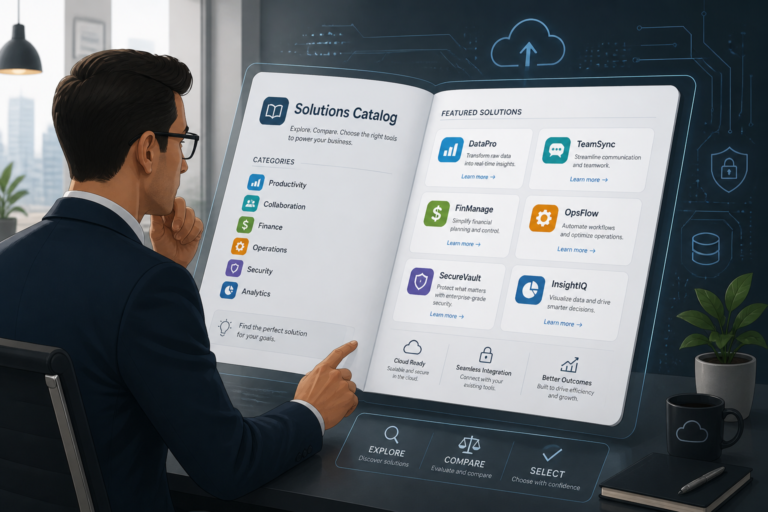
In the fast-paced world of technology, businesses often face the dilemma of choosing the right software solutions. One common option is off-the-shelf software. This article will explain what off-the-shelf software is, along with its pros, cons, and how it fits into various business needs.
What Is Off-the-Shelf Software?
Off-the-shelf software refers to pre-built software solutions that are readily available for purchase and use. Unlike custom software designed specifically for a particular business, off-the-shelf solutions are created for general use and can be implemented quickly. This type of software is often available through online platforms, retail stores, or software vendors.
Advantages of Off-the-Shelf Software
Many businesses opt for off-the-shelf software due to its several advantages. Here are some key benefits:
- Lower Upfront Costs: Generally, off-the-shelf software is more affordable than custom solutions, as it spreads development costs across many users.
- Faster Deployment: Since the software is already developed, businesses can implement it quickly, saving time and resources.
- Ease of Use: Most off-the-shelf solutions are designed with user-friendly interfaces, making them accessible to a wide range of users.
- Ongoing Support and Updates: Vendors typically offer regular updates and technical support, ensuring the software remains functional and secure.
Limitations of Off-the-Shelf Software
Despite its advantages, off-the-shelf software also comes with some limitations. Here are a few to consider:
- Lack of Customization: Off-the-shelf solutions may not fully align with unique business processes, leading to potential inefficiencies.
- Potential Misalignment: The software may not fit specific workflows, causing disruptions or requiring additional training.
- Scalability Issues: As a business grows, off-the-shelf software may struggle to accommodate increased demands or specialized needs.
When to Choose Off-the-Shelf Software
Choosing the right software solution depends on various factors. Here are some scenarios where off-the-shelf software might be the best fit:
- Budget Constraints: If resources are limited, off-the-shelf software can provide a cost-effective solution.
- Rapid Deployment Needs: When time is of the essence, ready-made software allows for quick implementation.
- Basic Functionality Requirements: If your business needs are straightforward and align with the software’s features, off-the-shelf solutions can be ideal.
How Off-the-Shelf Software Compares to Custom Solutions
Understanding the differences between off-the-shelf and custom software is crucial for making informed decisions. Off-the-shelf solutions are typically faster and cheaper to implement, but they may lack the specific features that a business requires. Conversely, custom software can be tailored to meet unique needs but often comes with higher upfront costs and longer development times.
For a deeper understanding of these differences, check out our article on How Custom Made Software Differs from Off-the-Shelf Solutions.
Conclusion
Off-the-shelf software offers a viable solution for many businesses seeking quick, cost-effective software options. However, it’s essential to weigh the pros and cons carefully. By assessing your specific business needs and constraints, you can determine if off-the-shelf software is the right fit for you.
Practical Examples of Off-the-Shelf Software
To better understand how off-the-shelf software can be utilized in various business scenarios, consider the following examples:
- Accounting Software: Programs like QuickBooks or Xero provide essential accounting functionalities suitable for small to medium-sized businesses. These solutions offer features such as invoicing, expense tracking, and tax preparation without the need for extensive customization.
- Customer Relationship Management (CRM): Salesforce and HubSpot are widely used CRM systems that help businesses manage customer interactions and data. These platforms come with pre-built templates and workflows that can be adapted to a range of industries.
- Project Management Tools: Tools like Trello and Asana allow teams to manage projects efficiently. Their user-friendly interfaces and standard features make them ideal for businesses looking to enhance collaboration without extensive training.
Implementation Steps for Off-the-Shelf Software
Implementing off-the-shelf software can be straightforward, but following a structured approach can ensure a smoother transition. Here are the key steps:
- Identify Business Needs: Before selecting software, outline your specific requirements. Consider what problems you need to solve and which features are essential.
- Research Options: Explore different off-the-shelf solutions available in the market. Read reviews, compare features, and assess pricing to narrow down your choices.
- Trial and Evaluation: Many vendors offer free trials or demos. Take advantage of these opportunities to test the software’s functionality and user interface.
- Plan for Integration: Consider how the new software will integrate with existing systems. Check for compatibility with other tools and data migration processes.
- Train Your Team: Provide adequate training for your team to ensure they can use the software effectively. Utilize vendor resources, such as tutorials and support, to facilitate this process.
- Monitor and Optimize: After implementation, continuously monitor the software’s performance. Gather feedback from users and make adjustments as necessary to improve efficiency.
Decision Criteria for Selecting Off-the-Shelf Software
When evaluating off-the-shelf software options, consider the following criteria to ensure you choose the best fit for your business:
- Feature Set: Does the software offer the functionalities you need? Make a checklist of must-have features and compare them across different options.
- User Experience: Is the software intuitive and easy to navigate? A user-friendly interface can significantly reduce the learning curve for your team.
- Vendor Reputation: Research the vendor’s track record. Look for customer testimonials and case studies to gauge the reliability of the software and the quality of support.
- Scalability: Can the software grow with your business? Ensure that it can handle increased usage and additional features as your needs evolve.
- Cost of Ownership: Beyond the initial purchase price, consider ongoing costs such as subscription fees, maintenance, and potential upgrade costs.
Comparing Off-the-Shelf Software to SaaS Solutions
While off-the-shelf software is a popular choice, it’s essential to understand how it compares to Software as a Service (SaaS) solutions:
- Accessibility: SaaS solutions are cloud-based, allowing access from anywhere with an internet connection, while off-the-shelf software may require installation on specific devices.
- Updates: SaaS providers typically manage updates automatically, ensuring users always have the latest version. In contrast, off-the-shelf software may require manual updates.
- Cost Structure: SaaS often operates on a subscription model, which can be more predictable for budgeting. Off-the-shelf software usually involves a one-time purchase, but may incur additional costs for upgrades or support.
Ultimately, the choice between off-the-shelf software and SaaS depends on your business’s specific needs, preferences, and operational structure.
Real-World Case Studies of Off-the-Shelf Software
To illustrate the practical application of off-the-shelf software, consider the following case studies from various industries:
Retail Industry: Shopify
Shopify is a leading e-commerce platform that allows retailers to set up online stores quickly. A small boutique owner utilized Shopify to launch their online presence within a week, benefiting from built-in payment processing and inventory management features. This off-the-shelf solution enabled them to focus on marketing and customer engagement rather than technical setup.
Healthcare Sector: Epic Systems
Epic Systems offers off-the-shelf electronic health record (EHR) software widely used in hospitals. A mid-sized hospital implemented Epic’s software to streamline patient records and improve communication among healthcare providers. The software’s pre-built templates helped reduce the time spent on documentation, allowing staff to dedicate more time to patient care.
Key Considerations for Long-Term Success with Off-the-Shelf Software
While off-the-shelf software can provide immediate benefits, it’s essential to consider long-term strategies to ensure ongoing success:
- Regular Training: Schedule periodic training sessions to keep your team updated on new features and best practices.
- Feedback Loop: Establish a system for gathering user feedback to identify areas for improvement and address any issues promptly.
- Vendor Relationship: Maintain an open line of communication with the software vendor for support and to stay informed about upcoming updates or features.
- Integration with New Tools: As your business evolves, assess the need for additional tools that can integrate with your existing off-the-shelf software to enhance functionality.
Customization Options for Off-the-Shelf Software
While off-the-shelf software is not inherently customizable, many vendors offer add-ons or integrations that can enhance functionality. Here are some common customization options:
- Plugins and Extensions: Many off-the-shelf solutions support third-party plugins that can add specific features or integrations with other tools.
- APIs: Some software provides APIs (Application Programming Interfaces) that allow businesses to connect the software with other systems or develop custom applications that enhance its capabilities.
- User Configurations: Explore settings within the software that allow users to tailor aspects like dashboards, reporting formats, and notifications to better suit their needs.
Future Trends in Off-the-Shelf Software
As technology continues to evolve, several trends are emerging that may impact the future of off-the-shelf software:
- Increased AI Integration: Off-the-shelf software is likely to incorporate artificial intelligence features, such as predictive analytics and automation, to enhance user experience and operational efficiency.
- Greater Focus on Security: With rising concerns about data security, software vendors are expected to prioritize robust security features to protect user data and comply with regulations.
- Enhanced User Experience: Continuous improvements in user interface design will make off-the-shelf software even more intuitive and accessible for a wider range of users.
Frequently Asked Questions
Below are some frequently asked questions about off-the-shelf software:
- What is off-the-shelf software? Off-the-shelf software is pre-built, ready-to-use software product designed for general purposes, which can be purchased and implemented quickly without customization.
- What are the advantages of off-the-shelf software? Its main benefits include lower upfront costs, faster deployment, ease of use, and availability of ongoing updates and support from the vendor.
- When should a business choose off-the-shelf software? When the software’s features closely match business needs, budget constraints are tight, or rapid deployment is required, off-the-shelf solutions are typically preferred.
- What are the limitations of off-the-shelf software? Limitations include lack of customization, potential misalignment with specific workflows, and possible scalability issues for unique or complex processes.