
Tamper Guard by XoBytes | WordPress Plugin Tamper Detector
$25.00
Protect your commercial WordPress plugins with license-based tamper detection, file integrity monitoring, automatic shutdown protection, and site reporting.…
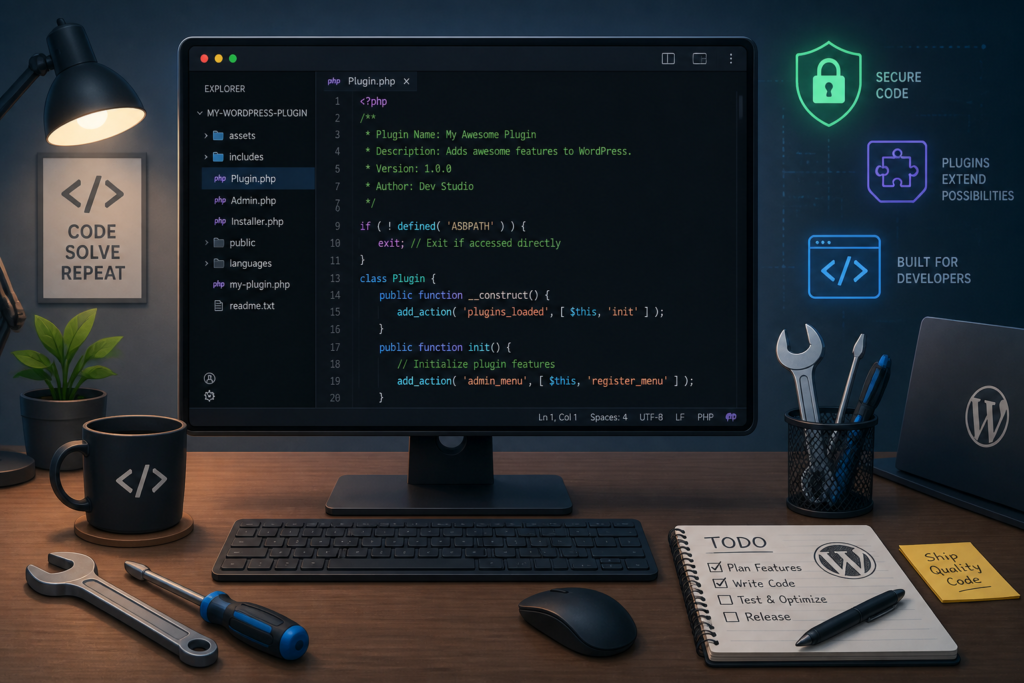
Creating custom WordPress plugins can significantly enhance your website's functionality. Whether you're looking to add a unique feature, improve site security, or streamline user experience, custom plugins can provide tailored solutions. Moreover, investing in a reliable plugin like Tamper Guard by XoBytes…
Creating custom WordPress plugins can significantly enhance your website’s functionality. Whether you’re looking to add a unique feature, improve site security, or streamline user experience, custom plugins can provide tailored solutions. Moreover, investing in a reliable plugin like Tamper Guard by XoBytes can protect your commercial WordPress plugins with essential features such as license-based tamper detection and file integrity monitoring.
In this comprehensive guide, we will explore how to build custom WordPress plugins that boost your website’s functionality. We’ll cover best practices, essential tools, and the advantages of utilizing professional development services like XoBytes.
Before diving into the development process, it’s crucial to understand what a WordPress plugin is. A plugin is a piece of software that adds specific features or functionalities to a WordPress site. This allows users to customize their sites according to their needs without altering the core WordPress code.
To build effective custom plugins, follow these key steps:
Utilizing the right tools can streamline your plugin development process. Here are some essential tools to consider:
If your website uses WooCommerce, integrating your custom plugins can enhance eCommerce functionalities. For example, you might develop a plugin that adds custom payment gateways or improves product display features. To learn more about integration strategies, check out our guide on Mastering WordPress Plugin Development.
While developing plugins, it’s essential to avoid common pitfalls:
Hiring a professional for plugin development can save you time and ensure a high-quality product. Professionals understand the complexities of WordPress and can provide solutions that meet your specific needs. XoBytes offers comprehensive WordPress Plugin Development services to help you create secure and efficient plugins.
The Tamper Guard is an essential plugin for anyone serious about protecting their WordPress site. Priced at just $25.00, this plugin offers:
To enhance your site’s security, consider purchasing Tamper Guard today.
Once you have a solid understanding of the basics, you can explore advanced techniques that can elevate your custom plugin development.
WordPress provides hooks and filters that allow you to modify the behavior of core functionalities without altering the original code. Understanding how to use these tools is essential for creating flexible and powerful plugins.
Custom post types allow you to create and manage content that is not part of the default WordPress posts and pages. This is particularly useful for websites that require unique content structures, such as portfolios, testimonials, or product listings.
register_post_type() function to create your custom post type.AJAX (Asynchronous JavaScript and XML) can be used to create a seamless user experience by allowing users to interact with your site without needing to refresh the page. This is particularly useful for features like form submissions, live search, and dynamic content loading.
wp_localize_script() to pass PHP variables to your JavaScript code.$25.00
Protect your commercial WordPress plugins with license-based tamper detection, file integrity monitoring, automatic shutdown protection, and site reporting.…

$49.99
Why You Need This Theme And Plugin! Click here for the Demo Agentic Construction Theme by XoBytes is…

$19.99
Turn your WordPress site, Google Search Console data, and SEO opportunities into smarter blog posts, pages, titles, meta…

$25.00
Plugin Update Server by XoBytes lets WordPress plugin sellers deliver private plugin updates directly to customer dashboards. Upload…

$19.99
Agentic Consultant for WordPress gives your website a smart AI product rep, customer service agent, and hands-free voice…
$25.00
Xobytes License Manager for WooCommerce is a powerful WooCommerce license manager plugin that lets you sell software licenses,…
Product 1 of 6
Security should be a top priority when developing custom plugins. Here are some best practices to follow:
Testing is crucial to ensure that your plugin works as intended. Here are some strategies for effective testing:
For additional authoritative context, review Get your AI blog generator here!.
Providing thorough documentation and support can enhance the user experience and reduce the number of support requests. Include the following in your documentation:
As WordPress evolves, it’s essential to ensure that your custom plugins remain compatible with future updates. Here are some strategies:
Continue with Top WordPress Construction Themes and Plugins for Small Business Growth for additional XoBytes guidance.
As WordPress evolves, it’s essential to ensure that your custom plugins remain compatible with future updates and changes. Here are some strategies to future-proof your plugin:
Understanding how others have successfully implemented custom plugins can provide valuable insights. Here are a few real-world examples:
When deciding between developing a custom plugin and using an existing solution, consider the following:
To effectively implement features in your custom plugin, follow these steps:
After launching your custom plugin, gathering user feedback is crucial for ongoing improvement. Consider these methods:
Here are some common questions about WordPress plugin development:
Building custom WordPress plugins can significantly boost your website’s functionality. By following best practices and utilizing the right tools, you can create plugins that enhance user experience, improve security, and meet specific business needs. For professional assistance, consider XoBytes’ plugin development services to ensure your plugins are secure and effective.
Key steps include planning the pluginu2019s functionality, setting up a development environment, coding with best practices, testing for compatibility and security, and deploying via the WordPress plugin repository or custom distribution.
Follow WordPress coding standards, regularly update your code, test against the latest WordPress versions, and use security checks like nonces and sanitization. Consider professional development services like XoBytes for expert assurance.
Hire a professional when your plugin requires complex features, integration with third-party services, security hardening, or if you lack the technical expertise to ensure stability and security.
Key steps include planning the plugin’s functionality, setting up a development environment, coding with best practices, testing for compatibility and security, and deploying via the WordPress plugin repository or custom distribution.
Follow WordPress coding standards, regularly update your code, test against the latest WordPress versions, and use security checks like nonces and sanitization. Consider professional development services like XoBytes for expert assurance.
Hire a professional when your plugin requires complex features, integration with third-party services, security hardening, or if you lack the technical expertise to ensure stability and security.