
Agentic Construction Theme | More than just a theme | Built for all trades
$49.99
Why You Need This Theme And Plugin! Click here for the Demo Agentic Construction Theme by XoBytes is…
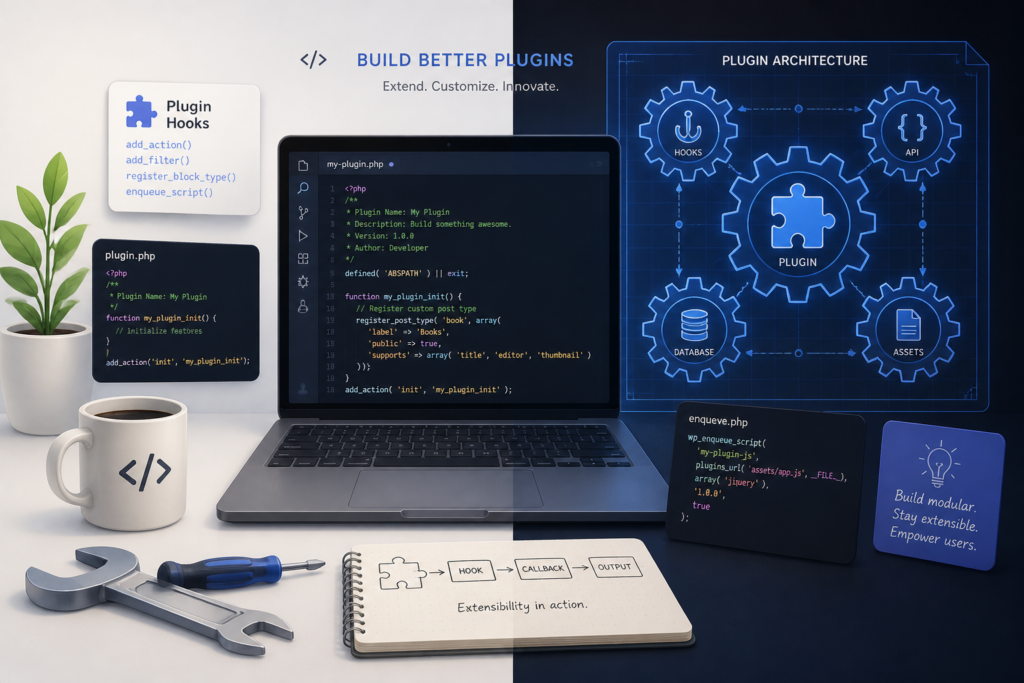
In the ever-evolving world of WordPress, mastering plugin development is crucial for anyone looking to enhance their website's functionality. Whether you're a seasoned developer or just starting, understanding best practices and essential tools can significantly impact your success. Moreover, utilizing a powerful…
In the ever-evolving world of WordPress, mastering plugin development is crucial for anyone looking to enhance their website’s functionality. Whether you’re a seasoned developer or just starting, understanding best practices and essential tools can significantly impact your success. Moreover, utilizing a powerful theme like the Agentic Construction Theme can provide the foundation you need for your projects, streamlining the integration of custom plugins.
This comprehensive guide will delve into the intricacies of WordPress plugin development, covering everything from initial planning to deployment. Additionally, we will highlight how the Agentic Construction Theme can complement your plugin development efforts, offering features that cater specifically to the construction industry.
WordPress plugins are packages of code that extend the functionality of your WordPress site. They allow you to add features, improve performance, and customize your website without altering the core WordPress files. As a result, plugins play a vital role in the WordPress ecosystem.
While there are thousands of plugins available in the WordPress repository, custom plugins can provide tailored solutions that meet specific needs. For example, if your construction business requires unique project management features, a custom plugin can streamline workflows and enhance client communication.
When developing a WordPress plugin, following best practices ensures that your plugin is reliable, secure, and compatible with other themes and plugins. Here are some key guidelines:
To facilitate your plugin development process, certain tools can enhance your workflow and efficiency. Here are some essential tools you should consider:
The Agentic Construction Theme is designed with flexibility in mind, allowing seamless integration of custom plugins. This theme provides a responsive layout, essential features for construction businesses, and an intuitive interface that enhances user experience.
While developing plugins, it’s essential to avoid common pitfalls that can lead to issues down the line. Here are some mistakes to watch out for:
Mastering WordPress plugin development requires a combination of best practices, essential tools, and a commitment to continuous improvement. By leveraging the powerful features of the Agentic Construction Theme, you can create custom solutions that enhance your website’s functionality and cater to your specific business needs.
Ready to take your WordPress development to the next level? Explore the Agentic Construction Theme today for just $49.99 and start building a website that stands out in the competitive landscape.
$49.99
Why You Need This Theme And Plugin! Click here for the Demo Agentic Construction Theme by XoBytes is…

$25.00
Protect your commercial WordPress plugins with license-based tamper detection, file integrity monitoring, automatic shutdown protection, and site reporting.…

$19.99
Turn your WordPress site, Google Search Console data, and SEO opportunities into smarter blog posts, pages, titles, meta…

$25.00
Plugin Update Server by XoBytes lets WordPress plugin sellers deliver private plugin updates directly to customer dashboards. Upload…

$19.99
Agentic Consultant for WordPress gives your website a smart AI product rep, customer service agent, and hands-free voice…

$19.99
Agentic Support Desk by Xobytes is an AI-powered WordPress support desk built for software sellers, WooCommerce stores, agencies,…
Product 1 of 6
As you gain confidence in basic plugin development, consider exploring advanced techniques that can further enhance your plugins’ functionality and user experience. Here are some strategies to elevate your plugin development:
WordPress hooks allow you to execute your code at specific points during the WordPress execution process. There are two types of hooks: actions and filters. Understanding how to use these effectively can help you create more dynamic and responsive plugins.
Custom post types (CPTs) enable you to create specialized content types beyond the default posts and pages. This is particularly useful for construction businesses that may want to showcase projects, testimonials, or services in a structured manner.
register_post_type() function.AJAX (Asynchronous JavaScript and XML) allows you to create dynamic and interactive user experiences without reloading the page. This can greatly enhance the usability of your plugin.
Performance is critical in plugin development, as slow or resource-heavy plugins can negatively impact site speed and user experience. Here are some optimization techniques:
Write efficient code by minimizing database queries and optimizing loops. Use caching mechanisms to store frequently accessed data, reducing load times.
For additional authoritative context, review Get your AI blog generator here!.
WordPress transients allow you to store temporary data in the database with an expiration time. This can be useful for caching API responses or heavy computations.
Minify your CSS and JavaScript files to reduce their size and improve loading times. Additionally, consider concatenating multiple files into one to decrease the number of HTTP requests.
Continue with Top WordPress Construction Themes and Plugins for Small Business Growth for additional XoBytes guidance.
Thorough testing is essential to ensure your plugin functions as intended and is free of bugs. Here are some testing strategies:
Implement unit tests to check individual components of your plugin. This helps catch errors early and ensures that changes do not break existing functionality.
Test how your plugin interacts with other plugins and themes. This is crucial for ensuring compatibility and a seamless user experience.
Involve real users in testing your plugin to gather valuable feedback on usability and functionality. This can help identify areas for improvement before public release.
To ensure longevity and relevance in the WordPress ecosystem, consider the following:
Here are some common questions related to WordPress plugin development:
Key steps include planning the pluginu2019s functionality, setting up a development environment, coding with best practices, testing for compatibility and security, and deploying via the WordPress plugin repository or custom distribution.
Follow WordPress coding standards, regularly update your code, test against the latest WordPress versions, and use security checks like nonces and sanitization. Consider professional development services like XoBytes for expert assurance.
Hire a professional when your plugin requires complex features, integration with third-party services, security hardening, or if you lack the technical expertise to ensure stability and security.
Key steps include planning the plugin’s functionality, setting up a development environment, coding with best practices, testing for compatibility and security, and deploying via the WordPress plugin repository or custom distribution.
Follow WordPress coding standards, regularly update your code, test against the latest WordPress versions, and use security checks like nonces and sanitization. Consider professional development services like XoBytes for expert assurance.
Hire a professional when your plugin requires complex features, integration with third-party services, security hardening, or if you lack the technical expertise to ensure stability and security.