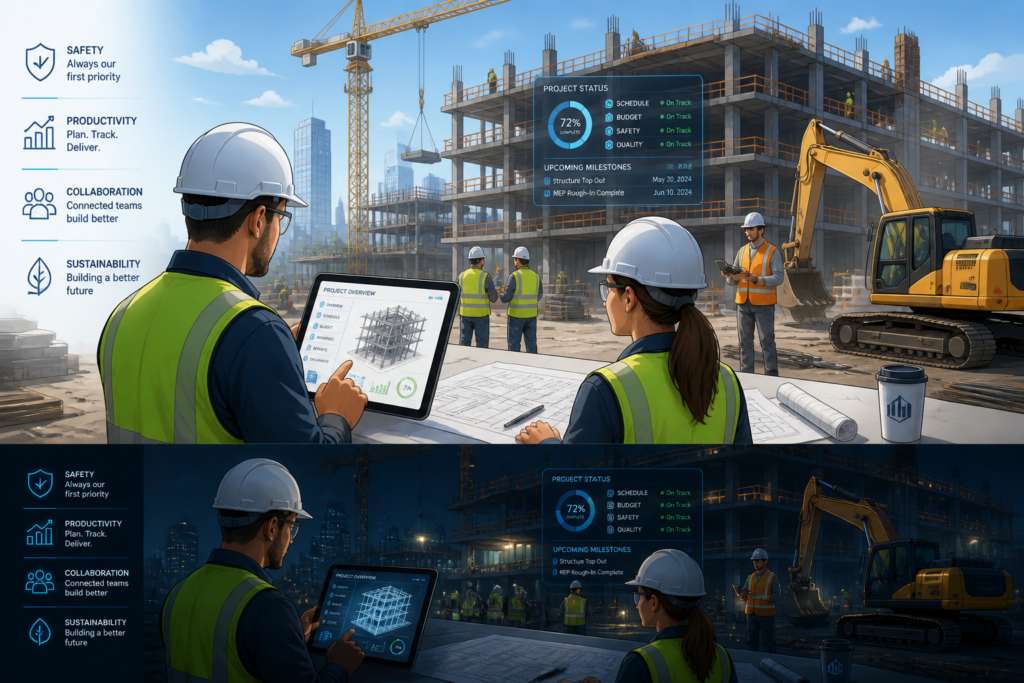
In the fast-paced construction industry, managing projects efficiently is crucial for success. One of the best ways to achieve this is by utilizing leading project management tools. Moreover, integrating these tools with a robust WordPress theme, such as the Agentic Construction Theme, can significantly enhance your workflow and productivity.
The Agentic Construction Theme is designed specifically for construction professionals and trade businesses. It not only streamlines project management but also automates various aspects of your online presence. Therefore, using this theme alongside top project management tools can lead to improved collaboration and project efficiency.
Why Project Management Tools are Essential
Construction projects often involve numerous stakeholders, tight deadlines, and complex tasks. As a result, having the right project management tools can make a significant difference. Here are some reasons why:
- Improved Communication: Effective communication among team members is essential for project success. Project management tools facilitate real-time collaboration, ensuring everyone is on the same page.
- Task Management: These tools allow you to assign tasks, set deadlines, and monitor progress. Consequently, this helps in keeping projects on track.
- Resource Allocation: Efficiently managing resources is vital in construction. Project management tools enable better allocation of resources, reducing waste and optimizing productivity.
- Document Sharing: Construction projects involve a lot of documentation. Project management tools provide a centralized location for sharing and storing important documents, making them easily accessible.
- Progress Tracking: You can monitor the progress of various tasks and projects. This feature helps in identifying potential delays and addressing them proactively.
Top Project Management Tools for Construction
To enhance your construction workflow, consider using these leading project management tools:
- Procore: A comprehensive construction management software that offers tools for project management, financial management, and quality and safety management.
- Buildertrend: This tool provides features for project scheduling, budgeting, and customer management, making it ideal for contractors.
- CoConstruct: A user-friendly tool that helps builders and remodelers manage projects, communicate with clients, and track finances.
- Smartsheet: A flexible platform that combines project management and collaboration, allowing teams to work together effectively.
In addition to these tools, integrating the Agentic Construction Theme can further enhance your project management capabilities.
How the Agentic Construction Theme Enhances Project Management
The Agentic Construction Theme is not just a WordPress template; it is a comprehensive solution designed for construction businesses. Here’s how it can enhance your project management:
- Built-in Project Management Features: The theme includes functionalities that allow you to manage projects directly from your website.
- Lead Capture: Capture leads effectively with integrated forms and automated responses, ensuring you never miss a potential client.
- Website Automation: Automate various aspects of your website, such as updates and client communications, saving you time and effort.
- Integration with Other Tools: Seamlessly integrate with other project management tools to create a cohesive workflow.
Who Should Use the Agentic Construction Theme?
The Agentic Construction Theme is ideal for:
- General contractors looking to streamline their project management.
- Trade professionals needing a robust online presence.
- Construction businesses wanting to automate their workflows.
However, it may not be suitable for businesses that do not require a website or those looking for highly specialized project management software.
Conclusion
In conclusion, enhancing your construction workflow is essential for success in the industry. By utilizing leading project management tools and the Agentic Construction Theme, you can significantly improve your project management efficiency. Therefore, take the next step in transforming your construction business by exploring the Agentic Construction Theme today!
Practical Examples of Project Management Tools in Action
To truly understand the impact of project management tools in the construction industry, let’s explore some practical examples:
Case Study: Procore in a Large-Scale Project
A large construction firm utilized Procore for a multi-million dollar commercial building project. By using Procore’s project management features, the firm was able to:
- Streamline Communication: Daily reports were shared in real-time, reducing the time spent in meetings.
- Track Budgeting: The financial management tools helped keep the project within budget, allowing for better forecasting and expense tracking.
- Enhance Safety Protocols: Safety inspections were logged and tracked through the software, leading to a significant decrease in workplace incidents.
Buildertrend for Residential Projects
A residential contractor used Buildertrend to manage a series of home renovations. The results included:
- Improved Client Communication: Clients could view project timelines and updates via a client portal, leading to higher satisfaction.
- Efficient Scheduling: The scheduling feature helped avoid conflicts and ensure that subcontractors were available when needed.
- Budget Tracking: The budgeting tools allowed for accurate estimates, reducing the risk of cost overruns.
Comparing Project Management Tools
When selecting a project management tool, it’s essential to compare features, pricing, and user experience. Here’s a quick comparison of some popular tools:
| Tool |
Key Features |
Pricing |
User Experience |
| Procore |
Comprehensive management, financial tools, safety tracking |
Custom pricing based on project size |
User-friendly interface with extensive support |
| Buildertrend |
Scheduling, budgeting, client management |
Starting at $99/month |
Intuitive design, easy for clients to navigate |
| CoConstruct |
Project management, client communication, financial tracking |
Starting at $49/month |
Simple setup, great for small to mid-sized contractors |
| Smartsheet |
Flexible project management, collaboration |
Starting at $7/user/month |
Highly customizable, but may require training |
Implementation Steps for Project Management Tools
Implementing a project management tool in your construction workflow can be straightforward if you follow these steps:

$49.99
Why You Need This Theme And Plugin! Click here for the Demo Agentic Construction Theme by XoBytes is…
Add to cart

$19.99
Agentic Support Desk by Xobytes is an AI-powered WordPress support desk built for software sellers, WooCommerce stores, agencies,…
Add to cart

$25.00
AgentShield is a WordPress AI Agent Firewall that helps detect, monitor, block, and temporarily ban AI crawlers, AI…
Add to cart

$19.99
Turn your WordPress site, Google Search Console data, and SEO opportunities into smarter blog posts, pages, titles, meta…
Add to cart

$19.99
Agentic Consultant for WordPress gives your website a smart AI product rep, customer service agent, and hands-free voice…
Add to cart

$19.99
Xobytes Social Autopilot is a WordPress social media autoposter that helps schedule and promote posts, pages, WooCommerce products,…
Add to cart
Product 1 of 6
For additional authoritative context, review Get your AI blog generator here!.
- Assess Your Needs: Identify the specific challenges your team faces and what features you require from a tool.
- Research Options: Compare various tools based on features, pricing, and user reviews.
- Trial Period: Take advantage of free trials to test the software before committing.
- Training: Provide adequate training for your team to ensure everyone knows how to use the tool effectively.
- Integration: Integrate the tool with existing systems and workflows to create a seamless experience.
- Monitor and Adjust: After implementation, regularly assess the tool’s effectiveness and make adjustments as needed.
Decision Criteria for Choosing the Right Tool
When choosing a project management tool, consider the following criteria:
- Scalability: Can the tool grow with your business needs?
- User-Friendliness: Is the interface intuitive for all team members?
- Integration Capabilities: Does it integrate well with other tools you are currently using?
- Customer Support: What level of support is available if you encounter issues?
- Cost: Does the pricing fit within your budget, and what features are included at each level?
Best Practices for Using Project Management Tools
To maximize the benefits of project management tools in construction, consider these best practices:
Continue with Top Construction Project Management Tools to Boost Efficiency in 2026 for additional XoBytes guidance.
- Regular Updates: Ensure that all team members regularly update their progress in the project management tool. This promotes accountability and transparency.
- Consistent Communication: Use built-in communication features to keep discussions centralized. This prevents important information from getting lost in emails or messages.
- Utilize Templates: Many project management tools offer templates for common tasks. Use these to save time and maintain consistency across projects.
- Set Milestones: Break projects into smaller milestones. This helps in tracking progress and keeps the team motivated as they achieve each goal.
- Encourage Feedback: Regularly solicit feedback from team members about the tool’s usability and effectiveness. This can lead to improvements in workflow and tool adoption.
Challenges of Implementing Project Management Tools
While project management tools offer many advantages, there can be challenges in their implementation:
- Resistance to Change: Team members may be accustomed to existing processes. Overcoming this resistance requires clear communication about the benefits of the new tool.
- Learning Curve: Some tools can be complex and may require training sessions to ensure all team members are comfortable using them.
- Integration Issues: Integrating new tools with existing software can sometimes be problematic. It’s crucial to choose tools that offer robust integration capabilities.
Long-Term Benefits of Project Management Tools
Investing in project management tools can yield long-term benefits for construction businesses:
- Increased Productivity: Streamlined processes and better communication lead to higher productivity levels across teams.
- Enhanced Client Satisfaction: With improved project tracking and communication, clients are more likely to be satisfied with the progress and outcomes of their projects.
- Data-Driven Decisions: Many project management tools provide analytics and reporting features that help businesses make informed decisions based on real-time data.
Future Trends in Project Management Tools
The construction industry is evolving, and so are project management tools. Here are some trends to watch for:
- Artificial Intelligence: AI is increasingly being integrated into project management tools to automate tasks and provide predictive analytics.
- Mobile Accessibility: As remote work becomes more common, mobile-friendly project management tools are essential for on-the-go access.
- Collaboration Features: Enhanced collaboration features, such as real-time editing and integrated communication platforms, are becoming standard.
Conclusion: The Path Forward
By understanding the best practices, challenges, and future trends associated with project management tools, construction businesses can better position themselves for success. Embracing these tools not only enhances workflow but also prepares companies to adapt to the evolving landscape of the construction industry.
Frequently Asked Questions
Here are some common questions about project management tools and the Agentic Construction Theme:
What are the most essential features of construction project management tools?
Key features include task scheduling, resource allocation, real-time collaboration, document sharing, progress tracking, and integration with other construction software.
How does the Agentic Construction Theme support project management for construction businesses?
The Agentic Construction Theme offers built-in project management functionalities, lead capture, website automation, and seamless integration with essential tools, making it ideal for managing construction projects and online presence simultaneously.
Can I use WordPress-based themes for complex construction project management?
Yes, with themes like Agentic Construction, you can leverage WordPress plugins and built-in features to handle project workflows, lead generation, and website automation effectively.
What are the most essential features of construction project management tools?
Key features include task scheduling, resource allocation, real-time collaboration, document sharing, progress tracking, and integration with other construction software.
How does the Agentic Construction Theme support project management for construction businesses?
The Agentic Construction Theme offers built-in project management functionalities, lead capture, website automation, and seamless integration with essential tools, making it ideal for managing construction projects and online presence simultaneously.
Can I use WordPress-based themes for complex construction project management?
Yes, with themes like Agentic Construction, you can leverage WordPress plugins and built-in features to handle project workflows, lead generation, and website automation effectively.