
In today’s fast-paced digital landscape, providing exceptional customer support is crucial for any business. One powerful solution for WordPress users is the Agentic Support Desk by XoBytes. This AI-powered support desk plugin not only automates ticket management but also enhances user satisfaction through streamlined workflows. Therefore, if you’re looking to improve your customer support experience, this plugin is a fantastic choice.
Moreover, Agentic Support Desk is designed specifically for software sellers, WooCommerce stores, and agencies, making it an ideal fit for a wide range of businesses. With its robust features, you can effectively manage customer inquiries and support tickets, leading to increased efficiency and customer satisfaction. In this article, we will explore how to streamline customer support on WordPress using Agentic Support Desk, highlighting its key features, benefits, and use cases.
Why Streamlining Customer Support is Essential
Streamlining customer support is essential for several reasons. First, it enhances the overall customer experience by reducing wait times and improving response accuracy. Next, it allows businesses to handle a higher volume of inquiries without compromising service quality. In addition, efficient support systems can lead to increased customer loyalty and retention.
Key Features of Agentic Support Desk
Agentic Support Desk comes packed with features that can significantly improve your customer support operations. To make this easier to understand, here are some of the standout features:
- AI-Powered Ticket Automation: This feature automates the ticket creation process, allowing your support team to focus on solving complex issues rather than managing incoming requests.
- Customizable Support Workflows: You can tailor the support workflows to match your business’s unique needs, ensuring that every customer inquiry is handled efficiently.
- WooCommerce Integration: If you run an online store, this integration allows for seamless handling of customer inquiries related to products and orders.
- Real-Time Reporting: Monitor support performance with detailed reports, helping you identify areas for improvement and measure customer satisfaction.
How to Implement Agentic Support Desk
Implementing Agentic Support Desk on your WordPress site is straightforward. Follow these steps:
- Purchase and Download: First, visit the product page and purchase the plugin.
- Install the Plugin: Upload the downloaded plugin file to your WordPress dashboard and activate it.
- Configure Settings: Customize the settings according to your support needs, including ticket categories and automated responses.
- Train Your Team: Ensure that your support team is familiar with the new system and its features to maximize efficiency.
Benefits of Using Agentic Support Desk
Using Agentic Support Desk offers numerous benefits for businesses:
- Increased Efficiency: Automation reduces the time spent on routine tasks, allowing support agents to focus on more complex inquiries.
- Enhanced Customer Satisfaction: Faster response times and accurate information lead to happier customers.
- Cost-Effective Solution: By streamlining support processes, businesses can reduce operational costs associated with customer service.
- Scalability: As your business grows, Agentic Support Desk can easily adapt to handle increased support demands.
Who Should Use Agentic Support Desk?
Agentic Support Desk is ideal for:
- Software sellers looking to provide efficient customer support.
- WooCommerce store owners who need to manage a high volume of customer inquiries.
- Agencies that require a reliable support system to handle client requests.
On the other hand, businesses with minimal customer support needs or those that do not rely on online sales may find simpler solutions more appropriate.
Real Use Cases for Agentic Support Desk
To illustrate the effectiveness of Agentic Support Desk, consider these real-world applications:
- A software company that reduced response time by 50% after implementing ticket automation.
- A WooCommerce store that saw a 30% increase in customer satisfaction ratings due to improved inquiry handling.
- An agency that managed to scale its support operations without hiring additional staff, thanks to streamlined workflows.
Conclusion
In conclusion, streamlining customer support on WordPress using Agentic Support Desk is a strategic move for any business. Its powerful features, such as AI-powered ticket automation and WooCommerce integration, make it a top choice for enhancing customer service efficiency. If you’re ready to transform your support operations, consider trying Agentic Support Desk today for just $19.99!
Related XoBytes Products

Agentic Support Desk for WordPress by XoBytes.com
$19.99
Agentic Support Desk by Xobytes is an AI-powered WordPress support desk built for software sellers, WooCommerce stores, agencies,…

Agentic Consultant, Product Rep, & Customer Service Agent By XoBytes.com
$19.99
Agentic Consultant for WordPress gives your website a smart AI product rep, customer service agent, and hands-free voice…

Social Media Autopilot With AI by XoBytes.com
$19.99
Xobytes Social Autopilot is a WordPress social media autoposter that helps schedule and promote posts, pages, WooCommerce products,…

Agent Shield by XoBytes | Protect against agentic software
$25.00
AgentShield is a WordPress AI Agent Firewall that helps detect, monitor, block, and temporarily ban AI crawlers, AI…

AI SEO Data & Automatic Blog Writer for WordPress by XoBytes
$19.99
Turn your WordPress site, Google Search Console data, and SEO opportunities into smarter blog posts, pages, titles, meta…
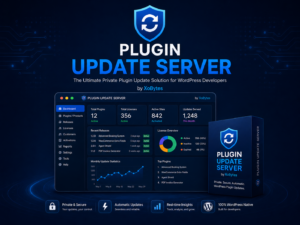
Plugin Update Server for WordPress by XoBytes.com
$25.00
Plugin Update Server by XoBytes lets WordPress plugin sellers deliver private plugin updates directly to customer dashboards. Upload…
Product 1 of 6
Best Practices for Using Agentic Support Desk
To maximize the benefits of the Agentic Support Desk, consider implementing the following best practices:
Continue with Boost Customer Support Efficiency with Agentic Support Desk for WordPress for additional XoBytes guidance.
- Regularly Update Knowledge Base: Keep your knowledge base current with FAQs, troubleshooting guides, and product information. This can empower customers to find solutions independently, reducing the volume of incoming tickets.
- Utilize Analytics: Leverage the real-time reporting feature to analyze customer interactions. Identify common issues and trends to improve your products or services and refine your support strategies.
- Set Clear Response Time Goals: Establish specific response time targets for your support team. Monitoring these metrics can help ensure that customer inquiries are addressed promptly.
- Encourage Feedback: After resolving a ticket, ask customers for feedback on their support experience. Use this information to make continuous improvements to your support processes.
Comparing Agentic Support Desk with Other Support Solutions
When choosing a support desk solution, it’s essential to compare features and benefits. Here’s how Agentic Support Desk stacks up against other popular options:
1. Agentic Support Desk vs. Zendesk
- Pricing: Agentic Support Desk is more cost-effective, starting at $19.99, while Zendesk can be significantly more expensive depending on the features required.
- Integration: While Zendesk offers extensive third-party integrations, Agentic Support Desk’s WooCommerce integration is specifically tailored for e-commerce businesses, making it a better choice for online stores.
- User Interface: Agentic Support Desk is designed with WordPress users in mind, providing a more seamless experience for those already familiar with the WordPress ecosystem.
2. Agentic Support Desk vs. Freshdesk
- Automation Features: Both platforms offer automation, but Agentic Support Desk’s AI-powered ticket automation is specifically optimized for WordPress environments.
- Customization: Agentic Support Desk allows for more tailored workflows specific to the needs of software sellers and WooCommerce stores, while Freshdesk may require more extensive configuration.
- Scalability: Agentic Support Desk is designed to grow with your business without the need for additional overhead, making it an ideal choice for rapidly scaling operations.
Advanced Implementation Steps
Once you have installed and configured Agentic Support Desk, consider these advanced steps to further enhance your customer support capabilities:
- Customize Automated Responses: Personalize automated email responses to reflect your brand voice, ensuring customers feel valued even when receiving automated messages.
- Integrate with CRM Systems: If you use a Customer Relationship Management (CRM) system, integrate it with Agentic Support Desk to maintain a comprehensive view of customer interactions and history.
- Train Your Team on AI Tools: Provide training sessions for your support team on how to leverage AI tools effectively, ensuring they understand how to interpret AI-generated insights.
- Regularly Review Support Processes: Schedule periodic reviews of your support processes to identify bottlenecks and areas for improvement, ensuring your team remains efficient and responsive.
Decision Criteria for Choosing a Support Desk
When evaluating whether Agentic Support Desk is the right choice for your business, consider the following criteria:
- Business Size: Assess the volume of customer inquiries you typically receive. Agentic Support Desk is ideal for businesses with moderate to high support demands.
- Type of Products/Services: If you sell software or operate an e-commerce store, the specific features of Agentic Support Desk will likely align well with your needs.
- Budget Constraints: Determine your budget for customer support tools. Agentic Support Desk offers a competitive price point that may fit better within smaller business budgets.
- Team Size: Evaluate the size of your support team. Smaller teams will benefit from the automation features, allowing them to manage more inquiries efficiently.
Frequently Asked Questions
Here are some common questions about Agentic Support Desk:
- What features does Agentic Support Desk offer for WordPress? Agentic Support Desk provides AI-powered ticket automation, support ticket management, WooCommerce integration, and customizable support workflows to improve customer service efficiency.
- How does Agentic Support Desk improve customer support on WordPress? It automates routine support tasks, reduces response times, and streamlines ticket handling, allowing support teams to focus on complex issues and enhance overall customer satisfaction.
- Can Agentic Support Desk integrate with WooCommerce? Yes, it seamlessly integrates with WooCommerce, enabling support for e-commerce stores and automating customer inquiries related to products and orders.
- Is Agentic Support Desk suitable for small businesses? Absolutely. Its automation features help small teams manage support efficiently, saving time and improving service quality without requiring extensive resources.
Leave a Reply