
In today’s fast-paced digital landscape, customer support efficiency is crucial for online businesses. One powerful solution for WordPress users is the Agentic Support Desk. This AI-powered plugin not only automates ticket management but also enhances user satisfaction through intelligent assistance. By incorporating Agentic Support Desk, businesses can significantly boost their customer service efficiency.
Moreover, the Agentic Support Desk is designed to integrate seamlessly with WooCommerce, making it an ideal choice for eCommerce websites. This means that store owners can automate support for order-related inquiries, resulting in faster responses and happier customers. At a price of just $19.99, investing in this plugin is a smart move for any business looking to enhance their customer service.
Why Choose Agentic Support Desk?
Choosing the right support desk plugin is essential for improving customer interactions. Here are several reasons why Agentic Support Desk stands out:
- AI-Powered Automation: The plugin automates routine tasks, allowing your team to focus on more complex issues.
- Seamless Integration: It integrates perfectly with WooCommerce, facilitating smooth order-related support.
- Customizable Support: Businesses can tailor the plugin to meet their unique needs, ensuring optimum efficiency.
- Real-Time Assistance: Customers receive instant responses, enhancing their overall experience.
How Agentic Support Desk Works
Agentic Support Desk utilizes advanced AI technology to streamline support workflows. Here’s how it works:
- Ticket Management: The plugin organizes and prioritizes incoming support tickets, ensuring no customer query goes unanswered.
- AI Assistance: It provides automated responses to common questions, reducing the workload on human agents.
- Escalation Features: Complex issues are escalated to human agents, ensuring that customers receive the best possible support.
- Analytics and Reporting: The plugin offers insights into support performance, helping businesses make informed decisions.
Who Should Use Agentic Support Desk?
Agentic Support Desk is perfect for:
- Small to medium-sized businesses looking to enhance their customer support.
- eCommerce websites that require efficient management of customer inquiries.
- Agencies that handle multiple client accounts and need streamlined support solutions.
However, it might not be suitable for larger enterprises with very specific support requirements or those that need extensive customization beyond what the plugin offers.
Benefits of Using Agentic Support Desk
By implementing Agentic Support Desk, businesses can expect:
- Increased Efficiency: Automation reduces response times and increases overall productivity.
- Improved Customer Satisfaction: Faster responses lead to happier customers, which can result in repeat business.
- Cost-Effective Solution: At $19.99 per month, it provides excellent value for the features offered.
Real-World Use Cases
Here are a few scenarios where Agentic Support Desk excels:
- eCommerce Stores: Automate support for order-related inquiries, improving customer satisfaction.
- Service-Based Businesses: Provide instant responses to frequently asked questions, freeing up staff to handle more complex issues.
- Agencies: Manage multiple client support requests efficiently, ensuring timely responses.
To explore more about how Agentic Support Desk can transform your customer service operations, visit this link.
Implementation Steps for Agentic Support Desk
Integrating the Agentic Support Desk into your WordPress site is a straightforward process. Follow these steps to get started:
- Purchase and Download: Begin by purchasing the Agentic Support Desk plugin from the official website. After the purchase, download the plugin file to your computer.
- Install the Plugin: Log in to your WordPress dashboard, navigate to Plugins > Add New, and click on Upload Plugin. Choose the downloaded file and click Install Now.
- Activate the Plugin: Once installed, click on Activate to enable the plugin on your site.
- Configure Settings: Go to the Agentic Support Desk settings page in your dashboard. Here, you can customize various options such as ticket categories, automated responses, and integration settings with WooCommerce.
- Set Up AI Responses: Define common queries and their corresponding automated responses. This setup will help in reducing the workload on your support team.
- Test the System: Before going live, conduct tests to ensure that the ticket management and AI assistance features are functioning as expected.
Related XoBytes Products

Agentic Consultant, Product Rep, & Customer Service Agent By XoBytes.com
$19.99
Agentic Consultant for WordPress gives your website a smart AI product rep, customer service agent, and hands-free voice…

Agentic Support Desk for WordPress by XoBytes.com
$19.99
Agentic Support Desk by Xobytes is an AI-powered WordPress support desk built for software sellers, WooCommerce stores, agencies,…

Agent Shield by XoBytes | Protect against agentic software
$25.00
AgentShield is a WordPress AI Agent Firewall that helps detect, monitor, block, and temporarily ban AI crawlers, AI…

Upgrades, Packages & Tiers for WooCommerce By XoBytes.com
$25.00
This is a FREEMIUM plugin. Get the free version "Upgrades, Packages & Tiers for WooCommerce By XoBytes.com" Pro…

AI SEO Data & Automatic Blog Writer for WordPress by XoBytes
$19.99
Turn your WordPress site, Google Search Console data, and SEO opportunities into smarter blog posts, pages, titles, meta…
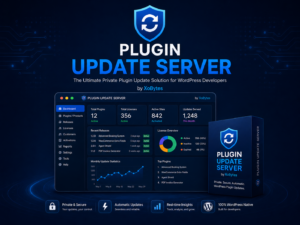
Plugin Update Server for WordPress by XoBytes.com
$25.00
Plugin Update Server by XoBytes lets WordPress plugin sellers deliver private plugin updates directly to customer dashboards. Upload…
Product 1 of 6
Comparing Agentic Support Desk with Other Plugins
When selecting a support desk plugin for your WordPress site, it’s essential to compare features and pricing. Here’s how Agentic Support Desk stacks up against two popular alternatives:
Continue with Support Desk Plugin Solutions for WordPress & WooCommerce for additional XoBytes guidance.
1. Zendesk for WordPress
- Pricing: Starts at $19/month, but can increase significantly with added features.
- Features: Offers extensive ticket management and reporting but lacks the same level of AI automation as Agentic.
- Integration: Integrates with multiple platforms but may require more technical setup compared to Agentic.
2. WP Support Plus
- Pricing: Free version available, but premium features come at a higher cost.
- Features: Good for basic ticketing but does not offer AI-driven automation.
- Customization: Highly customizable but may be overwhelming for users looking for a straightforward solution.
Best Practices for Maximizing Efficiency with Agentic Support Desk
To fully leverage the capabilities of Agentic Support Desk, consider implementing these best practices:
- Regularly Update AI Responses: Continuously monitor common customer inquiries and update automated responses to reflect changes in your products or services.
- Train Your Team: Ensure your support team is well-versed in using the plugin and understands how to manage escalated tickets effectively.
- Monitor Analytics: Utilize the analytics and reporting features to track performance metrics, such as response times and customer satisfaction rates. Use this data to make informed adjustments to your support strategy.
- Solicit Customer Feedback: After resolving inquiries, ask customers for feedback on their experience. This information can help you refine your support processes.
Case Study: Successful Implementation of Agentic Support Desk
Consider the case of an online clothing store that implemented Agentic Support Desk to enhance their customer support:
- Background: The store struggled with high volumes of customer inquiries, particularly regarding order tracking and returns.
- Implementation: After integrating Agentic Support Desk, they set up automated responses for common questions and streamlined ticket management.
- Results: Within three months, the store reported a 40% reduction in average response times and a 30% increase in customer satisfaction ratings.
Decision Criteria for Choosing a Support Desk Plugin
When selecting a support desk plugin, consider the following criteria to ensure you make the best choice for your business:
- Scalability: Will the plugin grow with your business? Consider future needs such as increased ticket volume or additional features.
- Ease of Use: Is the interface user-friendly for both your team and customers? A complex system may hinder efficiency.
- Customer Support: Evaluate the level of support provided by the plugin developers. Reliable customer support can save you time and frustration.
- Integration Capabilities: Ensure the plugin can integrate with your existing systems, such as eCommerce platforms or CRM tools.
Frequently Asked Questions
For those considering the Agentic Support Desk, here are some common questions:
What is Agentic Support Desk for WordPress?
Agentic Support Desk is an AI-powered customer support plugin for WordPress that offers ticket management, AI assistance, and escalation features to streamline support workflows.
How does AI improve customer support on WordPress sites?
AI automates routine support tasks, provides instant responses, and escalates complex issues to human agents, reducing response times and increasing customer satisfaction.
Can Agentic Support Desk integrate with WooCommerce?
Yes, Agentic Support Desk seamlessly integrates with WooCommerce, allowing support automation for eCommerce stores and order-related inquiries.
Is there a free trial available for Agentic Support Desk?
Yes, Agentic Support Desk offers a 7-day free trial to test its features before subscribing at $19.99/month.
Conclusion
In summary, the Agentic Support Desk is a powerful tool for any WordPress site looking to enhance customer support efficiency. With its AI-driven features and seamless integration with WooCommerce, it provides a comprehensive solution for managing customer inquiries. Don’t hesitate to try it today and experience the benefits for yourself!
Leave a Reply