
In today’s fast-paced digital world, providing excellent customer support is essential for any business. To achieve this, many WordPress site owners are turning to SupportDesk plugins. One standout option is the Agentic Support Desk, which offers powerful AI-driven features to automate support processes and enhance customer interactions.
Agentic Support Desk not only streamlines ticket management but also provides AI assistance to improve response times and customer satisfaction. With a price of just $19.99, this plugin is designed to help businesses handle support inquiries more efficiently. In this article, we will explore the top SupportDesk plugins for WordPress, focusing on how they can help automate customer support and improve service quality.
Why Use SupportDesk Plugins?
SupportDesk plugins are essential tools for any WordPress site that aims to provide excellent customer service. They help manage support tickets, automate responses, and ensure that customer inquiries are handled promptly. Here are some key benefits of using SupportDesk plugins:
- Improved Efficiency: Automating routine tasks allows support teams to focus on more complex issues.
- Enhanced Customer Satisfaction: Quick responses lead to happier customers and better retention rates.
- Seamless Integration: Many plugins integrate with popular platforms like WooCommerce, making them ideal for eCommerce sites.
Top SupportDesk Plugins for WordPress
To help you choose the best SupportDesk plugin for your needs, we’ve compiled a list of top options. Each plugin offers unique features that cater to different business requirements.
1. Agentic Support Desk
The Agentic Support Desk is designed for WordPress users who want to automate their customer support. This AI-powered solution manages tickets efficiently and offers instant assistance to customers.
With features like automated ticket assignment and AI-driven responses, it significantly reduces the workload on human agents. Moreover, it can integrate seamlessly with WooCommerce, making it perfect for online stores.
2. WP Support Plus
WP Support Plus is another popular support plugin that offers a comprehensive ticket management system. It allows users to create a knowledge base, which can help customers find answers to common questions without needing to contact support.
This plugin also offers customization options, enabling businesses to tailor the support experience to their branding.
3. Help Scout
Help Scout is a robust customer support platform that integrates with WordPress through a dedicated plugin. It provides a shared inbox for teams, making it easy to manage customer inquiries collaboratively.
With features like saved replies and reporting, Help Scout helps teams respond faster and understand customer needs better.
4. Zendesk for WordPress
Zendesk is a well-known name in customer support, and its WordPress plugin brings its powerful features to your site. This plugin allows you to manage tickets directly from your WordPress dashboard, providing a seamless experience for your support team.
In addition, it offers extensive reporting tools, enabling businesses to analyze performance and improve service quality.
5. WP Ticket
WP Ticket is a simple yet effective support plugin that allows users to manage support tickets easily. It features a user-friendly interface and offers customizable email notifications, ensuring that customers are kept informed throughout the support process.
While it may not have as many features as some of the other plugins, its simplicity makes it a great choice for smaller businesses.
How to Choose the Right SupportDesk Plugin
When selecting a SupportDesk plugin for your WordPress site, consider the following factors:
- Features: Identify which features are most important for your business, such as ticket management, automation, and reporting.
- Integration: Ensure the plugin integrates well with your existing tools, like WooCommerce or CRM software.
- Scalability: Choose a plugin that can grow with your business, accommodating increased support demands over time.
- Support and Updates: Look for a plugin that offers reliable support and regular updates to keep it functioning smoothly.
Related XoBytes Products

Agentic Consultant, Product Rep, & Customer Service Agent By XoBytes.com
$19.99
Agentic Consultant for WordPress gives your website a smart AI product rep, customer service agent, and hands-free voice…

Agentic Support Desk for WordPress by XoBytes.com
$19.99
Agentic Support Desk by Xobytes is an AI-powered WordPress support desk built for software sellers, WooCommerce stores, agencies,…

AI SEO Data & Automatic Blog Writer for WordPress by XoBytes
$19.99
Turn your WordPress site, Google Search Console data, and SEO opportunities into smarter blog posts, pages, titles, meta…

Agent Shield by XoBytes | Protect against agentic software
$25.00
AgentShield is a WordPress AI Agent Firewall that helps detect, monitor, block, and temporarily ban AI crawlers, AI…

Upgrades, Packages & Tiers for WooCommerce By XoBytes.com
$25.00
This is a FREEMIUM plugin. Get the free version "Upgrades, Packages & Tiers for WooCommerce By XoBytes.com" Pro…
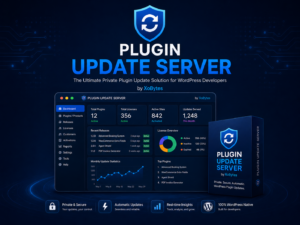
Plugin Update Server for WordPress by XoBytes.com
$25.00
Plugin Update Server by XoBytes lets WordPress plugin sellers deliver private plugin updates directly to customer dashboards. Upload…
Product 1 of 6
To make your decision easier, consider starting with a free trial of the Agentic Support Desk. This will allow you to explore its features and see how it fits your needs before committing to a subscription.
Conclusion
In conclusion, choosing the right SupportDesk plugin can significantly enhance your customer support operations. The Agentic Support Desk stands out as a leading option with its AI capabilities and seamless WooCommerce integration. By automating support processes, you can improve efficiency and customer satisfaction.
Ready to elevate your customer support? Try the Agentic Support Desk today for just $19.99 and experience the difference it can make for your business.
Continue with Top SupportDesk Plugins for WordPress to Enhance Customer Support for additional XoBytes guidance.
Practical Examples of Using SupportDesk Plugins
Implementing a SupportDesk plugin can greatly enhance the customer experience. Here are a few practical examples of how businesses can leverage these tools:
- Automated Responses: For common inquiries such as shipping times or return policies, set up automated responses. This allows customers to receive instant answers without waiting for a human agent.
- Knowledge Base Creation: Use plugins like WP Support Plus to create a comprehensive knowledge base. This resource can reduce the volume of support tickets by empowering customers to find answers independently.
- Multi-Channel Support: Integrate your SupportDesk plugin with social media platforms. This enables you to manage inquiries from various channels in one place, ensuring no customer query goes unanswered.
Comparative Analysis of Top SupportDesk Plugins
When choosing a SupportDesk plugin, it’s important to compare features and pricing. Here’s a quick comparison of the plugins mentioned:
| Plugin | Key Features | Pricing |
|---|---|---|
| Agentic Support Desk | AI-driven responses, ticket management, WooCommerce integration | $19.99/month |
| WP Support Plus | Knowledge base, customizable support forms | Free with premium options |
| Help Scout | Shared inbox, saved replies, reporting tools | Starts at $20/month |
| Zendesk for WordPress | Comprehensive ticket management, extensive reporting | Starts at $19/month |
| WP Ticket | User-friendly interface, customizable notifications | One-time fee of $39 |
Implementation Steps for Agentic Support Desk
To get started with Agentic Support Desk, follow these simple steps:
- Install the Plugin: From your WordPress dashboard, navigate to Plugins > Add New and search for ‘Agentic Support Desk’. Click Install Now and then Activate.
- Configure Settings: Go to the Agentic Support Desk settings page. Here, you can customize ticket categories, set up automated responses, and integrate with WooCommerce.
- Set Up Your Knowledge Base: Create articles for common inquiries. This will help reduce the number of tickets and provide quick answers to customers.
- Train Your Team: Ensure your support team understands how to use the plugin effectively. Provide training on handling tickets and utilizing the AI features.
- Monitor and Optimize: After implementation, regularly check ticket resolution times and customer feedback. Use this data to optimize your support processes.
Decision Criteria for Selecting a SupportDesk Plugin
When evaluating which SupportDesk plugin to choose, consider the following criteria:
- Feature Set: Assess whether the plugin offers the necessary features like ticket management, automation, and reporting.
- User Experience: Ensure that the plugin is user-friendly for both your support team and your customers.
- Integration Capabilities: Check if the plugin can integrate with your existing systems, such as CRM or eCommerce platforms.
- Cost: Consider your budget and whether the pricing aligns with the features offered.
- Customer Support: Look for plugins that provide robust support and regular updates to ensure ongoing functionality.
Frequently Asked Questions
- What is Agentic Support Desk for WordPress? Agentic Support Desk is an AI-powered customer support plugin for WordPress that offers ticket management, AI assistance, and escalation features to streamline support workflows.
- How does AI improve customer support on WordPress sites? AI automates routine support tasks, provides instant responses, and escalates complex issues to human agents, reducing response times and increasing customer satisfaction.
- Can Agentic Support Desk integrate with WooCommerce? Yes, Agentic Support Desk seamlessly integrates with WooCommerce, allowing support automation for eCommerce stores and order-related inquiries.
- Is there a free trial available for Agentic Support Desk? Yes, Agentic Support Desk offers a 7-day free trial to test its features before subscribing at $19.99/month.
Leave a Reply