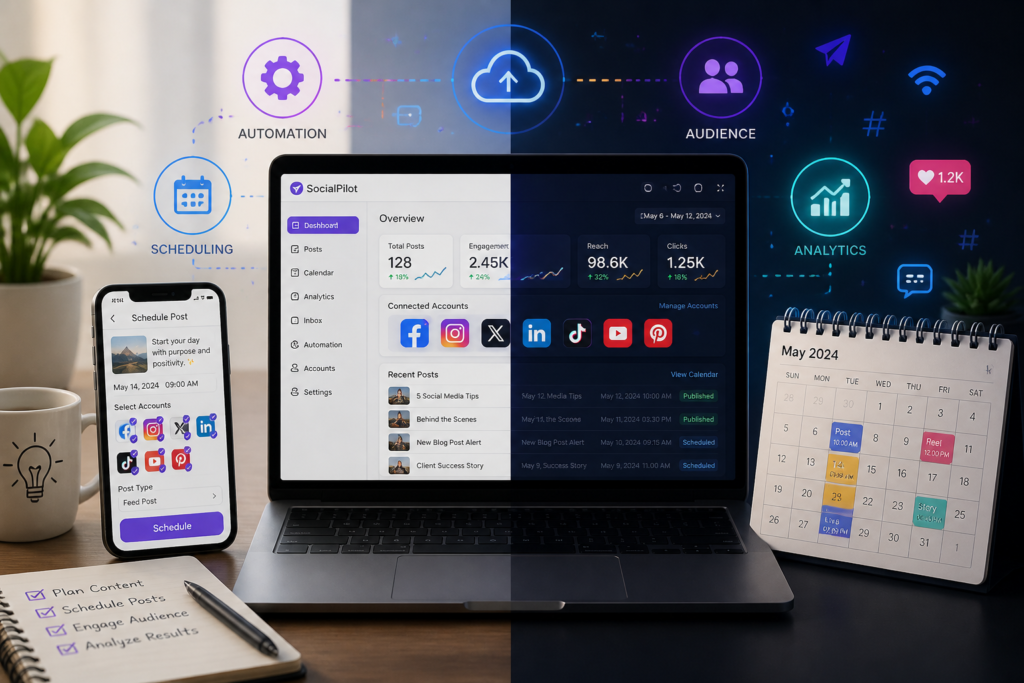
In today’s digital landscape, effectively managing your social media presence is crucial for success. For WordPress users, one of the most efficient ways to do this is through Instagram autoposter plugins. These plugins automate the process of scheduling and posting content directly to your Instagram account from your WordPress site. Not only do they save time, but they also enhance engagement by ensuring a consistent flow of content. One of the standout solutions in this category is the XoBytes Social Autopilot, which allows you to easily manage your Instagram marketing efforts.
With XoBytes Social Autopilot, you can schedule and promote posts, pages, and even WooCommerce products seamlessly. Priced at just $19.99, this powerful tool is designed to help you maximize your social media reach without the hassle of manual posting. Therefore, if you’re looking to boost engagement and save time, investing in an Instagram autoposter plugin is a smart choice.
Why Use an Instagram Autoposter Plugin?
Instagram is one of the most popular social media platforms, with millions of users sharing content daily. However, maintaining an active presence can be challenging, especially for businesses. Here are several reasons why using an Instagram autoposter plugin can be beneficial:
- Time-Saving: Automating your posts means you can schedule content in advance without needing to log in daily.
- Consistency: Regular posting helps maintain engagement with your audience, keeping your brand top of mind.
- Increased Engagement: By consistently posting at optimal times, you can increase your visibility and engagement rates.
- WooCommerce Integration: Many autoposter plugins, including XoBytes Social Autopilot, allow you to promote WooCommerce products effortlessly.
Top WordPress Instagram Autoposter Plugins
To make your search easier, we’ve compiled a list of some of the best WordPress Instagram autoposter plugins available:
XoBytes Social Autopilot
This plugin stands out for its user-friendly interface and powerful features. It allows you to:
- Schedule posts for optimal engagement times.
- Integrate seamlessly with WooCommerce for product promotion.
- Track post performance analytics to refine your strategy.
For more information, check out the XoBytes Social Autopilot.
Instagram Feed Pro
This plugin allows you to display Instagram feeds on your site while also offering scheduling options. It’s great for businesses wanting to showcase their Instagram content directly on their WordPress site.
WP Instagram Post and Widget
This plugin enables you to create a customizable widget to display your latest Instagram posts on your site. It’s perfect for those looking to enhance their website’s visual appeal.
How to Choose the Right Plugin
When selecting an Instagram autoposter plugin, consider the following factors:
For a practical companion to this section, explore Top Instagram Autoposter Plugins for WordPress: Automate Easily.
- User-Friendliness: Ensure the plugin is easy to set up and navigate.
- Features: Look for features that align with your marketing goals, such as WooCommerce integration and analytics.
- Support: Check if the plugin offers reliable customer support and regular updates.
Conclusion
In conclusion, using an Instagram autoposter plugin can significantly enhance your social media marketing strategy. With options like the XoBytes Social Autopilot, you can save time, boost engagement, and streamline your content management efforts. Start automating your Instagram posts today and watch your engagement soar!
Understanding Instagram’s Algorithm
Before diving into the benefits of Instagram autoposter plugins, it’s essential to understand how Instagram’s algorithm works. The algorithm prioritizes content based on engagement, relevance, and the timeliness of posts. By using an autoposter plugin, you can strategically schedule your posts to align with peak engagement times, enhancing your visibility and interaction rates.
Key Factors Influencing Engagement
- Content Quality: High-quality images and videos are more likely to capture attention.
- Hashtags: Using relevant hashtags can help your posts reach a broader audience.
- Engagement: Posts that receive likes, comments, and shares quickly are favored by the algorithm.
- Timing: Posting when your audience is most active can significantly increase engagement.
Practical Steps to Implement an Instagram Autoposter
Implementing an Instagram autoposter plugin can seem daunting, but following these steps can streamline the process:
- Choose Your Plugin: Select an autoposter plugin that meets your needs, such as XoBytes Social Autopilot.
- Install the Plugin: Go to your WordPress dashboard, navigate to Plugins, and click Add New. Search for your chosen plugin, install, and activate it.
- Connect Your Instagram Account: Follow the plugin’s instructions to link your Instagram account. This typically involves logging in and granting necessary permissions.
- Configure Settings: Customize your settings, including post types, scheduling times, and any specific hashtags you want to use.
- Create Your Content: Prepare your posts, including images, captions, and hashtags. Many plugins allow you to draft posts in advance.
- Schedule Your Posts: Use the scheduling feature to set your posts to go live at optimal times.
- Monitor Performance: After your posts go live, use the analytics features to track engagement and adjust your strategy as needed.
Related XoBytes Products

Social Media Autopilot With AI by XoBytes.com
$19.99
Xobytes Social Autopilot is a WordPress social media autoposter that helps schedule and promote posts, pages, WooCommerce products,…

AI SEO Data & Automatic Blog Writer for WordPress by XoBytes
$19.99
Turn your WordPress site, Google Search Console data, and SEO opportunities into smarter blog posts, pages, titles, meta…

Agentic Support Desk for WordPress by XoBytes.com
$19.99
Agentic Support Desk by Xobytes is an AI-powered WordPress support desk built for software sellers, WooCommerce stores, agencies,…

Upgrades, Packages & Tiers for WooCommerce By XoBytes.com
$25.00
This is a FREEMIUM plugin. Get the free version "Upgrades, Packages & Tiers for WooCommerce By XoBytes.com" Pro…

Agentic Consultant, Product Rep, & Customer Service Agent By XoBytes.com
$19.99
Agentic Consultant for WordPress gives your website a smart AI product rep, customer service agent, and hands-free voice…
Plugin Update Server for WordPress by XoBytes.com
$25.00
Plugin Update Server by XoBytes lets WordPress plugin sellers deliver private plugin updates directly to customer dashboards. Upload…
Product 1 of 6
Comparing Popular Instagram Autoposter Plugins
While XoBytes Social Autopilot is a fantastic option, it’s essential to compare it with other plugins to find the best fit for your needs. Here’s a quick comparison of some popular plugins:
| Plugin | Key Features | Pricing | User Rating |
|---|---|---|---|
| XoBytes Social Autopilot | WooCommerce integration, post scheduling, analytics | $19.99 | 4.8/5 |
| Instagram Feed Pro | Display feeds, scheduling options, customizable | $29.99 | 4.6/5 |
| WP Instagram Post and Widget | Customizable widgets, latest post display | $15.99 | 4.5/5 |
Common Pitfalls to Avoid
While using an Instagram autoposter can be beneficial, there are common mistakes to avoid:
Continue with How to Automate Instagram Posts from WordPress with XoBytes Instagram Autoposter for additional XoBytes guidance.
- Overposting: Posting too frequently can overwhelm your audience. Find a balance that maintains engagement without being intrusive.
- Ignoring Analytics: Failing to monitor post performance can lead to missed opportunities for improvement.
- Neglecting Interaction: Automation doesn’t replace the need for genuine interaction. Make sure to respond to comments and engage with your followers regularly.
- Using Irrelevant Hashtags: Overusing or misusing hashtags can lead to lower engagement. Use targeted and relevant hashtags for better results.
Best Practices for Using Instagram Autoposter Plugins
To maximize the effectiveness of your Instagram autoposter plugin, consider implementing the following best practices:
- Maintain a Content Calendar: Plan your posts in advance by creating a content calendar. This will help you visualize your posting schedule and ensure a diverse range of content.
- Engage with Your Audience: Even though your posts are automated, make sure to set aside time to interact with your followers. Respond to comments and messages to foster a sense of community.
- Utilize Stories and Reels: Don’t limit your content to just feed posts. Use features like Instagram Stories and Reels in conjunction with your autoposter to keep your audience engaged.
- Test Different Posting Times: Experiment with different posting times to determine when your audience is most active. Adjust your scheduling settings accordingly for optimal engagement.
Real-World Examples of Successful Instagram Autoposter Usage
Many brands have successfully leveraged Instagram autoposter plugins to enhance their social media strategy. Here are a few examples:
- Fashion Retailer: A popular fashion retailer used an autoposter to schedule posts showcasing new arrivals and promotions. By analyzing engagement data, they discovered that posting on weekends yielded higher interaction rates, which they adjusted in their scheduling.
- Food Blogger: A food blogger utilized an Instagram autoposter to share recipes and cooking tips. By integrating WooCommerce, they promoted their e-cookbook directly through Instagram posts, resulting in a significant increase in sales.
- Fitness Coach: A fitness coach automated motivational quotes and workout tips using an autoposter. By engaging with followers through comments and DMs, they built a loyal community that regularly interacted with their content.
Advanced Features to Look For
When choosing an Instagram autoposter plugin, consider looking for advanced features that can enhance your social media strategy:
- Hashtag Suggestions: Some plugins offer hashtag suggestions based on your content, helping you reach a wider audience.
- Image Editing Tools: Built-in image editing features can save time by allowing you to edit photos directly within the plugin before posting.
- Multi-Account Support: If you manage multiple Instagram accounts, look for plugins that allow you to connect and manage several accounts from one dashboard.
- Content Recycling: Some plugins can automatically repost high-performing content at intervals, ensuring that your best posts continue to gain visibility.
Integrating Instagram Autoposters with Other Marketing Tools
To create a cohesive marketing strategy, consider integrating your Instagram autoposter with other tools:
- Email Marketing Platforms: Sync your Instagram posts with email campaigns to promote social media content directly to your subscribers.
- Analytics Tools: Use analytics tools to track the performance of your posts across multiple platforms, allowing for data-driven decisions.
- Content Management Systems: Integrate your autoposter with your CMS to streamline content creation and scheduling processes.
Frequently Asked Questions
Here are some common questions about Instagram autoposter plugins:
- What is a WordPress Instagram autoposter plugin? A WordPress Instagram autoposter plugin automates the process of scheduling and publishing posts directly to your Instagram account from your WordPress site, saving time and maintaining consistent social media activity.
- How does XoBytes Instagram Autoposter improve social media marketing? XoBytes Instagram Autoposter allows you to schedule posts, including WooCommerce products, in advance, increasing engagement, saving time, and ensuring a steady flow of content without manual posting.
- Is it easy to set up Instagram autoposter plugins on WordPress? Yes, most top plugins like XoBytes Instagram Autoposter are designed for user-friendly setup, with step-by-step guides and support to help you connect your Instagram account and schedule posts easily.
- Can I use Instagram autoposter plugins with WooCommerce products? Absolutely, plugins like XoBytes Social Autopilot integrate with WooCommerce, enabling automatic sharing of your products on Instagram to boost sales and visibility.
Leave a Reply