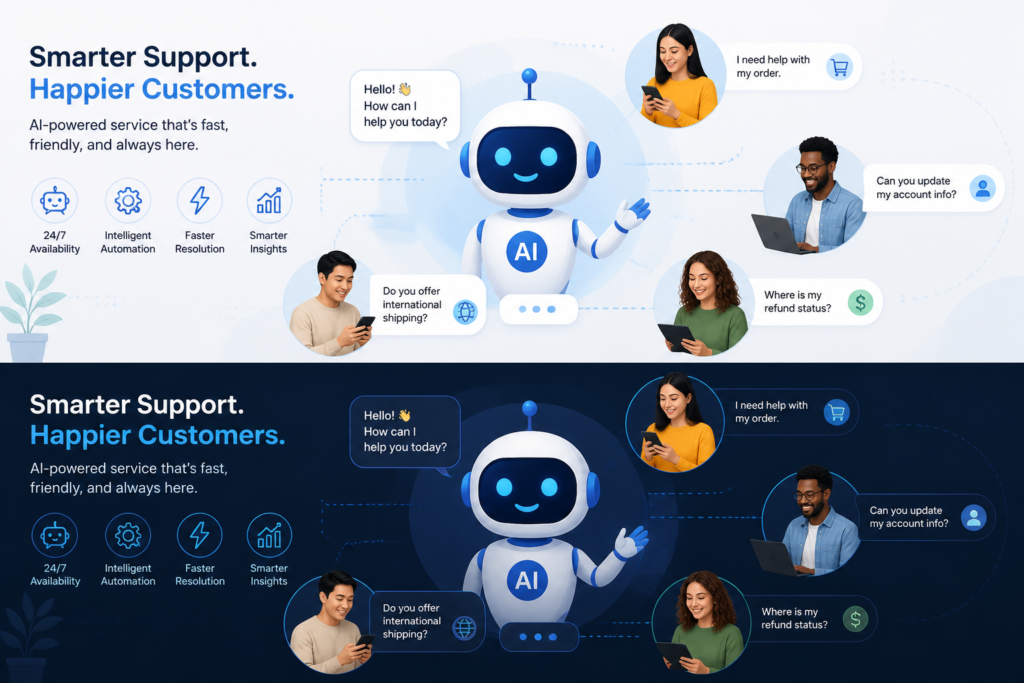
In the competitive world of eCommerce, providing exceptional customer service is crucial for success. Many WooCommerce store owners struggle with effectively managing customer inquiries and support requests. Fortunately, Agentic Support Desk by XoBytes offers a powerful solution designed to streamline customer service for WooCommerce stores. This AI-powered support desk not only automates ticket management but also enhances user satisfaction through efficient communication.
For just $19.99, the Agentic Support Desk provides your WooCommerce store with a smart AI product representative and customer service agent. Therefore, you can focus on growing your business while the AI takes care of customer inquiries.
Why Streamline Customer Service?
Streamlining customer service is essential for several reasons:
- Increased Efficiency: Automating repetitive tasks allows your support team to focus on more complex issues, improving overall productivity.
- Enhanced Customer Satisfaction: Quick response times and accurate answers lead to happier customers and increased loyalty.
- Cost Savings: Reducing the time spent on support tasks can lead to significant savings in operational costs.
In addition, the Agentic Support Desk integrates seamlessly with existing WooCommerce setups, making it an ideal choice for store owners looking to enhance their customer support capabilities without extensive setup.
Key Features of Agentic Support Desk
Here are some of the standout features that make Agentic Support Desk an excellent choice for WooCommerce:
- AI-Powered Automation: The system automates ticket management, prioritizing support requests based on urgency and customer needs.
- Multi-Channel Support: Customers can reach out through various channels, including email, live chat, and social media, all consolidated into one platform.
- Comprehensive Reporting: Track and analyze support interactions to improve service quality over time.
- Easy Integration: Designed specifically for WooCommerce, it integrates smoothly with your existing workflows.
Who Can Benefit from Agentic Support Desk?
The Agentic Support Desk is perfect for:
- Small to medium WooCommerce store owners looking to enhance their customer service without hiring additional staff.
- Businesses aiming to automate their support processes and improve efficiency.
- Online retailers who need a reliable solution to manage multi-channel customer interactions.
On the other hand, it may not be suitable for very large enterprises with complex support systems that require tailored solutions.
How to Get Started
Getting started with Agentic Support Desk is easy. Simply visit the product page and follow the instructions to install the plugin. Once installed, you can customize the settings to fit your specific customer service needs.
Conclusion
In conclusion, streamlining customer service for WooCommerce with the Agentic Support Desk is a smart move for any online retailer. By leveraging AI technology, you can enhance your customer support capabilities, improve response times, and ultimately increase customer satisfaction. Don’t miss out on the opportunity to transform your support experience—check out the Agentic Support Desk today!
Practical Examples of Streamlining Customer Service
To better understand how the Agentic Support Desk can streamline customer service, let’s look at a few practical scenarios:
Scenario 1: Handling High Volume Inquiries
Imagine a WooCommerce store experiencing a surge in customer inquiries during a holiday sale. With the Agentic Support Desk, the AI can automatically categorize and prioritize these inquiries. For example:
For a practical companion to this section, explore Streamline WooCommerce Customer Service Using Agentic Support Desk.
- Urgent Issues: Customers facing payment issues are flagged and routed to live agents immediately.
- General Questions: FAQs about shipping times can be answered automatically, freeing up agents for more complex issues.
Scenario 2: Multi-Channel Support in Action
A customer reaches out via social media with a question about their order status. With Agentic Support Desk, this inquiry is captured and integrated into the support dashboard, allowing agents to respond promptly without switching platforms. This capability ensures:
- Consistent communication across channels.
- Faster resolution times as agents have all customer interactions in one place.
Implementation Steps for Agentic Support Desk
Getting started with the Agentic Support Desk is straightforward. Here’s a step-by-step guide to help you implement it effectively:
- Purchase and Download: Visit the XoBytes website to purchase the Agentic Support Desk and download the plugin.
- Install the Plugin: Log in to your WooCommerce dashboard, navigate to the Plugins section, and upload the downloaded file.
- Activate the Plugin: Once installed, activate the plugin to enable its features.
- Configure Settings: Go to the Agentic Support Desk settings page to customize your support channels, automated responses, and ticket priorities.
- Test the System: Before going live, simulate customer inquiries to ensure the system is functioning correctly and that your team is familiar with the interface.
- Launch and Monitor: Start using the system and monitor its performance through the reporting features to make necessary adjustments.
Decision Criteria for Choosing a Support Desk
When selecting a support desk solution for your WooCommerce store, consider the following criteria to ensure you make the best choice:
Related XoBytes Products

Agentic Consultant, Product Rep, & Customer Service Agent By XoBytes.com
$19.99
Agentic Consultant for WordPress gives your website a smart AI product rep, customer service agent, and hands-free voice…

Agentic Support Desk for WordPress by XoBytes.com
$19.99
Agentic Support Desk by Xobytes is an AI-powered WordPress support desk built for software sellers, WooCommerce stores, agencies,…

Upgrades, Packages & Tiers for WooCommerce By XoBytes.com
$25.00
This is a FREEMIUM plugin. Get the free version "Upgrades, Packages & Tiers for WooCommerce By XoBytes.com" Pro…

Social Media Autopilot With AI by XoBytes.com
$19.99
Xobytes Social Autopilot is a WordPress social media autoposter that helps schedule and promote posts, pages, WooCommerce products,…

AI SEO Data & Automatic Blog Writer for WordPress by XoBytes
$19.99
Turn your WordPress site, Google Search Console data, and SEO opportunities into smarter blog posts, pages, titles, meta…
Plugin Update Server for WordPress by XoBytes.com
$25.00
Plugin Update Server by XoBytes lets WordPress plugin sellers deliver private plugin updates directly to customer dashboards. Upload…
Product 1 of 6
- Integration Capabilities: Ensure the support desk can integrate seamlessly with your existing tools and platforms.
- Scalability: Choose a solution that can grow with your business, accommodating increased inquiries as your store expands.
- User Experience: Evaluate the user interface for both customers and support agents to ensure ease of use.
- Support and Training: Look for vendors that provide comprehensive support and training resources to help your team get the most out of the system.
- Cost-Effectiveness: Consider the pricing structure and ensure it aligns with your budget while providing value for the features offered.
Comparing Agentic Support Desk with Other Solutions
While Agentic Support Desk is a powerful tool, it’s beneficial to compare it with other customer service solutions available for WooCommerce:
For additional authoritative context, review Facebook.
| Feature | Agentic Support Desk | Competitor A | Competitor B |
|---|---|---|---|
| AI Automation | Yes | No | Yes |
| Multi-Channel Support | Yes | Limited | Yes |
| Reporting Features | Comprehensive | Basic | Advanced |
| Ease of Integration | Seamless | Moderate | Complex |
| Pricing | $19.99 | $29.99 | $24.99 |
This comparison highlights the unique advantages of the Agentic Support Desk, particularly in terms of AI automation and ease of integration, making it a strong contender for WooCommerce store owners.
Best Practices for Utilizing Agentic Support Desk
To maximize the benefits of the Agentic Support Desk, consider implementing the following best practices:
- Regular Training: Ensure your team is well-versed in using the platform. Regular training sessions can help them leverage all features effectively, leading to better customer interactions.
- Customize Automated Responses: Tailor the automated responses to reflect your brand’s voice. This personalization can enhance customer engagement and satisfaction.
- Monitor Performance Metrics: Use the reporting features to track key performance indicators (KPIs) such as response times, customer satisfaction scores, and ticket resolution rates. This data can help identify areas for improvement.
- Solicit Customer Feedback: After resolving inquiries, ask customers for feedback on their support experience. This can provide valuable insights into how to refine your processes further.
Advanced Features to Explore
While the core functionalities of the Agentic Support Desk are impressive, exploring advanced features can further enhance your customer service:
Continue with Streamline Support Tickets & Customer Service Using Agentic Support Desk for additional XoBytes guidance.
- AI Learning Capabilities: The system can learn from past interactions, improving its responses over time. Regularly review and update the knowledge base to ensure accuracy.
- Customizable Dashboards: Tailor your dashboard to display the most relevant metrics and support requests, allowing your team to prioritize effectively.
- Integration with CRM Systems: Consider integrating the support desk with your Customer Relationship Management (CRM) system to maintain a comprehensive view of customer interactions.
Real-World Success Stories
Understanding how other businesses have successfully implemented the Agentic Support Desk can provide valuable insights:
Case Study: A Fashion Retailer
A fashion retailer using WooCommerce implemented the Agentic Support Desk during their peak season. By automating responses to common inquiries about sizing and shipping, they reduced their average response time from 24 hours to just 30 minutes. This led to a 20% increase in customer satisfaction ratings and a significant boost in repeat purchases.
Case Study: An Electronics Store
An electronics store faced challenges managing technical support inquiries. By utilizing the comprehensive reporting features of the Agentic Support Desk, they identified the most common issues and created a dedicated FAQ section. This proactive approach led to a 15% decrease in tickets related to those issues, allowing support agents to focus on more complex problems.
Key Considerations for Implementation
Before implementing the Agentic Support Desk, consider the following key factors to ensure a smooth transition:
- Assess Your Current Support Needs: Evaluate the volume and types of inquiries you currently handle to determine how the Agentic Support Desk can best serve your business.
- Plan for Change Management: Prepare your team for the transition by communicating the benefits and providing training resources. Address any concerns they may have about using AI in customer support.
- Set Clear Objectives: Define what success looks like for your customer service team after implementing the Agentic Support Desk. This could include specific targets for response times or customer satisfaction scores.
Frequently Asked Questions
Below are some common questions about the Agentic Support Desk:
- How does Agentic Support Desk improve WooCommerce customer support? Agentic Support Desk utilizes AI to automate ticket management, prioritize support requests, and provide quick, accurate responses, significantly reducing response times and increasing customer satisfaction.
- Is Agentic Support Desk compatible with existing WooCommerce setups? Yes, Agentic Support Desk is designed to seamlessly integrate with WooCommerce stores, enhancing your existing support workflows without requiring extensive setup.
- Can Agentic Support Desk handle multi-channel support? Absolutely. The AI support desk supports multi-channel communication, including email, live chat, and social media, consolidating all customer interactions into one platform.
- What are the main benefits of using an AI helpdesk app for WooCommerce? An AI helpdesk app like Agentic Support Desk reduces manual workload, speeds up support response times, improves accuracy, and enhances overall customer experience, leading to higher retention and loyalty.
Leave a Reply