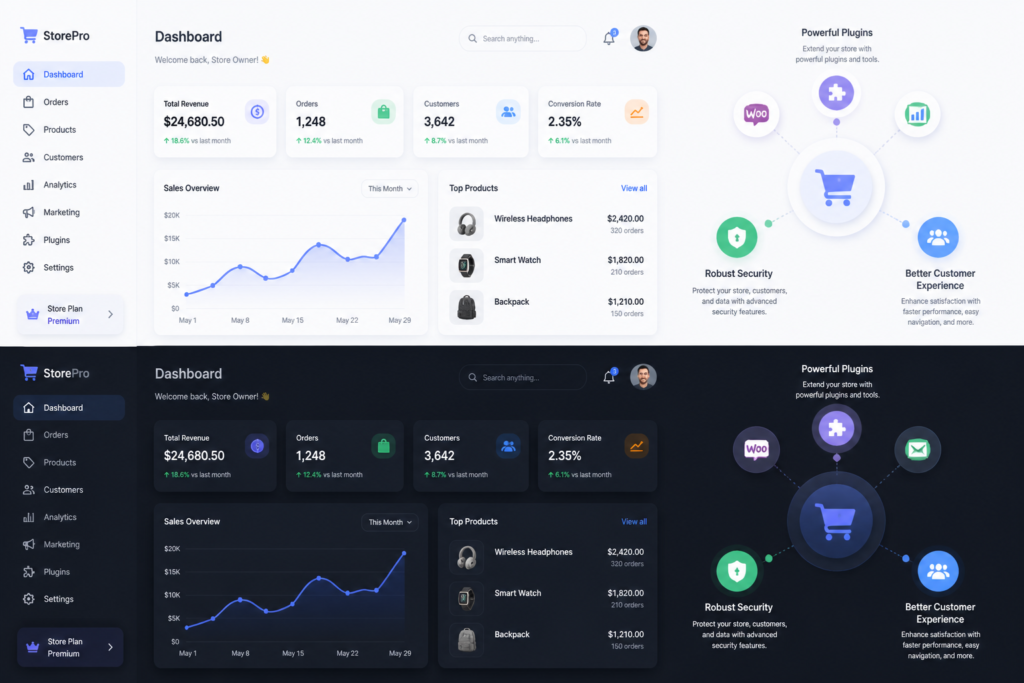
Are you looking to enhance your WooCommerce store’s performance? If so, utilizing top premium plugins and effective license management tools can significantly boost your online business. Among the many options available, one standout solution is the Upgrades, Packages & Tiers for WooCommerce by XoBytes.com. This freemium plugin provides essential features for managing product tiers and upgrades, ensuring your customers enjoy a seamless shopping experience.
In today’s competitive eCommerce landscape, having the right tools is crucial. Premium plugins not only enhance functionality but also improve security and user experience. In this article, we’ll explore how to maximize your WooCommerce store’s power by integrating top premium plugins and effective license management tools, including the XoBytes License Manager.
Why Use Premium Plugins for WooCommerce?
Premium plugins are designed to provide advanced functionalities that free plugins often lack. Here are several reasons why investing in premium plugins is beneficial:
- Enhanced Features: Premium plugins typically come with more extensive features, allowing you to customize your store to better meet customer needs.
- Regular Updates: With premium plugins, you receive frequent updates that enhance security and add new features.
- Dedicated Support: Premium plugin developers often provide dedicated support, helping you troubleshoot issues quickly.
- Better Security: Premium plugins generally offer better security features, protecting your store from vulnerabilities.
Key Premium Plugins to Consider
To make the most of your WooCommerce store, consider the following premium plugins:
- XoBytes License Manager: This plugin helps manage licenses for software products sold through your store. It ensures secure distribution and reduces the risk of license misuse. Learn more about this essential tool here.
- WooCommerce Subscriptions: This plugin allows you to create and manage products with recurring payments, helping you build a reliable revenue stream.
- WooCommerce Bookings: Ideal for businesses offering appointments or rentals, this plugin enables customers to book services directly from your site.
- WooCommerce Memberships: This plugin allows you to create a membership system on your site, granting access to exclusive content or products.
License Management Tools
Managing software licenses is critical, especially if you sell digital products. The License Manager for WooCommerce by XoBytes.com is a powerful tool that streamlines this process. It allows you to sell, validate, and manage licenses directly within WooCommerce, enhancing security and reducing the risk of fraud.
Benefits of Using XoBytes License Manager
Here are some of the key benefits of using the XoBytes License Manager:
- Secure License Distribution: The plugin ensures that licenses are securely distributed, minimizing the risk of unauthorized access.
- Automated License Validation: It automates the validation process, saving you time and effort.
- User-Friendly Interface: The interface is designed for ease of use, making it accessible even for those without technical expertise.
- Seamless Integration: This plugin integrates smoothly with your existing WooCommerce setup, ensuring a hassle-free experience.
Who Should Use Premium Plugins?
Premium plugins are ideal for businesses looking to enhance their WooCommerce store’s functionality and security. They are particularly beneficial for:
- Online retailers selling digital products.
- Businesses that require advanced features like subscriptions or memberships.
- Companies that prioritize security and customer support.
However, if you are running a small store with basic needs, free plugins may suffice.
Conclusion
In conclusion, boosting your WooCommerce store’s power is achievable with the right premium plugins and effective license management tools. Consider integrating the Upgrades, Packages & Tiers for WooCommerce by XoBytes.com and the XoBytes License Manager to enhance your store’s functionality and security. By investing in these tools, you’ll not only improve your store’s performance but also provide a better experience for your customers.
Practical Examples of Premium Plugins in Action
To truly understand the impact of premium plugins on your WooCommerce store, let’s explore some practical examples of how they can be utilized effectively:
1. Enhancing Customer Engagement with WooCommerce Memberships
Imagine running an online fitness coaching business. By integrating the WooCommerce Memberships plugin, you can create tiered membership levels. For example:
- Basic Membership: Access to a library of workout videos.
- Premium Membership: One-on-one coaching sessions and personalized meal plans.
- VIP Membership: All previous benefits plus exclusive webinars and community access.
This tiered approach not only increases customer retention but also encourages upselling, as customers may be tempted to upgrade for additional benefits.
2. Streamlining Bookings with WooCommerce Bookings
If you run a photography business, the WooCommerce Bookings plugin can significantly streamline your operations. Here’s how:
- Set up your available dates and times for photo sessions.
- Allow customers to book their preferred time slots directly on your website.
- Automate reminders and confirmations via email to reduce no-shows.
This not only improves customer satisfaction but also minimizes the back-and-forth communication typically required for scheduling.
Comparing Free vs. Premium Plugins
While free plugins can be appealing, they often come with limitations. Here’s a comparison to help you decide:
Feature Comparison
| Feature | Free Plugins | Premium Plugins |
|---|---|---|
| Support | Community forums | Dedicated support team |
| Updates | Infrequent updates | Regular updates with new features |
| Security | Basic security features | Advanced security measures |
| Customization | Limited options | Highly customizable |
Implementation Steps for Premium Plugins
Integrating premium plugins into your WooCommerce store can be straightforward. Follow these steps for a seamless implementation:
Related XoBytes Products

Upgrades, Packages & Tiers for WooCommerce By XoBytes.com
$25.00
This is a FREEMIUM plugin. Get the free version "Upgrades, Packages & Tiers for WooCommerce By XoBytes.com" Pro…
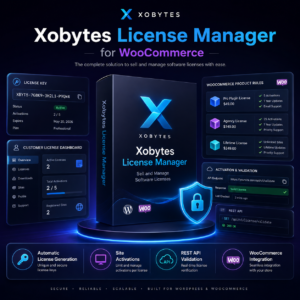
License manager for WooCommerce by XoBytes.com
$25.00
Xobytes License Manager for WooCommerce is a powerful WooCommerce license manager plugin that lets you sell software licenses,…

Social Media Autopilot With AI by XoBytes.com
$19.99
Xobytes Social Autopilot is a WordPress social media autoposter that helps schedule and promote posts, pages, WooCommerce products,…
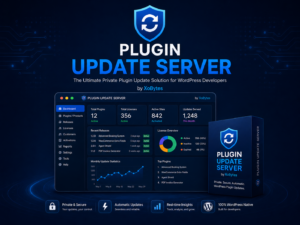
Plugin Update Server for WordPress by XoBytes.com
$25.00
Plugin Update Server by XoBytes lets WordPress plugin sellers deliver private plugin updates directly to customer dashboards. Upload…

AI SEO Data & Automatic Blog Writer for WordPress by XoBytes
$19.99
Turn your WordPress site, Google Search Console data, and SEO opportunities into smarter blog posts, pages, titles, meta…

Agentic Consultant, Product Rep, & Customer Service Agent By XoBytes.com
$19.99
Agentic Consultant for WordPress gives your website a smart AI product rep, customer service agent, and hands-free voice…
Product 1 of 6
For additional authoritative context, review Facebook.
- Identify Your Needs: Assess the specific functionalities you require for your store.
- Research Plugins: Look for premium plugins that meet your needs and read reviews to gauge their effectiveness.
- Purchase and Download: Once you’ve selected a plugin, purchase it from a reputable source and download the installation files.
- Install the Plugin: Go to your WordPress dashboard, navigate to Plugins > Add New, and upload the downloaded files.
- Configure Settings: Follow the plugin’s documentation to configure settings according to your business requirements.
- Test Functionality: Before going live, test the plugin to ensure it works correctly and integrates well with your existing setup.
Decision Criteria for Choosing Premium Plugins
When selecting premium plugins for your WooCommerce store, consider the following criteria:
- Compatibility: Ensure the plugin is compatible with your current theme and other plugins.
- User Reviews: Look for plugins with positive user feedback and high ratings.
- Support Availability: Check the availability of support channels and response times.
- Update Frequency: Choose plugins that are regularly updated to ensure ongoing compatibility and security.
- Pricing Structure: Evaluate whether the pricing aligns with your budget and offers good value for the features provided.
Practical Considerations for Premium Plugin Integration
When integrating premium plugins into your WooCommerce store, it’s essential to consider several practical aspects that can enhance the overall effectiveness of the tools you choose. Here are some key considerations:
Continue with Secure Your WooCommerce Store: The Ultimate Guide to License Management Plugins for additional XoBytes guidance.
- Assess Plugin Performance: Before committing to a premium plugin, evaluate its performance through trial versions or demos. This will help you understand how it affects your store’s speed and user experience.
- Check for Compatibility: Ensure that the plugin is compatible with your current WooCommerce version and other plugins you are using. Incompatibilities can lead to functionality issues or crashes.
- Evaluate Documentation: Good documentation is crucial for successful implementation. Look for plugins that offer comprehensive guides, FAQs, and tutorials to assist you in the setup process.
Advanced Customization Options with Premium Plugins
One of the significant advantages of premium plugins is the ability to customize features to align with your business needs. Here are some advanced customization options you can explore:
- Custom Checkout Fields: Use plugins that allow you to add custom fields to your checkout process, making it easier to gather specific information from your customers.
- Dynamic Pricing: Implement dynamic pricing strategies through plugins that enable discounts based on user behavior, cart contents, or membership levels.
- Personalized Recommendations: Leverage plugins that analyze customer behavior to provide personalized product recommendations, enhancing the shopping experience and increasing sales.
Real-World Scenarios: Success Stories with Premium Plugins
Understanding how other businesses have successfully implemented premium plugins can provide valuable insights. Here are a couple of real-world scenarios:
Case Study 1: A Digital Course Platform
A company offering online courses integrated the WooCommerce Subscriptions plugin to create a subscription-based model. By providing tiered access to various courses, they saw a 40% increase in recurring revenue within six months. The ease of managing subscriptions allowed them to focus on content creation rather than administrative tasks.
Case Study 2: An E-commerce Fashion Store
A fashion retailer utilized the WooCommerce Memberships plugin to launch an exclusive members-only shopping experience. By offering early access to new collections and special discounts, they increased their membership sign-ups by 50% in just three months, significantly boosting customer loyalty and sales.
Long-Term Maintenance and Support for Premium Plugins
Investing in premium plugins is not just about the initial setup; long-term maintenance is crucial for sustained performance. Here are some tips for effective maintenance:
- Regular Updates: Keep your plugins updated to benefit from the latest features, security patches, and compatibility improvements.
- Monitor Performance: Use analytics tools to monitor the performance of your plugins and identify any issues that may arise over time.
- Engage with Support: Make use of the dedicated support offered by premium plugin developers. Don’t hesitate to reach out for assistance with any challenges you encounter.
Frequently Asked Questions
Here are some common questions about premium WooCommerce plugins:
- What are the benefits of using premium WooCommerce plugins? Premium plugins offer advanced features, better security, dedicated support, and regular updates, helping you optimize your store’s performance and customer experience.
- How does the License manager for WooCommerce by XoBytes improve license management? It enables you to sell, validate, and manage software licenses directly within WooCommerce, ensuring secure distribution and reducing license misuse.
- Can premium WooCommerce plugins be customized to fit my store’s needs? Yes, many premium plugins are highly customizable, allowing you to tailor features like checkout, product display, and security to match your specific requirements.
- Are premium plugins compatible with other WooCommerce extensions? Most premium plugins are designed to be compatible with popular WooCommerce extensions, but it’s important to verify compatibility on the plugin documentation or support channels.
Can premium WooCommerce plugins be customized to fit my storeu2019s needs?
Yes, many premium plugins are highly customizable, allowing you to tailor features like checkout, product display, and security to match your specific requirements.
Leave a Reply