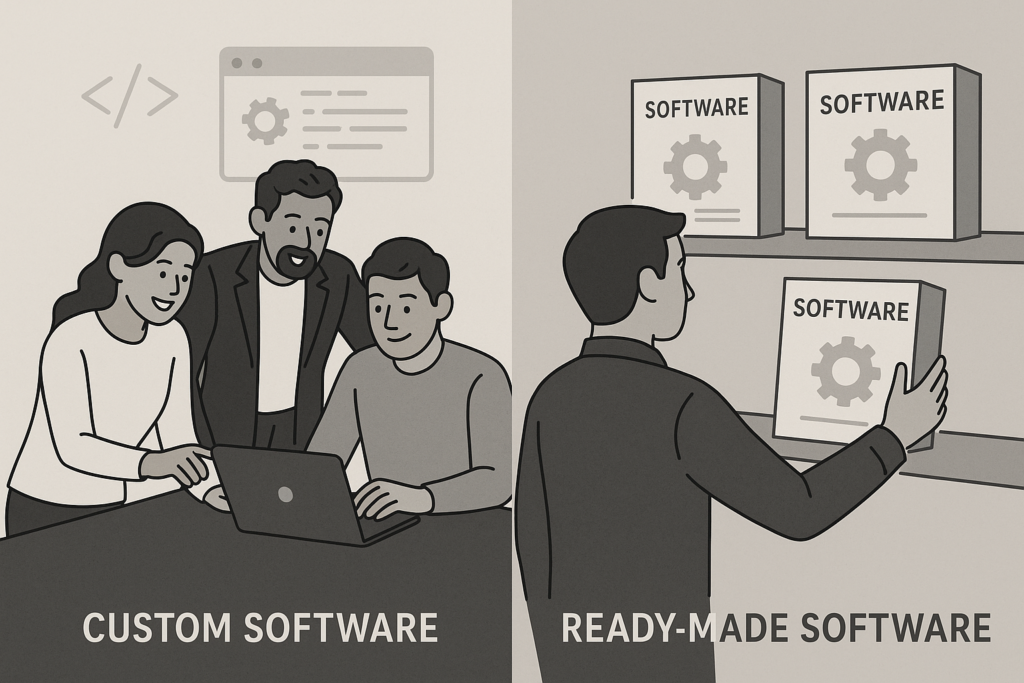
Choosing the right maintenance software can significantly impact your business operations. For many organizations, the main question is whether to invest in in-house maintenance software or select an off-the-shelf solution. Both options come with unique advantages and challenges, so understanding their differences is essential for making an informed decision.
In this guide, we’ll compare in-house maintenance software vs off-the-shelf solutions in detail. We’ll examine their features, benefits, drawbacks, costs, and ideal use cases. By the end, you’ll be better equipped to choose the best fit for your company’s needs.
Understanding the Basics: In-House vs Off-the-Shelf Maintenance Software
First, let’s clarify what each option means. In-house maintenance software is built specifically for your business—either by your internal team or with the help of a custom software provider. In contrast, off-the-shelf software is a pre-built solution designed for a broad audience, ready to deploy with minimal setup.
To learn more about the general differences between custom and pre-built software, consider reading Custom Software vs Off-the-Shelf: Which Is Right for You?.
Key Features and Capabilities
When comparing in-house and off-the-shelf maintenance software, it’s important to look at the features each offers. While both aim to streamline maintenance processes, their capabilities often differ depending on how they’re developed and implemented.
In-House Maintenance Software
- Full Customization: Tailor every aspect to match your workflows.
- Seamless Integration: Connect with existing business systems or tools.
- Data Security: Control access and compliance to meet internal standards.
- Scalability: Adapt the software as your business grows or changes.
- Unique Reporting: Generate custom reports and analytics relevant to your needs.
Off-the-Shelf Maintenance Software
- Quick Deployment: Install and start using the software almost immediately.
- Standardized Features: Benefit from widely-used maintenance management tools.
- Vendor Support: Access regular updates and technical assistance.
- Lower Upfront Costs: Pay a subscription or one-time fee instead of funding development.
- Proven Reliability: Use software tested by many businesses across industries.
Advantages of In-House Maintenance Software
Next, let’s explore why some businesses choose to build their own maintenance software. In many cases, the benefits are tied to control, flexibility, and long-term value.
- Customization: In-house solutions allow you to design features for your specific processes. As a result, you can eliminate unnecessary steps and boost efficiency.
- Integration: Because the software is built for your environment, integration with existing systems is smoother and more reliable.
- Data Ownership: You maintain full control of your data, which enhances privacy and compliance.
- Adaptability: Over time, you can update or expand the software to support new requirements.
However, these benefits often come with higher initial costs and longer development timelines.
Advantages of Off-the-Shelf Maintenance Software
Meanwhile, off-the-shelf software appeals to businesses seeking fast results and predictable costs. Here are some reasons companies prefer these solutions:
- Faster Implementation: Off-the-shelf options can be deployed quickly, minimizing downtime.
- Lower Initial Investment: You avoid large upfront development expenses.
- Ongoing Vendor Support: Regular updates, security patches, and customer service are included.
- Best Practices: Benefit from features refined by industry standards and user feedback.
That said, off-the-shelf software may not fit every requirement, and customization is usually limited.
Drawbacks and Challenges of Each Approach
While both types of maintenance software offer clear benefits, it’s equally important to understand their limitations. For example, in-house solutions require a significant investment in time, talent, and budget. On the other hand, off-the-shelf software might not provide the flexibility or unique features your business needs.
In-House Software Challenges
- High Upfront Cost: Development, testing, and deployment require substantial investment.
- Longer Timelines: Building from scratch means you may wait months before going live.
- Ongoing Maintenance: Your IT team must handle updates, bug fixes, and support.
- Talent Dependency: Success depends on the expertise of your developers and project managers.
Off-the-Shelf Software Challenges
- Limited Customization: You may need to adapt your processes to fit the software.
- Recurring Costs: Subscription or licensing fees can add up over time.
- Integration Issues: Compatibility with legacy systems can be a concern.
- Vendor Lock-In: Your business becomes reliant on the provider’s roadmap and support.
Cost Comparison: In-House vs Off-the-Shelf Maintenance Software
Cost is often a deciding factor. Therefore, let’s break down the typical expenses associated with each option.
In-House Maintenance Software Costs
- Development: Initial outlay for design, coding, and testing is significant.
- Infrastructure: You may need new servers or cloud resources.
- Maintenance: Ongoing costs include bug fixes, updates, and enhancements.
- Training: Staff may require time to learn the new system.
Off-the-Shelf Maintenance Software Costs
- Licensing: Pay monthly or annual fees for access.
- Implementation: Some setup or customization fees may apply.
- Support: Most support is included, but advanced help may cost extra.
- Upgrades: Regular updates are usually part of the subscription.
In other words, in-house software requires higher upfront investment but may save money over time if your needs are stable. Off-the-shelf software spreads costs over time but can become expensive if you need many licenses or premium features.
When to Choose In-House Maintenance Software
For some businesses, custom development is the clear winner. Consider in-house maintenance software if:
- You have unique workflows that off-the-shelf products can’t support.
- Data security and compliance are top priorities.
- You need deep integration with legacy or proprietary systems.
- Your company has the resources and expertise to build and maintain software.
- Long-term flexibility is more important than immediate cost savings.
When to Choose Off-the-Shelf Maintenance Software
On the other hand, off-the-shelf solutions are best when:
- You need to deploy quickly with minimal disruption.
- Your maintenance needs are standard and well-understood.
- Budget constraints make custom development impractical.
- You prefer predictable costs and regular updates.
- IT resources are limited or focused on other priorities.
Decision-Making Checklist
To make this easier, use the following checklist to guide your decision:
- List your must-have features and integration needs.
- Assess your internal IT capabilities and resources.
- Estimate your total cost of ownership over 3–5 years.
- Consider your timeline for deployment.
- Evaluate data security and compliance requirements.
- Determine if your processes are unique or standard.
For a more detailed comparison of software buying strategies, see our article on Custom Software vs Off-the-Shelf Solutions.
Case Study Examples
To illustrate, let’s look at two scenarios:
Manufacturing Company: In-House Approach
A large manufacturer needed advanced asset management and compliance tracking. Off-the-shelf products lacked the required features, so they built a custom solution. As a result, they achieved seamless integration and improved reporting, though the project took several months and required a dedicated IT team.
Retail Chain: Off-the-Shelf Success
Meanwhile, a regional retail chain chose a leading off-the-shelf maintenance platform. They were able to roll out the software in weeks, train staff quickly, and benefit from ongoing vendor support. Although customization was limited, the solution met their core needs and kept costs predictable.
Frequently Asked Questions
- What is the difference between in-house maintenance software and off-the-shelf software?
In-house maintenance software is custom-built by or for your organization to meet specific needs, while off-the-shelf software is a pre-built, ready-made solution designed for general use. - What are the benefits of using in-house maintenance software?
In-house software offers full customization, better integration with existing systems, and greater control over features and data security. - When should a business choose off-the-shelf maintenance software?
Off-the-shelf software is ideal for businesses looking for quick deployment, lower upfront costs, and standard features without the need for extensive customization. - How does cost compare between in-house and off-the-shelf maintenance software?
In-house software typically involves higher initial development costs but may reduce long-term expenses, whereas off-the-shelf software usually has lower upfront costs but recurring licensing fees.
Conclusion: Which Maintenance Software Is Best for Your Business?
Ultimately, the decision between in-house maintenance software vs off-the-shelf depends on your business size, needs, budget, and long-term strategy. If you require deep customization and control, in-house solutions may be worth the investment. However, if you want fast, reliable results and lower upfront costs, off-the-shelf software is often the better choice.
Before making your final decision, carefully weigh your priorities and consider seeking expert advice. For more guidance, visit our page on Custom Software vs Off-the-Shelf Solutions.
Image suggestion: A side-by-side comparison chart of in-house vs off-the-shelf software features.
Leave a Reply