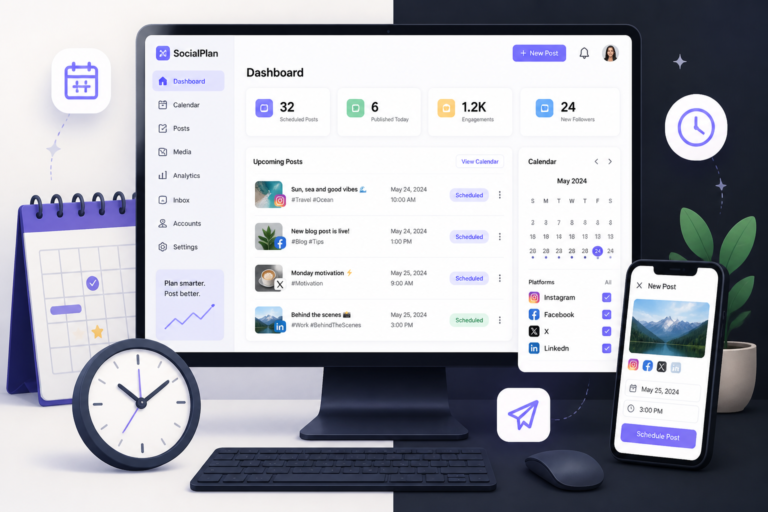
In today’s fast-paced digital landscape, managing your social media presence can be a daunting task, especially on platforms like Instagram. Fortunately, automating your Instagram posts with WordPress plugins can simplify this process significantly. One powerful tool to consider is the Xobytes Social Autopilot, a plugin designed to help you schedule and promote your posts effectively.
With the right automation strategies, you can save time and enhance your engagement without the hassle of manual posting. In this article, we will explore how to automate Instagram posting with WordPress, discuss the best plugins available, and share essential tips for maximizing your social media impact.
Why Automate Instagram Posting?
Automating your Instagram posts offers several benefits. First, it saves time by allowing you to schedule posts in advance. This means you can plan your content strategy without needing to log in daily. Additionally, automation helps maintain a consistent posting frequency, which is crucial for keeping your audience engaged. Finally, it allows you to focus on creating quality content rather than worrying about the timing of your posts.
Top Plugins for Automating Instagram Posting
To make this easier, we’ve compiled a list of some of the best plugins for automating Instagram posting on WordPress:
- Xobytes Social Autopilot: This plugin allows you to schedule and promote posts, pages, WooCommerce products, and custom content directly from your WordPress dashboard. It simplifies the posting process and ensures your content reaches your audience at the right time.
- Revive Old Posts: This plugin helps you share your old blog posts on social media, keeping your content alive and driving traffic to your site. It allows you to customize the message and schedule for sharing.
- Instagram Feed Pro: While primarily an Instagram feed plugin, it offers features that allow you to share posts directly from your WordPress site to your Instagram account.
- Social Media Auto Publish: This plugin enables you to publish posts automatically from your WordPress site to various social media platforms, including Instagram.
- Buffer: Though not a WordPress plugin, Buffer can be integrated with WordPress to schedule and manage your Instagram posts effectively.
How to Set Up Instagram Auto Posting with WordPress
Setting up Instagram auto posting with WordPress is straightforward. Here’s a step-by-step guide:
- Install Your Chosen Plugin: Go to your WordPress dashboard, navigate to the Plugins section, and click on Add New. Search for the plugin you want to use, install it, and activate it.
- Connect Your Instagram Account: Follow the plugin’s instructions to connect your Instagram account. This usually involves logging into Instagram and granting the necessary permissions.
- Configure Settings: Adjust the settings according to your preferences. This includes setting up posting schedules, customizing post formats, and selecting the types of content to share.
- Create Your Content: Prepare the posts you want to share. Ensure that your visuals are engaging and your captions are optimized for your audience.
- Schedule Your Posts: Use the plugin’s scheduling feature to set the times for your posts to go live. Make sure to consider your audience’s active hours for maximum engagement.
- Monitor and Adjust: After your posts are live, monitor their performance through Instagram Insights or your plugin’s analytics features. Adjust your strategy based on what works best.
Best Practices for Instagram Automation
To maximize the effectiveness of your automated Instagram posting, consider the following best practices:
- Engage with Your Audience: Automation should not replace human interaction. Make sure to respond to comments and messages promptly.
- Use High-Quality Images: Instagram is a visual platform, so always use high-quality images that resonate with your audience.
- Optimize Captions and Hashtags: Craft engaging captions and use relevant hashtags to expand your reach.
- Test Different Posting Times: Experiment with different posting times to find when your audience is most active.
- Stay Updated on Instagram Policies: Regularly check Instagram’s policies to ensure your automation practices remain compliant.
Related XoBytes Products

Social Media Autopilot With AI by XoBytes.com
$19.99
Xobytes Social Autopilot is a WordPress social media autoposter that helps schedule and promote posts, pages, WooCommerce products,…

AI SEO Data & Automatic Blog Writer for WordPress by XoBytes
$19.99
Turn your WordPress site, Google Search Console data, and SEO opportunities into smarter blog posts, pages, titles, meta…

Tamper Guard by XoBytes | WordPress Plugin Tamper Detector
$25.00
Protect your commercial WordPress plugins with license-based tamper detection, file integrity monitoring, automatic shutdown protection, and site reporting.…

Plugin Update Server for WordPress by XoBytes.com
$25.00
Plugin Update Server by XoBytes lets WordPress plugin sellers deliver private plugin updates directly to customer dashboards. Upload…

Agentic Support Desk for WordPress by XoBytes.com
$19.99
Agentic Support Desk by Xobytes is an AI-powered WordPress support desk built for software sellers, WooCommerce stores, agencies,…

Agentic Construction Theme | More than just a theme | Built for all trades
$49.99
Why You Need This Theme And Plugin! Click here for the Demo Agentic Construction Theme by XoBytes is…
Product 1 of 6
Conclusion
Automating Instagram posting with WordPress can significantly enhance your social media strategy, saving you time and increasing engagement with your audience. By using plugins like the Xobytes Social Autopilot, you can streamline your posting process and focus on creating high-quality content. Remember to engage with your audience and monitor your performance to continuously improve your strategy.
Advanced Features of Instagram Automation Plugins
While the basic functionalities of Instagram automation plugins are essential, many offer advanced features that can further enhance your social media strategy. Here are some noteworthy capabilities to consider:
- Content Curation: Some plugins allow you to curate content from other users or sources, enabling you to share relevant posts that resonate with your audience.
- Analytics and Reporting: Advanced plugins provide in-depth analytics, helping you understand which posts perform best and how your audience engages with your content.
- Customizable Posting Schedules: Set specific times for different types of posts (e.g., promotional content vs. user-generated content) to optimize engagement.
- Multiple Account Management: If you manage several Instagram accounts, look for plugins that allow you to switch between accounts seamlessly.
Practical Examples of Instagram Automation
To illustrate how automation can work in practice, consider the following scenarios:
For additional authoritative context, review Facebook.
Continue with How to Automate Instagram Posting with WordPress: Best Plugins and Tips for additional XoBytes guidance.
- Seasonal Campaigns: If you’re running a seasonal campaign (e.g., summer sales), you can schedule posts in advance to maintain a consistent presence leading up to the event. Use your plugin to create a series of posts that build anticipation.
- User-Generated Content: Encourage your followers to tag your brand in their posts. Use automation to share these user-generated posts on your Instagram feed, showcasing your community and fostering engagement.
- Content Series: If you have a recurring series (like a weekly tip or tutorial), you can batch schedule these posts to ensure they go live at the same time each week, keeping your audience engaged and looking forward to the next installment.
Choosing the Right Plugin for Your Needs
When selecting an Instagram automation plugin, consider the following decision criteria:
- Ease of Use: Look for plugins with user-friendly interfaces and clear instructions for setup and use.
- Compatibility: Ensure the plugin is compatible with your current WordPress theme and other plugins you may be using.
- Support and Updates: Choose a plugin that receives regular updates and offers reliable customer support to address any issues you might encounter.
- Pricing: Evaluate the cost of the plugin against its features. Some may offer free versions with limited capabilities, while others may require a subscription for advanced features.
Common Challenges and Solutions in Instagram Automation
While automating your Instagram posting can streamline your workflow, you may encounter challenges. Here are some common issues and how to address them:
- Content Overlap: To avoid posting similar content too frequently, maintain a content calendar that outlines what and when you will post.
- Engagement Drops: If you notice a decline in engagement, consider mixing automated posts with real-time content, such as stories or live videos, to maintain a personal touch.
- Technical Issues: If your posts are not publishing as scheduled, check your plugin settings and ensure your Instagram account is properly connected. Regularly update your plugins to prevent compatibility issues.
Conclusion
By leveraging advanced features, practical examples, and careful plugin selection, you can effectively automate your Instagram posting through WordPress. This not only saves time but also enhances your overall social media strategy, allowing you to focus on creating engaging content that resonates with your audience.
Frequently Asked Questions
Here are some common questions about automating Instagram posting with WordPress:
What are the best WordPress plugins for automating Instagram posts?
Some of the top WordPress plugins for Instagram automation include Social Autopilot and other dedicated auto poster plugins that allow scheduling and automatic posting directly from your site.
How does Instagram automation benefit my social media strategy?
Automation saves time by scheduling posts in advance, maintains consistent posting frequency, and helps increase engagement without manual effort.
Are there any risks or limitations with using Instagram auto poster plugins?
Yes, some plugins may face API restrictions or require proper setup to avoid spammy behavior. Always choose reputable plugins and follow Instagram's terms of service.
What are the best WordPress plugins for automating Instagram posts?
Some of the top WordPress plugins for Instagram automation include Social Autopilot and other dedicated auto poster plugins that allow scheduling and automatic posting directly from your site.
How does Instagram automation benefit my social media strategy?
Automation saves time by scheduling posts in advance, maintains consistent posting frequency, and helps increase engagement without manual effort.
Are there any risks or limitations with using Instagram auto poster plugins?
Yes, some plugins may face API restrictions or require proper setup to avoid spammy behavior. Always choose reputable plugins and follow Instagram's terms of service.