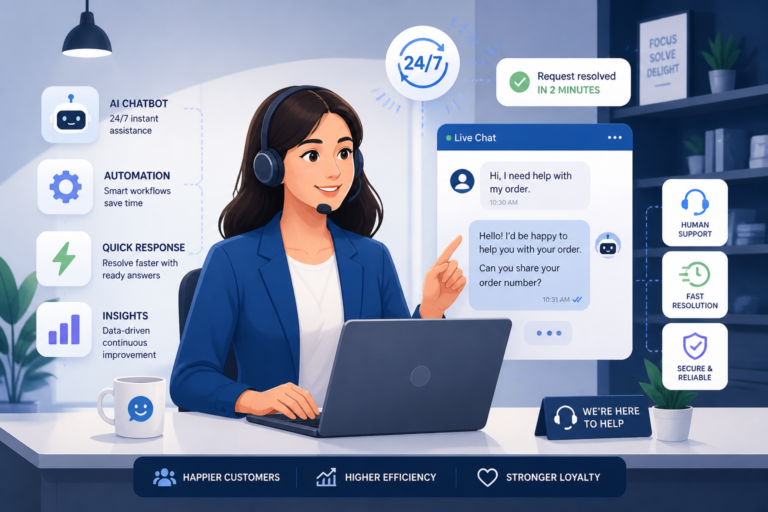
In today’s competitive online marketplace, providing exceptional customer support is crucial for the success of any WooCommerce store. Without a streamlined support system, customer satisfaction can plummet, leading to lost sales and a damaged reputation. Therefore, implementing support desk automation is essential. This article will explore streamlining customer support in WooCommerce with support desk automation, highlighting best practices, tools, and strategies to enhance your customer service capabilities.
Why Automate Customer Support?
Automating customer support offers numerous benefits, including:
- Increased Efficiency: Automation reduces manual tasks, allowing your support team to focus on more complex issues.
- Faster Response Times: Automated systems can handle inquiries instantly, providing customers with quick answers.
- Improved Customer Satisfaction: Swift and organized support leads to happier customers who are more likely to return.
- Cost-Effectiveness: Reducing the workload on your support team can lead to lower operational costs.
However, implementing automation requires careful planning and the right tools to ensure a smooth transition.
Choosing the Right Support Desk Plugin
When looking to streamline customer support in WooCommerce, selecting the right support desk plugin is crucial. Here are some factors to consider:
- Integration: Ensure the plugin integrates seamlessly with your existing WooCommerce setup.
- Features: Look for features such as ticket management, AI chatbots, and auto-replies.
- User-Friendliness: The interface should be intuitive for both your team and customers.
- Support: Reliable customer support from the plugin provider is essential for troubleshooting.
For example, the Agentic Support Desk is an AI-powered solution that offers robust features for WooCommerce stores, making it an excellent choice for enhancing customer support.
Key Features of Effective Helpdesk Solutions
To effectively streamline customer support, your chosen helpdesk solution should include:
- Ticket Management: Organize and prioritize customer inquiries through a ticketing system.
- Automation Tools: Utilize automation for routing tickets, sending auto-responses, and managing workflows.
- Reporting and Analytics: Gain insights into support performance and customer satisfaction through analytics.
- Multi-Channel Support: Allow customers to reach you via various channels, including email, chat, and social media.
With these features, you can provide a comprehensive support experience that meets customer needs efficiently.
Implementing Support Desk Automation
To implement support desk automation successfully, follow these steps:
- Assess Your Current Support System: Identify bottlenecks and areas needing improvement in your current workflow.
- Select a Plugin: Choose a helpdesk plugin that fits your business needs, such as the best WooCommerce helpdesk apps.
- Train Your Team: Ensure your support team understands how to use the new system and its features.
- Monitor and Optimize: Regularly review the performance of your support desk and make adjustments as necessary.
By following these steps, you can create an efficient and responsive customer support system that enhances your WooCommerce store’s reputation.
Best Practices for Customer Support Automation
To maximize the benefits of support desk automation, consider these best practices:
- Personalization: Use customer data to personalize interactions and responses.
- Feedback Loops: Regularly collect feedback from customers to improve your support processes.
- Regular Updates: Keep your support desk software updated to leverage new features and security enhancements.
- Comprehensive Knowledge Base: Create a knowledge base for customers to find answers to common questions independently.
Implementing these practices will help you build a more effective support system that meets customer expectations.
Security Considerations for Helpdesk Automation
While automating customer support, it is vital to maintain security. Here are some critical considerations:
- Data Protection: Use plugins like Tamper Guard to protect sensitive customer data.
- Regular Updates: Ensure that your support plugins are regularly updated to prevent vulnerabilities.
- Access Controls: Limit access to sensitive data and support tools to authorized personnel only.
By prioritizing security, you can protect both your business and your customers.
Conclusion
In conclusion, streamlining customer support in WooCommerce with support desk automation is essential for improving customer satisfaction and operational efficiency. By choosing the right tools, implementing best practices, and ensuring security, you can create a responsive and effective support system. Start enhancing your WooCommerce customer support today!
Related XoBytes Products

Agentic Support Desk for WordPress by XoBytes.com
$19.99
Agentic Support Desk by Xobytes is an AI-powered WordPress support desk built for software sellers, WooCommerce stores, agencies,…

Tamper Guard by XoBytes | WordPress Plugin Tamper Detector
$25.00
Protect your commercial WordPress plugins with license-based tamper detection, file integrity monitoring, automatic shutdown protection, and site reporting.…

Agentic Consultant, Product Rep, & Customer Service Agent By XoBytes.com
$19.99
Agentic Consultant for WordPress gives your website a smart AI product rep, customer service agent, and hands-free voice…

Plugin Update Server for WordPress by XoBytes.com
$25.00
Plugin Update Server by XoBytes lets WordPress plugin sellers deliver private plugin updates directly to customer dashboards. Upload…

AI SEO Data & Automatic Blog Writer for WordPress by XoBytes
$19.99
Turn your WordPress site, Google Search Console data, and SEO opportunities into smarter blog posts, pages, titles, meta…
License manager for WooCommerce by XoBytes.com
$25.00
Xobytes License Manager for WooCommerce is a powerful WooCommerce license manager plugin that lets you sell software licenses,…
Product 1 of 6
Continue with Essential WooCommerce Customer Support Tools to Improve Store Satisfaction for additional XoBytes guidance.
Practical Examples of Automation in Customer Support
To better understand how support desk automation can be implemented effectively in WooCommerce, let’s look at some practical examples:
- Automated Ticket Routing: When a customer submits a query, an automated system can analyze the content of the message and route it to the appropriate department or support agent based on keywords. For instance, if a customer mentions “refund,” the ticket can be automatically directed to the finance team.
- AI Chatbots for Initial Queries: Many WooCommerce stores utilize AI chatbots to handle common inquiries such as order status, shipping information, and return policies. This not only provides instant responses but also frees up human agents to focus on more complex issues.
- Follow-Up Emails: After a support ticket is resolved, an automated follow-up email can be sent to the customer asking for feedback on their experience. This can help gather valuable insights while keeping the customer engaged.
Comparing Popular Support Desk Plugins for WooCommerce
When selecting a support desk plugin for your WooCommerce store, it’s essential to compare the features and pricing of available options. Here are a few popular plugins:
| Plugin | Key Features | Pricing |
|---|---|---|
| Agentic Support Desk | AI chatbots, ticket management, multi-channel support | Starts at $29/month |
| Zendesk | Customizable ticketing system, reporting and analytics | Starts at $19/month |
| Freshdesk | Collaboration tools, automation workflows, mobile app | Free for basic features, premium plans available |
Implementation Steps for Successful Automation
Implementing support desk automation involves several critical steps to ensure success:
- Define Your Goals: Determine what you want to achieve with automation, such as reducing response times or improving customer satisfaction scores.
- Choose the Right Tools: Based on your goals, select a support desk plugin that offers the necessary features and integrates well with WooCommerce.
- Customize Your Automation: Set up automated responses, ticket routing rules, and workflows tailored to your business needs.
- Test the System: Before going live, conduct thorough testing to ensure all automated processes work as intended and provide a seamless experience for customers.
- Train Your Team: Provide comprehensive training for your support team on using the new system, focusing on how to handle escalated issues that the automation may not resolve.
- Monitor and Adjust: After implementation, continuously monitor the performance of your support desk automation, gather feedback, and make necessary adjustments to optimize efficiency.
Decision Criteria for Selecting a Support Desk Plugin
When choosing a support desk plugin for your WooCommerce store, consider the following decision criteria:
- Scalability: Ensure the plugin can grow with your business and handle an increasing volume of customer inquiries.
- Integration Capabilities: Look for plugins that easily integrate with other tools and platforms you are using, such as CRM systems or email marketing tools.
- User Reviews and Ratings: Research user feedback to gauge the reliability and effectiveness of the plugin in real-world scenarios.
- Customer Support: Evaluate the level of support provided by the plugin developer, including response times and availability of resources like documentation and tutorials.
Frequently Asked Questions
Here are some common questions about streamlining customer support in WooCommerce:
- What are the best WordPress plugins for WooCommerce customer support? Popular options include Agentic Support Desk, which offers AI-powered support automation, ticket management, and integration capabilities tailored for WooCommerce stores.
- How can I automate customer support for my WooCommerce webshop? Using support desk plugins with automation features, such as ticket routing, auto-replies, and AI chatbots, can significantly streamline support workflows and improve response times.
- What security considerations are important when implementing a helpdesk in WooCommerce? Ensure plugins like Tamper Guard are used to protect support-related files, and regularly update your support plugins to prevent tampering and security breaches.
- Can helpdesk plugins improve customer satisfaction in WooCommerce? Yes, by providing faster, more organized, and automated support, helpdesk plugins can enhance customer experience and foster loyalty.