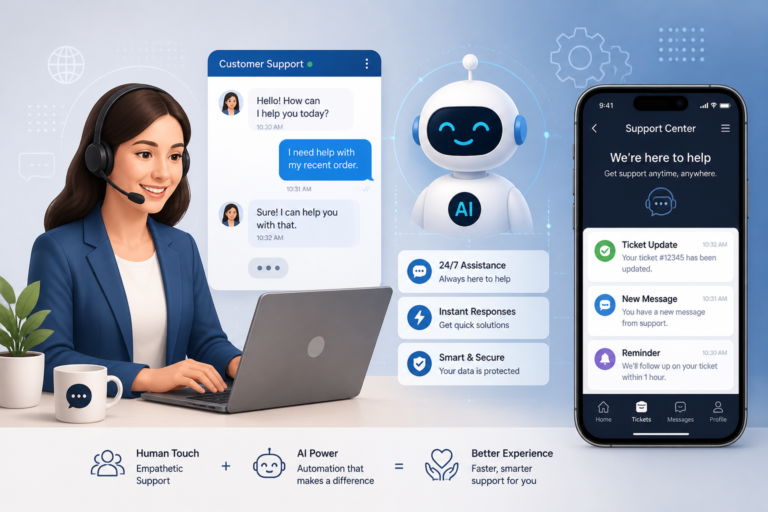
In the fast-paced world of eCommerce, providing exceptional customer support is crucial for any WooCommerce store. Therefore, implementing the right support plugins can significantly enhance your service efficiency and customer satisfaction. One standout option is the Agentic Consultant, which serves as a smart AI product representative, customer service agent, and voice assistant. With this innovative tool, you can streamline customer interactions and ensure that inquiries are handled swiftly and effectively.
This guide aims to explore essential plugins and best practices for streamlining WooCommerce customer support. By leveraging these tools, you can improve response times, automate repetitive tasks, and create a more satisfying experience for your customers.
Why Streamlining Customer Support is Essential
As competition grows in the eCommerce sector, customer expectations are higher than ever. Customers expect quick responses and effective solutions to their problems. To meet these demands, you need a robust support system that integrates well with your WooCommerce store. Effective support not only enhances customer satisfaction but also improves retention rates and boosts sales.
Key Features of Effective Customer Support Plugins
When choosing plugins for your WooCommerce store, look for the following key features:
- Live Chat: Enables real-time communication with customers, allowing for immediate assistance.
- Ticket Management: Organizes customer inquiries into manageable tickets, ensuring nothing falls through the cracks.
- Automation: Automates routine tasks such as ticket routing and responses, freeing up time for your support team.
- Knowledge Base Integration: Provides customers with self-help resources, reducing the number of inquiries.
- CRM Compatibility: Integrates with customer relationship management systems to provide a holistic view of customer interactions.
- Support Analytics: Offers insights into performance metrics and customer satisfaction levels, helping to improve service quality.
Top WooCommerce Customer Support Plugins
To make your selection easier, here are some of the best WooCommerce customer support plugins available:
- Agentic Support Desk: This AI-powered support desk provides automation for ticket management and integrates seamlessly with WooCommerce. It is ideal for businesses looking to enhance their customer service without overwhelming their support teams.
- LiveChat: A popular choice among eCommerce businesses, LiveChat allows for real-time communication with customers and provides analytics to track performance.
- Zendesk: Known for its comprehensive features, Zendesk offers a robust ticket management system and integrates with various platforms to enhance customer service efficiency.
- WooCommerce Helpdesk: This plugin provides a simple interface for managing customer inquiries and includes features like ticket routing and automated responses.
Implementing Best Practices for Customer Support
To optimize your customer support, consider the following best practices:
- Train Your Team: Ensure that your support team is well-trained in using the support tools and understands the importance of customer service.
- Utilize Automation: Leverage automation features to handle routine inquiries and free up your team for more complex issues.
- Gather Feedback: Regularly collect feedback from customers to identify areas for improvement in your support processes.
- Monitor Performance: Use analytics to track key performance indicators, such as response times and customer satisfaction scores.
Why Choose the Agentic Consultant?
The Agentic Consultant is a game-changer for WooCommerce store owners looking to enhance their customer support. Priced at just $19.99, this AI tool is designed to handle inquiries efficiently, providing instant responses to customers while reducing the workload on your support team. It is perfect for businesses that want to offer 24/7 support without the need for additional staff.
However, it’s important to note that while the Agentic Consultant is ideal for many businesses, it may not be suitable for those with highly specialized customer service needs that require human intervention.
Related XoBytes Products

Agentic Consultant, Product Rep, & Customer Service Agent By XoBytes.com
$19.99
Agentic Consultant for WordPress gives your website a smart AI product rep, customer service agent, and hands-free voice…

Agentic Support Desk for WordPress by XoBytes.com
$19.99
Agentic Support Desk by Xobytes is an AI-powered WordPress support desk built for software sellers, WooCommerce stores, agencies,…

Agentic Construction Theme | More than just a theme | Built for all trades
$49.99
Why You Need This Theme And Plugin! Click here for the Demo Agentic Construction Theme by XoBytes is…
License manager for WooCommerce by XoBytes.com
$25.00
Xobytes License Manager for WooCommerce is a powerful WooCommerce license manager plugin that lets you sell software licenses,…

Upgrades, Packages & Tiers for WooCommerce By XoBytes.com
$25.00
This is a FREEMIUM plugin. Get the free version “Upgrades, Packages & Tiers for WooCommerce By XoBytes.com” Pro…

Tamper Guard by XoBytes | WordPress Plugin Tamper Detector
$25.00
Protect your commercial WordPress plugins with license-based tamper detection, file integrity monitoring, automatic shutdown protection, and site reporting.…
Product 1 of 6
Conclusion
Streamlining your WooCommerce customer support is essential for meeting the growing demands of online shoppers. By utilizing effective support plugins and implementing best practices, you can enhance your service quality and improve customer satisfaction. Consider incorporating the Agentic Consultant into your support strategy to take your customer service to the next level.
For additional authoritative context, review Facebook.
Comparative Analysis of Top Customer Support Plugins
When selecting a customer support plugin for your WooCommerce store, it’s helpful to compare the features, pricing, and user experience of the top options. Below is a comparative analysis of some of the leading plugins:
Continue with Top WooCommerce Customer Support Plugins for Seamless Service for additional XoBytes guidance.
| Plugin | Key Features | Pricing | User Experience |
|---|---|---|---|
| Agentic Support Desk | AI automation, ticket management, 24/7 support | $19.99/month | Intuitive interface, easy setup |
| LiveChat | Real-time chat, analytics, customizable widgets | $16/month | Highly rated for customer support |
| Zendesk | Comprehensive ticket management, multi-channel support | Starting at $19/month | Feature-rich but can be complex |
| WooCommerce Helpdesk | Simple ticket management, automated responses | $15/month | User-friendly, ideal for small businesses |
Implementation Steps for Customer Support Plugins
Implementing a customer support plugin in your WooCommerce store involves several key steps. Here’s a streamlined process to help you get started:
- Assess Your Needs: Determine the specific features you require based on your customer support volume and type of inquiries.
- Choose a Plugin: Based on your assessment, select a plugin that best fits your needs and budget.
- Install the Plugin: Go to your WordPress admin panel, navigate to ‘Plugins’, and click ‘Add New’. Upload the plugin file or search for it in the repository.
- Configure Settings: Once installed, configure the plugin settings to align with your customer support processes.
- Train Your Team: Ensure your support team understands how to use the new tool effectively.
- Launch and Monitor: Go live with the plugin and monitor its performance, making adjustments as necessary based on customer feedback.
Enhancing Customer Support with AI and Automation
Integrating AI and automation into your customer support strategy can significantly enhance efficiency. Here are some practical ways to leverage these technologies:
- AI Chatbots: Use chatbots for initial customer interactions to handle common inquiries and direct customers to appropriate resources.
- Automated Follow-ups: Set up automated email follow-ups after a support ticket is resolved to gather feedback and ensure customer satisfaction.
- Smart Routing: Implement smart routing to automatically assign tickets to the appropriate support agents based on their expertise.
- Self-Service Options: Create a comprehensive knowledge base that allows customers to find answers independently, reducing the volume of support tickets.
Choosing the Right Support Plugin: Decision Criteria
When evaluating which customer support plugin to implement, consider the following criteria:
- Integration Capabilities: Ensure the plugin integrates seamlessly with your existing WooCommerce setup and other tools you use.
- Scalability: Choose a plugin that can grow with your business, accommodating increased customer inquiries as your store expands.
- User Reviews and Ratings: Research user feedback to gauge the effectiveness and reliability of the plugin.
- Support and Documentation: Look for plugins that offer robust customer support and comprehensive documentation to assist with setup and troubleshooting.
Frequently Asked Questions
Here are some common questions about WooCommerce customer support plugins:
- What are the key features to look for in WooCommerce customer support plugins? Key features include live chat, ticket management, automation, knowledge base integration, CRM compatibility, and support analytics.
- How do I choose the best support plugin for my WooCommerce store? Consider your support needs, budget, ease of setup, integration capabilities, and user reviews. Prioritize plugins that offer automation and seamless WooCommerce integration.
- Can support plugins automate customer inquiries and ticket handling? Yes, many support plugins include automation features such as auto-responders, ticket routing, and support workflows to streamline customer service.
- Are there support plugins that integrate with AI chatbots? Yes, some plugins like Agentic Support Desk can integrate with AI chatbots to provide instant responses and reduce support team workload.