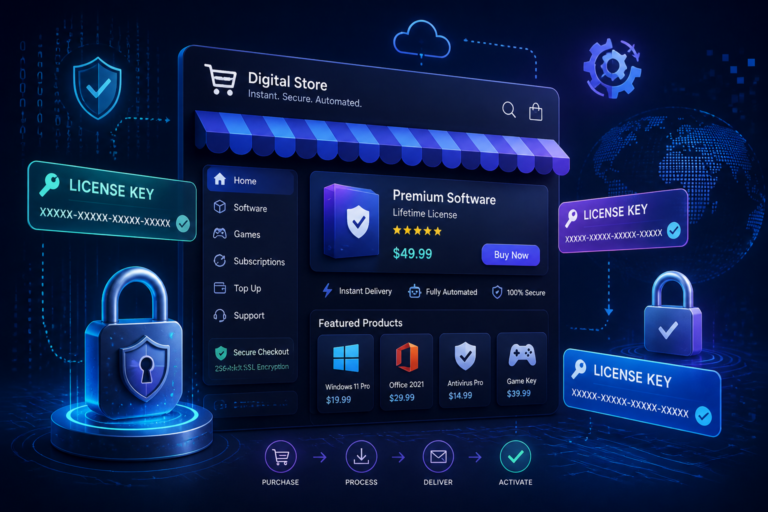
Managing digital products in your WooCommerce store can be challenging, especially when it comes to licensing. Therefore, utilizing the right plugins is crucial for streamlining this process. In this article, we will explore the top WooCommerce license plugins that simplify digital product licensing, enhance security, and improve the customer experience.
Why Use License Plugins?
Implementing license management plugins in your WooCommerce store provides several benefits. First, they automate the issuance and validation of license keys, reducing manual errors. Moreover, they protect your digital products from unauthorized use. In addition, these plugins help you maintain compliance with licensing agreements, ensuring that your business operates within legal boundaries.
Key Features of License Management Plugins
When choosing a WooCommerce license plugin, consider the following key features:
- License Key Generation: Automatically generate unique license keys for each purchase.
- Validation: Validate license keys upon activation to ensure they are legitimate.
- Automated Renewals: Manage license renewals seamlessly to keep customers updated.
- Reporting: Track license usage and compliance for better management.
- Integration: Ensure compatibility with existing WooCommerce setups.
Top WooCommerce License Plugins
Here are some of the best WooCommerce license plugins to consider:
1. License Manager for WooCommerce by XoBytes
This powerful plugin allows you to sell software licenses efficiently. It features automated license key generation, validation, and a user-friendly interface. Additionally, it provides detailed reporting to track license usage.
For useful background on this topic, see Best WooCommerce License Management Plugins for Secure Digital Sales.
2. Software License Manager
This plugin offers comprehensive license management features, including automated email notifications for license renewals. It also supports various licensing models, making it suitable for diverse digital products.
3. WooCommerce Software License
Designed specifically for software sales, this plugin simplifies the license management process. It allows for easy integration with WooCommerce and provides essential features like license key validation and renewal management.
4. Easy Digital Downloads
While primarily an eCommerce solution, Easy Digital Downloads has robust licensing features that can be integrated with WooCommerce. It supports automated license key generation and management, making it a versatile choice.
5. WooCommerce License Key Generator
This plugin focuses on generating unique license keys for your digital products. It offers a straightforward setup process and is compatible with various WooCommerce themes.
Setting Up License Plugins in WooCommerce
To set up a license plugin, follow these general steps:
- Install the Plugin: Go to your WordPress dashboard, navigate to Plugins, and click Add New. Search for your chosen license manager and click Install.
- Activate the Plugin: Once installed, activate the plugin to enable its features.
- Configure Settings: Access the plugin’s settings page to configure license key generation, validation rules, and email notifications.
- Test the Setup: Make a test purchase to ensure that the license key is generated and validated correctly.
Best Practices for License Management
To maximize the effectiveness of your license management system, consider these best practices:
- Regularly Update Plugins: Ensure your license management plugins are up-to-date to benefit from the latest features and security improvements.
- Monitor License Usage: Keep an eye on how many licenses are in use to prevent unauthorized access.
- Communicate with Customers: Send notifications for renewals and updates to keep customers informed.
- Provide Support: Offer customer support for any issues related to license activation or usage.
Conclusion
In conclusion, managing digital product licensing in WooCommerce can greatly benefit from implementing the right plugins. By using top WooCommerce license plugins, you can automate key processes, enhance security, and improve the overall customer experience. Therefore, explore the options mentioned in this article and choose the best one for your business needs.
For a practical companion to this section, explore Top WooCommerce Plugins for Software License Management & Automation.
Comparing WooCommerce License Plugins
When selecting a WooCommerce license plugin, it’s essential to compare their features and pricing to find the best fit for your business. Here’s a detailed comparison of the top plugins mentioned above:
- License Manager for WooCommerce by XoBytes:
- Price: $49/year
- Key Features: Automated license generation, detailed usage reports, and user-friendly interface.
- Best For: Businesses needing comprehensive reporting and easy management.
- Software License Manager:
- Price: $39/year
- Key Features: Supports various licensing models, automated email notifications.
- Best For: Companies with diverse digital products and licensing needs.
- WooCommerce Software License:
- Price: $59/year
- Key Features: Seamless WooCommerce integration, license key validation, renewal management.
- Best For: Businesses focused on software sales.
- Easy Digital Downloads:
- Price: $99/year for the full version
- Key Features: Comprehensive eCommerce features, automated license management.
- Best For: Those looking for a versatile eCommerce solution.
- WooCommerce License Key Generator:
- Price: $29/year
- Key Features: Simple setup, unique key generation.
- Best For: Startups needing a straightforward solution.
Implementation Steps for WooCommerce License Plugins
Once you’ve chosen a license plugin that suits your needs, here’s a step-by-step guide to implementing it effectively:
- Backup Your Site: Before making any changes, ensure you have a complete backup of your WordPress site.
- Install and Activate the Plugin: Follow the steps outlined in the previous section to install and activate your chosen plugin.
- Configure License Settings: Access the plugin settings to customize license key formats, validation methods, and renewal notifications.
- Integrate with Payment Gateways: Ensure that your license plugin is compatible with your payment gateways for seamless transactions.
- Create a Test Product: Set up a test digital product to verify that the license key generation and validation processes work correctly.
- Conduct User Testing: Have a few users test the purchase and activation process to identify any potential issues.
- Launch: Once everything is working smoothly, launch the plugin on your live site.
Related XoBytes Products
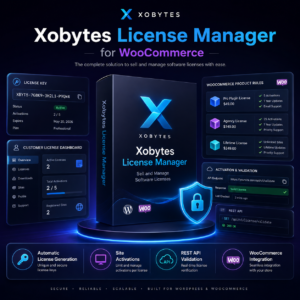
License manager for WooCommerce by XoBytes.com
$25.00
Xobytes License Manager for WooCommerce is a powerful WooCommerce license manager plugin that lets you sell software licenses,…

Tamper Guard by XoBytes | WordPress Plugin Tamper Detector
$25.00
Protect your commercial WordPress plugins with license-based tamper detection, file integrity monitoring, automatic shutdown protection, and site reporting.…

Plugin Update Server for WordPress by XoBytes.com
$25.00
Plugin Update Server by XoBytes lets WordPress plugin sellers deliver private plugin updates directly to customer dashboards. Upload…

Upgrades, Packages & Tiers for WooCommerce By XoBytes.com
$25.00
This is a FREEMIUM plugin. Get the free version “Upgrades, Packages & Tiers for WooCommerce By XoBytes.com” Pro…

Social Media Autopilot With AI by XoBytes.com
$19.99
Xobytes Social Autopilot is a WordPress social media autoposter that helps schedule and promote posts, pages, WooCommerce products,…

Agentic Consultant, Product Rep, & Customer Service Agent By XoBytes.com
$19.99
Agentic Consultant for WordPress gives your website a smart AI product rep, customer service agent, and hands-free voice…
Product 1 of 6
Common Challenges and Solutions
While implementing a WooCommerce license plugin can streamline your licensing process, you may encounter some challenges. Here are some common issues and their solutions:
- Issue: Customers report issues with license key validation.
Solution: Ensure that your server settings allow for proper communication between the plugin and the licensing server. Check for firewall or security settings that may be blocking requests.
- Issue: License keys are not generated after purchase.
Solution: Verify that your payment gateway is set up correctly and that the plugin settings allow for automatic key generation upon successful payment.
- Issue: Confusion over renewal notifications.
Solution: Customize the email templates within the plugin settings to provide clear instructions and information regarding renewals.
Continue with Streamline WooCommerce Software Sales: License Management Plugins Guide for additional XoBytes guidance.
Future-Proofing Your License Management
As technology and customer expectations evolve, it’s essential to future-proof your license management system. Here are some strategies to consider:
- Stay Updated: Regularly check for updates to your plugins and WordPress itself to ensure compatibility and security.
- Explore New Features: Keep an eye on new features released by your plugin developers that can enhance your licensing process.
- Gather Customer Feedback: Regularly solicit feedback from customers regarding their experience with license activation and management to identify areas for improvement.
Practical Examples of License Management in Action
Understanding how to effectively implement license management can be enhanced by examining real-world scenarios. Here are a few examples demonstrating the successful use of WooCommerce license plugins:
- Software Development Company: A software company utilized the License Manager for WooCommerce to sell its applications. By automating license key generation and validation, they reduced customer support inquiries related to activation issues by 40%.
- Digital Art Marketplace: An online marketplace for digital art used the WooCommerce Software License plugin to manage licenses for downloadable art files. This allowed artists to sell their work while ensuring that each purchase included a unique license, protecting their intellectual property.
- Online Course Provider: An education platform implemented the Software License Manager to manage access to its digital courses. By automating renewals and providing students with clear communication regarding their license status, they improved user satisfaction significantly.
Comparing License Management Plugins: A Deeper Dive
When evaluating WooCommerce license plugins, it’s important to consider not just features but also user experience and support. Here’s a more detailed comparison of the plugins mentioned earlier:
- License Manager for WooCommerce by XoBytes
- Pros: Excellent reporting features, user-friendly interface, and responsive support.
- Cons: May have a steeper learning curve for beginners.
- Software License Manager
- Pros: Versatile licensing models and automated notifications.
- Cons: Some users report occasional bugs with updates.
- WooCommerce Software License
- Pros: Seamless integration with WooCommerce and straightforward setup.
- Cons: Limited reporting features compared to others.
- Easy Digital Downloads
- Pros: Comprehensive eCommerce capabilities beyond just licensing.
- Cons: Higher price point may not suit all budgets.
- WooCommerce License Key Generator
- Pros: Simple and effective for startups needing basic functionality.
- Cons: Lacks advanced features for larger businesses.
Implementation Steps for Advanced Users
If you’re familiar with WordPress and WooCommerce, here are some advanced steps to enhance your license management setup:
- Customize License Key Formats: Tailor the format of your license keys to fit your branding or security needs. This can often be done in the plugin settings.
- Integrate with Third-Party Services: Consider integrating your license management system with third-party services such as email marketing platforms to automate customer communications.
- Use Webhooks: If your plugin supports it, set up webhooks to trigger actions in other applications when a license is activated or renewed.
- Conduct Security Audits: Regularly audit your license management setup to identify vulnerabilities and enhance security protocols.
Decision Criteria for Choosing a License Plugin
When selecting the right WooCommerce license plugin, consider the following decision criteria:
- Feature Set: Assess whether the features align with your business needs, such as automated renewals or reporting capabilities.
- Scalability: Ensure the plugin can grow with your business, accommodating more products and licenses as needed.
- User Reviews: Look for user feedback and ratings to gauge the reliability and performance of the plugin.
- Support and Documentation: Check if the plugin offers comprehensive support and documentation to assist you during implementation and troubleshooting.
- Price: Evaluate whether the pricing aligns with your budget and the value provided by the plugin.
Frequently Asked Questions
Managing software licenses can be complex, but with the right tools, you can simplify the process. Here are some common questions and answers:
What is the best WooCommerce plugin for managing software licenses?
The best plugin depends on your specific needs, but popular options include License Manager for WooCommerce by XoBytes, which offers license key generation, validation, and management features.
How do license plugins improve digital product security?
License plugins help prevent unauthorized use by generating unique license keys, validating them at purchase, and monitoring license compliance, thereby protecting your digital assets.
Can license plugins integrate with existing WooCommerce setups?
Yes, most license management plugins are designed to seamlessly integrate with WooCommerce, allowing easy setup and management within your existing store environment.
Are license plugins suitable for digital software sales?
Absolutely, license plugins are specifically built to handle digital products like software, providing features such as license key delivery, validation, and renewal management.
What is the best WooCommerce plugin for managing software licenses?
The best plugin depends on your specific needs, but popular options include License Manager for WooCommerce by XoBytes, which offers license key generation, validation, and management features.
How do license plugins improve digital product security?
License plugins help prevent unauthorized use by generating unique license keys, validating them at purchase, and monitoring license compliance, thereby protecting your digital assets.
Can license plugins integrate with existing WooCommerce setups?
Yes, most license management plugins are designed to seamlessly integrate with WooCommerce, allowing easy setup and management within your existing store environment.
Are license plugins suitable for digital software sales?
Absolutely, license plugins are specifically built to handle digital products like software, providing features such as license key delivery, validation, and renewal management.