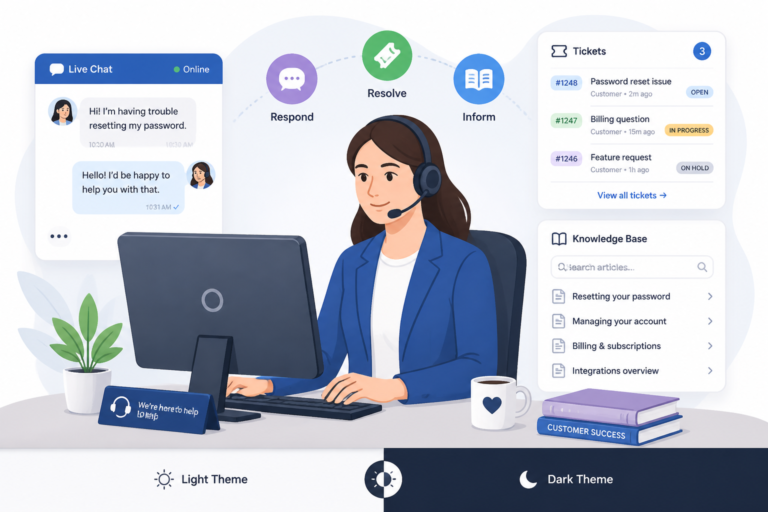
In today’s fast-paced digital landscape, providing exceptional customer support is crucial for any business. Therefore, utilizing the right tools can significantly enhance your support system. One of the best ways to achieve this is by using free helpdesk plugins for WordPress. This ultimate guide will explore the top free helpdesk plugins available, their features, and how they can improve your support team’s efficiency.
Why Use Helpdesk Plugins?
Helpdesk plugins streamline customer inquiries, automate responses, and improve overall service efficiency. Moreover, they allow support teams to manage tickets, track issues, and maintain communication with customers effectively. In addition, many plugins offer features like knowledge base integration, reporting, and multi-channel support.
Top Free Helpdesk Plugins for WordPress
To make this easier, here are some of the best free helpdesk plugins that you can use to enhance your WordPress support system:
- WP Support Plus – This plugin offers essential ticket management features, including email notifications and customizable ticket forms.
- Awesome Support – A powerful helpdesk plugin that includes features like ticket management, email support, and a knowledge base.
- Help Scout for WordPress – Integrates with Help Scout to provide a seamless support experience, offering ticket management and customer communication tools.
- SupportCandy – A simple yet effective helpdesk plugin that provides ticket management, email notifications, and customizable forms.
- JS Help Desk – This plugin offers a ticketing system with email notifications and a user-friendly interface.
Each of these plugins has unique features that cater to different support team needs. Therefore, it’s essential to assess your requirements before making a choice.
For useful background on this topic, see Top Free Helpdesk Plugins for WordPress Customer Support.
How to Choose the Right Helpdesk Plugin
Choosing the right helpdesk plugin involves considering various factors. First, evaluate the features that are most important for your support team. For example, if ticket management is a priority, look for plugins that excel in that area. Also, consider ease of setup, compatibility with your existing WordPress theme, and whether you may need premium features in the future.
Setting Up Your Helpdesk Plugin
After selecting a plugin, the next step is to set it up correctly. Most plugins offer straightforward installation processes. Follow these general steps:
- Install the plugin from the WordPress plugin repository.
- Activate the plugin through the WordPress admin panel.
- Configure settings to match your support needs, including ticket forms and notifications.
- Integrate with other tools, such as live chat or CRM systems, if needed.
- Test the plugin to ensure everything works as expected.
For detailed instructions, you can refer to our Step-by-Step Setup of Helpdesk Ticket Plugins for WordPress Support Teams.
Enhancing Support with Automation
Automation is a key feature in many helpdesk plugins. By utilizing automation, you can:
- Reduce response times with auto-responders.
- Automatically categorize tickets for better organization.
- Integrate a knowledge base to provide instant answers to common questions.
These features not only improve customer satisfaction but also allow your support team to focus on more complex issues.
Best Practices for Using Helpdesk Plugins
To maximize the effectiveness of your helpdesk plugin, consider the following best practices:
- Regularly update the plugin to ensure you have the latest features and security patches.
- Train your support team on how to use the plugin effectively.
- Monitor ticket resolution times and customer feedback to identify areas for improvement.
By following these best practices, you can ensure your helpdesk plugin is a valuable asset for your support team.
Conclusion
In conclusion, free helpdesk plugins can significantly enhance your WordPress support teams by streamlining workflows and improving customer satisfaction. With various options available, it’s essential to choose the right plugin that fits your specific needs. Explore the plugins mentioned in this guide, and consider integrating them into your support strategy to boost efficiency and response times.
Related XoBytes Products

Agentic Support Desk for WordPress by XoBytes.com
$19.99
Agentic Support Desk by Xobytes is an AI-powered WordPress support desk built for software sellers, WooCommerce stores, agencies,…

Agentic Consultant, Product Rep, & Customer Service Agent By XoBytes.com
$19.99
Agentic Consultant for WordPress gives your website a smart AI product rep, customer service agent, and hands-free voice…

Tamper Guard by XoBytes | WordPress Plugin Tamper Detector
$25.00
Protect your commercial WordPress plugins with license-based tamper detection, file integrity monitoring, automatic shutdown protection, and site reporting.…

Plugin Update Server for WordPress by XoBytes.com
$25.00
Plugin Update Server by XoBytes lets WordPress plugin sellers deliver private plugin updates directly to customer dashboards. Upload…

AI SEO Data & Automatic Blog Writer for WordPress by XoBytes
$19.99
Turn your WordPress site, Google Search Console data, and SEO opportunities into smarter blog posts, pages, titles, meta…

Social Media Autopilot With AI by XoBytes.com
$19.99
Xobytes Social Autopilot is a WordPress social media autoposter that helps schedule and promote posts, pages, WooCommerce products,…
Product 1 of 6
Comparing Helpdesk Plugins: A Detailed Look
When choosing a helpdesk plugin, it’s essential to compare their features side by side. Here’s a breakdown of some key aspects to consider:
Continue with Top Helpdesk Ticket Plugins for WordPress: Improve Customer Support Efficiency for additional XoBytes guidance.
- Ticket Management: Look for plugins that allow you to categorize, prioritize, and assign tickets effectively.
- Customization Options: The ability to customize ticket forms and notifications can enhance user experience.
- Integration Capabilities: Ensure the plugin can integrate with tools like CRM systems, live chat, or email marketing platforms.
- User Interface: A user-friendly interface can significantly reduce the learning curve for your support team.
- Reporting and Analytics: Plugins that offer reporting features can help you track performance metrics over time.
Implementing a Knowledge Base with Your Helpdesk
Integrating a knowledge base into your helpdesk system can empower customers to find answers independently, reducing the number of tickets your support team needs to handle. Here’s how to implement a knowledge base effectively:
- Choose a Knowledge Base Plugin: Select a plugin compatible with your helpdesk system. Popular options include WP Knowledgebase and Echo Knowledge Base.
- Organize Content: Structure your knowledge base with categories and tags to make it easy for users to navigate.
- Write Clear Articles: Create concise, easy-to-understand articles that address common customer queries.
- Link to Helpdesk: Ensure that links to relevant knowledge base articles are included in ticket responses to guide users.
- Regular Updates: Keep your knowledge base updated with new information as products and services evolve.
Real-World Examples of Helpdesk Plugin Usage
To illustrate the effectiveness of helpdesk plugins, consider the following case studies:
- Case Study 1: A small e-commerce store implemented Awesome Support to manage customer inquiries. After setting up automated responses, they reported a 30% reduction in response times within the first month.
- Case Study 2: A nonprofit organization used WP Support Plus to streamline their volunteer support requests. By categorizing tickets based on urgency, they improved their ticket resolution rate by 50%.
- Case Study 3: A tech startup integrated Help Scout for WordPress with their CRM, allowing them to track customer interactions seamlessly. This integration led to improved customer satisfaction ratings by 20%.
Future-Proofing Your Helpdesk System
As your business grows, your support needs may evolve. Here are some strategies to future-proof your helpdesk system:
- Scalability: Choose a plugin that offers premium features or add-ons to accommodate growth without needing to switch systems.
- Regular Training: Invest in ongoing training for your support team to keep them updated on new features and best practices.
- Feedback Loop: Establish a feedback mechanism to gather input from your support team and customers, allowing you to make informed decisions about enhancements.
Conclusion: Making the Most of Your Helpdesk Plugin
By carefully selecting and implementing a helpdesk plugin, you can significantly enhance your customer support capabilities. Remember to assess your specific needs, compare available options, and continuously optimize your helpdesk processes to ensure long-term success.
Frequently Asked Questions
Here are some common questions regarding free helpdesk plugins:
What are the best free helpdesk plugins for WordPress support?
Popular options include free versions of support ticket plugins like WP Support Plus, Awesome Support, and Help Scout for WordPress, which offer essential ticket management and support automation features.
Can free helpdesk plugins integrate with live chat or other support tools?
Yes, many free helpdesk plugins support integration with live chat plugins and other support tools to provide a seamless support experience.
What should I consider when choosing a free helpdesk plugin for WordPress?
Consider support features like ticket management, automation, ease of setup, compatibility with your theme and plugins, and whether premium upgrades are needed for advanced features.
How can I improve support response times using free helpdesk plugins?
Utilize automation features such as auto-responders, ticket categorization, and knowledge base integration to streamline support workflows and reduce response times.