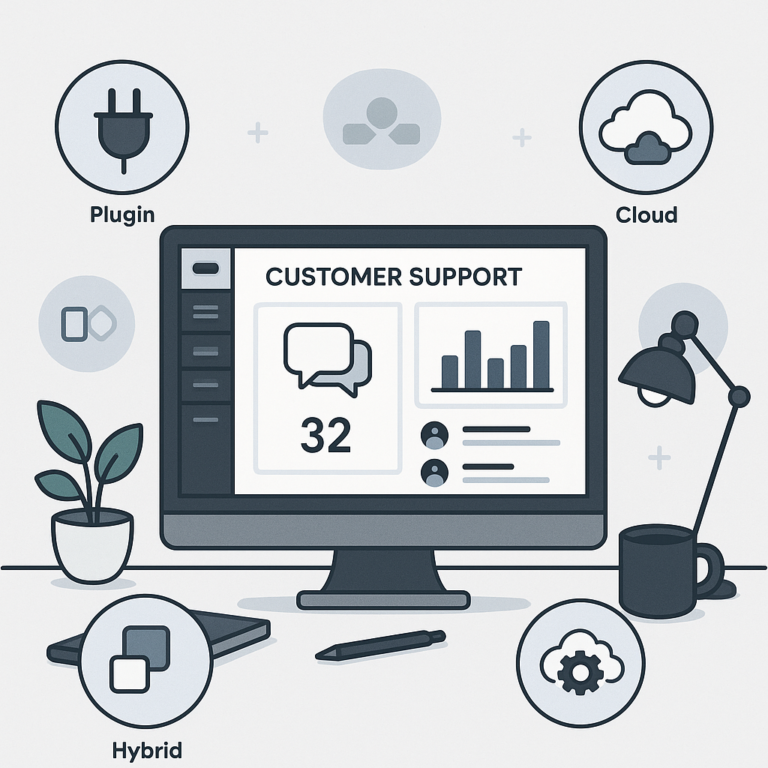
Choosing the right WordPress help desk software can completely transform your customer support experience. Whether you run a small business or a growing WooCommerce store, the right tool streamlines ticket management, automates workflows, and helps you deliver fast, reliable support. In this guide, we’ll compare the best WordPress help desk software options, including plugins, SaaS platforms, and hybrid tools. Our goal is to help you find the perfect fit for your needs in 2024.
Understanding WordPress Help Desk Software: Plugins vs. SaaS vs. Hybrid Solutions
Before diving into comparisons, it’s important to understand the main types of WordPress help desk software available today. Because businesses have unique needs, knowing the differences will help you make an informed decision.
- WordPress Help Desk Plugins: These install directly on your site, offering ticketing, live chat, and knowledge base features without leaving your WordPress dashboard.
- SaaS Help Desk Platforms: These are cloud-based solutions that you integrate with WordPress. They often offer more advanced features, scalability, and dedicated support.
- Hybrid Tools: Some solutions combine plugin convenience with the power of SaaS, giving you the best of both worlds.
For a deeper dive into setup and features, see our Comprehensive Guide to WordPress Help Desk Software: Features, Pricing & Setup.
Why Your WordPress Site Needs a Help Desk Solution
As customer expectations rise, delivering quick, accurate support is essential. Therefore, a help desk system helps you:
- Centralize customer inquiries
- Automate responses and workflows
- Track and resolve tickets efficiently
- Analyze support trends with reports
- Scale as your business grows
In other words, the right help desk software can save you time, boost customer satisfaction, and help your business stand out.
Comparing WordPress Help Desk Plugins
First, let’s look at dedicated plugins you can install on your WordPress site. These are ideal if you prefer to keep everything within your dashboard and want full control over your data.
Popular WordPress Help Desk Plugins
- Awesome Support: Offers ticket management, automation, and WooCommerce integration. It’s a top choice for many small businesses.
- WP Support Plus: Known for its user-friendly interface and multi-channel support.
- SupportCandy: Provides unlimited tickets and agents, plus advanced reporting.
- JS Help Desk: Includes email piping, custom fields, and knowledge base features.
For more plugin recommendations, check our post on Best WordPress Help Desk Plugins to Streamline Customer Service in 2024.
Key Features to Look For
When comparing plugins, consider these essential features:
- Ticket automation and assignment rules
- Customizable forms and workflows
- Email notifications and canned responses
- Knowledge base integration
- Reporting and analytics
- WooCommerce and CRM integration
Moreover, some plugins offer free versions, making them accessible for startups and small businesses.
SaaS Help Desk Platforms for WordPress
Alternatively, SaaS (Software as a Service) help desk solutions offer powerful features and scalability. These platforms are hosted in the cloud, so you don’t have to worry about server resources or updates. Integration with WordPress is typically seamless using official plugins or API connectors.
Top SaaS Help Desk Solutions
- Zendesk: A leader in support automation, multi-channel communication, and advanced analytics.
- Freshdesk: Known for its ease of use, automation, and affordable plans for growing teams.
- Help Scout: Ideal for businesses that want a shared inbox and robust knowledge base features.
- LiveAgent: Combines live chat, ticketing, and call center features in one platform.
Because SaaS tools are hosted externally, they often provide faster updates, better uptime, and dedicated support compared to self-hosted plugins.
Advantages of SaaS Platforms
- Scalable for large teams and enterprises
- Advanced automation and AI-powered workflows
- Integration with CRM, eCommerce, and marketing tools
- Access from anywhere, on any device
- Regular feature updates and security patches
However, SaaS solutions may require monthly or annual subscriptions. As a result, they are best suited for businesses that need robust, enterprise-level support.
Hybrid Help Desk Tools: The Best of Both Worlds
Meanwhile, hybrid solutions are emerging that blend the convenience of WordPress plugins with the power of SaaS. These tools often install as a lightweight plugin but store data and handle processing in the cloud.
For example, hybrid tools can:
- Reduce site load by offloading ticket data to the cloud
- Offer advanced features without overloading your server
- Provide easy integration with WordPress and WooCommerce
Because of this, hybrid help desk tools are a smart choice for businesses that want simplicity and scalability.
WordPress Help Desk Software for WooCommerce Stores
For eCommerce businesses, integrating your help desk with WooCommerce is critical. This allows you to link support tickets to orders, automate refunds, and provide personalized service.
To make this easier, many plugins and SaaS platforms offer WooCommerce integration. Features to look for include:
- Order-linked ticketing
- Customer purchase history in tickets
- Automated responses for common order issues
- Live chat for real-time support
For more on eCommerce support, see our guide on How to Choose the Right WooCommerce Support App.
Feature Comparison Checklist: What Matters Most?
When choosing WordPress help desk software, it’s essential to compare features side by side. Here’s a checklist to help you evaluate your options:
- Ticket Management: Can you track, assign, and automate support tickets?
- Multi-Channel Support: Does it support email, live chat, and social channels?
- Knowledge Base: Is there a searchable FAQ or documentation system?
- Automation: Can you automate responses and workflows?
- Reporting: Are analytics and performance metrics included?
- Integrations: Does it connect with WooCommerce, CRM, or email marketing tools?
- Mobile Access: Is there a mobile app or responsive dashboard?
- Pricing: Are there free, freemium, or premium plans?
- Support & Updates: How reliable is vendor support and update frequency?
For a detailed breakdown, see our Top WordPress Help Desk Software Solutions: Best Plugins & SaaS Tools for 2024.
Setup and Integration: Getting Started Quickly
Next, let’s discuss how to set up help desk software on your WordPress site. The process usually involves:
- Installing a plugin or connecting to a SaaS platform
- Configuring basic settings, email, and ticket forms
- Customizing workflows and automation rules
- Integrating with WooCommerce or CRM if needed
- Adding a knowledge base or FAQ section
Because setup can vary, always consult vendor documentation. For more tips, our Comprehensive Guide covers setup steps in detail.
Pros and Cons: Plugins vs. SaaS vs. Hybrid
To help you decide, here’s a quick comparison of the main options:
| Solution Type | Pros | Cons |
|---|---|---|
| Plugin | Full control, one-time cost, WordPress-native | Limited scalability, server load, fewer advanced features |
| SaaS | Scalable, advanced features, dedicated support | Ongoing cost, data stored externally |
| Hybrid | Balanced features, lower site impact, flexible | May require both plugin and SaaS subscriptions |
Therefore, your choice should reflect your budget, technical preferences, and expected support volume.
Best Practices for Streamlined Customer Support
Once your help desk software is in place, following best practices ensures you get the most value. For example:
- Automate common responses to speed up resolution
- Use a knowledge base to deflect simple questions
- Monitor analytics to spot trends and improve service
- Train your team on new workflows and features
- Regularly update your help desk for security and performance
For even more tips, see our article on Essential WordPress Support Plugins to Enhance Customer Service Workflows.
Frequently Asked Questions
- What is the difference between WordPress help desk software and help desk plugins?
WordPress help desk software includes both plugins installed on your WordPress site and external SaaS platforms integrated with WordPress, offering a broader range of features and scalability. Help desk plugins are specifically designed to run within WordPress itself. - Can I use help desk software with WooCommerce on my WordPress site?
Yes, many WordPress help desk software solutions and plugins offer WooCommerce integration to manage customer support tickets, live chat, and knowledge bases tailored for eCommerce stores. - What features should I look for in WordPress help desk software?
Key features include ticket management, automation, multi-channel support (email, chat), knowledge base integration, reporting, and scalability to handle increasing customer inquiries. - Are there free WordPress help desk software options available?
Yes, several free and freemium help desk plugins are available on WordPress, though premium versions or SaaS solutions often provide more advanced features and better support.
Conclusion: Choosing the Best WordPress Help Desk Solution
Ultimately, the best WordPress help desk software for your site depends on your business needs, support volume, and preferred workflow. Plugins are ideal for small teams and those wanting WordPress-native solutions. SaaS tools offer scalability and advanced features for growing businesses or enterprises. Hybrid solutions provide a flexible, balanced approach.
Because the support landscape evolves quickly, be sure to review your needs regularly and keep your help desk software up to date. For more in-depth comparisons and setup guides, explore our Top WordPress Help Desk Software Solutions and Comprehensive Guide to WordPress Help Desk Software.
With the right help desk tools in place, your WordPress site will be ready to deliver outstanding customer support in 2024 and beyond.