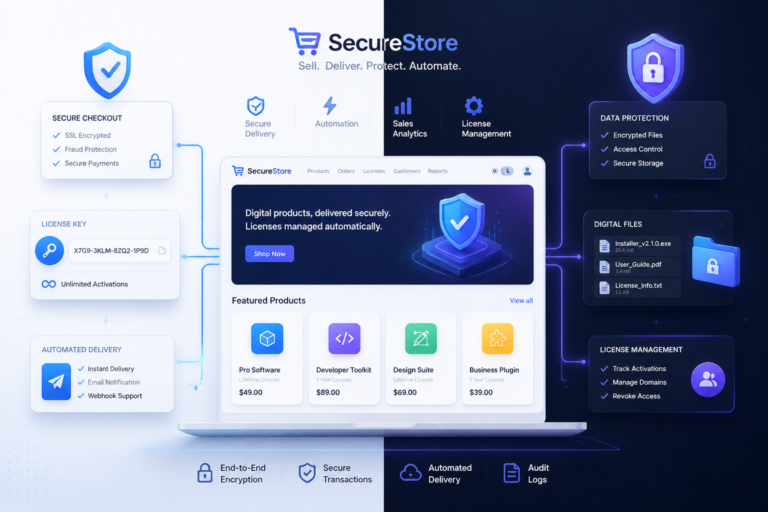
Managing software licenses effectively is crucial for any WooCommerce store selling digital products. As the demand for digital solutions grows, automating your WooCommerce software licensing process can save you time, reduce errors, and improve customer satisfaction. In this guide, we will explore the best WooCommerce license management plugins that ensure secure digital sales.
With the right plugins, you can streamline license key generation, automate delivery, and protect your software from unauthorized use. Therefore, let’s delve into the top options available for WooCommerce store owners.
Why License Management is Important
License management is essential for protecting your digital products from piracy and unauthorized distribution. By implementing a robust license management system, you can:
- Enhance Security: Prevent unauthorized access and ensure that only paying customers can use your software.
- Automate Processes: Save time by automating license key generation and delivery.
- Improve Customer Experience: Offer a seamless purchasing experience that includes automatic license delivery upon payment.
Top WooCommerce License Management Plugins
To make this easier, here are some of the best WooCommerce license management plugins available:
1. License Manager for WooCommerce by XoBytes
This plugin is a comprehensive solution for managing software licenses in your WooCommerce store. It allows you to generate, validate, and manage license keys efficiently. Additionally, it integrates seamlessly with your WooCommerce setup, making it easy to implement.
For useful background on this topic, see Streamline WooCommerce Software Sales: License Management Plugins Guide.
2. WooCommerce Software License Manager
This plugin provides a user-friendly interface for managing license keys. It automates the license key generation process, ensuring that your customers receive their keys immediately after purchase. Furthermore, it offers features like license validation and renewal management.
3. Easy Digital Downloads
While primarily a separate platform, Easy Digital Downloads (EDD) can be integrated with WooCommerce for enhanced licensing capabilities. It features strong license management capabilities, including automated key generation and customer management.
4. WooCommerce API Manager
This plugin is designed for developers who want to sell software through WooCommerce. It offers extensive API integration, allowing you to manage license keys and updates efficiently. This flexibility is ideal for businesses that require a custom solution.
5. Software License Manager for WooCommerce
This plugin specializes in software licensing and is perfect for businesses selling digital products. It automates the entire licensing process, from key generation to validation, ensuring a smooth experience for your customers.
How to Choose the Right Plugin
When selecting a license management plugin for your WooCommerce store, consider the following factors:
- Features: Ensure the plugin includes essential features such as automated key generation, validation, and renewal management.
- Integration: Check if the plugin integrates seamlessly with your existing WooCommerce setup.
- Customer Support: Look for plugins that offer robust customer support and documentation.
Best Practices for License Management
To optimize your license management process, follow these best practices:
For a practical companion to this section, explore Top WooCommerce Plugins for Software License Management & Automation.
- Regular Updates: Keep your plugins updated to ensure security and compatibility with WooCommerce updates.
- Monitor License Usage: Regularly check license usage to identify any unauthorized access or misuse.
- Customer Communication: Communicate with your customers regarding license renewals and updates to enhance their experience.
Practical Examples of License Management in Action
Understanding how to implement license management effectively can be enhanced by looking at real-world examples. Here are a few scenarios where WooCommerce license management plugins have made a significant impact:
1. Software Development Companies
A software development company that sells plugins for WordPress can utilize a license management plugin to generate unique keys for each purchase. This not only secures their product but also allows them to track usage and renewals efficiently. For instance, by using the License Manager for WooCommerce, they can automate the key delivery process, ensuring customers receive their keys instantly after payment.
2. Online Course Platforms
Online course creators who sell access to educational materials can benefit from license management by controlling access to their content. Using a plugin like WooCommerce Software License Manager, they can manage licenses for each course, allowing students to access materials only after purchase and ensuring that licenses are renewed annually.
Comparing License Management Plugins
When deciding on the best WooCommerce license management plugin, it’s essential to compare the features and benefits of each option. Here’s a comparison of key features among the top plugins:
| Plugin Name | Automated Key Generation | License Validation | Renewal Management | API Integration |
|---|---|---|---|---|
| License Manager for WooCommerce | ✅ | ✅ | ✅ | ❌ |
| WooCommerce Software License Manager | ✅ | ✅ | ✅ | ❌ |
| Easy Digital Downloads | ✅ | ✅ | ✅ | ✅ |
| WooCommerce API Manager | ✅ | ✅ | ✅ | ✅ |
| Software License Manager for WooCommerce | ✅ | ✅ | ✅ | ❌ |
Implementation Steps for License Management
Implementing a WooCommerce license management plugin can be straightforward if you follow these steps:
- Choose the Right Plugin: Evaluate your needs and select a plugin that fits your requirements based on the comparison above.
- Install and Activate: Go to your WordPress dashboard, navigate to Plugins > Add New, upload the plugin file, and activate it.
- Configure Settings: Access the plugin settings to configure license key generation, validation, and delivery options.
- Create License Keys: For existing products, generate license keys for each item you are selling.
- Test the Process: Make a test purchase to ensure that the license key generation and delivery process works seamlessly.
- Monitor and Optimize: Regularly check the performance of your license management system and make adjustments as necessary.
Related XoBytes Products
License manager for WooCommerce by XoBytes.com
$25.00
Xobytes License Manager for WooCommerce is a powerful WooCommerce license manager plugin that lets you sell software licenses,…

Tamper Guard by XoBytes | WordPress Plugin Tamper Detector
$25.00
Protect your commercial WordPress plugins with license-based tamper detection, file integrity monitoring, automatic shutdown protection, and site reporting.…

Plugin Update Server for WordPress by XoBytes.com
$25.00
Plugin Update Server by XoBytes lets WordPress plugin sellers deliver private plugin updates directly to customer dashboards. Upload…

Upgrades, Packages & Tiers for WooCommerce By XoBytes.com
$25.00
This is a FREEMIUM plugin. Get the free version “Upgrades, Packages & Tiers for WooCommerce By XoBytes.com” Pro…

Agentic Consultant, Product Rep, & Customer Service Agent By XoBytes.com
$19.99
Agentic Consultant for WordPress gives your website a smart AI product rep, customer service agent, and hands-free voice…

Social Media Autopilot With AI by XoBytes.com
$19.99
Xobytes Social Autopilot is a WordPress social media autoposter that helps schedule and promote posts, pages, WooCommerce products,…
Product 1 of 6
Decision Criteria for Selecting a Plugin
When selecting a WooCommerce license management plugin, consider the following criteria to ensure you make the best choice for your business:
Continue with Complete Guide to WooCommerce Software License Management with Key Plugins for additional XoBytes guidance.
- Feature Set: Does the plugin offer all the necessary features for your specific licensing needs?
- User Reviews: What do other users say about the plugin’s performance and support?
- Compatibility: Is the plugin compatible with your current WooCommerce setup and other plugins you are using?
- Pricing: Does the pricing model fit within your budget, and does it offer good value for the features provided?
- Support and Documentation: Is there adequate support available, and is the documentation clear and helpful?
Advanced Features to Look For
When evaluating WooCommerce license management plugins, consider looking for advanced features that can enhance your store’s efficiency and security:
- Multi-Domain Licensing: This feature allows customers to use their license keys across multiple domains, which can be particularly useful for developers or agencies.
- License Key Expiration: Some plugins offer the ability to set expiration dates for license keys, ensuring that users renew their licenses periodically.
- Usage Reports: Detailed reporting features can help you track how many licenses are in use, when they were activated, and when they need renewal.
- Customizable License Terms: The ability to define specific terms for each license type can help you cater to different customer needs and compliance requirements.
Real-World Success Stories
To illustrate the effectiveness of WooCommerce license management plugins, here are a couple of success stories from businesses that have implemented these solutions:
- Creative Agencies: A creative agency that develops custom themes and plugins for clients utilized the WooCommerce API Manager to streamline their licensing process. By automating license key generation and validation, they reduced the time spent on manual processes and improved client satisfaction through immediate access to their products.
- Educational Platforms: An online educational platform offering subscription-based courses implemented the Software License Manager for WooCommerce. This enabled them to manage student access effectively, ensuring that only enrolled students could access course materials while also automating renewal notifications, which significantly improved user retention rates.
Tips for Optimizing License Management
To get the most out of your license management system, consider the following tips:
- Regular Backups: Ensure that your license data is backed up regularly to prevent loss in case of technical issues.
- Customer Feedback: Actively solicit feedback from customers about their experience with license activation and management. This can help you identify areas for improvement.
- Integrate with CRM: If you use a Customer Relationship Management (CRM) system, consider integrating it with your license management plugin to streamline customer interactions and support.
Future Trends in License Management
As technology evolves, so do the methods for managing software licenses. Here are some trends to watch for:
- Blockchain Technology: The use of blockchain for license management could provide enhanced security and transparency, allowing for better tracking of license ownership and usage.
- AI-Powered Analytics: Incorporating AI could help in predicting license renewals and identifying potential churn, allowing businesses to proactively engage customers.
- Subscription Models: As subscription-based models become more popular, plugins that support flexible licensing options will likely gain traction.
Frequently Asked Questions
Here are some common questions regarding WooCommerce license management plugins:
Frequently Asked Questions
Managing software licenses effectively is crucial for any WooCommerce store selling digital products. As the demand for digital solutions grows, automating your WooCommerce software licensing process can save you time, reduce errors, and improve customer satisfaction. In this guide, we will explore the best WooCommerce license management plugins that ensure secure digital sales.
With the right plugins, you can streamline license key generation, automate delivery, and protect your software from unauthorized use. Therefore, let’s delve into the top options available for WooCommerce store owners.
Why License Management is Important
License management is essential for protecting your digital products from piracy and unauthorized distribution. By implementing a robust license management system, you can:
- Enhance Security: Prevent unauthorized access and ensure that only paying customers can use your software.
- Automate Processes: Save time by automating license key generation and delivery.
- Improve Customer Experience: Offer a seamless purchasing experience that includes automatic license delivery upon payment.
Conclusion
In conclusion, choosing the right WooCommerce license management plugin is essential for securing your digital sales and enhancing customer satisfaction. By implementing one of the plugins mentioned above, you can streamline your license management process and protect your valuable digital products.
For further insights, consider reading our guide on Streamline WooCommerce Software Sales: License Management Plugins Guide to understand how to optimize your sales process.
What is the best WooCommerce plugin for managing software licenses?
The best plugin depends on your specific needs, but popular options include License Manager for WooCommerce by XoBytes, which offers license key generation, validation, and management features.
How do license plugins improve digital product security?
License plugins help prevent unauthorized use by generating unique license keys, validating them at purchase, and monitoring license compliance, thereby protecting your digital assets.
Can license plugins integrate with existing WooCommerce setups?
Yes, most license management plugins are designed to seamlessly integrate with WooCommerce, allowing easy setup and management within your existing store environment.
Are license plugins suitable for digital software sales?
Absolutely, license plugins are specifically built to handle digital products like software, providing features such as license key delivery, validation, and renewal management.
What is the best WooCommerce plugin for managing software licenses?
The best plugin depends on your specific needs, but popular options include License Manager for WooCommerce by XoBytes, which offers license key generation, validation, and management features.
How do license plugins improve digital product security?
License plugins help prevent unauthorized use by generating unique license keys, validating them at purchase, and monitoring license compliance, thereby protecting your digital assets.
Can license plugins integrate with existing WooCommerce setups?
Yes, most license management plugins are designed to seamlessly integrate with WooCommerce, allowing easy setup and management within your existing store environment.
Are license plugins suitable for digital software sales?
Absolutely, license plugins are specifically built to handle digital products like software, providing features such as license key delivery, validation, and renewal management.