
Managing WordPress plugins effectively is crucial for maintaining your site’s performance and security. In this guide, we will explore Building a Private WordPress Plugin Update Server for Secure and Automated Updates. This process not only enhances your control over plugin updates but also improves security and reliability.
First, let’s discuss why you might want to set up a private update server. Many developers and businesses rely on third-party repositories for updates. However, this can lead to security vulnerabilities and dependency issues. Therefore, a private update server allows you to deliver updates directly to your users without relying on external sources.
Why Build a Private Update Server?
There are several key benefits to building your own update server:
- Enhanced Security: By managing your updates, you reduce the risk of unauthorized access and vulnerabilities associated with public repositories.
- Faster Updates: You can deploy updates quickly without waiting for approval from third-party platforms.
- Better Control: Maintain control over which versions of your plugins are available and when they are released.
- Automation: Automate the update process for seamless integration across multiple sites or clients.
To make this easier, let’s break down the steps to create your private WordPress plugin update server.
Setting Up Your Private Update Server
Building a private update server involves several steps:
- Choose Your Hosting Environment: Select a reliable hosting provider that supports PHP and MySQL. This is essential for running WordPress and managing your updates.
- Install WordPress: Set up a new WordPress installation specifically for your update server. This will serve as the platform for managing your plugin updates.
- Create a Custom Update Plugin: Develop a custom plugin that communicates with your update server. This plugin will handle the delivery of updates to your users.
- Configure Update Settings: Set up the necessary configurations for your update server, including the update URL and the plugin version information.
- Implement Security Measures: Use tools like Tamper Guard to protect your server and ensure the integrity of your updates.
Integrating with Existing Tools
Moreover, integrating your update server with existing tools can streamline your workflow. For example, you can use version control systems like Git to manage your plugin code. This integration allows for easier updates and rollback options if needed.
In addition, consider using automation tools to schedule updates. This way, you can ensure that your plugins are always up-to-date without manual intervention.
Best Practices for Managing Your Update Server
To ensure your private update server operates smoothly, follow these best practices:
For a practical companion to this section, explore Optimizing WordPress Plugin Updates with a Custom Update Server.
- Regular Backups: Always back up your server and plugin data regularly to prevent data loss.
- Monitor Performance: Keep an eye on the server’s performance and response times to ensure a seamless update experience.
- Document Procedures: Maintain clear documentation of your setup and update procedures for future reference.
- Test Updates: Thoroughly test updates in a staging environment before deploying them to your live server.
Conclusion
In conclusion, building a private WordPress plugin update server is a valuable investment for developers and businesses looking to enhance their plugin management. With the right setup and security measures in place, you can streamline your update process while maintaining control and security.
Choosing the Right Hosting Environment
When selecting a hosting environment for your private WordPress plugin update server, consider the following factors:
- Performance: Opt for a hosting provider that offers high uptime and fast server response times to ensure your updates are delivered efficiently.
- Scalability: Choose a hosting solution that can grow with your needs, especially if you plan to manage multiple plugins or client sites.
- Support: Ensure the hosting provider offers robust technical support, as you may encounter issues that require quick resolution.
- Security Features: Look for hosting providers that offer built-in security measures such as firewalls, DDoS protection, and regular backups.
Related XoBytes Products

Plugin Update Server for WordPress by XoBytes.com
$25.00
Plugin Update Server by XoBytes lets WordPress plugin sellers deliver private plugin updates directly to customer dashboards. Upload…

Tamper Guard by XoBytes | WordPress Plugin Tamper Detector
$25.00
Protect your commercial WordPress plugins with license-based tamper detection, file integrity monitoring, automatic shutdown protection, and site reporting.…
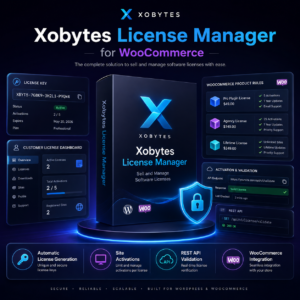
License manager for WooCommerce by XoBytes.com
$25.00
Xobytes License Manager for WooCommerce is a powerful WooCommerce license manager plugin that lets you sell software licenses,…
Creating a Custom Update Plugin
The custom update plugin is the backbone of your update server. Here’s a step-by-step guide to creating one:
- Define Your Plugin Structure: Create a new folder in your WordPress plugins directory and include essential files like
plugin-name.phpandreadme.txt. - Setup Update Functionality: Use the
set_site_transientandget_site_transientfunctions to manage update data. This will allow your plugin to check for updates from your private server. - Implement Update Logic: Write the code that fetches the latest version information from your update server. This typically involves using the
wp_remote_getfunction to retrieve JSON data. - Handle Update Installation: Add functionality to handle the installation of the update, ensuring that the plugin files are replaced correctly and any necessary database changes are applied.
Implementing Security Measures
Securing your update server is paramount. Here are additional measures to consider:
Continue with Step-by-Step Guide to Creating a Secure WordPress Plugin Update Server for additional XoBytes guidance.
- SSL Encryption: Use SSL certificates to encrypt data transmitted between your update server and the client sites. This prevents man-in-the-middle attacks.
- Authentication: Implement basic authentication or API keys to restrict access to your update server. This ensures that only authorized users can fetch updates.
- Regular Security Audits: Conduct regular audits of your server and plugin code to identify and fix vulnerabilities before they can be exploited.
Automating Your Update Process
Automation can significantly reduce the manual effort involved in managing updates. Here are some tools and strategies:
- CI/CD Tools: Use Continuous Integration/Continuous Deployment (CI/CD) tools like Jenkins or GitHub Actions to automate testing and deployment of your plugin updates.
- Scheduled Tasks: Set up cron jobs on your server to check for updates at regular intervals, ensuring that your plugins are always up-to-date without manual checks.
- Notification Systems: Integrate email or messaging notifications to alert you when updates are deployed or if there are issues with the update process.
Testing Your Update Server
Before going live, it’s essential to thoroughly test your update server. Here’s how:
- Set Up a Staging Environment: Create a staging version of your WordPress site to test updates without affecting your live site.
- Simulate Updates: Manually trigger updates from your staging site to ensure the update process works smoothly and that the new version installs correctly.
- Monitor for Errors: Keep an eye on error logs during testing to identify any issues that need to be addressed before launching your update server.
Comparing Private vs. Public Update Servers
Understanding the differences between private and public update servers can help you make an informed decision:
| Feature | Private Update Server | Public Update Server |
|---|---|---|
| Security | Higher, with controlled access | Lower, exposed to public vulnerabilities |
| Control | Full control over updates | Limited control, dependent on repository policies |
| Speed of Updates | Immediate deployment | May require approval and processing time |
| Cost | Potentially higher due to hosting | Free, but may incur costs in other areas |
Frequently Asked Questions
Here are some common questions about private WordPress plugin update servers:
- What is a WordPress custom plugin update server? A WordPress custom plugin update server is a privately hosted platform that delivers plugin updates directly to users, bypassing the public WordPress repository, allowing for greater control, security, and automation.
- How can I secure my custom plugin update server? Securing your server involves implementing access controls, using license validation, monitoring for tampering with tools like Tamper Guard, and encrypting update delivery to prevent unauthorized access.
- What are the benefits of using a private plugin update server? A private update server offers enhanced security, faster update deployment, better control over plugin versions, and the ability to automate updates for multiple sites or clients efficiently.
- Can I integrate existing security tools with my update server? Yes, tools like Tamper Guard and file integrity monitoring solutions can be integrated to detect tampering, ensure plugin integrity, and protect your update process from malicious interference.