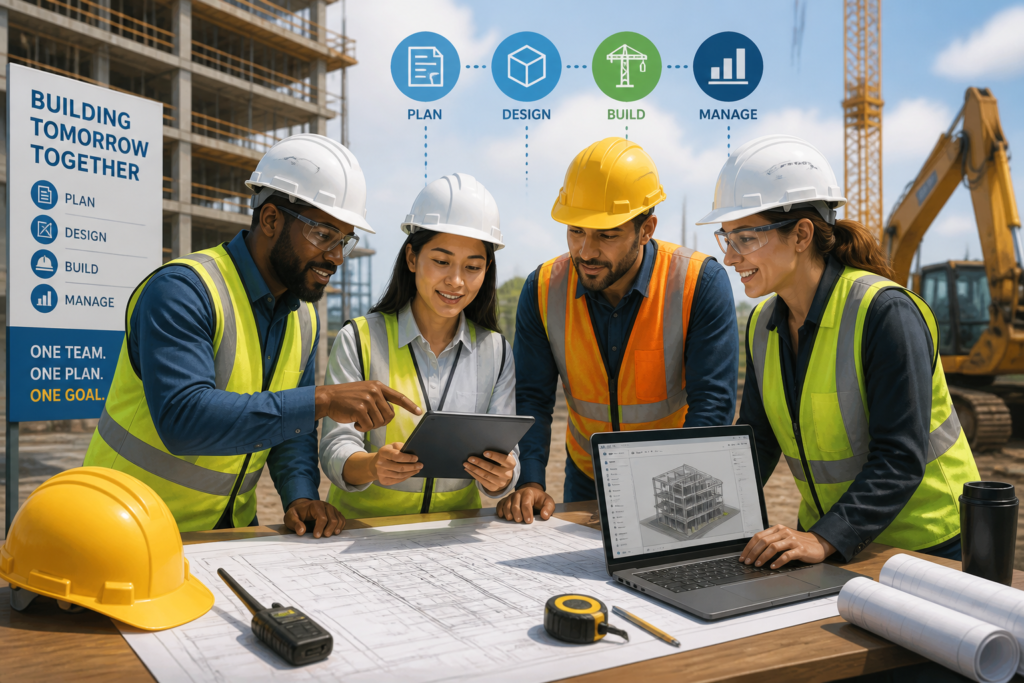
In today’s fast-paced construction industry, effective project management is essential for success. Integrated project management tools can significantly enhance collaboration, streamline workflows, and improve overall project efficiency. One standout solution is the Agentic Construction Theme by XoBytes, which is built specifically for construction teams.
This theme not only provides a robust framework for managing construction projects but also integrates various essential tools that simplify project tracking and communication. Moreover, using integrated project management software can help construction teams tackle common challenges such as miscommunication, delays, and budget overruns.
Why Integrated Project Management Tools Matter
Construction projects often involve multiple stakeholders, from contractors to subcontractors and clients. Therefore, maintaining clear communication and coordination is crucial. Integrated project management tools enable teams to:
- Centralize Communication: All project-related discussions can happen in one platform, reducing the chances of miscommunication.
- Track Progress in Real-Time: Teams can monitor project milestones and tasks as they happen, allowing for timely interventions when necessary.
- Manage Resources Efficiently: Integrated tools help allocate resources effectively, ensuring that labor and materials are used optimally.
- Enhance Collaboration: With shared access to documents and schedules, teams can work together more effectively, regardless of their physical location.
To learn more about enhancing construction workflows with project management tools, check out our article on Enhance Construction Workflow with Project Management Tools.
Stay connected through Facebook for practical updates related to this work.
Key Features of Integrated Project Management Tools
When selecting integrated project management tools, it’s essential to consider features that will genuinely benefit your construction team. Here are some key features to look for:
- Task Scheduling: Allows teams to assign tasks and deadlines easily, ensuring everyone knows their responsibilities.
- Document Management: A centralized repository for all project documents, including plans, contracts, and reports.
- Budgeting Tools: Helps track expenses and manage budgets effectively, preventing cost overruns.
- Reporting and Analytics: Provides insights into project performance, helping teams make informed decisions.
The Agentic Construction Theme incorporates many of these features, making it an ideal choice for construction teams looking to improve their project management capabilities.
Benefits of Using the Agentic Construction Theme
The Agentic Construction Theme is more than just a WordPress theme; it is a comprehensive project management solution tailored for the construction industry. Here are some benefits of using this theme:
- Customizable Features: Tailor the theme to meet the specific needs of your construction projects.
- User-Friendly Interface: Designed with ease of use in mind, making it accessible for users with varying technical skills.
- Responsive Design: Ensures that your project management tools are accessible on any device, whether on-site or in the office.
- Integrated Tools: Seamlessly connect with other construction tools and software, enhancing overall project efficiency.
In addition, the theme is priced affordably at $49.99, making it a valuable investment for construction teams looking to optimize their project management processes.
Real-World Applications of Integrated Project Management Tools
Many construction teams have successfully implemented integrated project management tools to improve their workflows. For example:
For ongoing news and discussion, visit LinkedIn.
- Residential Construction: A home builder used integrated tools to streamline communication among subcontractors, resulting in fewer delays and increased customer satisfaction.
- Commercial Projects: A commercial contractor utilized real-time tracking features to manage multiple projects simultaneously, ensuring that all deadlines were met.
- Renovations: A renovation team adopted integrated project management software to oversee complex projects, allowing for better resource allocation and budget management.
These examples illustrate the tangible benefits that integrated project management tools can bring to construction teams, ultimately leading to more successful project outcomes.
Conclusion
In conclusion, integrated project management tools are essential for construction teams looking to enhance efficiency and collaboration. The Agentic Construction Theme stands out as a powerful solution designed specifically for the construction industry. By adopting this theme, teams can tackle common project management challenges and achieve better results.

Why You Need This Theme And Plugin! Click here for the Demo Agentic Construction Theme by XoBytes is…
Add to cart

AgentShield is a WordPress AI Agent Firewall that helps detect, monitor, block, and temporarily ban AI crawlers, AI…
Add to cart

Agentic Support Desk by Xobytes is an AI-powered WordPress support desk built for software sellers, WooCommerce stores, agencies,…
Add to cart

Agentic Consultant for WordPress gives your website a smart AI product rep, customer service agent, and hands-free voice…
Add to cart

Turn your WordPress site, Google Search Console data, and SEO opportunities into smarter blog posts, pages, titles, meta…
Add to cart

Protect your commercial WordPress plugins with license-based tamper detection, file integrity monitoring, automatic shutdown protection, and site reporting.…
Add to cart
Product 1 of 6
Ready to streamline your construction projects? Explore the Agentic Construction Theme today for just $49.99!
For additional authoritative context, review Get your AI blog generator here!.
Implementing Integrated Project Management Tools: A Step-by-Step Guide
Adopting integrated project management tools can seem daunting, but following a structured approach can simplify the process. Here’s a step-by-step guide to implementing these tools effectively in your construction projects:
You can also keep up with future resources through x.com.
Continue with Top Construction Project Management Tools to Boost Efficiency in 2026 for additional guidance.
- Assess Your Needs: Identify the specific challenges your team faces, such as communication gaps or project delays. This will help you choose the right features in a project management tool.
- Choose the Right Tool: Evaluate various integrated project management tools based on your needs. Consider factors such as user-friendliness, scalability, and integration capabilities.
- Train Your Team: Ensure that all team members are trained on how to use the chosen tool effectively. This can include workshops, online tutorials, or one-on-one sessions.
- Start with a Pilot Project: Implement the tool on a smaller scale first. This allows you to identify any issues and make necessary adjustments before a full rollout.
- Gather Feedback: After the pilot project, collect feedback from your team to understand what works well and what could be improved.
- Full Implementation: Once adjustments have been made based on feedback, roll out the tool across all projects, ensuring continuous support and training.
Comparing Integrated Project Management Tools
When considering integrated project management tools, it’s essential to compare different options to find the best fit for your construction team. Here are some factors to consider:
- Features: Look for tools that offer essential features like task management, document sharing, and real-time tracking.
- Integration: Ensure that the tool can seamlessly integrate with other software you currently use, such as accounting or design tools.
- Cost: Evaluate the pricing structure. Some tools may offer a subscription model, while others may require a one-time payment.
- User Reviews: Research user experiences to gauge the effectiveness and reliability of the tools you are considering.
Real-World Case Studies of Successful Implementation
Understanding how other construction teams have successfully implemented integrated project management tools can provide valuable insights. Here are a couple of case studies:
- Case Study 1: Large-Scale Infrastructure Project
A major infrastructure project faced significant delays due to poor communication among stakeholders. By implementing an integrated project management tool, the team centralized communications and established clear timelines. As a result, they reduced project delays by 30% and improved stakeholder satisfaction.
- Case Study 2: Specialty Trade Contractor
A specialty trade contractor struggled with resource allocation across multiple projects. After adopting integrated project management software, they gained visibility into resource availability in real-time. This led to a 25% increase in project efficiency and a notable reduction in labor costs.
Key Decision Criteria for Selecting Integrated Project Management Tools
When selecting the right integrated project management tool for your construction team, consider the following criteria to ensure you make an informed decision:
- Scalability: Choose a tool that can grow with your business, accommodating more projects and users as needed.
- Customization: Look for tools that allow customization to fit your specific workflows and project requirements.
- Support and Training: Ensure that the provider offers robust customer support and training resources to assist your team in using the tool effectively.
- User Experience: A user-friendly interface can significantly impact adoption rates among team members. Opt for tools that prioritize usability.
Frequently Asked Questions
Here are some frequently asked questions regarding integrated project management tools:
- What are the key features of effective construction project management software? Effective construction project management software includes features like task scheduling, real-time collaboration, document sharing, progress tracking, budgeting, and integration with other construction tools.
- How does project management software improve construction project efficiency? It centralizes communication, automates scheduling, provides real-time updates, and streamlines workflows, reducing delays and miscommunication, thereby increasing overall efficiency.
- Can project management software integrate with other construction tools? Yes, many solutions, including the Agentic Construction Theme, offer integrations with CAD, accounting, and other construction-specific applications to create a seamless workflow.
- Is there a construction-specific project management software available? Yes, the Agentic Construction Theme by XoBytes is designed specifically for construction and trade professionals, offering tailored project management features.