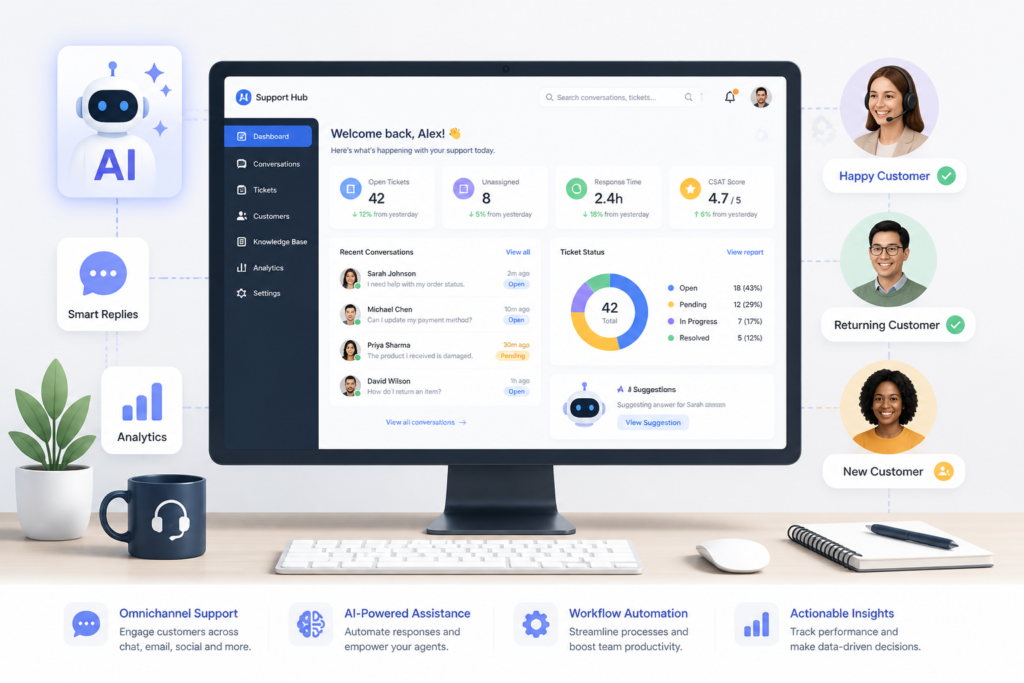
In the fast-paced world of eCommerce, providing exceptional customer service is crucial for success. Many WooCommerce store owners struggle with managing customer inquiries effectively. This is where Agentic Support Desk by XoBytes comes into play. As an AI-powered support desk solution, it streamlines customer service operations, enhances efficiency, and ultimately boosts customer satisfaction. By integrating this powerful tool, you can transform the way you handle customer support in your WooCommerce store.
Agentic Support Desk is designed specifically for WordPress users, offering a range of features that simplify customer interactions and support ticket management. With a price of just $19.99, this plugin is a cost-effective solution for businesses looking to enhance their support capabilities. In this article, we will explore how you can streamline WooCommerce customer service using Agentic Support Desk, discuss its features, and provide guidance on selecting the best support tools for your needs.
Why Choose Agentic Support Desk?
Many WooCommerce store owners face challenges in managing customer inquiries, leading to delayed responses and frustrated customers. Fortunately, Agentic Support Desk addresses these challenges head-on. Here are some reasons why this plugin stands out:
- AI-Powered Automation: The plugin utilizes AI technology to automate responses to common inquiries, significantly reducing response times.
- Multi-Channel Support: It supports various communication channels, allowing customers to reach out via email, chat, or social media.
- Seamless Integration: Agentic Support Desk integrates effortlessly with WooCommerce, ensuring a smooth user experience.
- User-Friendly Interface: The intuitive design makes it easy for both customers and support agents to navigate the system.
Features of Agentic Support Desk
To fully understand the benefits of using Agentic Support Desk, let’s delve into its key features:
- Ticket Management: Organize and prioritize customer inquiries effectively, ensuring that no request goes unanswered.
- Automated Responses: Set up automated replies for frequently asked questions, saving time for your support team.
- Analytics and Reporting: Gain insights into customer interactions and support performance to identify areas for improvement.
- Customizable Workflows: Tailor the support process to fit your business needs, enhancing overall efficiency.
How to Set Up Agentic Support Desk
Getting started with Agentic Support Desk is a straightforward process:
- Purchase and Download: Visit the Agentic Support Desk product page to purchase and download the plugin.
- Install the Plugin: Upload the plugin to your WordPress dashboard and activate it.
- Configure Settings: Customize your support settings, including automated responses and ticket management preferences.
- Train Your Team: Familiarize your support staff with the new system to ensure a smooth transition.
By following these steps, you can quickly implement Agentic Support Desk and start enjoying its benefits.
Real-World Use Cases
Many businesses have successfully integrated Agentic Support Desk into their operations. For example, an online clothing retailer used the plugin to automate responses to common size inquiries, significantly reducing the workload on their support team. As a result, they were able to respond to customer queries faster and improve overall customer satisfaction.
Who Can Benefit from Agentic Support Desk?
Agentic Support Desk is ideal for:
- Small to medium-sized WooCommerce stores looking to enhance their customer support.
- Businesses that receive a high volume of customer inquiries and need efficient ticket management.
- Companies that want to leverage AI technology to improve response times and customer satisfaction.
However, it may not be suitable for businesses that require highly specialized support workflows or those with very low customer inquiry volumes.
Conclusion
In conclusion, streamlining WooCommerce customer service is essential for enhancing customer satisfaction and loyalty. With the Agentic Support Desk by XoBytes, you can automate support processes, manage tickets efficiently, and ultimately provide a better customer experience. If you’re ready to transform your customer support, visit the Agentic Support Desk product page and get started today!
Enhancing Customer Experience with Personalized Support
While automation is a powerful tool, personalizing customer interactions can significantly enhance the customer experience. Here are some strategies to consider:
- Use Customer Data: Leverage customer purchase history and preferences to tailor responses. For instance, if a customer frequently buys athletic wear, your support can suggest related products or promotions.
- Segment Your Audience: Create customer segments based on behavior or demographics. This allows for targeted communication that resonates more with specific groups.
- Follow Up: After resolving an issue, send a follow-up message to ensure customer satisfaction and gather feedback on the support experience.
Integrating Other Tools with Agentic Support Desk
To maximize the effectiveness of Agentic Support Desk, consider integrating it with other tools that enhance customer service operations:
- CRM Systems: Integrating with a Customer Relationship Management (CRM) system can provide a holistic view of customer interactions, allowing for better service and follow-up.
- Email Marketing Tools: Connect with email marketing platforms to send targeted campaigns based on customer interactions and support history.
- Live Chat Solutions: Combine Agentic Support Desk with live chat tools to provide immediate assistance for urgent inquiries.
Best Practices for Using Agentic Support Desk
To get the most out of Agentic Support Desk, keep these best practices in mind:
- Regularly Update Automated Responses: Ensure that your automated replies are relevant and reflect any changes in your products or services.
- Monitor Performance Metrics: Utilize the analytics and reporting features to track response times, ticket resolution rates, and customer satisfaction levels.
- Solicit Team Feedback: Encourage your support team to provide feedback on the system. This can help identify areas for improvement and enhance overall efficiency.
Related XoBytes Products

Agentic Support Desk for WordPress by XoBytes.com
$19.99
Agentic Support Desk by Xobytes is an AI-powered WordPress support desk built for software sellers, WooCommerce stores, agencies,…

Agentic Consultant, Product Rep, & Customer Service Agent By XoBytes.com
$19.99
Agentic Consultant for WordPress gives your website a smart AI product rep, customer service agent, and hands-free voice…

Upgrades, Packages & Tiers for WooCommerce By XoBytes.com
$25.00
This is a FREEMIUM plugin. Get the free version "Upgrades, Packages & Tiers for WooCommerce By XoBytes.com" Pro…

AI SEO Data & Automatic Blog Writer for WordPress by XoBytes
$19.99
Turn your WordPress site, Google Search Console data, and SEO opportunities into smarter blog posts, pages, titles, meta…

Social Media Autopilot With AI by XoBytes.com
$19.99
Xobytes Social Autopilot is a WordPress social media autoposter that helps schedule and promote posts, pages, WooCommerce products,…

Agentic Construction Theme | More than just a theme | Built for all trades
$49.99
Why You Need This Theme And Plugin! Click here for the Demo Agentic Construction Theme by XoBytes is…
Product 1 of 6
Comparing Agentic Support Desk with Other Support Solutions
When considering customer support solutions, it’s important to compare features and benefits. Here’s how Agentic Support Desk stacks up against some other popular support tools:
| Feature | Agentic Support Desk | Competitor A | Competitor B |
|---|---|---|---|
| AI Automation | Yes | No | Yes |
| Multi-Channel Support | Yes | Limited | Yes |
| Customizable Workflows | Yes | Yes | No |
| Pricing | $19.99 | $29.99 | $24.99 |
Implementation Steps for Optimal Use
To ensure a smooth implementation of Agentic Support Desk, follow these steps:
For additional authoritative context, review Facebook.
- Define Your Support Goals: Determine what you want to achieve with the support desk, such as reducing response times or improving customer satisfaction.
- Customize Your Settings: Tailor the plugin settings to match your business needs, including ticket categories and automated responses.
- Train Your Staff: Provide comprehensive training for your support team to ensure they are comfortable using the system and understand its features.
- Launch and Monitor: Once implemented, monitor the system closely for any issues and gather feedback from both customers and support agents.
Future Trends in Customer Support
As technology continues to evolve, so do customer support expectations. Here are some trends to watch:
- Increased Use of AI: Expect more advanced AI capabilities that can handle complex inquiries and provide personalized support.
- Omni-Channel Support: Customers will expect seamless transitions between different communication channels, from social media to live chat.
- Proactive Support: Companies will increasingly focus on anticipating customer needs and reaching out before issues arise.
Future Trends in Customer Support
As technology continues to evolve, the landscape of customer support is also changing. Here are some trends that are likely to shape the future of customer service in WooCommerce and beyond:
- Increased Use of AI: AI tools will become more sophisticated, enabling even better automation and personalization in customer interactions.
- Omni-Channel Support: Customers will expect seamless experiences across various platforms, necessitating integration of support channels.
- Proactive Support: Businesses will shift from reactive to proactive support, anticipating customer needs based on behavior and providing solutions before issues arise.
- Self-Service Options: More customers will prefer self-service options, such as knowledge bases and chatbots, to resolve their queries without direct interaction.
Practical Examples of Effective Customer Support
To illustrate the effectiveness of Agentic Support Desk, consider the following practical examples:
Continue with Streamline Support Tickets & Customer Service Using Agentic Support Desk for additional XoBytes guidance.
- Case Study: A Home Goods Store
This store implemented Agentic Support Desk to manage inquiries about product availability. By automating responses to common questions, they reduced their average response time from 24 hours to just 1 hour, significantly enhancing customer satisfaction.
- Case Study: A Digital Marketing Agency
By integrating Agentic Support Desk with their CRM, the agency was able to personalize customer interactions based on previous projects. This led to a 30% increase in customer retention rates.
Implementation Steps for Optimal Use
To ensure that you maximize the potential of Agentic Support Desk, follow these detailed implementation steps:
- Define Your Support Goals: Clearly outline what you want to achieve, such as reducing response times or enhancing customer satisfaction metrics.
- Customize Your Settings: Adjust the plugin settings to align with your business needs, including ticket categories, automated responses, and escalation procedures.
- Train Your Staff: Conduct thorough training sessions for your support team. Ensure they understand how to use the system effectively and are familiar with its features.
- Launch and Monitor: After implementation, closely monitor the system for any potential issues. Gather feedback from customers and support agents to identify areas for improvement.
Decision Criteria for Selecting Support Tools
When evaluating support tools for your WooCommerce store, consider the following criteria:
- Scalability: Ensure the tool can grow with your business and handle increased customer inquiries as your store expands.
- Integration Capabilities: Check if the tool can seamlessly integrate with your existing systems, such as CRM and email marketing platforms.
- Cost-Effectiveness: Analyze the pricing structure to determine if it fits within your budget while still offering essential features.
- User Experience: Look for tools that provide an intuitive interface for both customers and support agents to ensure ease of use.
Frequently Asked Questions
Here are some common questions about Agentic Support Desk:
What features make Agentic Support Desk ideal for WooCommerce stores?
Agentic Support Desk offers AI-powered ticket management, automated responses, multi-channel support, and seamless WooCommerce integration, enhancing support efficiency and customer satisfaction.
How does support automation improve my WooCommerce store's customer experience?
Support automation reduces response times, ensures consistent communication, and handles common inquiries automatically, freeing your team to focus on complex issues and improving overall customer satisfaction.
Is Agentic Support Desk easy to set up and use?
Yes, the plugin is designed for user-friendliness with straightforward setup, intuitive interface, and comprehensive documentation to help you get started quickly.
Can I try Agentic Support Desk before purchasing?
Check if a free trial or demo is available on the product page to evaluate its features and suitability for your WooCommerce store.
What features make Agentic Support Desk ideal for WooCommerce stores?
Agentic Support Desk offers AI-powered ticket management, automated responses, multi-channel support, and seamless WooCommerce integration, enhancing support efficiency and customer satisfaction.
How does support automation improve my WooCommerce store's customer experience?
Support automation reduces response times, ensures consistent communication, and handles common inquiries automatically, freeing your team to focus on complex issues and improving overall customer satisfaction.
Is Agentic Support Desk easy to set up and use?
Yes, the plugin is designed for user-friendliness with straightforward setup, intuitive interface, and comprehensive documentation to help you get started quickly.
Can I try Agentic Support Desk before purchasing?
Check if a free trial or demo is available on the product page to evaluate its features and suitability for your WooCommerce store.
Leave a Reply