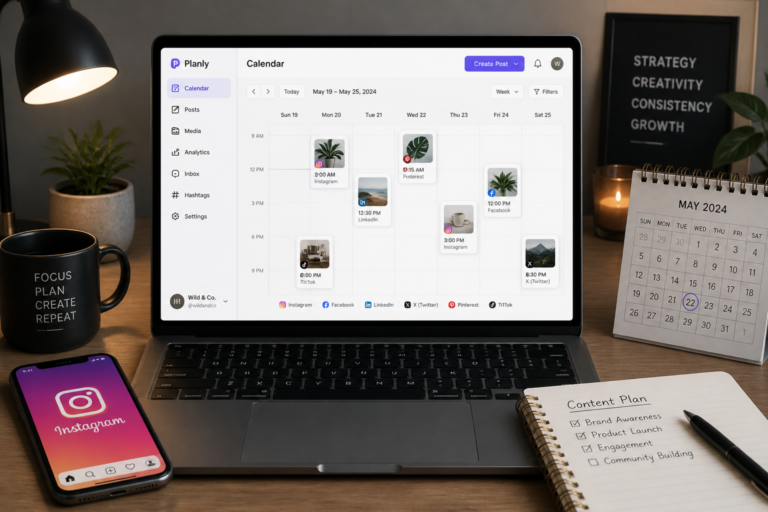
In today’s fast-paced digital landscape, automating your Instagram posts can save time and enhance your social media presence. This comprehensive guide will help you understand how to set up Instagram auto posting on WordPress effectively. By leveraging the right plugins and strategies, you can streamline your content sharing and boost engagement across your platforms.
First, let’s explore why automating your Instagram posts from WordPress is beneficial. Automating your posts not only saves you time but also ensures consistent content delivery. Moreover, by scheduling posts ahead of time, you can focus on creating quality content without the stress of daily management.
Why Use Instagram Auto Posting?
Instagram auto posting is an effective way to maintain a consistent presence on social media. Here are some key benefits:
- Time-Saving: Schedule posts in advance to free up your time for other tasks.
- Consistency: Maintain a steady flow of content, keeping your audience engaged.
- Analytics: Many plugins provide insights on post performance, allowing you to refine your strategy.
To get started, you will need to select a suitable plugin. Fortunately, there are various options available for automating Instagram posts on WordPress.
Top Instagram Auto Posting Plugins
For example, here are some of the best Instagram auto posting plugins:
For useful background on this topic, see How to Automate Instagram Posts from WordPress: Top Plugins and Tips.
- Social Media Autopilot With AI: This plugin allows for scheduling and automating posts across multiple social media platforms, including Instagram.
- WordPress Instagram Auto Poster: A dedicated plugin designed for seamless integration with Instagram, offering straightforward setup and scheduling options.
- Buffer: While not a WordPress plugin per se, Buffer integrates well with WordPress and allows for efficient social media management.
Next, let’s discuss how to set up Instagram auto posting using one of these plugins.
How to Set Up Instagram Auto Posting on WordPress
Follow these steps to automate your Instagram posts effectively:
- Choose a Plugin: Select one of the recommended plugins above based on your specific needs.
- Install the Plugin: Go to your WordPress dashboard, navigate to Plugins > Add New, search for your chosen plugin, and click ‘Install Now.’
- Activate the Plugin: Once installed, activate the plugin to begin configuration.
- Connect Your Instagram Account: Most plugins will require you to connect your Instagram account. Follow the prompts to authenticate your account.
- Configure Settings: Set your posting schedule, customize your post content, and select any additional features the plugin offers.
- Test the Setup: Before relying on automation, test the setup with a few posts to ensure everything works correctly.
After setting up the plugin, you can start scheduling your posts. This is where you can get creative with your content.
Content Creation Tips for Instagram
When creating content for Instagram, keep the following tips in mind:
- High-Quality Images: Use visually appealing images that resonate with your audience.
- Engaging Captions: Write captions that encourage interaction, such as questions or calls to action.
- Use Hashtags: Include relevant hashtags to increase visibility and reach.
Moreover, remember to monitor your analytics regularly. This will help you understand which posts perform best and optimize your strategy accordingly.
Best Practices for Instagram Auto Posting
To ensure successful automation, consider these best practices:
For a practical companion to this section, explore Top WordPress Instagram Auto Poster Plugins for Easy Social Automation.
- Compliance: Ensure your automation complies with Instagram’s API policies to avoid account restrictions.
- Quality Over Quantity: Focus on creating high-quality content rather than posting excessively.
- Regular Updates: Keep your plugins updated to benefit from the latest features and security patches.
By following these practices, you can maximize the effectiveness of your Instagram auto posting strategy.
Advanced Features of Instagram Auto Posting Plugins
When selecting an Instagram auto posting plugin, consider the advanced features that can enhance your automation experience. Here are some features to look out for:
- Image Editing Tools: Some plugins offer built-in image editing capabilities, allowing you to enhance your visuals before posting.
- Custom Post Formats: The ability to create different formats such as carousels, stories, or reels can help diversify your content.
- Auto-Response Features: Certain plugins can automatically respond to comments or direct messages, increasing engagement with your audience.
- Content Curation: Plugins that offer content curation can suggest trending topics or images to share, keeping your feed fresh and relevant.
Implementing a Content Calendar for Instagram
Creating a content calendar can significantly improve your Instagram auto posting strategy. Here’s how to implement one effectively:
- Define Your Goals: Determine what you want to achieve with your Instagram account, such as increasing followers, engagement, or brand awareness.
- Plan Your Content Themes: Organize your posts around specific themes or campaigns. For example, you might dedicate certain days to user-generated content, promotional posts, or educational content.
- Schedule Your Posts: Use your chosen plugin to schedule posts according to your content calendar. This ensures a balanced mix of content types and themes.
- Review and Adjust: Regularly review your performance analytics to see what types of posts resonate most with your audience, and adjust your calendar accordingly.
Related XoBytes Products

Social Media Autopilot With AI by XoBytes.com
$19.99
Xobytes Social Autopilot is a WordPress social media autoposter that helps schedule and promote posts, pages, WooCommerce products,…

AI SEO Data & Automatic Blog Writer for WordPress by XoBytes
$19.99
Turn your WordPress site, Google Search Console data, and SEO opportunities into smarter blog posts, pages, titles, meta…

Tamper Guard by XoBytes | WordPress Plugin Tamper Detector
$25.00
Protect your commercial WordPress plugins with license-based tamper detection, file integrity monitoring, automatic shutdown protection, and site reporting.…

Agentic Support Desk for WordPress by XoBytes.com
$19.99
Agentic Support Desk by Xobytes is an AI-powered WordPress support desk built for software sellers, WooCommerce stores, agencies,…

Plugin Update Server for WordPress by XoBytes.com
$25.00
Plugin Update Server by XoBytes lets WordPress plugin sellers deliver private plugin updates directly to customer dashboards. Upload…
License manager for WooCommerce by XoBytes.com
$25.00
Xobytes License Manager for WooCommerce is a powerful WooCommerce license manager plugin that lets you sell software licenses,…
Product 1 of 6
Measuring Success: Key Metrics to Track
To effectively measure the success of your Instagram auto posting strategy, focus on these key metrics:
- Engagement Rate: Track likes, comments, and shares to gauge how well your content resonates with your audience.
- Follower Growth: Monitor the increase in followers over time to assess the impact of your posting frequency and content quality.
- Click-Through Rate (CTR): If you include links in your posts or bio, track how many users click through to your website or landing pages.
- Post Reach: Analyze how many unique users see your posts to understand your content’s visibility.
Common Mistakes to Avoid When Auto Posting
While automating your Instagram posts can be beneficial, there are common pitfalls to avoid:
- Ignoring Engagement: Automation should not replace genuine interaction. Make sure to respond to comments and messages regularly.
- Over-Scheduling: Posting too frequently can overwhelm your audience. Find a balance that keeps your content fresh without being excessive.
- Neglecting Analytics: Failing to review your analytics can lead to missed opportunities for improvement. Regularly analyze your performance and adjust your strategy.
- Using Generic Content: Avoid reposting the same content across different platforms without customization. Tailor your posts to suit Instagram’s unique audience.
Choosing the Right Plugin: A Comparison
When selecting an Instagram auto posting plugin, it’s essential to consider various factors to ensure you choose the best option for your needs. Here’s a comparison of some popular plugins:
Continue with Automating and Securing WordPress Plugin Updates: A Complete Guide for additional XoBytes guidance.
- Social Media Autopilot With AI: Ideal for users looking for an all-in-one solution that integrates with multiple platforms. Its AI features help optimize posting times based on audience engagement.
- WordPress Instagram Auto Poster: Best for users focused solely on Instagram. It offers straightforward setup and is user-friendly, making it suitable for beginners.
- Buffer: Excellent for those who want a comprehensive social media management tool. It allows for scheduling across various platforms, but may require additional steps to integrate fully with WordPress.
Implementation Steps for Content Calendar
Creating a content calendar is a crucial step in maximizing your Instagram auto posting strategy. Here’s a detailed implementation guide:
- Research Your Audience: Understand your audience’s preferences and behaviors. Use insights from previous posts to inform your content decisions.
- Choose a Calendar Tool: Select a tool that suits your workflow. Options include Google Calendar, Trello, or specialized content calendar software.
- Outline Your Content Types: Decide on the types of content you want to post (e.g., images, videos, stories, reels). This will help create a varied and engaging feed.
- Set Posting Frequency: Determine how often you want to post. A consistent schedule (e.g., 3-5 times a week) can keep your audience engaged without overwhelming them.
- Plan for Holidays and Events: Incorporate relevant holidays, events, or campaigns into your calendar to capitalize on timely content opportunities.
Advanced Analytics for Optimizing Content
To further enhance your Instagram auto posting strategy, consider utilizing advanced analytics tools. Here are some metrics to focus on:
- Audience Demographics: Understand who your followers are (age, location, interests) to tailor your content more effectively.
- Time of Engagement: Identify when your audience is most active to optimize your posting schedule for maximum visibility.
- Content Performance: Analyze which types of posts (images, videos, carousels) receive the most engagement to refine your content strategy.
Integrating User-Generated Content
User-generated content (UGC) can be a powerful addition to your Instagram strategy. Here’s how to effectively integrate UGC into your auto posting:
- Encourage Submissions: Create campaigns that encourage your followers to share their content related to your brand using a specific hashtag.
- Curate Quality Content: Regularly review submissions and select high-quality UGC that aligns with your brand identity.
- Give Credit: Always credit the original creator when sharing UGC. This not only builds community but also encourages more users to share their content.
- Schedule UGC Posts: Use your chosen plugin to schedule UGC posts, ensuring a diverse mix of content on your feed.
Final Thoughts on Instagram Auto Posting
While automation can significantly enhance your social media strategy, it’s essential to combine it with genuine engagement and quality content. By following the guidelines and best practices outlined in this guide, you can create a robust Instagram presence that resonates with your audience.
Frequently Asked Questions
Here are some common questions regarding Instagram auto posting on WordPress:
What are the best WordPress plugins for Instagram auto posting?
Some of the top plugins include the WordPress Instagram Auto Poster plugin, Social Media Autopilot With AI, and other reliable automation tools that help schedule and publish posts automatically.
How do I set up automatic Instagram posting on WordPress?
Install a suitable plugin, connect your Instagram account via API or OAuth, configure your posting schedule, and customize post content to ensure seamless automation.
Can I automate Instagram posts for multiple accounts using WordPress?
Yes, many plugins support multiple account management, allowing you to automate posts across different Instagram profiles from your WordPress dashboard.
Are there any limitations or risks with auto posting to Instagram from WordPress?
Auto posting tools must comply with Instagram’s API policies. Excessive automation or spammy behavior can lead to account restrictions. Use reputable plugins and follow best practices.
In conclusion, setting up Instagram auto posting on WordPress is a straightforward process that can significantly enhance your social media strategy. By choosing the right plugin and following best practices, you can save time and boost your online presence.