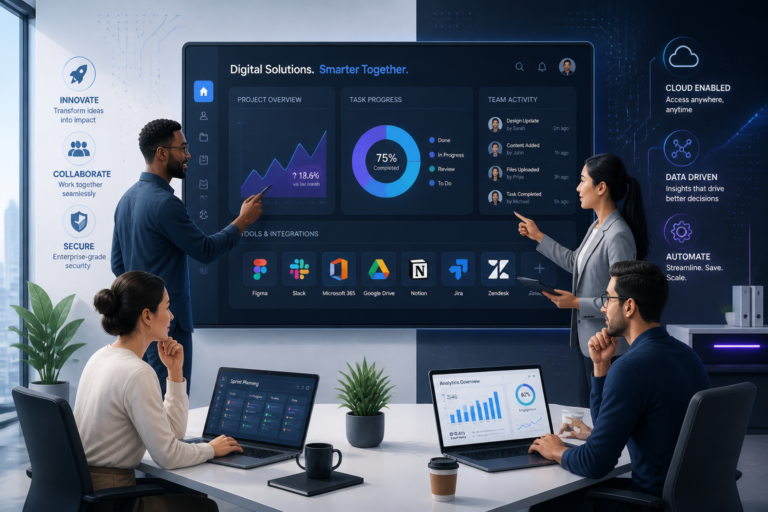
In today’s fast-paced digital landscape, businesses often seek solutions that can enhance their operations without incurring significant costs or delays. One popular option is off-the-shelf software. But what exactly is it? In this article, we will explore the definition, benefits, and various use cases of off-the-shelf software.
Definition of Off-the-Shelf Software
Off-the-shelf software refers to pre-built software products that are ready for immediate use. These solutions are designed for general purposes and can be purchased from a vendor without the need for extensive customization. Because of their ready-to-use nature, businesses can implement them quickly, making them an appealing choice for many organizations.
Benefits of Off-the-Shelf Software
There are numerous advantages to using off-the-shelf software. Here are some of the most notable benefits:
- Lower Upfront Costs: Off-the-shelf software typically has lower initial costs compared to custom-built solutions. This is because development costs are spread across many users, making it more affordable for individual businesses.
- Faster Deployment: Since off-the-shelf software is ready to use, businesses can implement it faster than developing a custom solution from scratch. This means quicker access to the tools needed for operations.
- Ease of Use: Many off-the-shelf solutions are designed with user-friendliness in mind. They often come with intuitive interfaces and comprehensive user guides, making it easier for employees to adopt the software.
- Ongoing Updates and Support: Vendors of off-the-shelf software typically provide regular updates and technical support. This ensures that the software remains current and secure, reducing the burden on internal IT teams.
Common Use Cases for Off-the-Shelf Software
Many businesses utilize off-the-shelf software in various areas. Here are some common use cases:
- Office Productivity: Software like Microsoft Office or Google Workspace allows teams to collaborate effectively, manage documents, and enhance productivity.
- Accounting and Finance: Solutions such as QuickBooks or FreshBooks provide businesses with tools for managing finances, invoicing, and budgeting.
- Customer Relationship Management (CRM): Platforms like Salesforce or HubSpot help businesses manage customer relationships, track sales, and analyze customer data.
- Project Management: Tools like Trello or Asana enable teams to plan, execute, and track projects efficiently, improving overall project delivery.
Limitations of Off-the-Shelf Software
Despite the many benefits, off-the-shelf software does come with some limitations. Here are a few to consider:
- Lack of Customization: Off-the-shelf solutions may not fully align with the unique workflows or processes of a business. This can lead to inefficiencies or the need for workarounds.
- Scalability Issues: As businesses grow, they may find that off-the-shelf software does not scale effectively to meet their evolving needs.
- Potential Misalignment: The software may not address specific requirements of a business, leading to frustration and reduced productivity.
When to Choose Off-the-Shelf Software
Choosing off-the-shelf software can be advantageous in several scenarios. Here are a few situations when it makes sense to opt for these solutions:
- When the software’s features closely match the business’s needs.
- When budget constraints are tight, making custom development impractical.
- When rapid deployment is required to meet immediate operational demands.
Comparing Off-the-Shelf and Custom Software
It’s essential to understand how off-the-shelf software compares with custom-built solutions. While off-the-shelf software is ready for immediate use, custom software is tailored specifically to a business’s needs. Here are some key differences:
- Cost: Off-the-shelf solutions generally have lower upfront costs, while custom solutions may require significant investment.
- Time to Implement: Off-the-shelf software can be deployed quickly, whereas custom solutions take time to develop and implement.
- Flexibility: Custom software offers greater flexibility and can be designed to fit a business’s specific requirements, unlike off-the-shelf solutions.
In summary, off-the-shelf software provides businesses with a cost-effective and efficient way to meet their software needs. However, it is crucial to weigh the benefits against the limitations to determine if it is the right choice for your organization.
Practical Examples of Off-the-Shelf Software
To better understand how off-the-shelf software can be utilized in various industries, let’s explore some practical examples:
Healthcare
In the healthcare sector, off-the-shelf software solutions such as Epic Systems or Allscripts provide electronic health record (EHR) systems that help manage patient data efficiently. These systems are designed to comply with healthcare regulations and can be implemented quickly, allowing healthcare providers to focus on patient care rather than software development.
Retail
Retail businesses often use off-the-shelf point-of-sale (POS) systems like Square or Shopify POS. These solutions offer inventory management, sales tracking, and customer engagement tools that can be set up rapidly, enabling retailers to enhance their operations without significant downtime.
Education
Educational institutions frequently adopt off-the-shelf learning management systems (LMS) such as Moodle or Canvas. These platforms provide a comprehensive set of features for course management, student assessments, and online collaboration, allowing educators to implement digital learning environments quickly.
Implementation Steps for Off-the-Shelf Software
Implementing off-the-shelf software can be straightforward, but following a structured approach can enhance the process. Here are some key steps to consider:
- Identify Needs: Assess the specific requirements of your business and identify the features that are essential for your operations.
- Research Options: Look for off-the-shelf software solutions that align with your identified needs. Compare features, pricing, and vendor support.
- Trial and Evaluation: Many vendors offer trial versions of their software. Take advantage of these trials to evaluate usability and functionality.
- Plan Deployment: Create a deployment plan that includes timelines, training for employees, and integration with existing systems.
- Monitor and Optimize: After implementation, continuously monitor the software’s performance and gather feedback from users to make necessary adjustments.
Decision Criteria for Choosing Off-the-Shelf Software
When deciding whether to choose off-the-shelf software, consider the following criteria:
- Feature Set: Does the software offer the features necessary to meet your business needs?
- Cost: Is the pricing model sustainable for your budget? Consider both initial costs and ongoing expenses.
- Vendor Reputation: Research the vendor’s reputation and customer service track record to ensure reliable support.
- Compatibility: Will the software integrate smoothly with your existing systems and tools?
- Scalability: Can the software grow with your business needs, or will it require replacement as you scale?
Future Trends in Off-the-Shelf Software
As technology evolves, so does the landscape of off-the-shelf software. Here are some trends to watch:
- Increased Customization: Vendors are beginning to offer more customizable options within their off-the-shelf solutions, allowing businesses to tailor the software to their needs without full custom development.
- Cloud-Based Solutions: The shift toward cloud computing continues to grow, making off-the-shelf software more accessible and scalable for businesses of all sizes.
- AI Integration: Many off-the-shelf software products are starting to incorporate artificial intelligence features to enhance functionality, such as predictive analytics and automation.
Integration Challenges with Off-the-Shelf Software
While off-the-shelf software offers many advantages, businesses may encounter integration challenges when trying to connect these solutions with existing systems. Here are some common issues to consider:
- Data Migration: Transferring existing data into the new system can be complex, especially if the data formats differ.
- API Limitations: Some off-the-shelf solutions may not provide robust APIs, making it difficult to integrate with other software.
- Training Needs: Employees may require training to adapt to the new software, which can temporarily disrupt workflows.
Evaluating Vendor Support for Off-the-Shelf Software
When selecting off-the-shelf software, the level of vendor support can significantly impact your experience. Here are key factors to evaluate:
- Availability: Check if the vendor offers 24/7 support or only during business hours.
- Support Channels: Determine what support channels are available, such as phone, email, or live chat.
- Community Forums: A strong user community can provide additional resources and troubleshooting tips.
Future-Proofing Your Off-the-Shelf Software Choice
As technology advances, it’s essential to consider how your off-the-shelf software choice will hold up in the future. Here are some strategies for future-proofing your decision:
- Vendor Roadmap: Inquire about the vendor’s future plans for updates and new features to ensure long-term viability.
- Scalability Options: Choose software that can scale with your business growth, accommodating increased users and data.
- Integration Capabilities: Opt for solutions that can integrate with emerging technologies and platforms.
Case Study: Successful Implementation of Off-the-Shelf Software
To illustrate the effectiveness of off-the-shelf software, consider the following case study:
Company: A mid-sized e-commerce retailer
Challenge: The retailer needed a quick solution for inventory management to support its growing online sales.
Solution: The company opted for an off-the-shelf inventory management software that integrated seamlessly with their existing e-commerce platform.
Results: Within weeks, the retailer improved inventory accuracy by 30% and reduced stockouts, leading to a significant increase in sales.
Common Mistakes to Avoid When Selecting Off-the-Shelf Software
To ensure a successful selection process, be mindful of these common pitfalls:
- Overlooking User Feedback: Failing to involve end-users in the selection process can result in choosing software that doesn’t meet their needs.
- Ignoring Hidden Costs: Consider all costs associated with the software, including training, maintenance, and potential upgrades.
- Rushing the Decision: Take the time to thoroughly evaluate multiple options rather than making a hasty choice.
Frequently Asked Questions
Below are some common questions regarding off-the-shelf software:
- What is off-the-shelf software?
Off-the-shelf software is a pre-built, ready-to-use product designed for general purposes, which can be purchased and implemented quickly without customization. - What are the advantages of off-the-shelf software?
Its main benefits include lower upfront costs, faster deployment, ease of use, and availability of ongoing updates and support from the vendor. - When should a business choose off-the-shelf software?
When the software’s features closely match business needs, budget constraints are tight, or rapid deployment is required, off-the-shelf solutions are typically preferred. - What are the limitations of off-the-shelf software?
Limitations include lack of customization, potential misalignment with specific workflows, and possible scalability issues for unique or complex processes.