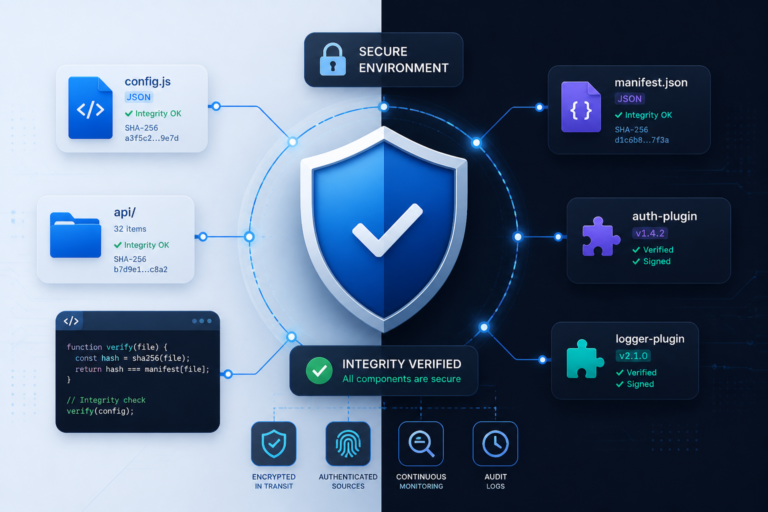
WordPress is one of the most popular content management systems globally, powering millions of websites. However, its popularity also makes it a prime target for cyberattacks. Therefore, ensuring WordPress security is crucial for every site owner. One effective method to enhance security is through software integrity testing. This article will explore the top software integrity testing tools and best practices to help you safeguard your WordPress site.
To start, let’s understand what software integrity testing is and why it’s essential for WordPress security.
What is Software Integrity Testing?
Software integrity testing involves verifying that the files and plugins on your website have not been tampered with. This process is vital because unauthorized modifications can lead to security breaches, data loss, and even complete site failures. By implementing integrity testing, you can maintain the reliability and security of your WordPress site.
The Importance of Software Integrity Testing for WordPress
- Prevention of Unauthorized Changes: Regular integrity checks help identify unauthorized modifications to your files and plugins.
- Enhanced Security: By detecting tampering early, you can take immediate action to protect your site.
- Compliance: Many industries require compliance with security standards, which can be achieved through integrity monitoring.
- Maintaining User Trust: A secure site fosters trust among users, encouraging them to engage with your content.
Top Software Integrity Testing Tools
Several tools can help you implement software integrity testing effectively. Below are some of the best options available:
- Tamper Guard – This plugin provides license-based tamper detection and file integrity monitoring. It automatically shuts down compromised plugins and reports issues to help maintain your site’s security. Learn more about Tamper Guard here.
- File Integrity Monitor – This powerful tool scans your WordPress files and alerts you to any unauthorized changes. It provides detailed reports, allowing you to identify potential security threats quickly.
- Wordfence – Known for its comprehensive security features, Wordfence includes file integrity monitoring as part of its offering. It scans for changes and alerts you to any suspicious activity.
- Sucuri – A well-known name in website security, Sucuri also offers integrity monitoring. It provides real-time alerts and detailed reports on any changes made to your files.
For example, How to Protect Your WordPress Site with Effective Software Integrity Testing Tools discusses how to choose the right software for your needs.
Best Practices for Implementing Software Integrity Testing
To effectively implement software integrity testing on your WordPress site, consider the following best practices:
- Regular Scanning: Schedule regular scans of your files and plugins to ensure they remain untampered.
- Use Reputable Tools: Choose well-reviewed and trusted integrity monitoring tools to ensure effectiveness.
- Set Up Alerts: Configure alerts for any changes detected, allowing for quick responses to potential threats.
- Maintain Backups: Always have up-to-date backups of your site to restore functionality quickly in case of a breach.
Additionally, integrating these tools into your overall security strategy is crucial. For more insights, check out our guide on choosing the best file integrity monitoring tools.
Conclusion
Ensuring WordPress security is an ongoing process that requires diligence and the right tools. By implementing software integrity testing and following best practices, you can protect your site from unauthorized modifications and maintain user trust. Consider integrating tools like Tamper Guard and regularly reviewing your security measures to stay ahead of potential threats.
Understanding the Different Types of Integrity Testing
Before diving into the tools, it’s essential to understand the different types of integrity testing methods that can be applied to your WordPress site. Each method has its strengths and can be used in conjunction to provide a robust security posture.
Related XoBytes Products

Tamper Guard by XoBytes | WordPress Plugin Tamper Detector
$25.00
Protect your commercial WordPress plugins with license-based tamper detection, file integrity monitoring, automatic shutdown protection, and site reporting.…

Agent Shield by XoBytes | Protect against agentic software
$25.00
AgentShield is a WordPress AI Agent Firewall that helps detect, monitor, block, and temporarily ban AI crawlers, AI…

Plugin Update Server for WordPress by XoBytes.com
$25.00
Plugin Update Server by XoBytes lets WordPress plugin sellers deliver private plugin updates directly to customer dashboards. Upload…
- File Hashing: This method involves creating a unique hash for each file on your site. Any unauthorized changes will result in a different hash, alerting you to potential tampering.
- Change Monitoring: This approach continuously monitors files for any changes. It can alert you in real-time, allowing for immediate action if something suspicious is detected.
- Version Control: Utilizing version control systems (like Git) allows you to track changes made to your files over time, making it easier to identify unauthorized modifications.
Comparing Software Integrity Testing Tools
When selecting a software integrity testing tool, it’s crucial to compare their features, usability, and pricing. Here’s a brief comparison of some popular tools:
Continue with WordPress Help Desk Software Compared: Plugins, SaaS, and Support Tools for additional XoBytes guidance.
| Tool | Key Features | Pricing |
|---|---|---|
| Tamper Guard | License-based detection, automatic shutdown of compromised plugins | Starts at $49/year |
| File Integrity Monitor | Detailed reports, real-time alerts | Free with premium options |
| Wordfence | Comprehensive security suite, firewall, malware scanning | Free with premium options starting at $99/year |
| Sucuri | Real-time monitoring, detailed change reports | Starts at $199.99/year |
Implementation Steps for Software Integrity Testing
To effectively implement software integrity testing on your WordPress site, follow these steps:
- Choose the Right Tool: Evaluate the tools based on your specific needs and budget. Consider starting with a free option to test its effectiveness.
- Install and Configure: Follow the installation guidelines provided by the tool. Ensure that you configure it to scan all critical directories and files.
- Schedule Regular Scans: Set up a schedule for regular scans, ideally weekly or bi-weekly, to ensure continuous monitoring.
- Review Alerts: Regularly check the alerts and reports generated by the tool. Investigate any suspicious changes immediately.
- Update Security Measures: Based on the findings from the integrity tests, update your security protocols, including firewalls and access controls.
Integrating Software Integrity Testing with Other Security Measures
For optimal WordPress security, software integrity testing should be part of a broader security strategy. Consider integrating the following measures:
- Regular Backups: Ensure that you have a reliable backup solution in place. This allows for quick recovery in case of a security breach.
- Firewall Protection: Use a web application firewall (WAF) to block malicious traffic before it reaches your site.
- Strong Password Policies: Enforce strong password policies for all users to minimize the risk of unauthorized access.
- Regular Updates: Keep WordPress core, themes, and plugins updated to protect against known vulnerabilities.
Real-World Examples of Software Integrity Testing Success
Many organizations have successfully implemented software integrity testing to enhance their WordPress security. Here are a couple of examples:
- Example 1: A small e-commerce site integrated Wordfence and began receiving real-time alerts for unauthorized changes. This early detection allowed them to prevent a potential data breach and maintain customer trust.
- Example 2: A blog with a significant audience used Sucuri for integrity monitoring. After detecting unexpected file changes, they quickly restored their site from backups, preventing any loss of user data or content.
Frequently Asked Questions
Here are some common questions about software integrity testing:
- What is software integrity testing and why is it important for WordPress sites? Software integrity testing verifies that files and plugins have not been tampered with, ensuring the security and reliability of your website. It helps prevent unauthorized modifications that could lead to security breaches.
- How does Tamper Guard enhance WordPress plugin security? Tamper Guard monitors plugin files for unauthorized changes, automatically detects tampering, and can shut down compromised plugins to prevent security risks.
- What are the best practices for implementing file integrity monitoring on a WordPress site? Best practices include regularly scanning files, using reputable integrity monitoring tools, setting up alerts for changes, and maintaining up-to-date backups.
- Can software integrity tools prevent all types of WordPress security threats? While they significantly reduce the risk of tampering and unauthorized changes, they should be combined with other security measures like firewalls, strong passwords, and regular updates for comprehensive protection.