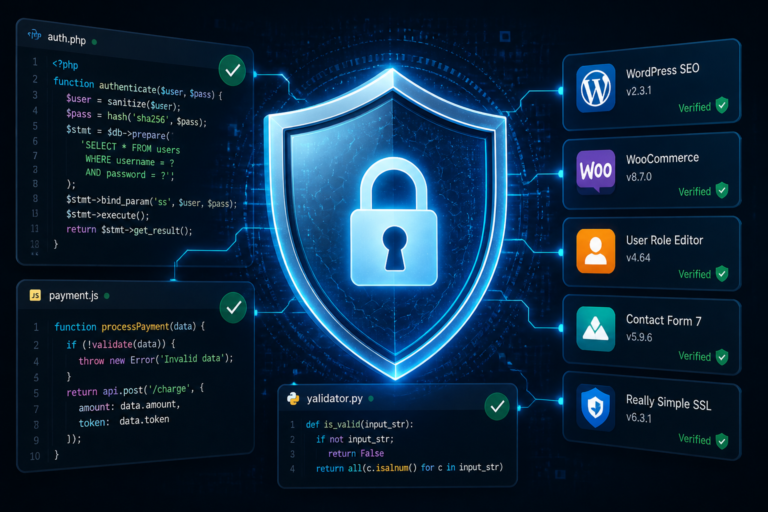
In the world of WordPress, securing your site is paramount. One of the critical aspects of this security is preventing plugin tampering. As WordPress is a popular platform, it is often targeted by malicious users. Therefore, maintaining the integrity of your plugins is essential. This article explores essential software integrity monitoring solutions that can safeguard your WordPress site.
Understanding Plugin Tampering
Plugin tampering refers to unauthorized modifications made to your WordPress plugins. Such changes can lead to security vulnerabilities, data breaches, and a compromised user experience. To combat this, implementing software integrity monitoring tools is crucial. These tools help detect unauthorized changes and ensure that your plugins function as intended.
Why Software Integrity Monitoring is Important
Software integrity monitoring is vital for several reasons:
- Security: It helps identify unauthorized changes that could compromise your site.
- Reliability: Ensures that your plugins function correctly, providing a seamless experience for users.
- Compliance: Many businesses need to comply with regulations that require the monitoring of software integrity.
In addition, implementing these tools can help maintain trust with your users by ensuring their data remains secure and your site operates smoothly.
Essential Software Integrity Monitoring Solutions
There are several software integrity monitoring solutions available for WordPress. Below are some of the most effective options you can consider:
1. Tamper Guard
Tamper Guard is a powerful tool designed specifically for WordPress plugins. It provides license-based tamper detection and file integrity monitoring. Moreover, Tamper Guard offers automatic shutdown protection for compromised plugins, ensuring your site remains secure. For more information, you can check out the Tamper Guard product page.
2. Wordfence Security
Wordfence Security is another excellent choice. It includes a firewall and malware scanner, helping to protect your site from various threats. Additionally, it monitors file changes, alerting you to any unauthorized modifications.
3. Sucuri Security
Sucuri Security offers comprehensive security solutions, including file integrity monitoring. It helps detect changes in your plugins and files, providing peace of mind regarding your site’s safety.
To make this easier, you can choose a solution that best fits your security needs. Each of these tools has unique features that can enhance your site’s security.
Best Practices for Implementing Software Integrity Monitoring
While having software integrity monitoring tools is essential, following best practices will maximize their effectiveness. Here are some tips:
For a practical companion to this section, explore How to Protect Your WordPress Site with Effective Software Integrity Testing Tools.
- Regular Scanning: Schedule regular scans to identify any unauthorized changes promptly.
- Use Reputable Tools: Always choose well-reviewed and trusted integrity monitoring tools.
- Set Up Alerts: Configure alerts for any changes detected to respond quickly to potential threats.
- Maintain Backups: Regularly back up your site to ensure you can restore it to a previous state if necessary.
By implementing these best practices, you can significantly enhance your site’s security.
Integrating Other Security Measures
While software integrity monitoring is crucial, it should not be your only line of defense. Integrating additional security measures can provide comprehensive protection. Consider the following:
- Firewalls: Use a web application firewall to filter out malicious traffic.
- Strong Passwords: Ensure that all user accounts have strong, unique passwords.
- Regular Updates: Keep your WordPress core, plugins, and themes updated to the latest versions.
In addition, combining these strategies will create a robust security framework for your WordPress site.
Conclusion
Preventing plugin tampering is essential for maintaining the integrity and security of your WordPress site. By implementing effective software integrity monitoring solutions like Tamper Guard and following best practices, you can protect your site from unauthorized changes. Remember to integrate other security measures for comprehensive protection. Start securing your site today!
Related XoBytes Products

Tamper Guard by XoBytes | WordPress Plugin Tamper Detector
$25.00
Protect your commercial WordPress plugins with license-based tamper detection, file integrity monitoring, automatic shutdown protection, and site reporting.…

Plugin Update Server for WordPress by XoBytes.com
$25.00
Plugin Update Server by XoBytes lets WordPress plugin sellers deliver private plugin updates directly to customer dashboards. Upload…

Agent Shield by XoBytes | Protect against agentic software
$25.00
AgentShield is a WordPress AI Agent Firewall that helps detect, monitor, block, and temporarily ban AI crawlers, AI…
Understanding the Risks of Plugin Tampering
Plugin tampering poses various risks to your WordPress site, which can have significant repercussions for your business. Here are some of the primary risks associated with plugin tampering:
Continue with Ensuring WordPress Security: Top Software Integrity Testing Tools for additional XoBytes guidance.
- Data Breaches: Unauthorized changes can lead to vulnerabilities that allow attackers to access sensitive user data.
- Site Downtime: Compromised plugins can cause your site to crash or become inaccessible, leading to loss of revenue and user trust.
- Malware Infections: Tampered plugins may introduce malware, which can spread to users and damage your site’s reputation.
Choosing the Right Software Integrity Monitoring Solution
When selecting a software integrity monitoring solution for your WordPress site, consider the following criteria:
- Compatibility: Ensure the tool is compatible with your existing plugins and themes.
- Ease of Use: Look for a user-friendly interface that simplifies monitoring and alerts.
- Support and Updates: Choose a solution that offers regular updates and responsive customer support.
- Cost: Evaluate the pricing structure to ensure it fits your budget while providing essential features.
Implementing Software Integrity Monitoring: Step-by-Step Guide
To effectively implement software integrity monitoring on your WordPress site, follow these steps:
- Assess Your Needs: Determine the specific security requirements of your site based on its size, traffic, and sensitivity of data.
- Research Solutions: Investigate different monitoring tools, read reviews, and compare features to find the best fit.
- Install the Chosen Tool: Follow the installation instructions provided by the software vendor to set up the monitoring solution on your site.
- Configure Settings: Customize the settings to suit your monitoring preferences, such as alert thresholds and scanning frequency.
- Conduct Initial Scan: Run a comprehensive scan to establish a baseline of your plugin integrity before ongoing monitoring begins.
- Regularly Review Reports: Monitor the reports generated by the tool and take immediate action on any detected changes.
Real-World Examples of Plugin Tampering Consequences
Understanding the potential consequences of plugin tampering can help illustrate the importance of implementing software integrity monitoring. Here are a few real-world examples:
- Example 1: A popular e-commerce site experienced a data breach when an outdated plugin was tampered with, exposing customer credit card information. The incident resulted in financial loss and reputational damage.
- Example 2: A blog site was compromised due to a malicious plugin that redirected users to phishing sites. This led to a significant drop in traffic and trust from its audience.
- Example 3: A non-profit organization’s website was taken offline due to a compromised plugin, disrupting their fundraising efforts and communication with supporters.
Future Trends in Software Integrity Monitoring
As cyber threats evolve, software integrity monitoring solutions are also adapting. Here are some trends to watch for in the coming years:
- AI and Machine Learning: Tools will increasingly incorporate AI to detect anomalies and predict potential tampering before it occurs.
- Integration with Other Security Tools: Expect more seamless integrations with firewalls, antivirus software, and other security solutions for comprehensive protection.
- Enhanced User Interfaces: Monitoring solutions will focus on usability, providing intuitive dashboards and simplified reporting for site administrators.
Frequently Asked Questions
Here are some common questions regarding software integrity monitoring:
What is software integrity testing and why is it important for WordPress sites?
Software integrity testing verifies that files and plugins have not been tampered with, ensuring the security and reliability of your website. It helps prevent unauthorized modifications that could lead to security breaches.
How does Tamper Guard enhance WordPress plugin security?
Tamper Guard monitors plugin files for unauthorized changes, automatically detects tampering, and can shut down compromised plugins to prevent security risks.
What are the best practices for implementing file integrity monitoring on a WordPress site?
Best practices include regularly scanning files, using reputable integrity monitoring tools, setting up alerts for changes, and maintaining up-to-date backups.
Can software integrity tools prevent all types of WordPress security threats?
While they significantly reduce the risk of tampering and unauthorized changes, they should be combined with other security measures like firewalls, strong passwords, and regular updates for comprehensive protection.